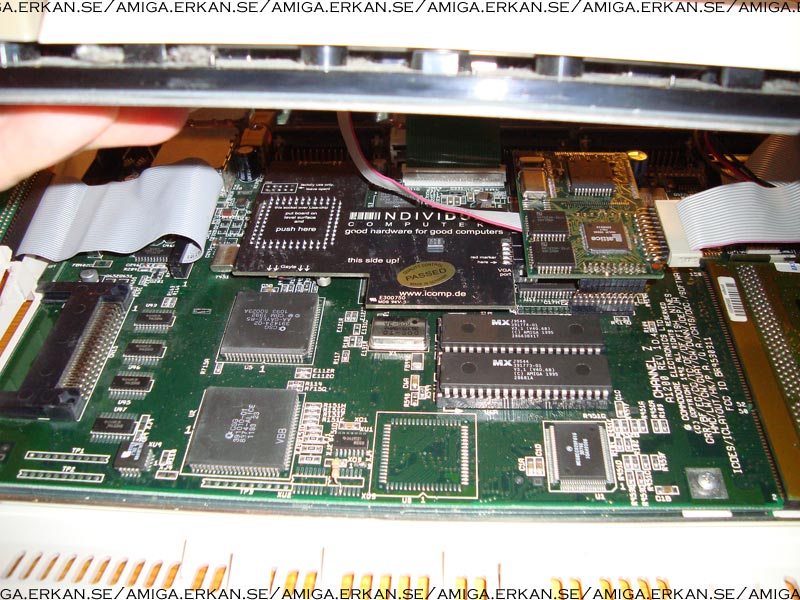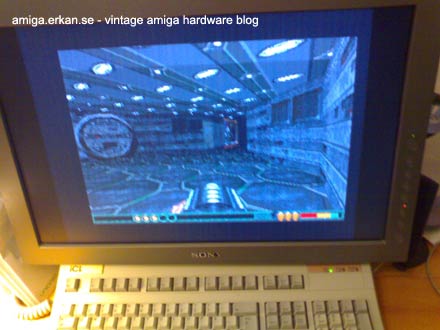
Finally today I had some time to spare so I could try out my Indivision AGA Scandoubler/Flickerfixer that I received from AmigaKit earlier this week.

I have to say that it is very nice to be able to purchase new Amiga hardware for a reasonable price (when you take in to account how big the market is and how much time was invested in the product) that is not second hand or has passed ten owners before me. Let us hope that in the future there will be more new hardware available such as graphic boards and accelerators.

For quite some time Amiga scandoublers and flickerfixers have been very sought after and have recently been selling for a lot of money on Ebay. In these age when everybody have a TFT screen, it is not a question of if you want to run your Amiga on the TFT, you need to run the Amiga on the TFT because soon, regular CRT monitors and televisions will be extinct to museums.

Typically Amiga computers can not display its native resolution on a VGA screen (except the Amiga 3000 that has a built in scandoubler), this was great in 1989 because it drove the total price of Amiga home computer down since you could hook up your A500 to your TV.

To be able to view all native Amiga resolutions the Amiga needs to be equipped with a scandoubler/flickerfixer such as the Indivision, or you will need an old heavy multisync CRT monitor which rarely exist in resolutions over 15″.

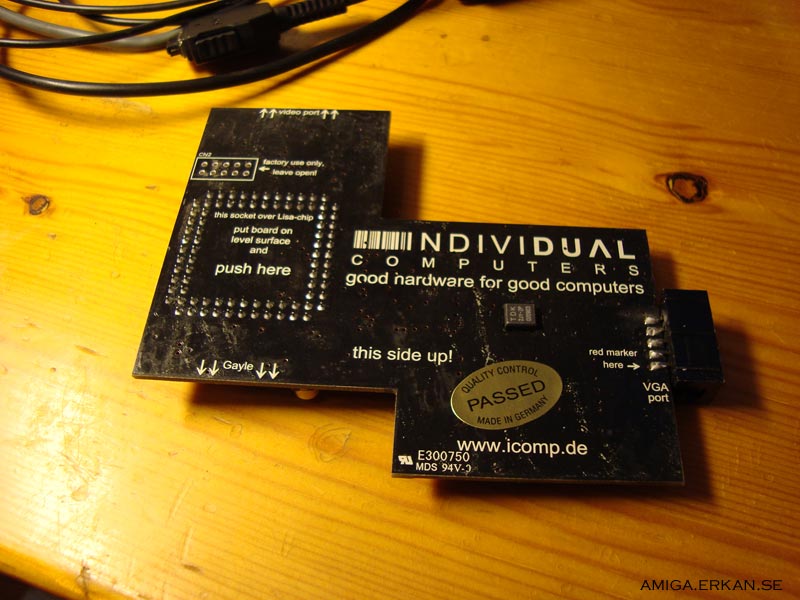
The Indivision is a neat little circuit board that sits on top of the video chip inside the Amiga, once seated it is very securely attached to the A1200 motherboard. However keep in mind that some revisions of the A1200 motherboard have a flatter video chip so you need to carefully sand down the socket on the Indivision. The VGA cable is connected to the Indivision AGA and preferably mounted in the free place besides the mouse port. There is no installation of drivers afterwards but in order to flash the scandoubler with a never firmware that might improve picture quality you need to download a software package from the net.

On boot you are greeted with a welcome sign from Individual computers which disappears to show the Amiga screen output.

Previously I had an internal DCE Scandoubler mounted inside my A1200 and I was immediately aware of the dramatic improvement in display quality over the DCE unit on my TFT screen. There is no noise or banding appearing over the screen which is really nice and a huge improvement. Interlaced screen modes are rock solid and are suddenly a great alternative to high-res even in daily use – say welcome to squae pixels in AGA!

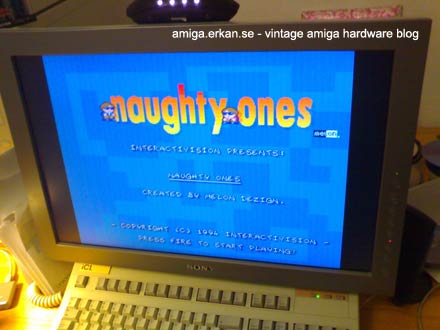
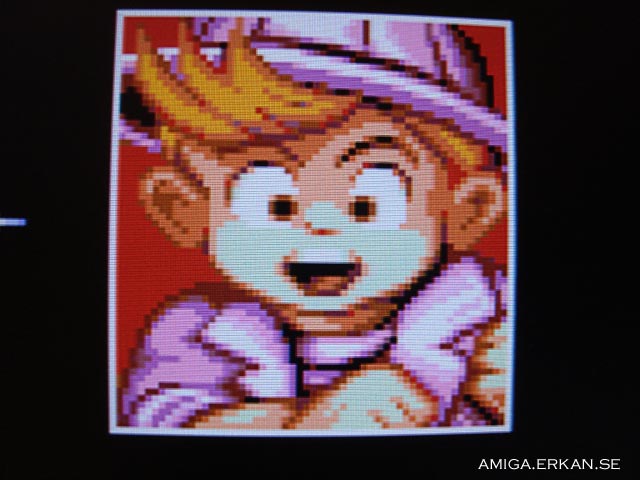
Images from the game Naughy Ones by Melon Dezign, keep in mind I am running Indivision with scanlines turned on in these images!

Image quality in games is great and since this is a true 24-bit scandoubler you are going to be able to see the whole spectrum of colors your Amiga AGA chipset can produce. If you like watching demos and playing games on your A1200 Indivision AGA is the scandoubler to get since no other A1200 compatible scandoubler is 24-bit.

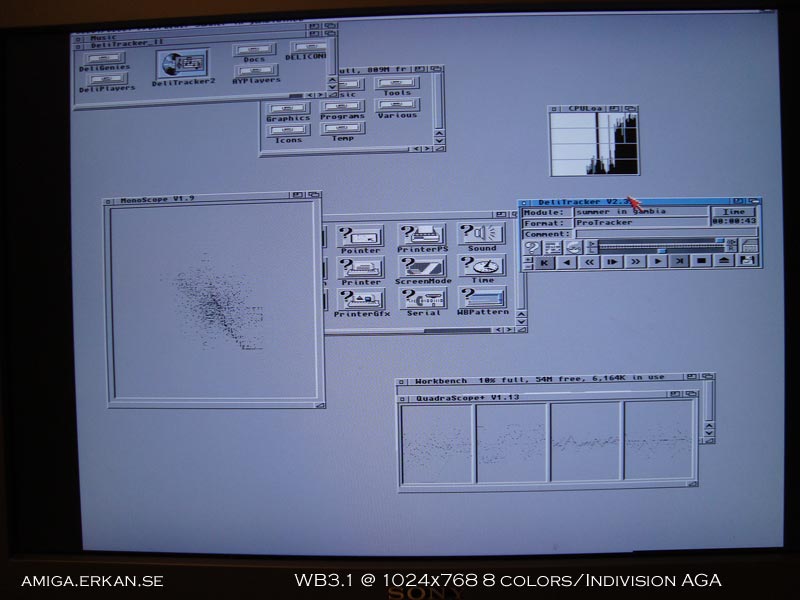
With the monitor drivers HighGFX from AmiNet it is possible to get some extra resolutions in Workbench such as the industry standard 1024 x 768 resolution. There are some other resolutions offered by the HighGFX package too but IMHO they are quite weird resolutions so I am not so sure yet how useful they will be.

Workbench 3.1 at 1024×768 thanks to HighGFX monitor package from AmiNET

With the HighGFX monitor driver and Workbench running in 1024×768 I was pleasantly surprised that the Amiga was actually fast enough in Workbench for common tasks. Keep in mind though that anything over 16 colors is going to make Workbench feel a bit slow, you are not going to want to run Workbench at 1024 x 768 with 256 colors as a permanent setting but 16 to 32 colors is a realistic work environment.

Indivision AGA with the HighGFX package is actually a quite neat combination since you are still running the native Amiga AGA chipset and won’t have any trouble with busboards, PCI-graphic cards or Zorro cards and slots. Not to mention that with the Indivision your Amiga can switch screen modes from HighGFX 1024×768 to AGA highres without complicated monitor switchers and such items, it is a very simple alternative to high end big box Amiga and it can rival low to medium big box Amiga systems (if you can live in 8-32 colors).

Actually my A1200 with Apollo 1260 (yes, Indivision is very stable with the Apollo, Jens ;) ) clocked at 50 MHz felt just as fast in 1024 x 768 as my Amiga 2000 with 030 25MHz and Picasso 2 feels in the same resolution.

I know that it is not a scientific test by far and my A2000 is probably slightly faster in reality if it would have been equipped with a 060 but IMHO I would rather take the A1200 any day over that Amiga 2000.

Indivision and HighGFX is a great alternative to a complex big box classic Amiga setup if you do not dream about high end PNG icons and 16-bit desktops, which you will eventually tire of anyway (believe me). I suspect a fast 040 or 060 board is really the minimum CPU card you would want to have if you dream of Workbench in 1024 x 768. Not that I think Workbench would be so much slower with a 030 based accerator card, however I have not been able to try lower cards out so your impression might be different with slower turbo boards.

There was some noise/corruption in the graphic output during the use of HighGFX in 1024×768, if it was hardware or software problems, I do not really know. But I am fairly sure it was not something serious and that it would be taken care of if it was something that occurred outside of what I can configure.

There is a neat little control panel for the Indivision AGA where you configure the card and turn on scanlines if you lounge back to the days of your A500 connected to the color TV. Myself, I prefer my pixels sharp and non blurry so I decided to turn that feature off.

Installation of the Indivision inside the Amiga 1200 can be troublesome, the manual suggests you modify the upper RF-shield of the A1200 so the scandoubler can fit under the metallic shield. This was not a problem for me though. I can not remember the last time I had an upper RF-shield in an A1200 :)

If you like the 2.5” hard drive cradle you are going to find out soon that it won’t fit with the Indivision mounted inside it. This is really nothing to cry about, ten years from now I suspect all Amiga enthusiasts will run their A1200 with some form of flash media instead of mechanic hard drive, but right here and now it might be slightly disturbing to some of you. You could always sell the HD cradle on eBay, I got close to 20 euro for mine, seems like the next big thing in the Amiga world! :D

There is more trouble though, you may have problems with the Indivision VGA cable if you are running a Phase 5 BlizzardVision graphics card inside your A1200D since space between the two hardware devices when mounted are slim. I had some problems with my Melody1200Pro soundcard that did not fit with the scandoubler mounted, I solved that problem by mounting clock port extender under the soundcard and now everything fits. I have also heard some other issues with other hardware but hey, this is for the A1200 and nobody’s A1200 seems to have the same hardware configuration these days, that is just the way it is.

And finally it would have been perfect if a bracket for the VGA port already came with the scandoubler. It seems there just has to be some DIY aspect to Amiga hardware. It is almost like an old tradition in the Amiga world :)

Other than those small issues the Indivision A1200 is a great piece of hardware and I recommend it to anyone who wants to be able to hook up an A1200 to a TFT monitor.

Image from the game Pang, with scanlines turned off!

Update 2009.09.07

After the success of the A1200 version there is now an A4000 version of the Indivision that fits the Amiga 4000 desktop and the Amiga CD32. There is also an ECS version that fits A500, A2000 and A3000!

Random Posts