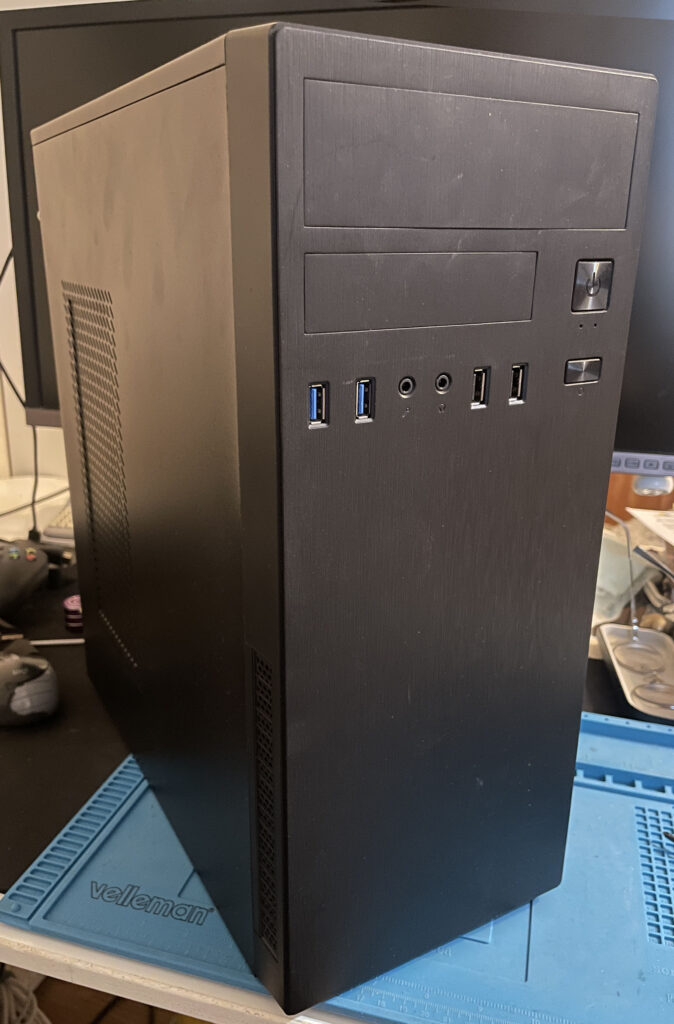
Amiga 2000 EATX

I just finished the last touches on my Amiga 2000 EATX build. The Amiga 2000 EATX is a clone of the Amiga 2000 motherboard in an extended ATX format. That means it will fit inside most ATX tower cases that can swallow a larger EATX format (or in this case can be hacked to accept EATX motherboards). You can read more about the A2000 EATX here.

I like to modernise the Amiga systems I have so I look forward installing an Amiga in a generic PC tower, with that said, I actually think the original Commodore Amiga 2000 case was awesome. It was an easy case to open up to have access to the slots, it was also a good looking case and the de facto professional Amiga to have back in the day.

I like to think that the A2000 EATX continues that professional legacy of the Amiga 2000 by modernising it and making it more accessible and user friendly.

Building an Amiga 2000 EATX motherboard
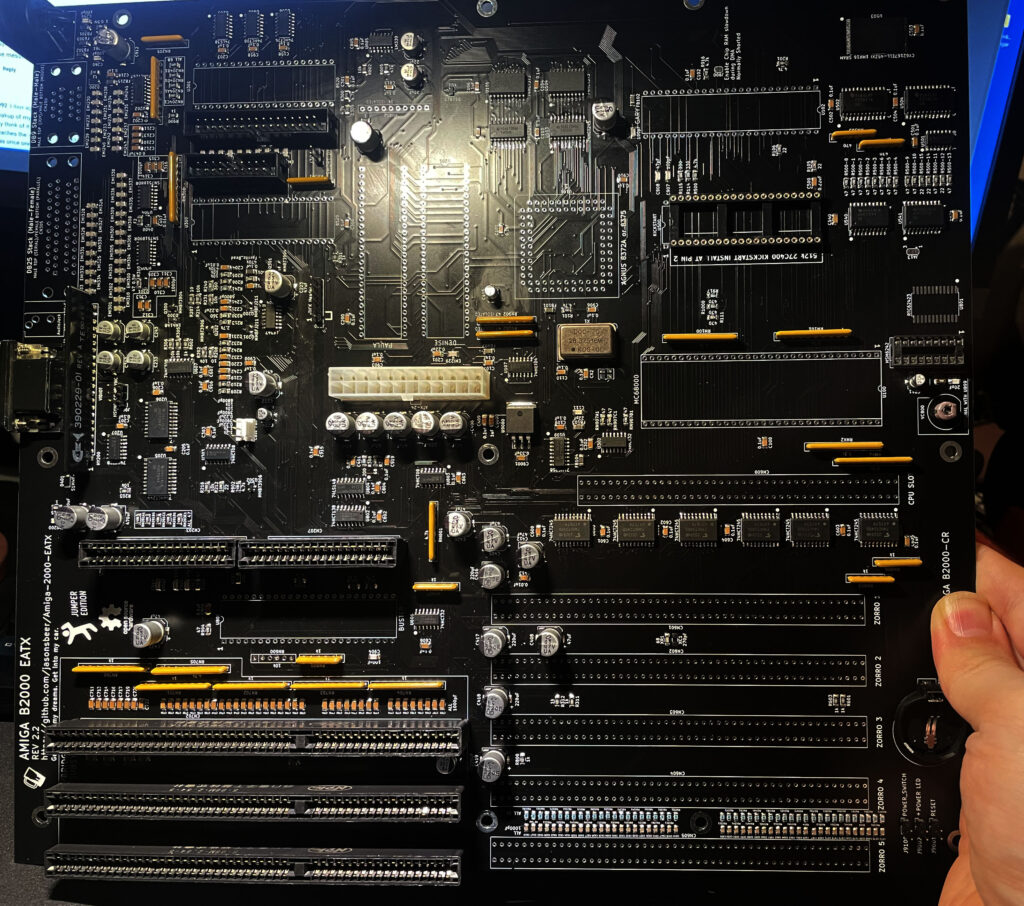
My Amiga 2000 EATX in about 85% built state.

As you can see on the picture, most of the features of a genuine Commodore Amiga 2000 is present on the A2000 EATX motherboard.

Although the motherboard above is in a half finished state above we can see there are space for five Zorro 2 slots, three ISA slots (one less than on a real A2000), the CPU slot and the video slot. Also note the ATX power and space for all custom chips from an Amiga.

I used the chipset from an Amiga 500 and then got a Bluster chip (Buster clone). I also took the vidiot from a broken A500. It is possible to run both 8375 and 8372. I did not have an 8375 so I used an 8372 instead. Having the option to chose between 8375 and 8372 is awesome – 8375 is more difficult to find and more expensive. There is also provision for a PCB to generate the tick signal. I do not have that on this build but if needed could be added.

The most difficult part to solder on this project is the chip memory which is very fine pitched (if unexperienced). There are also two diodes (IIRC) that have tiny solder pads, other than that it is very straight forward.
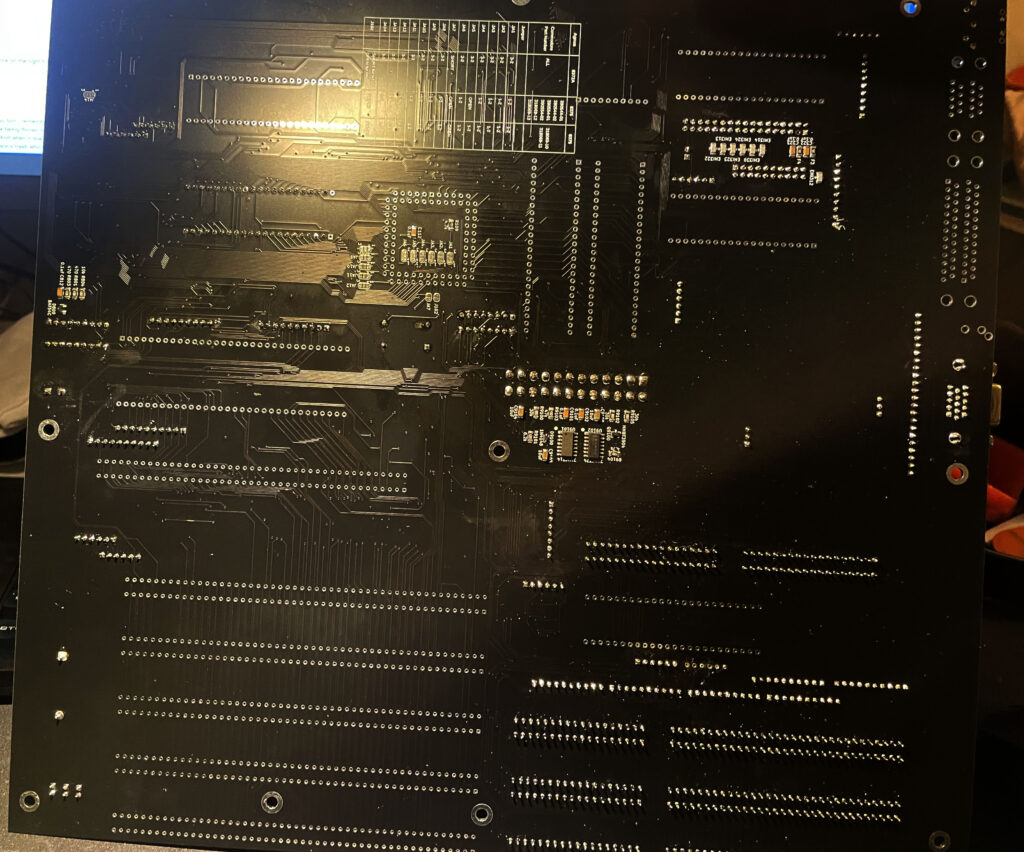
Here is the backside of the motherboard.

I also want to shine a light onto the documentation around this project. The amount of documentation on the project website is extensive and very well done. There is also a Discord where one can ask questions if one gets stuck.

Chosing a case for the A2000 EATX motherboard
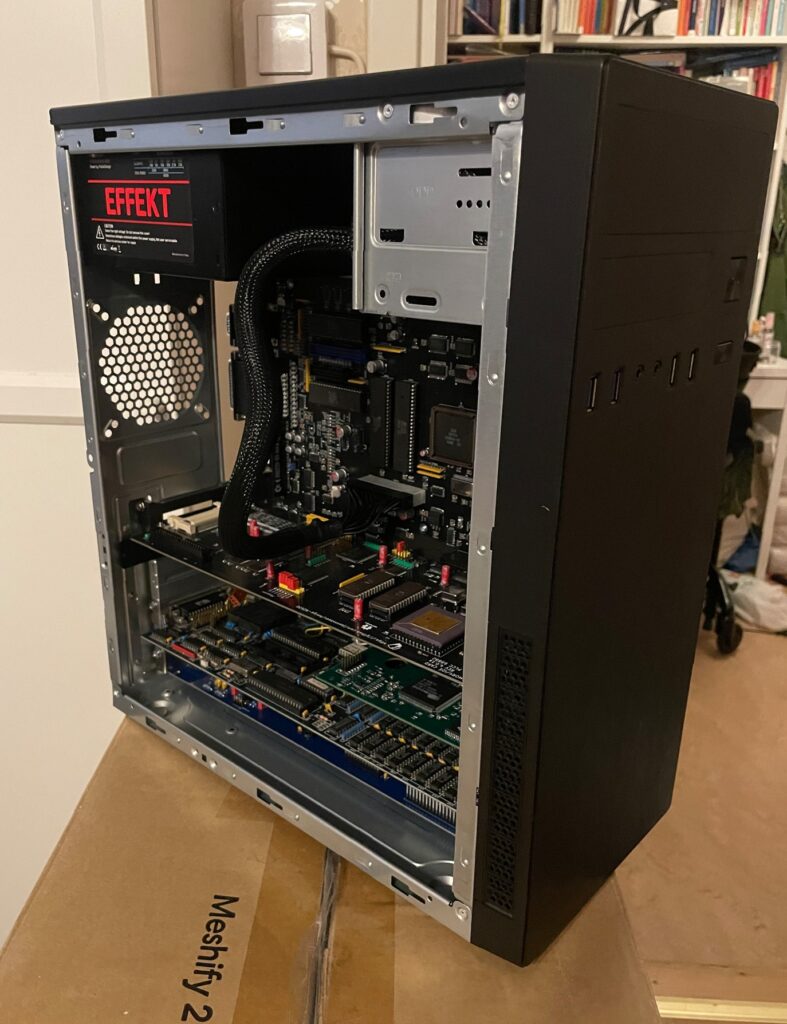
The specific chassi I am using for this project is called the IT-2812 Business by Inter-Tech. Here is a link to the exact chassi. I did extensive research before ordering it so I was sure the extended ATX motherboard would be able to fit inside it. I was prepared to mod the case to get it to fit which I eventually had to do.

You can make out where I had to cut the case to make the motherboard (and CPU/Zorro cards) fit the case

While it looks great and fits the motherboard, after some extensive case cutting, I do not recommend this case at all since it is made of very thin sheet metal. While thin sheet metal is great for modding, it also makes for a seriously flimsy case (I bet its more flimsy than a MicroniK plastic A1200 tower).

Modding the case involved cutting off sections from the front of the chassis. While these modifications was simple, it was difficult to do it without access to power tools. So it does not have that professional look.

But as a proof of concept, it is possible to fit an EATX motherboard inside a regular ATX case (this case was not meant to be used for EATX boards). Although I have to be careful when inserting Zorro cards since there is no support for the front most part of the case, there is nothing to screw it down into. I will probably find a sturdier case in the future.

What kind of hardware to put into the Amiga 2000 clone?

What use is a bunch of Zorro slots if there are no hardware attached to them. Amiga 2000, no matter if it is a clone or the real deal , is a workstation so it has to have some muscles packed into it. Here is what is plugged into them and the other slots at the moment.

n2630 CPU card

The author of the Amiga 2000 EATX motherboard has designed a turbo card for the A2000 also, it is the n2630 and is a 030 50 Mhz based turbo card with IDE and a CF slot on board. You can also fit an FPU and various amounts of fast mem. I think this card is a nice compliment to the A2000 EATX and it was a no brainer to go with this card. I just wish I went for 256 MB fast memory instead of 128. Maybe next time…

I do wish there would be a DIY 060 card for the Amiga 2000 CPU slot. 030 is fine, but a fast 040 or 060 is better once you have gotten used to it (if you wish to stay in real 68k land).

Prelude replica sound card
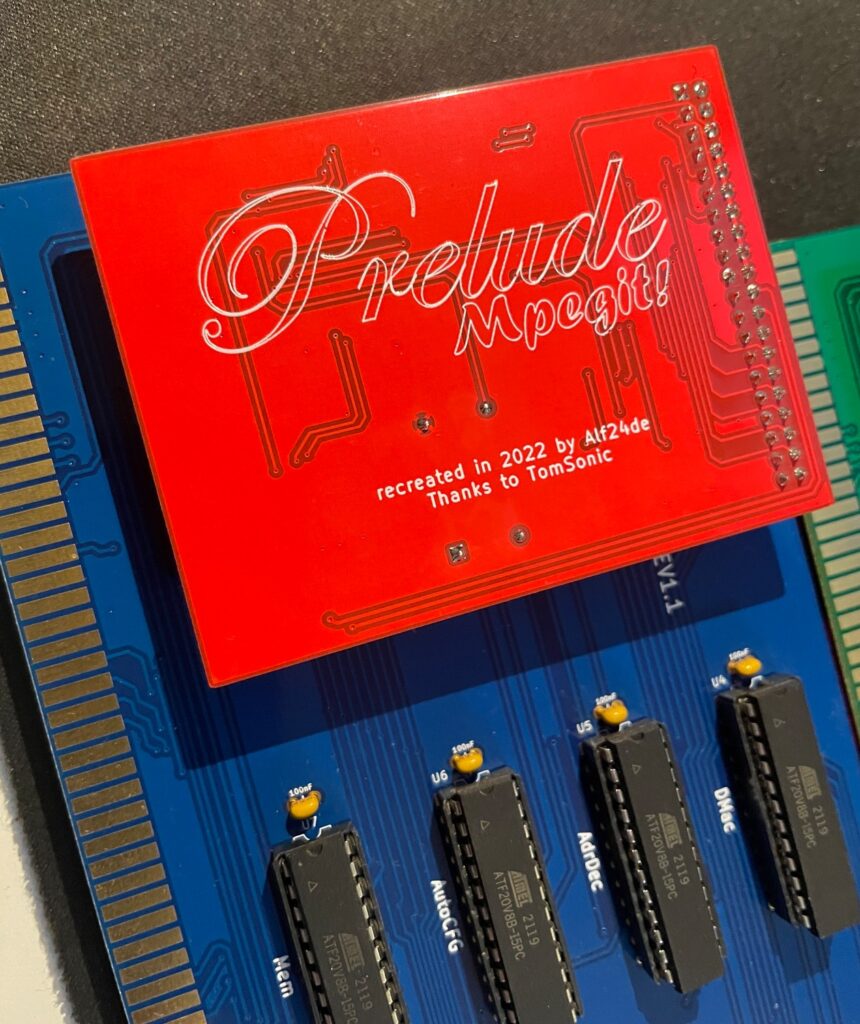
Prelude replica Zorro 2 16-bit sound card with Mpegit module attached to it

I had an extra Prelude replica that I had built so that card went into this build. It has the MpegIt addon added to it making it possible to play MP3s fine on a lowly 030 Amiga.

A500-Graka graphics card
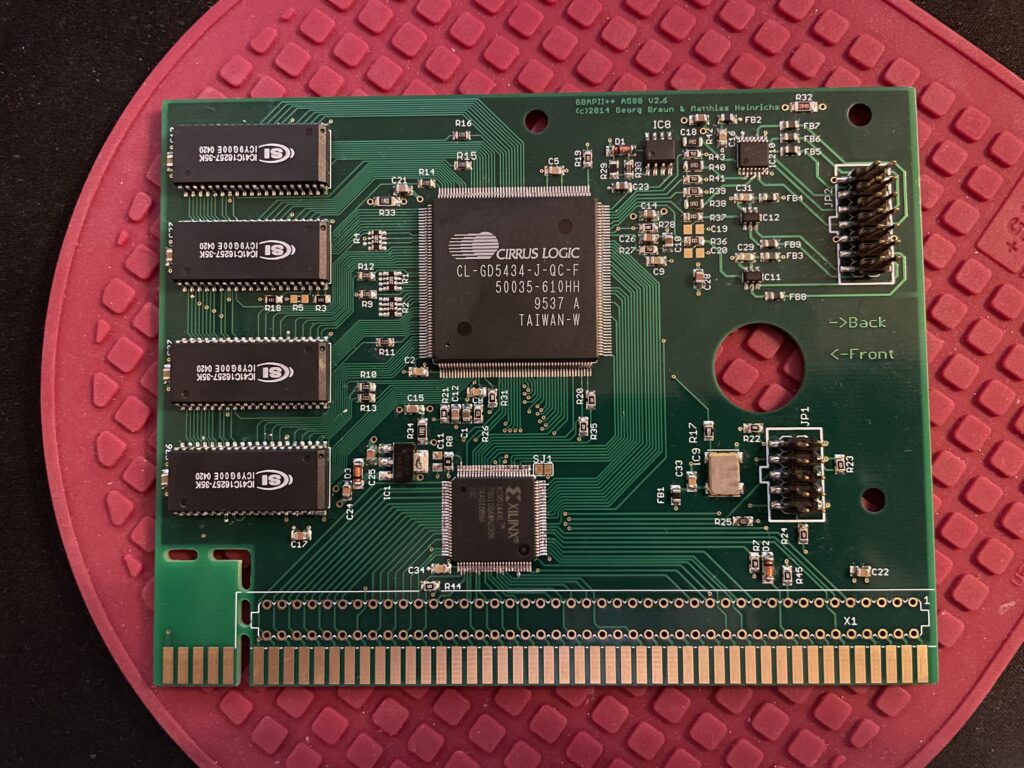
Here is the Matze Amiga graphics card

There is a Matze graphics card running in the computer. I think this is a nice card to run in a Zorro 2 based Amiga.

Multivision 2000 scandoubler

And then for scandoubling duties I have an old classic piece of hi-end Amiga hardware, the 3-state MultiVision 2000 scandoubler for the A2000. It is running great in the A2000 EATX and produces a nice image on my TFT.

Other bits

I have a Zorro-LAN-IDE card that will go into this case once I have a bracket made for it. There is also a 80 mm Noctua fan at the back that is mated with an old Zalman fan mate I had in my stash to quiten it down.

Finishing touches, the ATX backplate

I found the file to print the ATX backplate on a1k.org. So I sent it to JLC to get it printed.

And here it is installed. Instantly makes the Amiga 2000 EATX looks better from the backside.

Conclusion

I am very happy with the Amiga 2000 EATX. It was a great experience to build it and I have had a lot of fun seting up the whole system. I also thoroughly enjoy using it!

This is not my main Amiga but I use it a lot during testing of Zorro cards. It has proved to be very reliable and a great addition to my stable of Amigas. I would not mind running it as a daily driver if it had a faster CPU.
Amiga 4000D front LEDs

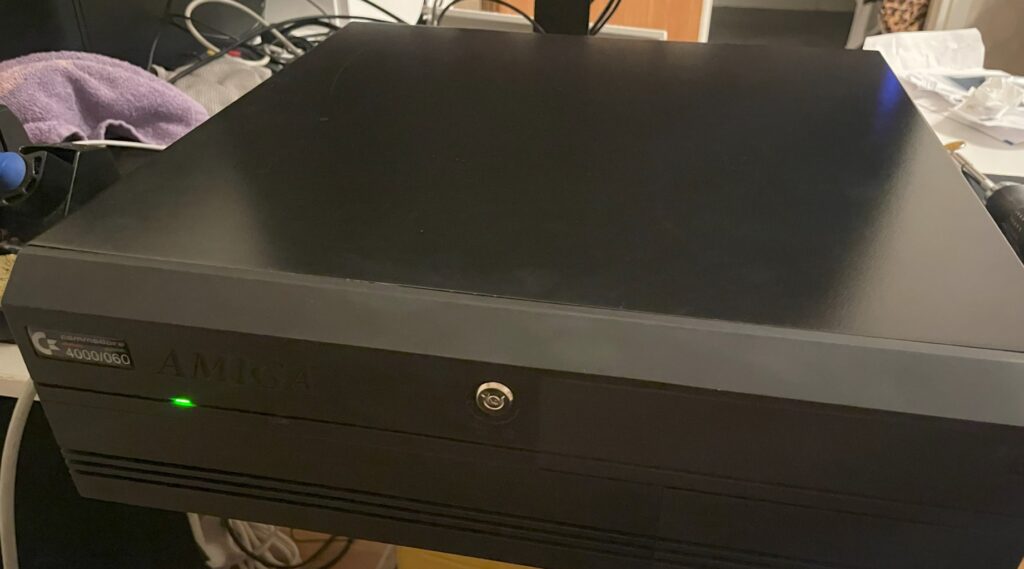
Here is my black Amiga 4000D with a green power LED

I bought a replica Amiga 4000D case off of Amibay earlier this year. One of the joys of building and buying clones and replica hardware is the challenge of finding parts you need. In this case, I needed a front for the A4000D. Thankfully there was 3D model you could download and 3D print that solved the problem, but it did not came with LEDs or the keylock so here came another challenge: find the correct parts for the LED, how to mount them and where to find the keylock.

Amiga 4000D LEDs

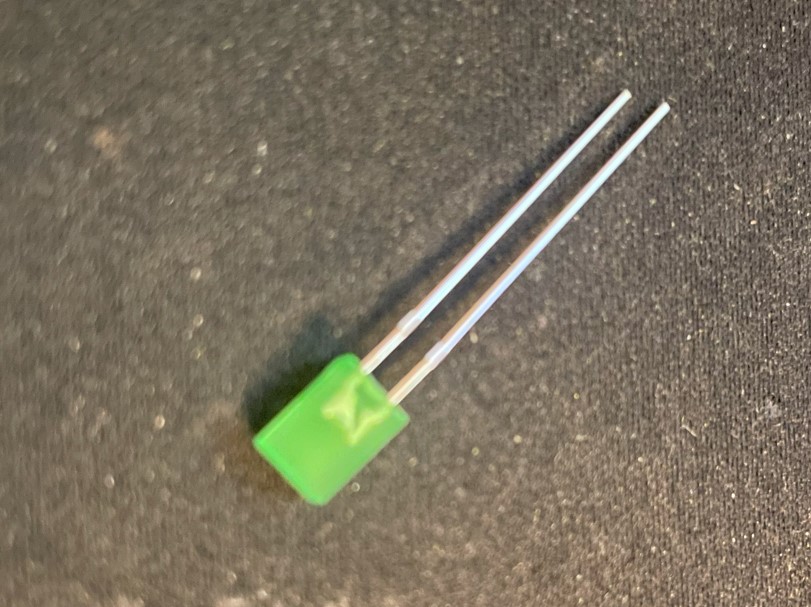
Amiga 4000D front panel LED

So the LEDs are standard square, flat 5v LEDs. These can be found in most electronic shops, here is a link to the green ones I bought. I think green looks fine, there was yellow and orange also and probably blue if you look around. I am not that fond of blue leds so green was it.

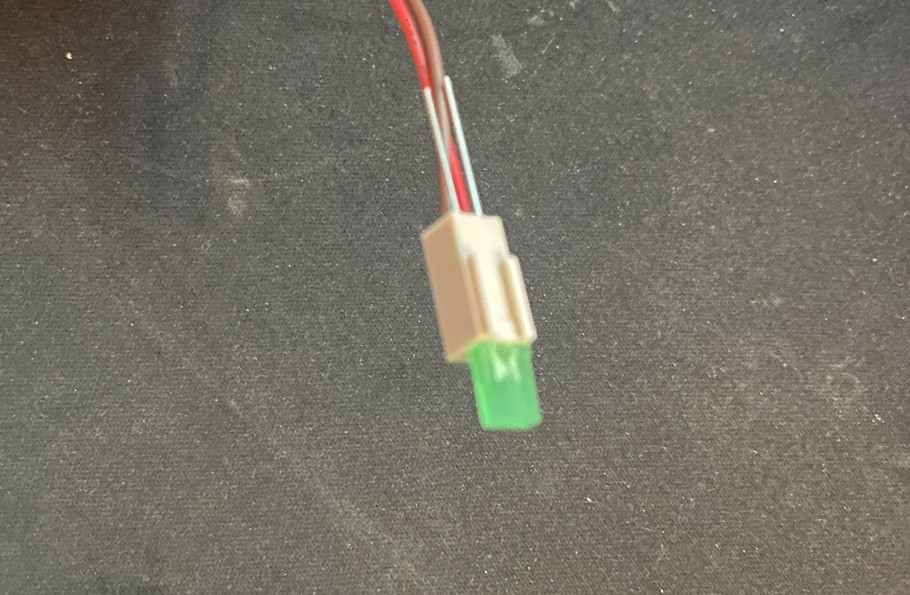
A4000D uses a two pin Molex connector and a flat LED

The LEDs are mounted to two terminal Molex connector (2.54mm). The Molex connector slips into the opening over the cable sleeves. If I remember correctly this is actually how they are setup on a genuine A4000D. On the picture above you can see the long pins of the LED sticking out through the back of the Molex connector, I cut these off and bent them over the Molex connector afterwards.

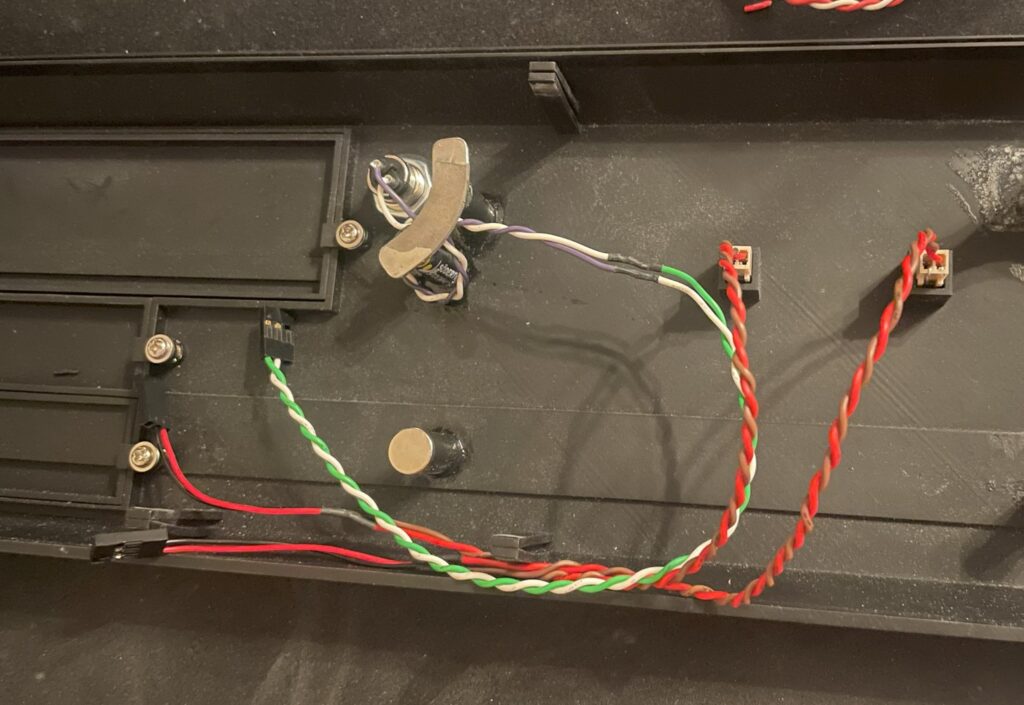
There are magnets on the back of the A4000D front that holds it to the chassi.

Here you can see the 2 pin Molex connector placed into the holes for the LED. On an older A4000D I had (a genuine one) I put a dab of hot glue on them to hold them in place, perhaps I will do it on this A4000D replica too in the future, but for the moment they stay fit on the A4000D front with no problem. You can also see the cables, they are soldered to three pin 2.54mm connectors. One pin is left out.

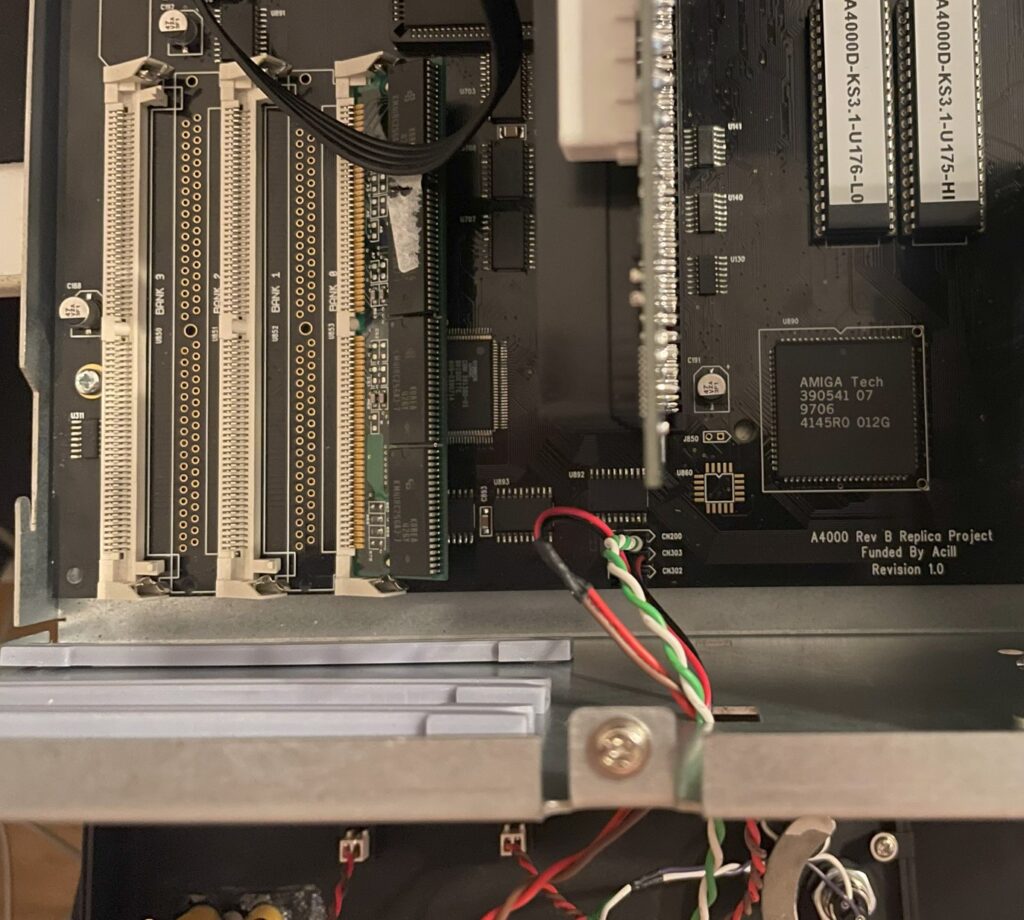
Cables are inserted to the A4000D motherboard

At first the LEDs did not light up, so I just switched positions on the cables and then they worked as they should. If you look at the A4000D motherboard circuit to the pinouts, you can see that the middle pin is unique, but the two outher pins are the same (hooked up together). So if you have the correct polarity you can flip them around and they should work.

Amiga 4000D keylock

Amiga 4000D front with keylock

The Mouser part number for the keylock is, 612-KO132A1501 – here is the page for it on Mouser. If I remember correctly the keylock does not disable the A4000D from working, it just disables the keyboard. And to be totally honest, a keylock in this day and age is kind of pointless, however the A4000D front would not look correct without one, so I “had” to get one. I just soldered two wires to the terminals of the keylock and hooked it up to the motherboard.

3D printed Amiga 4000D front panel

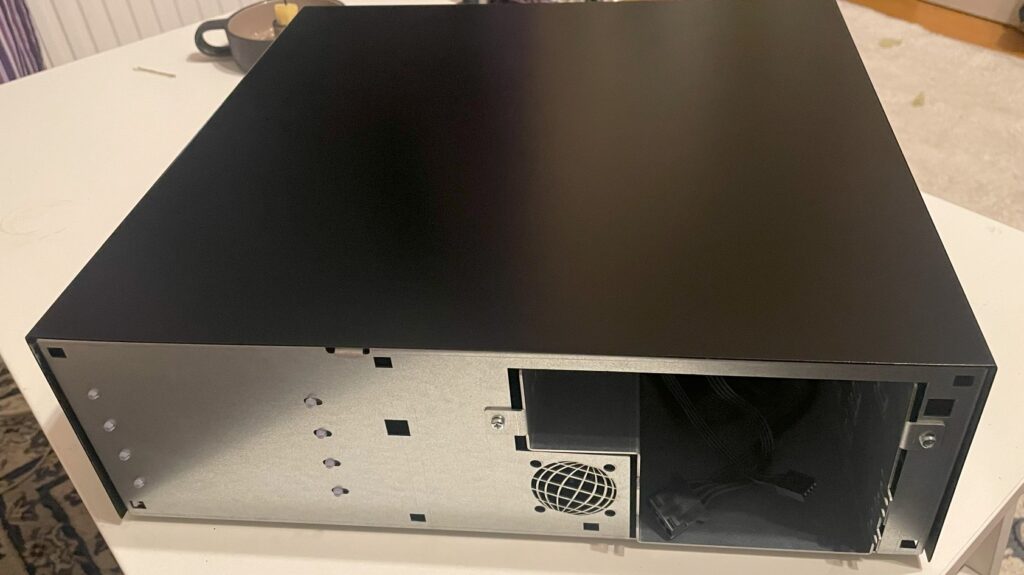
I bought a replica Amiga 4000D case earlier this year on Amibay. It is really good clone of the A4000D case with the exception it has slightly better cooling, space for a 40 mm fan, was painted black, has some options the original Commodore A4000D did not have, uses an SFX ATX PSU and did not come with a front panel.

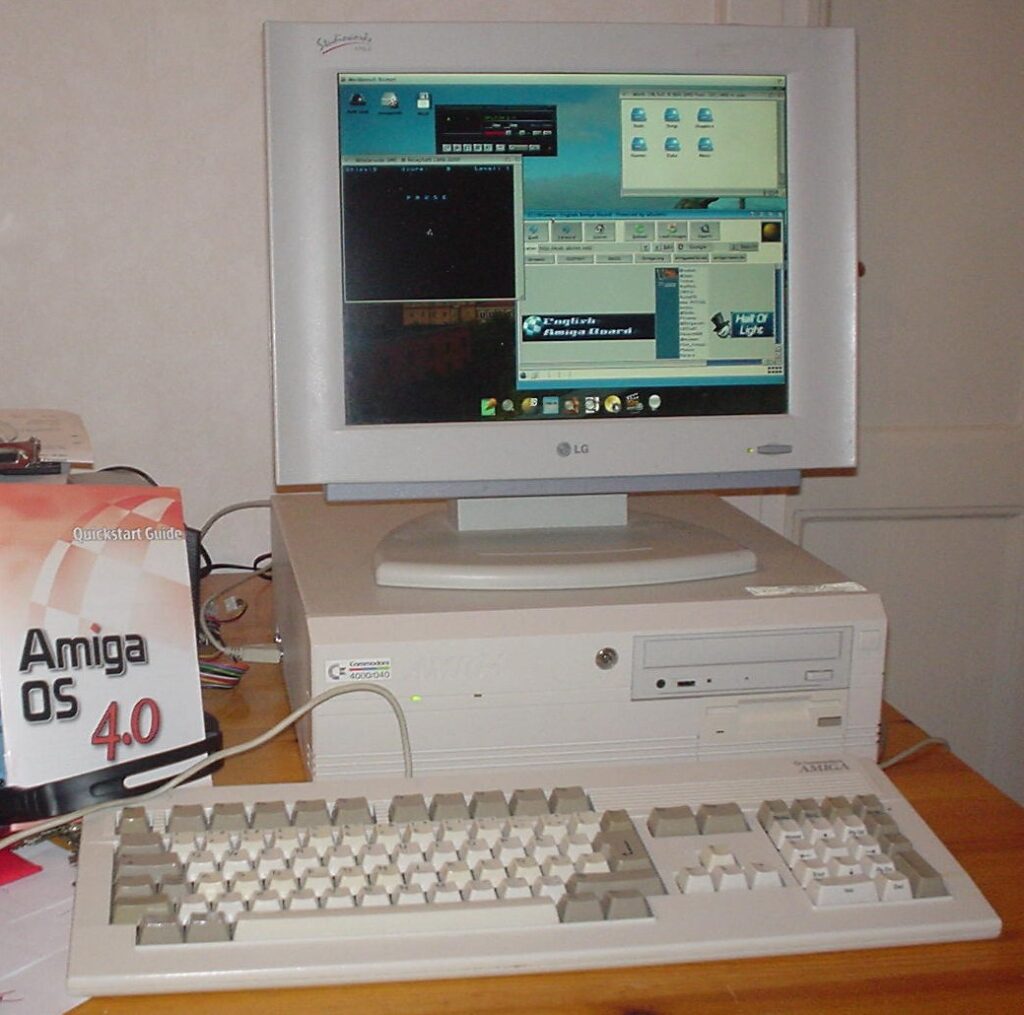
I really like the look of the A4000D (even if it is just a lousy PC case that was adapted to the A4000D in the last minute), especially the front panel. If there is a template for a professional early 90ies computer case, I think this could be one of them (together with SGI, Sparcstation and so on) – There is just something about the angled look of it and the Amiga logo inprinted in the case cover mold.

Functionality wise, the case is a disaster. The Amiga 4000D case has lousy cooling. The whole case depends on the fan in the PSU to cool the whole system. There is no active cooling at all on the Zorro board section. It has the mouse and joystick port awkwardly mounted on the side making it difficult to remove the cover. And while it has a 5.25 slot, it is too shallow and wont take a full length CD-rom (or DVD). Many of these problems has been solved in the replica case and many of these problems are not problems anymore (I never want to touch optical media again).

What about the A4000D 3D printed front panel?

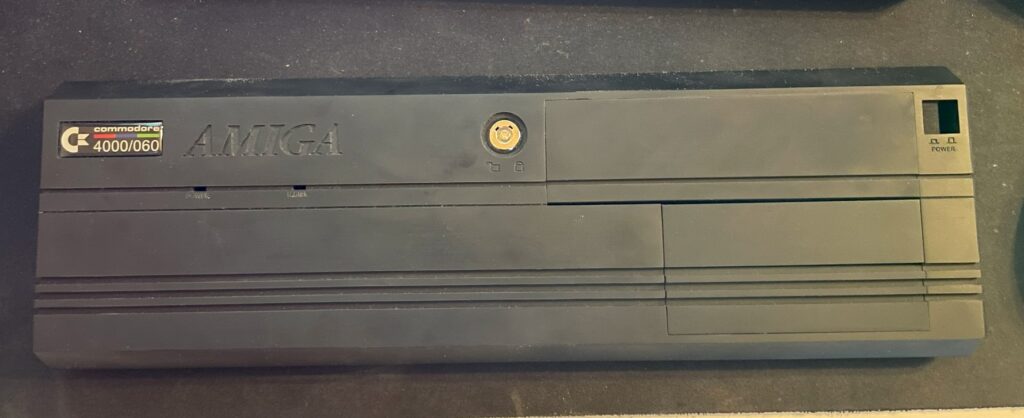
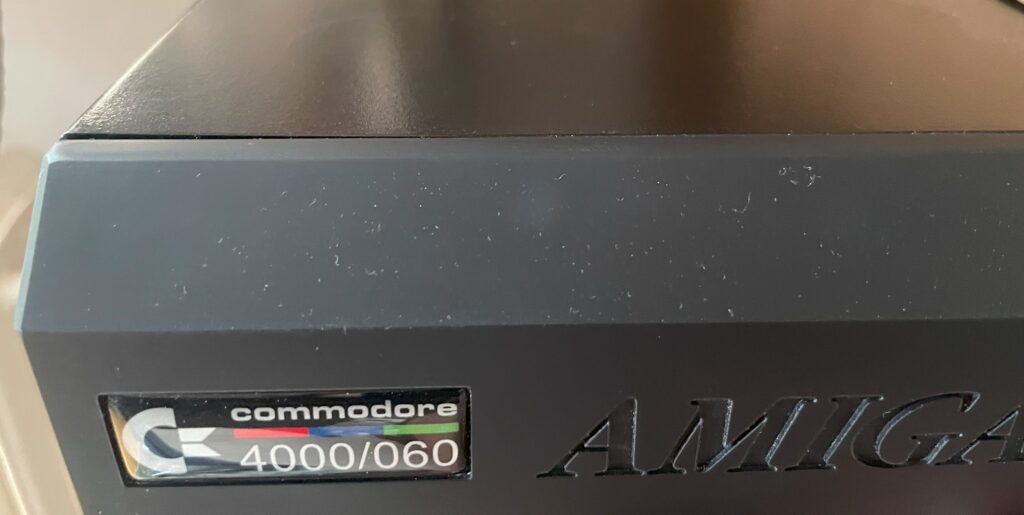
Its a bit dusty in the picture but the finish is really smooth

The files for the 3D printed A4000D cover can be found here. You can find the different 5.25 and 3.5 cover slots there too. I got them printed at JLCPCB in nylon resin and something, I have forgotten, I also got the power button on a stick 3D printed. All in all the total cost was somewhere around 50 euro, very affordable IMHO. The front was printed in one piece. It has a bit of a rough look to it if you look close, but it is surprisingly well done. I do like the rough look as it resonates with the home built A4000D motherboard, its not perfect as in a factory made case/computer as it is DIY built.

However, the front panel do not fit on the A4000D case that good. The clips are too long and they are really soft and became slack quick, meaning the front panel hangs off the front of the case and just looks cheap.

How I got the Amiga 4000D 3D printed front panel attached to the case

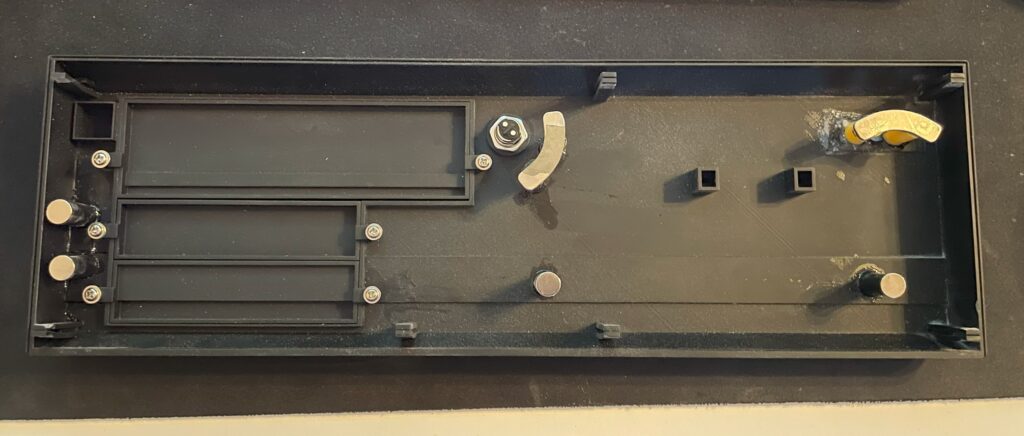
I had an idea to use strong neodymium magnets to hold the front cover onto the A4000D case.

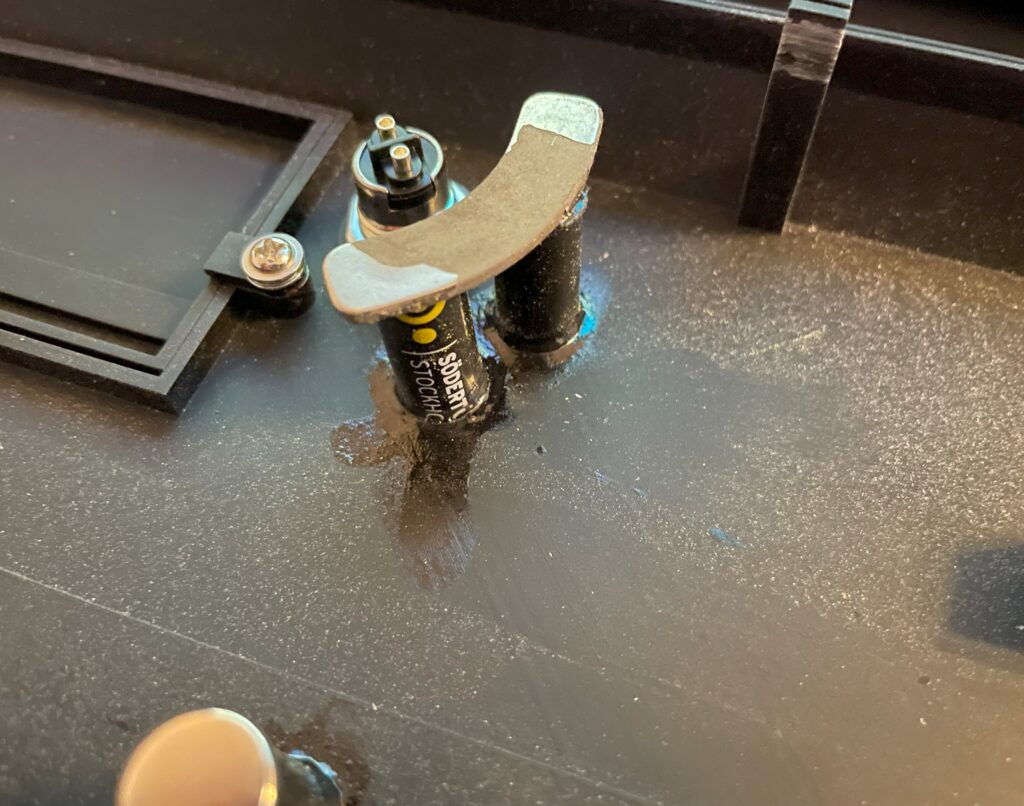
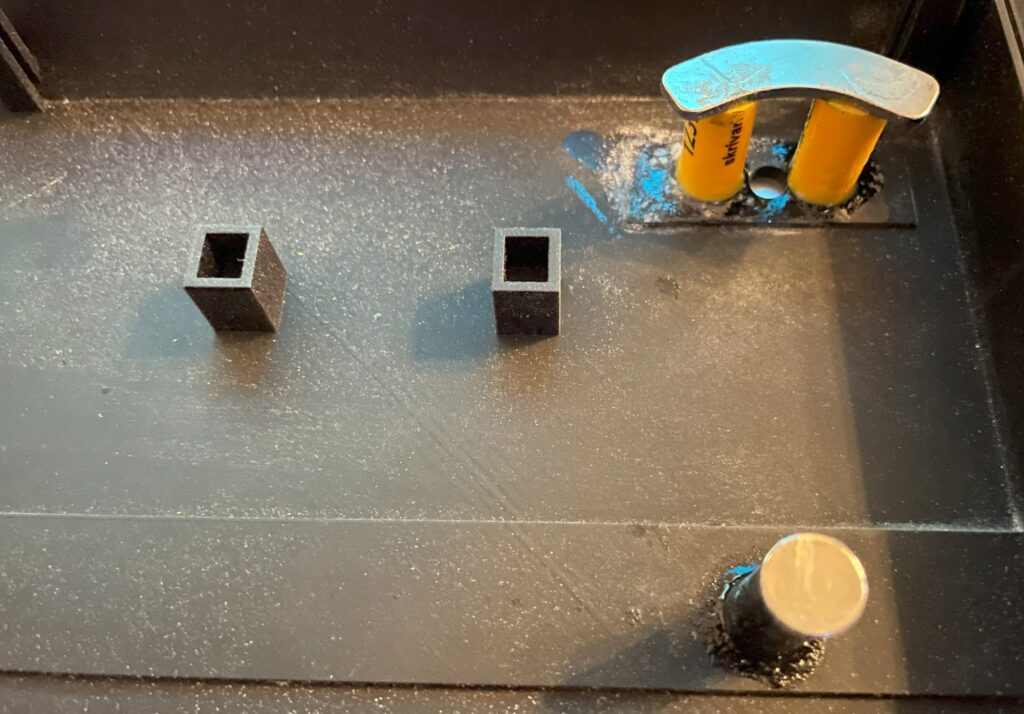
In the picture above you can see four round magnets and two banana shaped magnets. The banana shaped magnets came from an old 3.5″ harddrive that I recycled. These magnets are really strong.

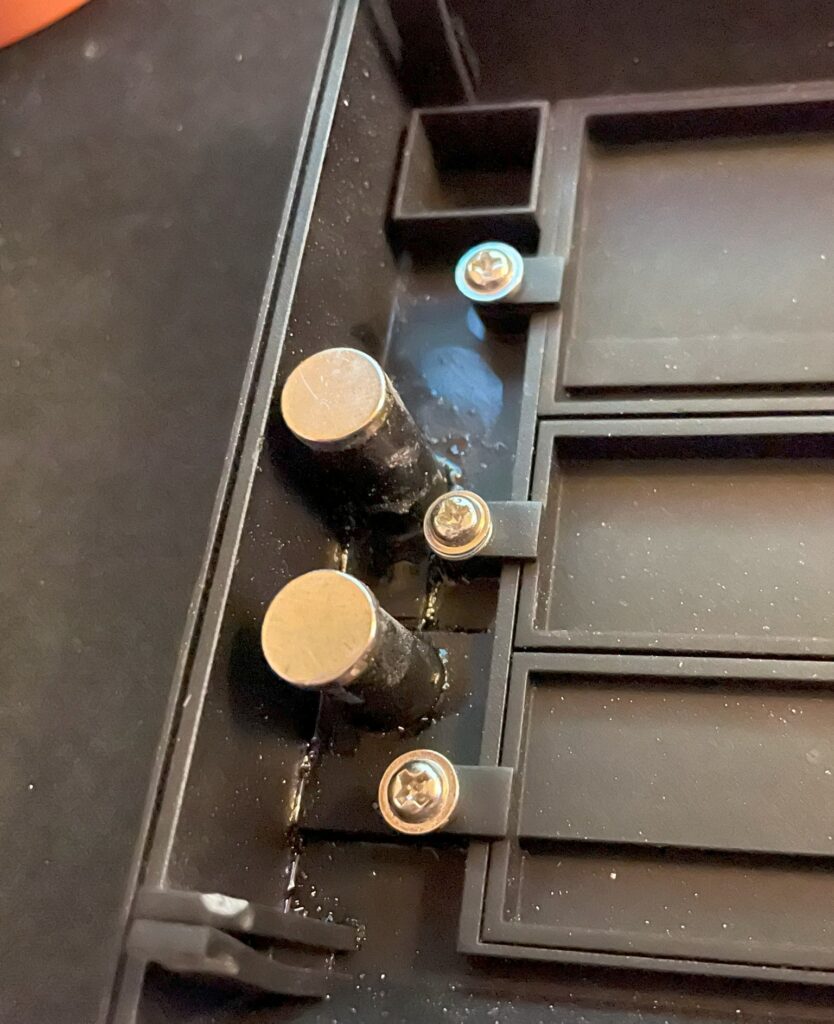
The round magnets are also neodymium magnets but less strong. If I was to start over I would just use three of the really strong banana shaped magnets they hold the 3D printed front panel to the case strong and secure. See the peg in the bottom left corner and how it has sagged.

It looks a bit sloppy because it is, I will paint the stand offs for the magnets black and maybe even add some black bondo to them to make it look nicer. However as a proof of concept everything works and is secure. The stand offs are regular plastic pencils that I cut to lenght and then super glued to the 3D printed A4000D front, I then super glued the magnet to them and let everything dry over the night.

I thought that the magnets would work themself loose from being super glued to the stand offs but I have been proven wrong. They are secured to the stand offs and case and wont move or brake off.

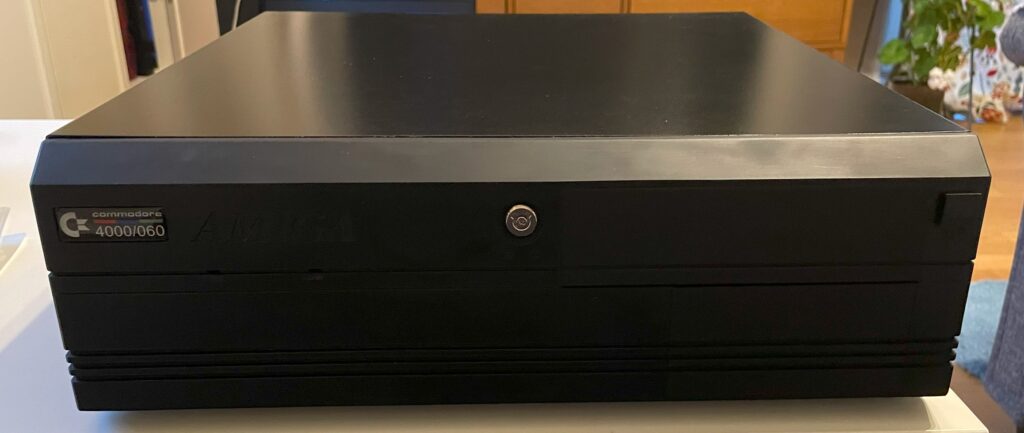
Here is the case with the cover added to it, being held to the case just by the magnets. Taking it off the case needs a lot of force. To make it easier I sanded off the hooks on the pegs of the front cover to make it easier to slide out the holes of the front of the case. Again, looks rough but works fine.

Here is a closeup of the 3D printed A4000D front cover, the badge was bought from a store online.

All in all I am very happy with my black A4000D case. I think it fits into a modern office much better when it is black as so few computers come in beige these days.