I built my Alicia 1200 last month. It was time to decide what case to use. Alicia 1200 is an Amiga 1200 clone in a Mini-ITX form factor so it was only natural to try and find a suitable ITX case to mount it in. It is difficult to chose a case when you don’t know future configurations of the machine. I am expecting to add a CPU card in it but do not expect it to grow that much in height. Thats why I went looking for a low Mini-ITX case.
Alicia 1200 motherboard mounted inside a Morex 557 Mini-ITX case
I chose to install the motherboard in a Morex 557 Mini ITX case. It is small case just slightly longer and wider than a 17 x 17 cm Mini-ITX motherboard. In these kind of cases you have to use a Pico PSU with an external adapter. Where I am from a genuine Pico PSU is quite costly but I was happy to find a reseller in EU who had genuine Pico PSUs for a very reasonable sum of money. I got two, one for the Alicia and one for the Denise in case I would need a better Pico PSU for it in the future instead of the cheap knock off.
120w Pico-PSU is powering the Alicia 1200
The Pico PSU sits very tight against the case but it fits with a millimetre to spare!
Morex 557 Mini-ITX case
I don’t think you can find a smaller size case than this and that is why I like Mini-ITX. The case is also well ventilated, perfect for passive cooling.
Two Morex 557 cases, one for my Alicia 1200 and one for my Sam440ep OS4 machine
I already knew about this case since I use it for my Sam440ep. Maybe I will get a third one for my Denise.
There was a new update to AmigaOS 4.1 Final edition released recently, Update 3 for AmigaOS 4.1. I run AmigaOS 4.1 on an old Sam440ep and thought it could be a good idea to run an update updating it from 2 to 3.
Installing AmigaOS 4.1 Update 3
The update is shown in AmiUpdate once you log into the updater.
Runing the AmigaOS 4.1 FE update 3 installation
Once the update is downloaded it goes into an installation dialoge. Both the download and the installation went smooth and quick. I did not bother to do a backup before doing the installation.
Installation was successful and now i am runing Update 3 on my Sam440ep
After a reboot I was greeted with a new title bar text, it says “Final Edition Update 3” now. There is also an AmigaGuide in sys: that goes through all the changes.
Most changes seems to be technical of nature but I did find the system to feel a bit snappier and quicker in use (or maybe that was just my imagination). I also think I read somewhere that network speed has been improved. As I have the slowest next gen systems, that is good info! Read more about improvements and changes here.
Conclusion
It was nice to see an update for AmigaOS 4 being released, hopefully we will see more updates in the future and also new high end cheap hardware to run it on.
I also wanted to do a quick test of the AmigaOS 4 port of VIM, and here it is in full glory and running great:
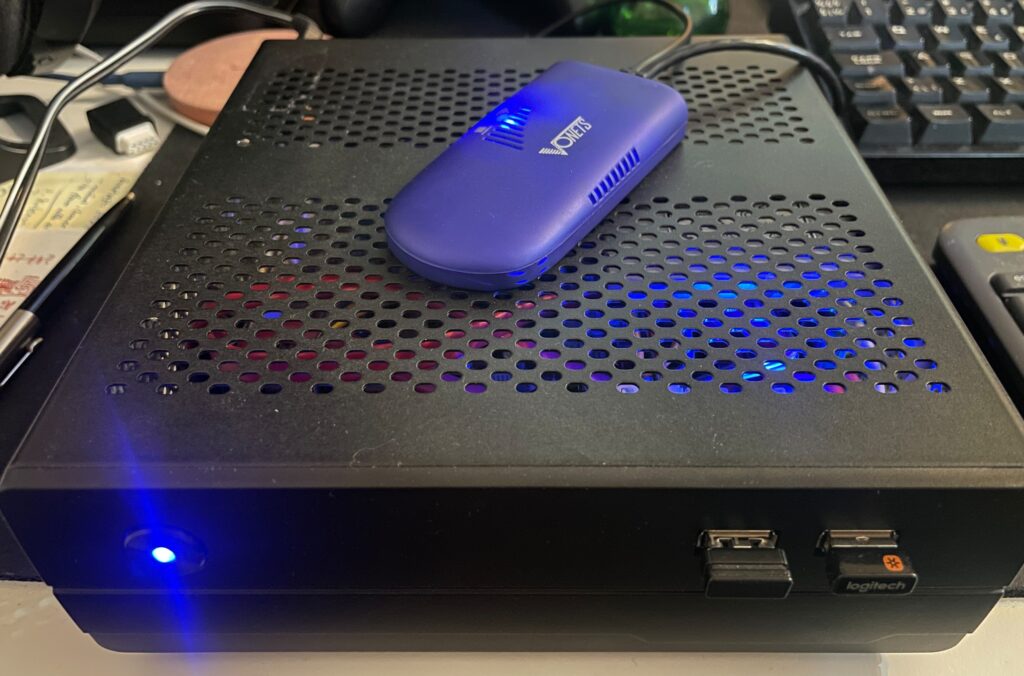
A Sam440EP with Vonets VAP11G-300 ethernet to WIFI bridge
Finally got my Sam440EP that is running AmigaOS 4.1 online with no ethernet cable, wireless, with a Vonets WIFI bridge, no more ethernet cable!!
Currently, I dont have a permanent place for my Sam440EP on my desk at home. That will change in the future. But for now, whenever I want to use it, I set it up on my desk. Since it is a tiny computer, that is not really a problem as its very portable.
But having to run a long ethernet cable between the SAM440EP and the main ethernet switch is such a hassle.
Its not 1999 anymore and WIFI is great these days! So I went looking for a wireless solution for hooking up my next gen Amiga to the home network.
Finding a solution is a bit tricky though. After having spent a couple of evenings researching the topic I decided to order a supposedly supported card by AmigaOS 4.1, only to have it be cancelled by the seller. Disapointed but also relieved because I did not fully expected the card to work – I Instead opted for an ethernet to WIFI bridge.
Thinking, if that works, I could get a second and hook up my A4000TX to the home WIFI network with one also since there is no WIFI card for Zorro Amigas..
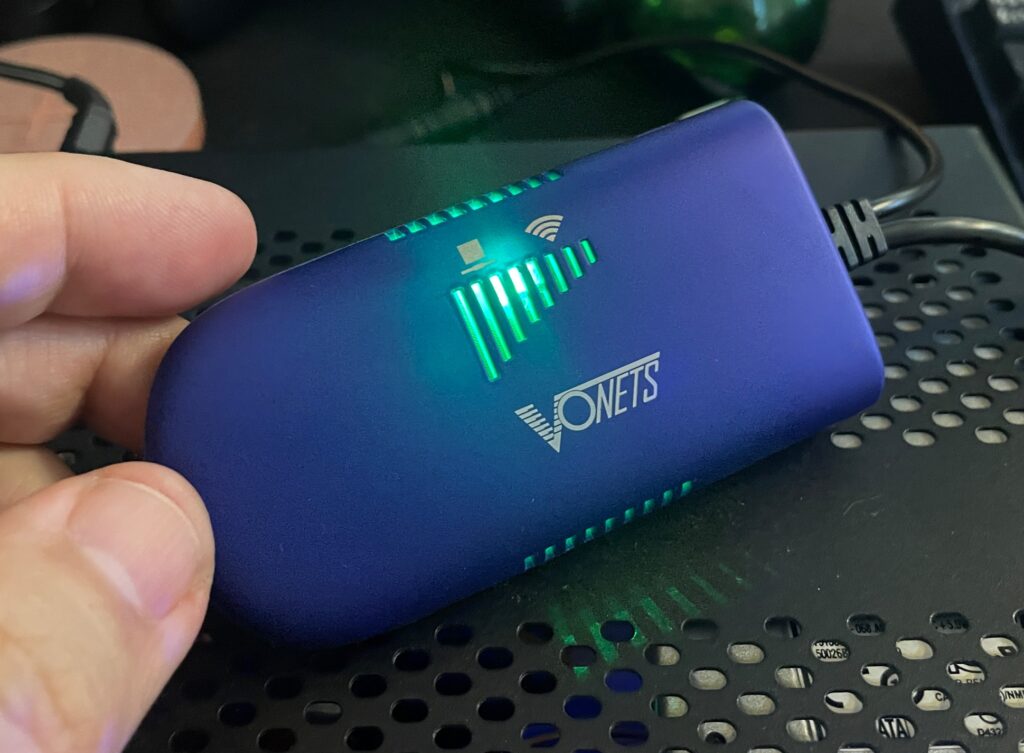
Vonets wireless bridge – VAP11G-300
There are a couple of nice solutions for wireless bridges these days and the prices has gone way down since last time I was in the market (2005). The Vonets Wireless Bridge that I got from AliExpress cost around 20 euro.
Setting up the Vonets wireless bridge on the Amiga
Test setup during initial setup of WIFI on the SAM440EP
Setting up the Vonets VAP11G-300 WIFI bridge reminded me why I chose not to go down the network admin/sysadmin route back in my university years. Or it reminded me of how much simple everything these days usually are to set up.
Surprised I was, it did actually come with a real manual (something I did not expect from cheap China stuff)!. However the manual was a bit poor in quality and clarity, I think it was better if it did not come with one.
Anyways, just so that I wont forget how to set it up, here is how to set up the Vonets wireless bridge to be a WIFI bridge for ethernet:
Connect the Vonets wireless bridge to a PC. Connect both USB and ethernet so it gets power and can be found by the computer.
On the Vonets adapter: Green light should come up (that is the ethernet port), blue light should come up (that is WIFI).
Disable wireless on the computer if active. Else you wont be able to log into the bridge. Make sure ethernet is active and not disabled.
Go to Chrome and type in the IP adress as specified on the device to connect to the Vonets bridge.
Disable AP functionality of device and click save (if you dont want to use it as an AP). Device defaults to both an AP and a bridge if not.
Change password of device and save.
Go to main panel and scan for SSIDs.
Chose SSID, type in password and save.
Reboot Vonets device
It wont be possible to setup the device again on the IP number after rebooting the device. If you need to configure it again you need to reset it with the little button on it.
Once rebooted it should now be possible to browse the web on the PC where the Vonets wireless bridge acts as a bridge.
In theory it will work with any device that has an ethernet port. Read on…
Troubleshooting the Vonets VAP11G-300 WIFI bridge
So this is where the fun began (or not if you belong to the ones who do not see sysadmin/network admin tasks as a fun).
At first it did not work at all on my Sam. But it worked fine on my workstation.
I then figured out that if I changed the internet settings in AmigaOS 4.1 in Prefs and saved the new configuration the internet came to life! I thought I had solved it but as soon as I rebooted or restarted AmigaOS 4.1 then network access dissappeard.
I suspected the problem was that I had to configure the Sam to use a static IP, but that was not it either. However I got to familarize myself with subnet masks and ip ranges again, how much fun!
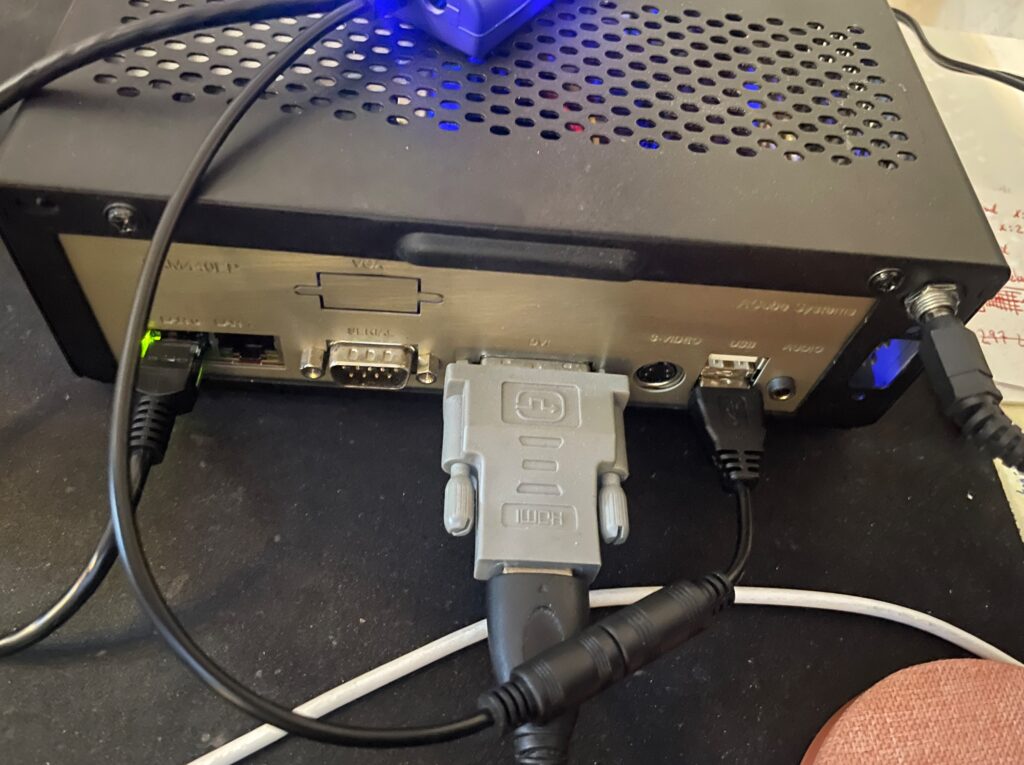
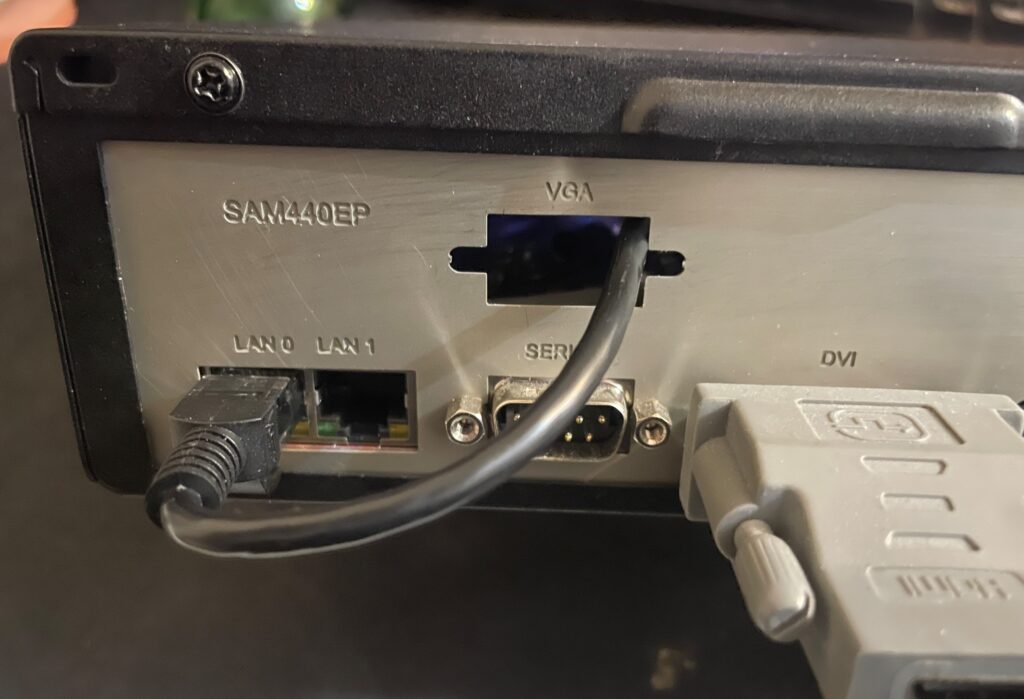
Back of the Sam440EP to illustrate how the Vonets WIFI bridge is set up
Soon I found the problem!
The Vonets adapter takes power from the USB port, the USB port on the Sam is disabled during startup (or delayed) so once Workbench is loaded the network has not fully been initialized. It takes a bit of time for the Vonets adapter to fully start, I suspect it must be running a minimal OS that handles all backend tasks. Which explains why restarting the network works. But until the network in AmigaOS4 is restarted, the network is down.
I decided to run it internally by routing the ethernet cable into the case
I quickly tried to come up with a solution, the solution was to run the adapter from 5v from the internal PSU. And that lead me to wonder if it was possible to place it inside the case too. I could route the ethernet cable through the hole for the VGA port on the Sam backplate.
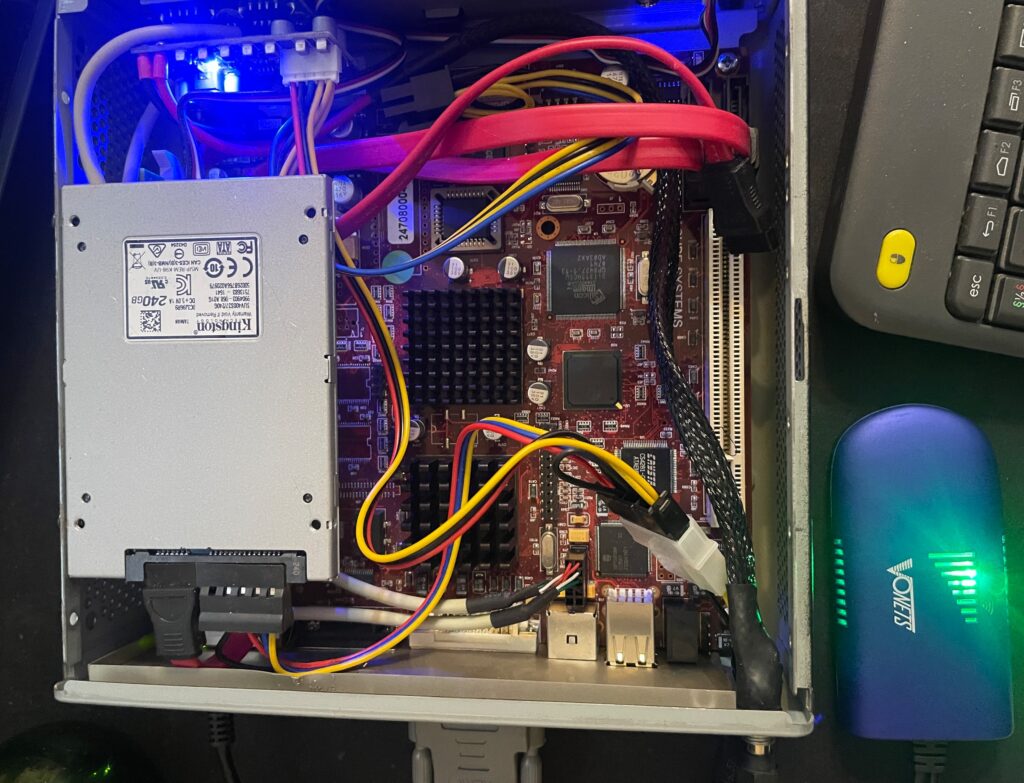
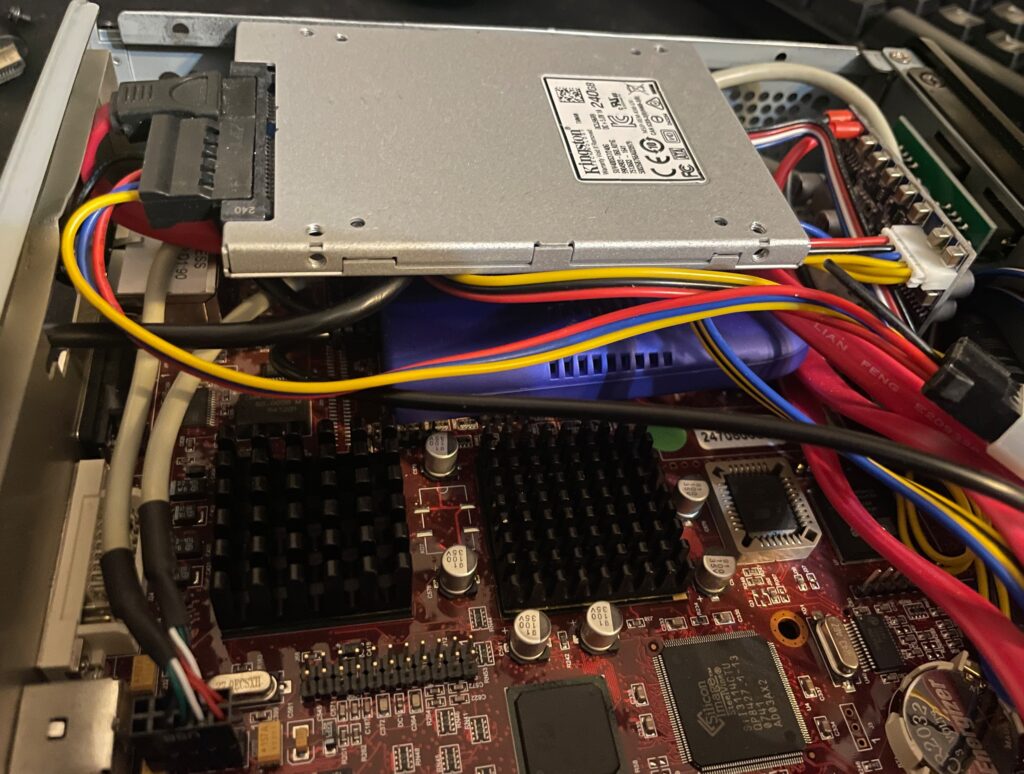
The Vonets adapter is placed under the SSD on the left side of the motherboard
The Vonets WIFI bridge was placed under the SSD on the Sam440EP motherboard. There are no components on that side of the motherboard so no chips will get cooked as the Vonets adapter heats up a bit and I was worried that I would introduce more heat to the system.
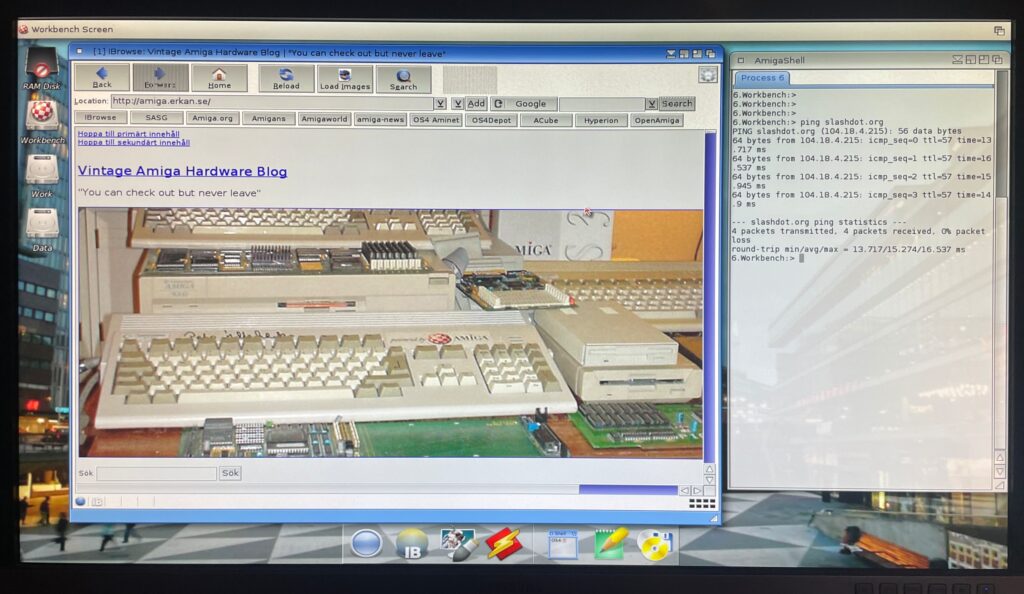
Browsing the web on an Amiga is currently not a fun experience, lets hope a modern browser (and modern hardware is released!)
Would it work, yes it did. The Morex 557 case that the Sam440 is mounted in has mesh sides so signals from the WIFI bridge passes through the case fine (and also aid in ventilation of the setup).
Summary
All in all I am pleased with the setup and will order a second one for my Amiga 4000TX, and my A1200 is already running WIFI with the PicoWyfy. While I am pleased with the setup, much has happened with the web in 15 years. I remember browsing the web back in 2009 on my Pegasos 2 and having a great experience. But the modern web is built on JS and needs SSL. There is no way this 533Mhz system would keep up even if there was a modern browser. While the main goal was not to browse the web but to enable file transfers between fileserver and the Amiga on the local network, I would not mind browsing the modern web on it if there was a modern browser and more up to date hardware.