Some Amiga activites I have worked on in December

I have worked on some small things here or there on my Amiga computers. Here are some noteworthy things that has kept me busy.

Installation of an 2.5″ angled CF adapter in my backup A1200

These angle 2.5″ CF adapters were popular 20 years ago

I found angled 2.5″ CF adapters on AliExpress. I have been looking for these for quite some time. They can not work if you have an Indivision AGA in your A1200 but if you do not have one they offer a great reliable way of running an internal compact flash drive in your Amiga 1200. There was only one problem:

This one has a pin blocked, probably to keep you from frying it by mounting it 180 degrees wrong

They came with one pin blocked. I used a small drill to drill into the blocked pin and realised that it was only the top layer that was blocked. Next step: try it out in my backup A1200.

How nice, a genuine C= Amiga 1200 case and keycaps

My backup A1200 has 3.1 Kickstart roms so I had to upgrade the Kickstarts before trying an Workbench 3.2 installation. So the next step was to flash some roms with AmigaOS 3.2.

FlashROMs are programmed with DiagROM and Kickstart 3.2

Here are the FlashROMs. I decided to flash DiagROM and Kickstart to them as they can hold two ROM images. It is very handy to have DiagROM availble if needed.

A white ReAmiga 1200 matches the case nicely

My backup Amiga 1200 looks like a regular A1200 on the outside but inside it is a white ReAmiga 1200 that I built a couple of years ago.

The more LEDs the better

Here the FlashROMs installed. But it failed to boot into the Kickstart screen, DiagROM worked though. So out came the T48 programmer and FlashROM adapter again. It was impossible to flash the FlashROM again. After 30 minutes of fail checking I realized that I used the wrong USB-A cable for the T48. After swapping cables the correct ROM image was flashed and everything worked.

The ReAmiga 1200 has a kickstart switch built in it

The ReAmiga 1200 has a nice Kickstart switch feature that you can enable. If enabled you can chose between two different ROM images through a jumper. If you do this with a FlashROM you do not need to jumper the FlashROM. As you can see, I never bothered to solder on the fan headers.

The angled 2.5″ CF adapter fits the A1200 motherboard fine

Here is the CF adapter mounted on the internal 2.5″ port of the ReAmiga 1200. Booting off of a WB 3.2 installation it worked fine.

I am using an old school external 23 pin scandoubler, thats why the image is a bit dull

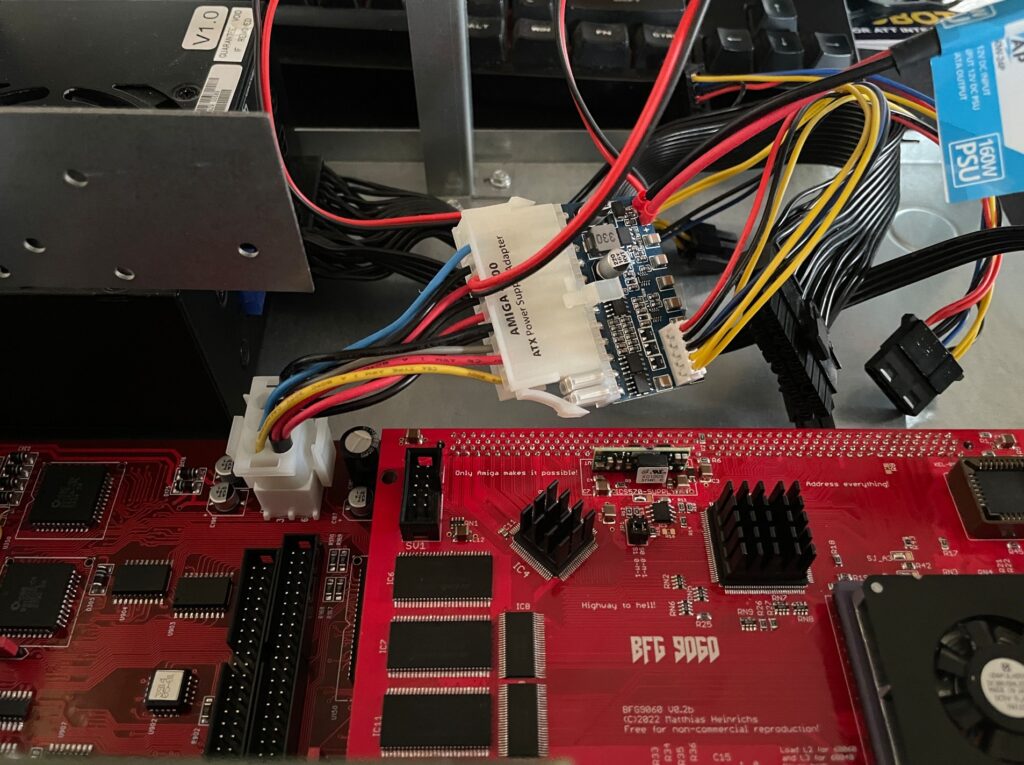
ReA4091 and BFG9060 finally working fine together at 100 MHz

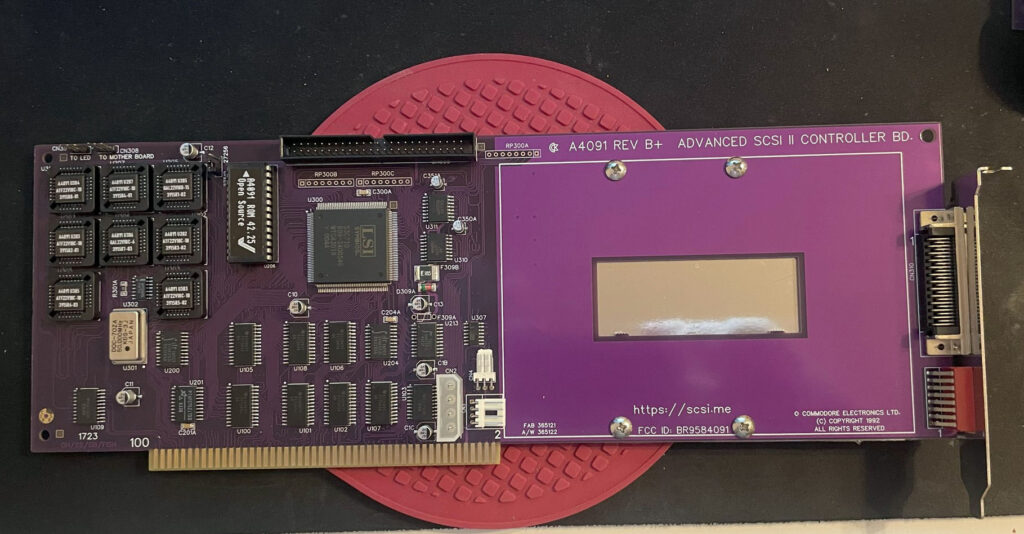
ReA4091 SCSI2 Zorro 3 card

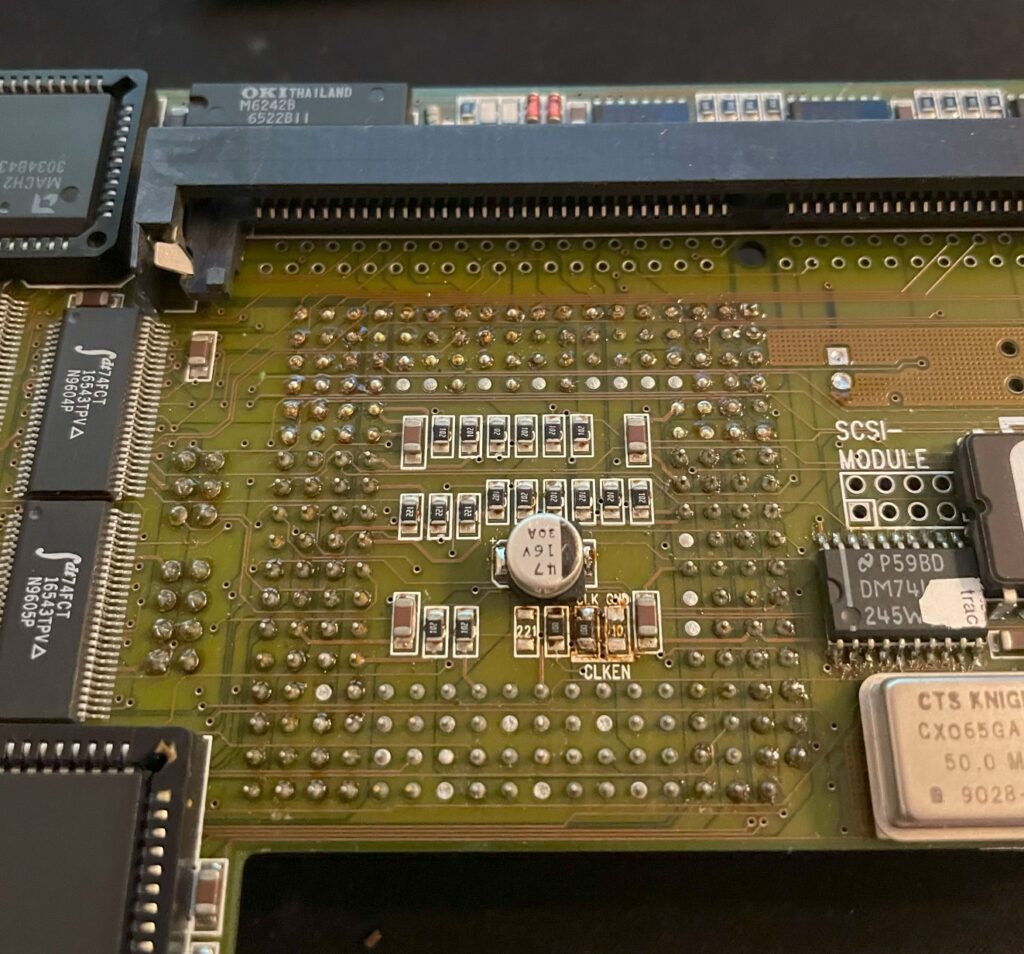
I have had problem with my ReA4091 SCSI card when running my BFG9060 68060 turbo card at 100 MHz. Everything worked fine if the BFG was clocked at 50 MHz but at 100 MHz the system refused to run stable giving me filesystems error instantly in Workbench.

This is not a new problem as many other has had it.

I got a heads up about a thread on github discussing possible solutions to this problem. You can find it here. One suggestion there is to reprogram U305 with the file from here.

Apparently this fixed the problem for the user who suggested it on github with a drawback of 10% less SCSI performance.
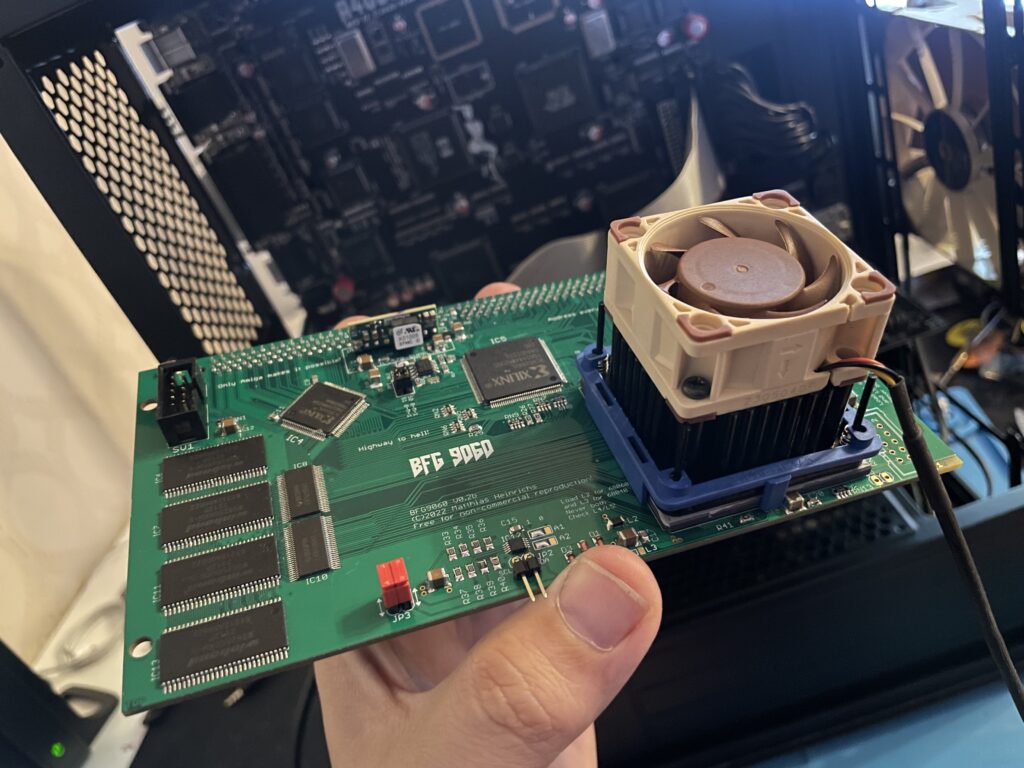
BFG9060 with 68060 rev. 6 clocked at 100 MHz

I did not have anything to lose so I decided to give it a go by flashing the little PLCC chip with the file suggested. To my surprise it actually made my hardware setup stable again at 100 MHz! Now that I have put in a few hours in my system I can confirm that it runs stable.

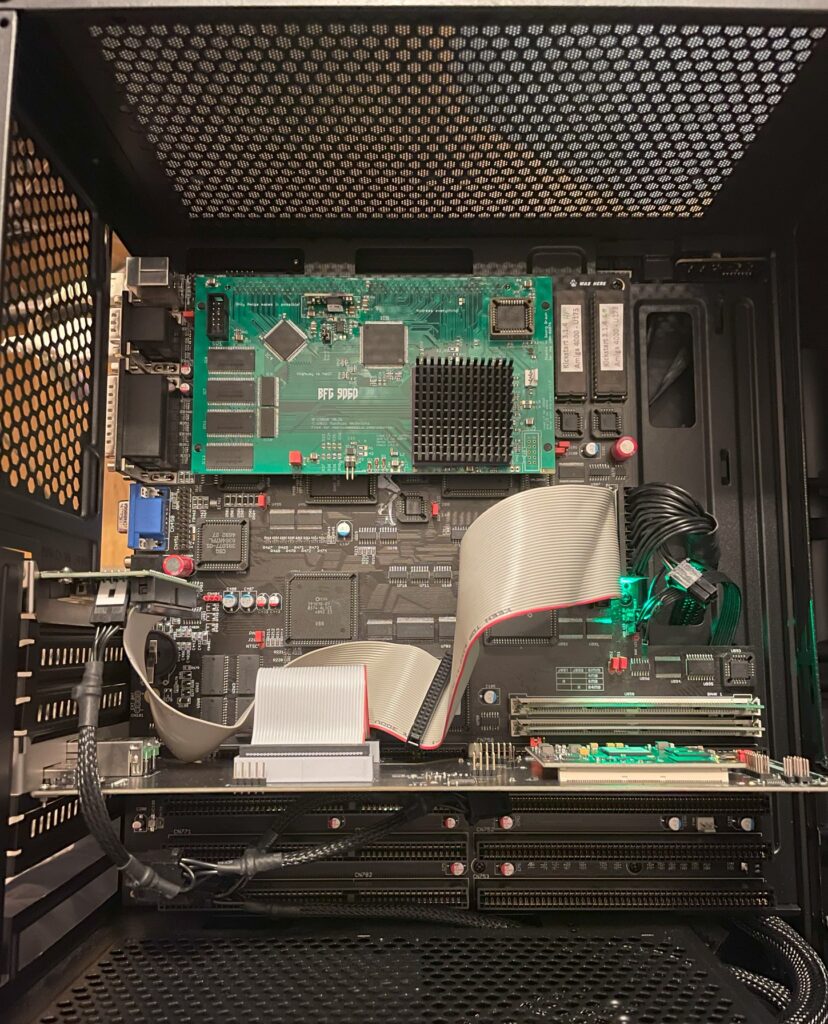
This particular build consists of an A4000TX, BFG9060 with a rev.6 68060, ReA4091 with a ZuluSCSI compact, there is also a ZZ9000 graphics board in the setup. It is my main setup.

Solas + ISA board installation in my A4000TX

I have a Solas LED controller in my A4000TX, it is hooked up to an ISA carrier and is connected to the clock port on the Zorro-LAN-IDE card. It took a while to figure out how to connect them together and to get sound into the Solas. But after tinkering with it for a few hours it is working fine now.

The sandwich card of the Solas carrier and Solas is too thick though, making it difficult to run a full size Zorro card over it, I am thinking of soldering them together to decrease the height of the card sandwich. It could either be the greatest thing ever or the greatest disaster ever, I will need to flip a coin on how to proceed with this idea.

Second A2386SX board built and tested

I like to build things I like in pairs that is why I did not hesitate when I was given the opportunity to build a second A2386SX clone again. You can see some more pics in the previous link. I do not think I will build more of these boards as they have given me a tough time both in getting them working and in sourcing components for them.

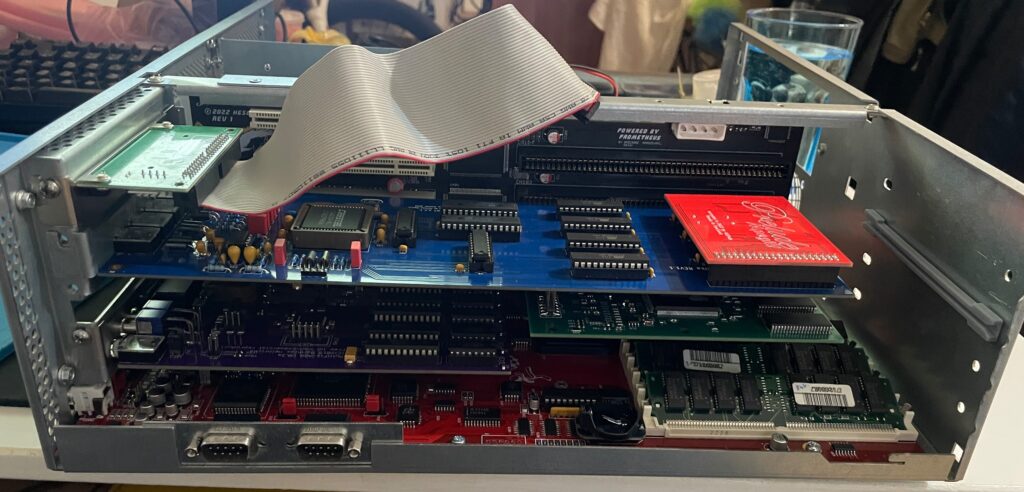
A4000T AT case mod

Mid size PC AT case from 1998

I did not hesitate to jump on the train when an A4000T replica PCB was offered for sale on Amibay a few years ago. Building it was a lot of fun and also fascinating. The A4000T is after all the final official 68k Amiga computer released.

I was too naive expecting a case to show up by itself. Now I realize it might never show up so I decided to look for solutions. There are ATX options but I wanted to try an old AT case first.

The universe was aligned with my third eye and suddenly an AT case manifested itself on a local trading place. But the struggle is real, nothing comes without pain and struggle. The A4000T motherboard is huge, it wont fit this case without some cut fingers on old sharp PC case sheet metal edges and serious case modding. And I hate hardcore sheet metal case modding and cutting my fingers on old shitty PC cases.

The A4000T motherboard actually fits inside this case, but it will take some serious case modding to make it happen!

But once modded though, the 5.25 bays the case has wont be usable any more. It wont be able to take an AT or ATX PSU anymore either. But hey, when it is fully modded, at least I got a case for the A4000T where the daughter boards line up perfectly on the back of the case. I just need to figure out how to mod this case in the simplest way possible.
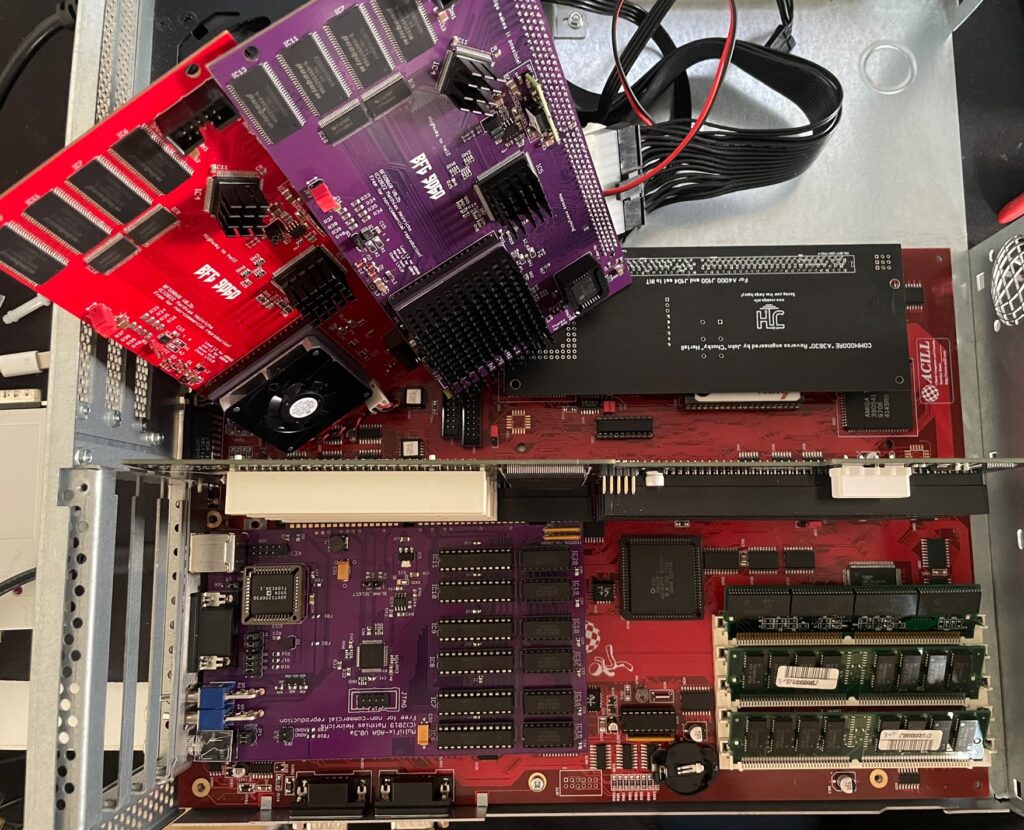
BFG9060 black screen on my Amiga 4000D motherboards, how to fix?

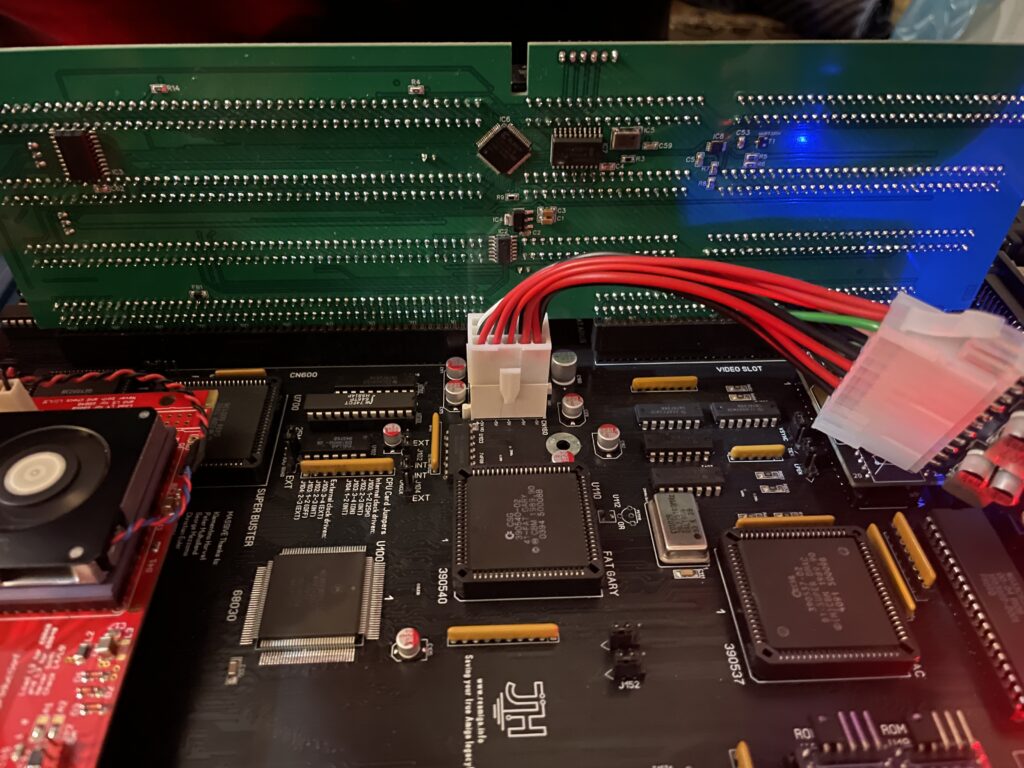
Here is my test setup: Acill A4000D motherboard with ReA3630 and two BFG9060 cards including Firestorm PCI daughterboard, Multifix-AGA and a replica A4000D case

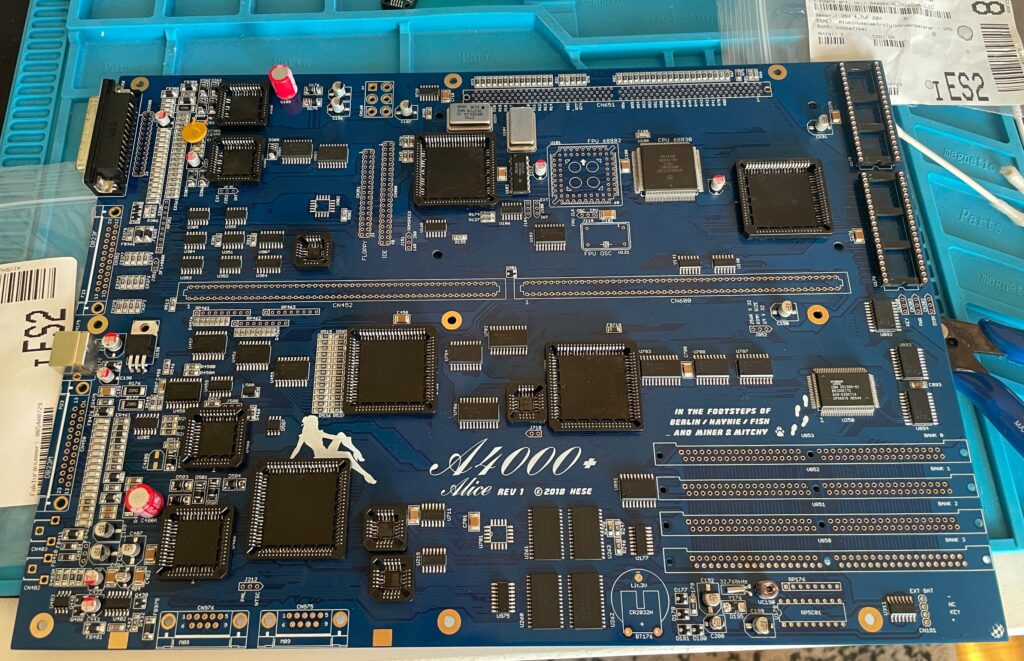
I had two summer projects this year that I recently finished. One was an Acill A4000D replica motherboard and the other was a Hese made A4000+ Alice A4000D CR motherboard replica. You could say two brothas from different mothas or something…

Both motherboards worked fine when doing basic test runs, however they both failed to run with a BFG9060. All I got when running them with a BFG9060 060 CPU card was a black screen.

amiga-4000d-motherboard
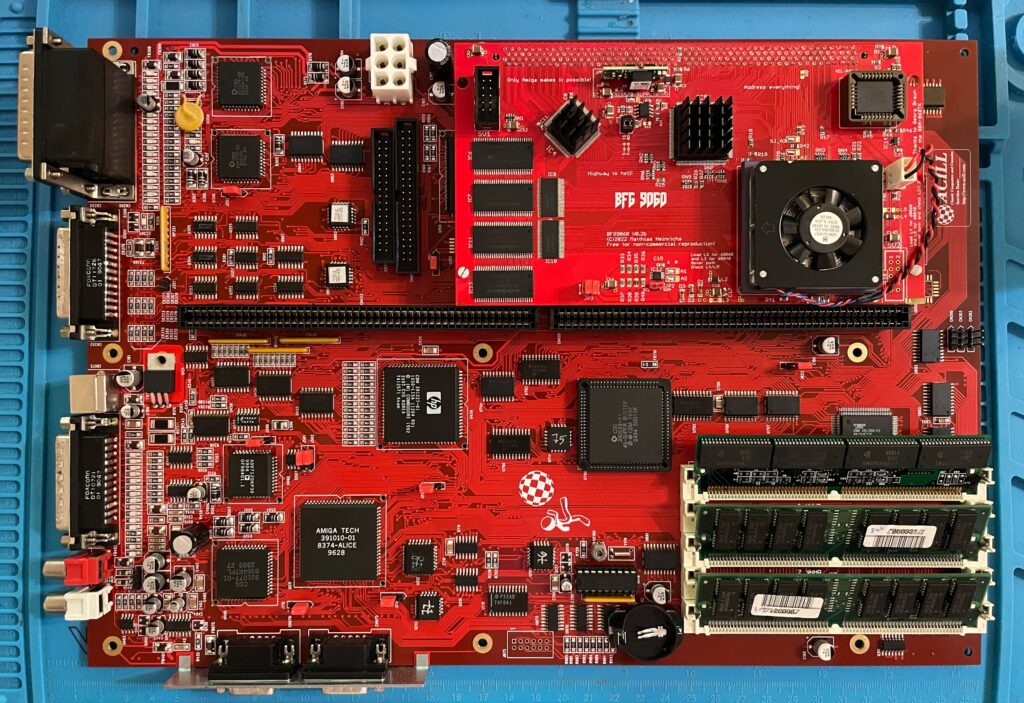
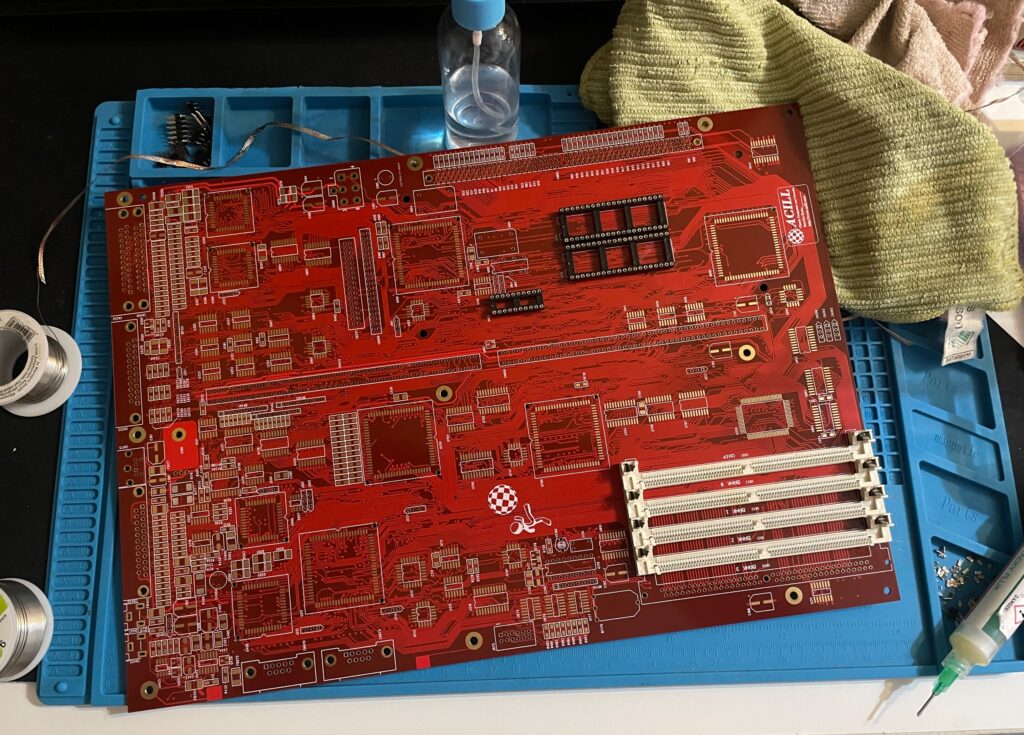
Amiga 4000D motherboard in shiny red

Anyway, as usual building them up was pure pleasure from start to finish. I even enjoyed desoldering the Acill A4000D motherboard from a few passives and pin headers someone else had a false start with. I mean, off course you want a full set of pin headers soldered to your 400+ small parts PCB (not really).

The A4000D motherboard fully built with a BFG9060

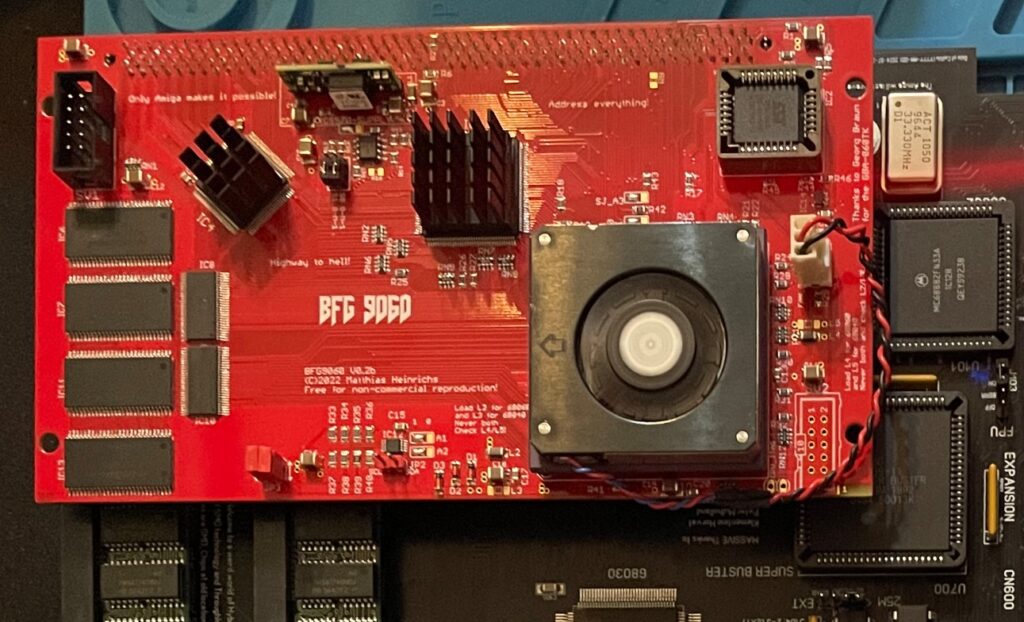
The motherboard was all built up and looking good in shiny red matching a BFG9060 with a mystery (rev. 1) 060 I built last year.

As good as it was looking it failed to run with the BFG9060. It was working fine with the A3630 CPU board I built earlier this year, but not with the 060 card. That reminded me that I had the same problem with my Alice A4000D motherboard a couple of weeks ago.

A4000+ Alice motherboard during assembly phase

The Alice A4000D has an 030 CPU on the motherboard so it does not need a CPU card. It was working fine with the on board 030.

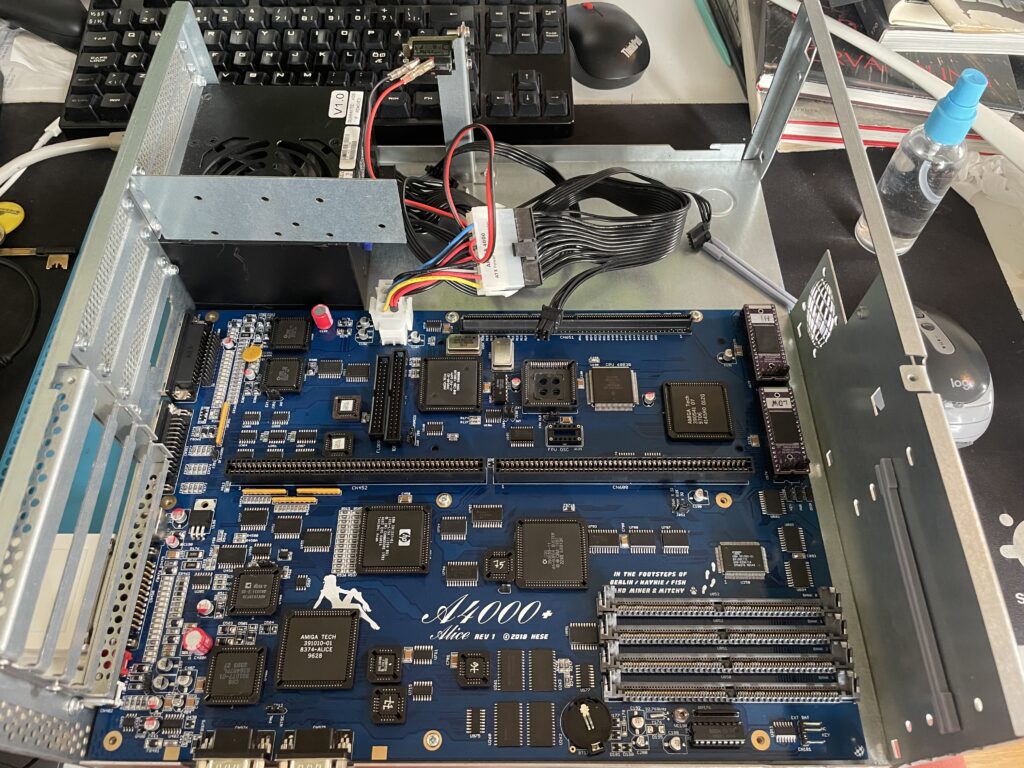
Here is the A4000+ Alice motherboard during the testing phase inside the A4000D case

I got the suggestion to try a new delay line as that could be the problem the CPU card failed to run. As the A3630 has exactly the same CPU as the one mounted on the motherboard, it is difficult to say if the A3630 was running or not.

Testing the A4000D motherboard + BFG9060 with a PicoPSU

If you are in this hobby you have to grow a passion for trying all hardware combinations to find the solution. In this case, the reason for the Amiga 4000 getting a black screen when running a BFG9060 was the PSU as everything seemed to run fine with another PSU than the SFX one I had in the A4000D case.

I changed the SFX PSU that previously was working fine with the EXACT hardware setup I am running here (but different Amiga 4000 motherboard) with a small ITX PSU and suddenly DiagROM worked fine and detected the 060 CPU.

This lead me to believe that maybe the PSU was not pushed too hard as some ATX PSUs fail to run if there is a tiny load on them (or something like that). So I decided to do a final test by adding some cards to my A4000D and try the SFX PSU again.

Unfortunately it did not start with the SFX PSU and 060 card even if I loaded the machine with all Zorro slots filled, including adding an old 3.5″ harddrive.

So next step is to get a new SFX PSU. But at least I know I have to working motherboards!

Update! 20251215

Apparantly it was the Kickstart that was the problem.

ReAmiga 3000 post test run follow up

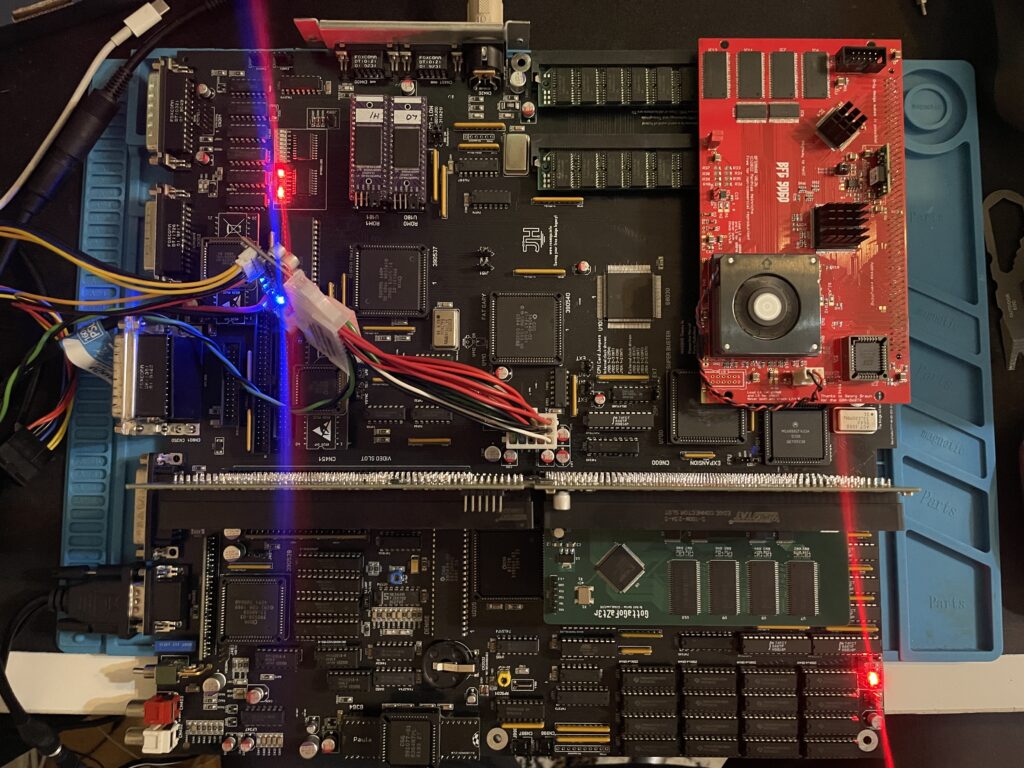
ReAmiga 3000 setup for a test run

You may have seen my previous post where I did a test run on my ReAmiga 3000 that I finished earlier this year. If not, check out my post about my ReA3000 that I built in April here.

While I did do a test run in DiagROM previously I did not have a daugherboard for it so I just whent through the usual tests (successfully) and called it a day. This time I did a more comprehensive test session where I tested a Amiga 3000 daughterboard, a BFG9060, a GottaGoFaZt3r 256MB Z3 memory card, programmed and replaced the logic chips and also replaced some ICs that I had to use adapters for previously.

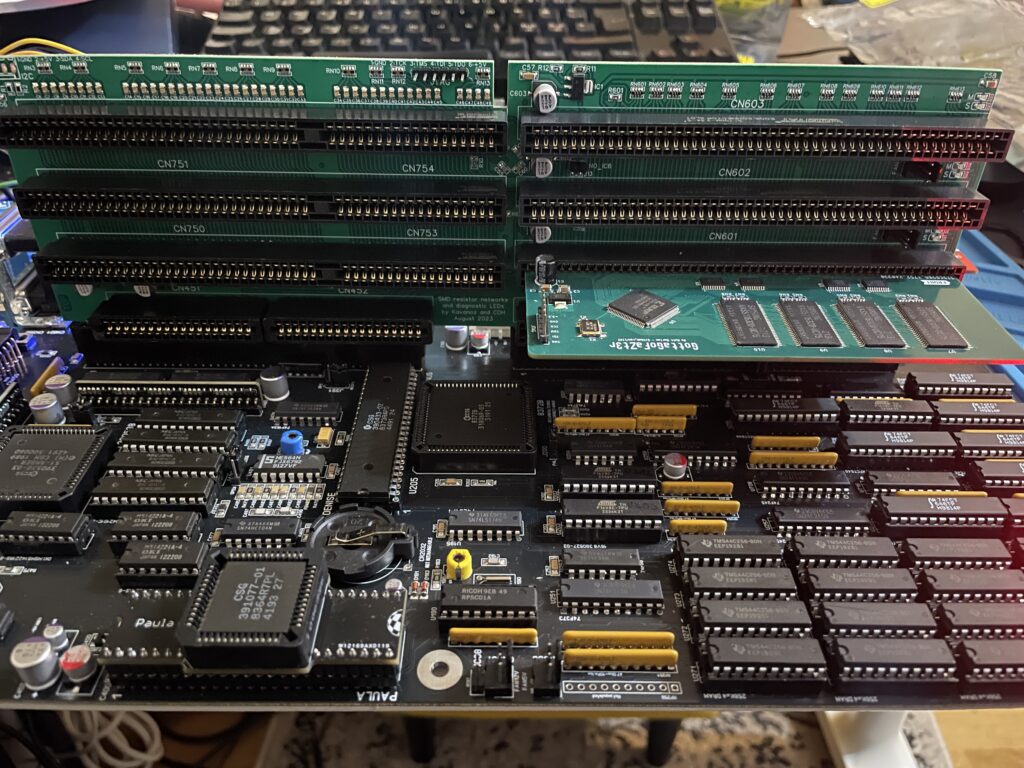
Amiga 3000 daughterboard

Front of the Matze Amiga 3000 DB

While my ReAmiga 3000 started up fine in DiagROM it failed to run with a Kickstart rom. I was puzzled about this since it was running fine in DiagROM. No matter what I tried I ended up with a black screen. Problem was solved by adding the daughtercard. Now Kickstart boot screen came up.

Backside of the Matze A3000DB, here is where the I2C circuit resides

I am using a Matze A3000DB, more info on it here. This is just like a regular Amiga 3000 daughterboard but it also has I2C functionality so you can monitor temps. More info about I2C here, the added functionality is based on that project. So to be honest, I have not really fully understood I2C, perhaps I will do a deep dive in the future. I have an CPLDICY card I built last year and its neat to see temps. I am thinking this could be interesting to monitor if running a tight A3000 case with bad cooling.

Another note, this is a version of the Matze A3000DB with some added functions by kavanoz & CDH, see more here about this specific version of the daughterboard.

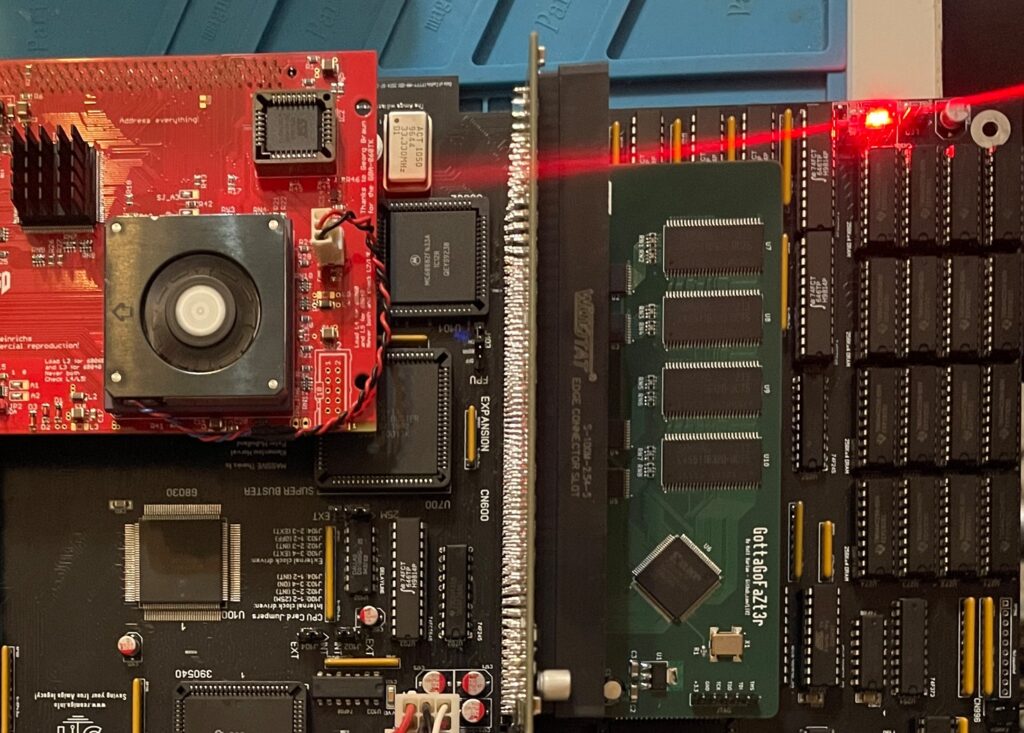
A GottaGoFaZt3r 256MB Z3 memory card was inserted and it was detected by DiagROM.

ReAmiga3000 + BFG9060 test, success?

The low profile heatsink/fan on the BFG9060 blows in the wrong direction, another thing to fix in the future…

Recently I built an A4000D that failed to run with a CPU card. That motivated me to test my older builds with a CPU card to make sure they work properly with a faster CPU. The only issue I had was to figure out how to jumper the motherboard, then it was smooth sailings.

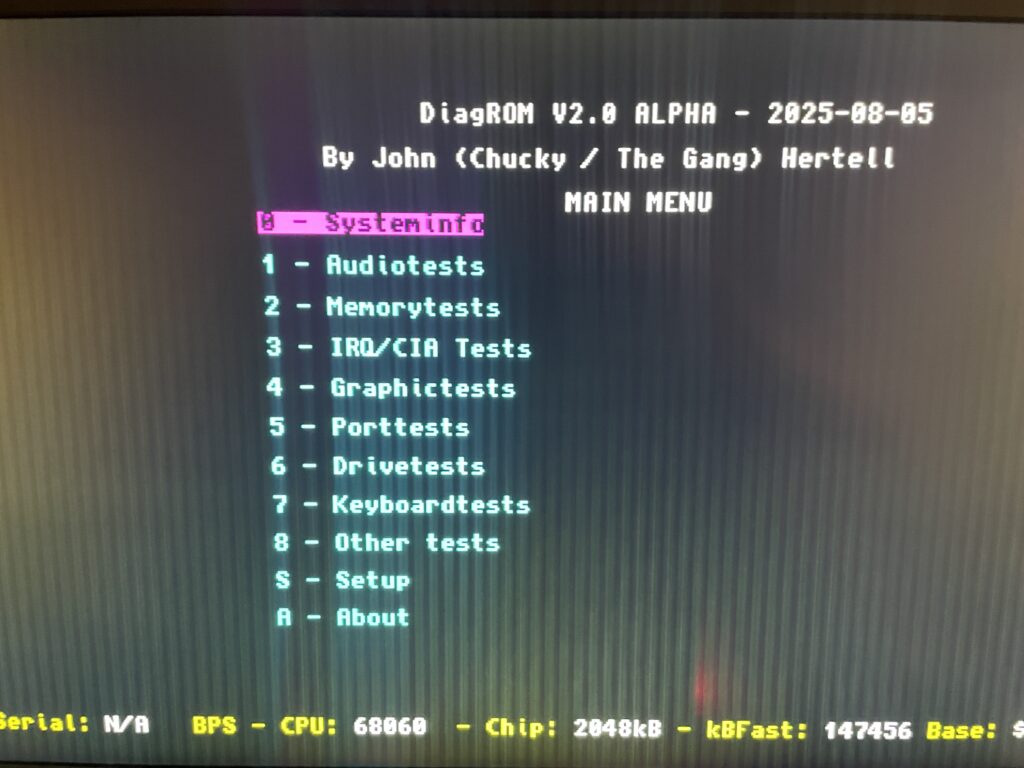
68060 is detected in DiagROM (as is fast ram)

DiagROM identified the 060 and also the fast ram. Now I need to do a 6 hour fish render and stability will be tested (something to do for the future).

74FCT646 chip replacement

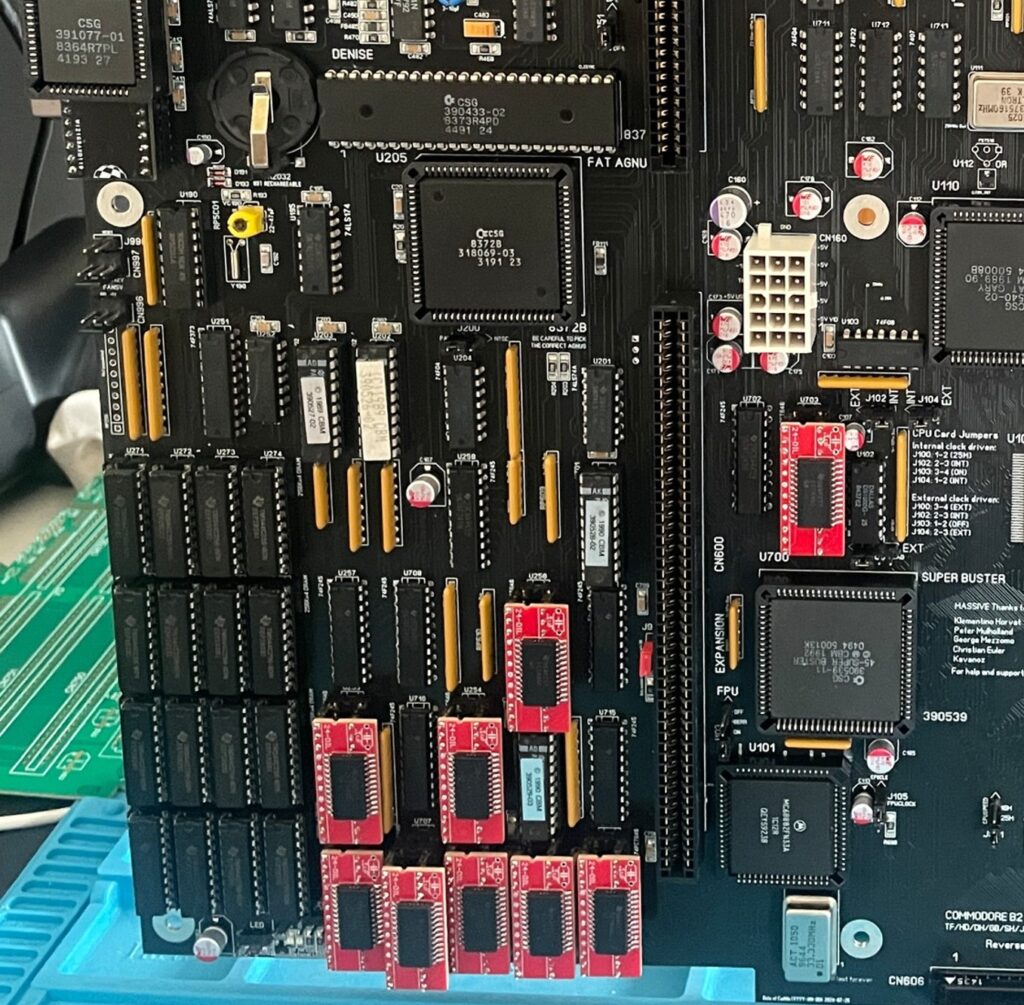
SOIC-24 to DIP adapters are the red mini PCBs. Also notice the original Commodore logic chips

If you look at the BOM for the ReAmiga 3000 you can see that Chucky recommends replacing the 74F646S with 74FCT646. Currently 74FCT646 can only be found in SOIC-24 from Mouser and Digikey and not in DIP so you need a SOIC-24 to DIP adapter to use them. While the adapter worked fine I just felt it would look better to run DIP chips instead. I had an UTsource order going for my A2386SX order in the pipeline so I added eleven 74FCT646 chips to that order from UTsource. Why 11 when the A3000 only needs 9? Well two of them is going to my A2386SX boards.

No more SOIC-24 adapters for a cleaner look!

The 74F646S chips actually runs hot, especially when there is 9 of them, that is something I noticed when using them from my donor machine. So it was a nobrainer to replace them with cooler running chips.

As I put in sockets for all the 74FCT646 chip adapters I am thinking of removing the sockets in the future and solder the chips directly to the motherboard for an even cleaner look. The ground plane in an A3000 is brutal though, not sure I wanna wrestle with this board desoldering stuff again. Desoldering the KEL 200 pin CPU slot was a nightmare.

Programmed and replaced logic chips

There are four logic chips on the Amiga 3000. About 15 years ago I had the oppportunity to buy a broken Amiga 3000 cheap because it had a broken display output. Turned out it was because one of the logic chips was broken, so it was an easy fix to just replace one of the chips with a new one.

So to future proof this ReAmiga 3000 build I replaced the logic chips I got from the donor A3000 with modern alternatives and got the JEDEC files to program them with from here.

Next step

I hope I can find a case for this build, they are difficult to come by but occasionally you can find one. Actually wish I had one now as I would like to set it up to a running system!

C’est la vie

Purple BFG 9060 Amiga 68060 accelerator card

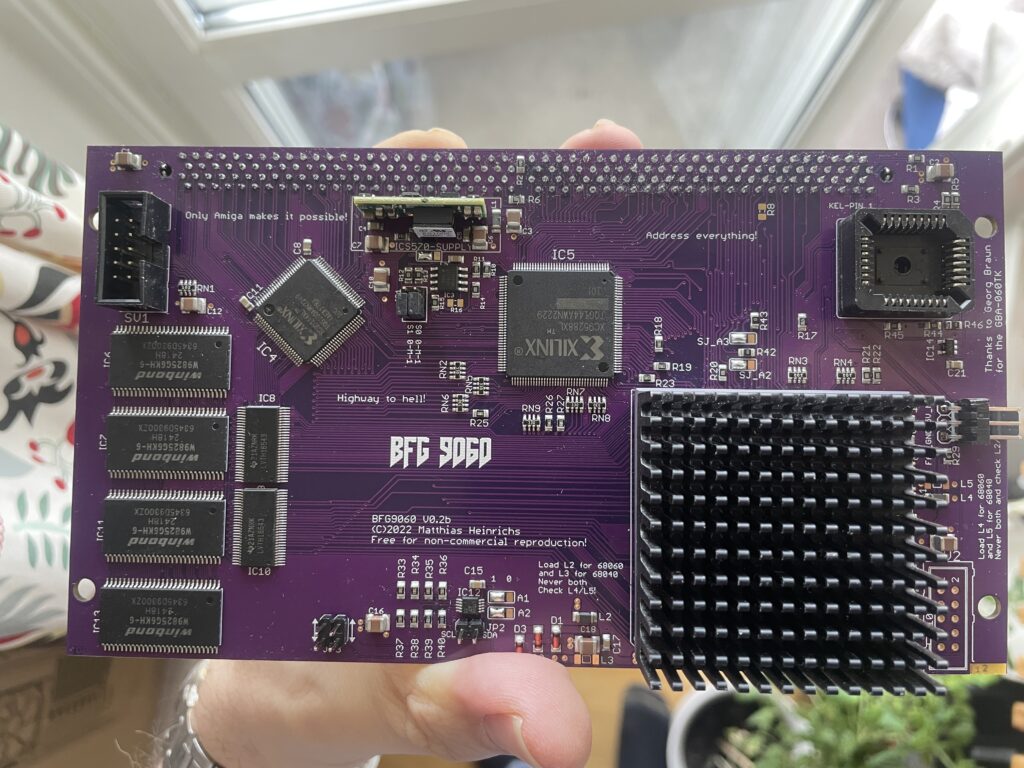
Purple BFG9060 Amiga 060 accelerator card

I just finished building this beautiful purple PCB BFG 9060 accelerator card for the Amiga and thought I would share a picture of it. As it was mostly already finished it just took an hour to solder on the KEL connector, fan header and voltage thing (regulator I think?).

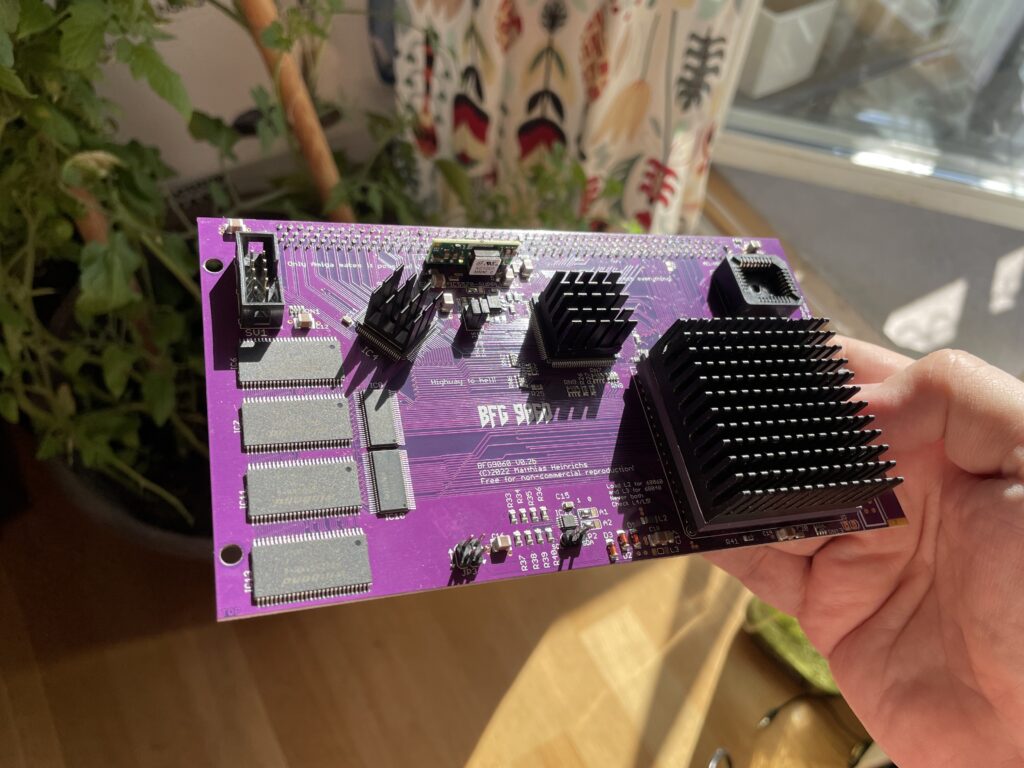
I finally get to use the original spec Motorola 040 CPU heatsink that came from an old 040 C= 3640 CPU card I had 20+ years ago. Just have to get some thermal tape, will also add heatsinks to the CPLDs. This card will not be overclocked as it is fitted with a rev 5 68060.

Updated picture of the BFG9060 with heatsinks added

I would like to take the opportunity to thank everyone involved in making this project a reality!

Here are some links related to BFG 9060:

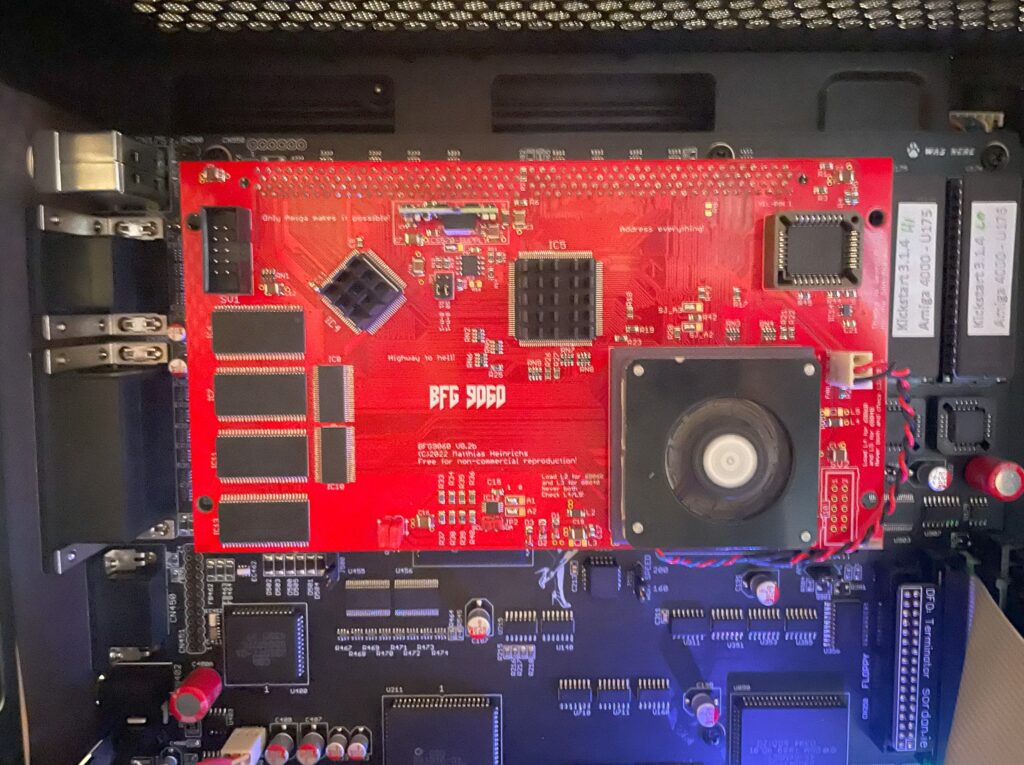
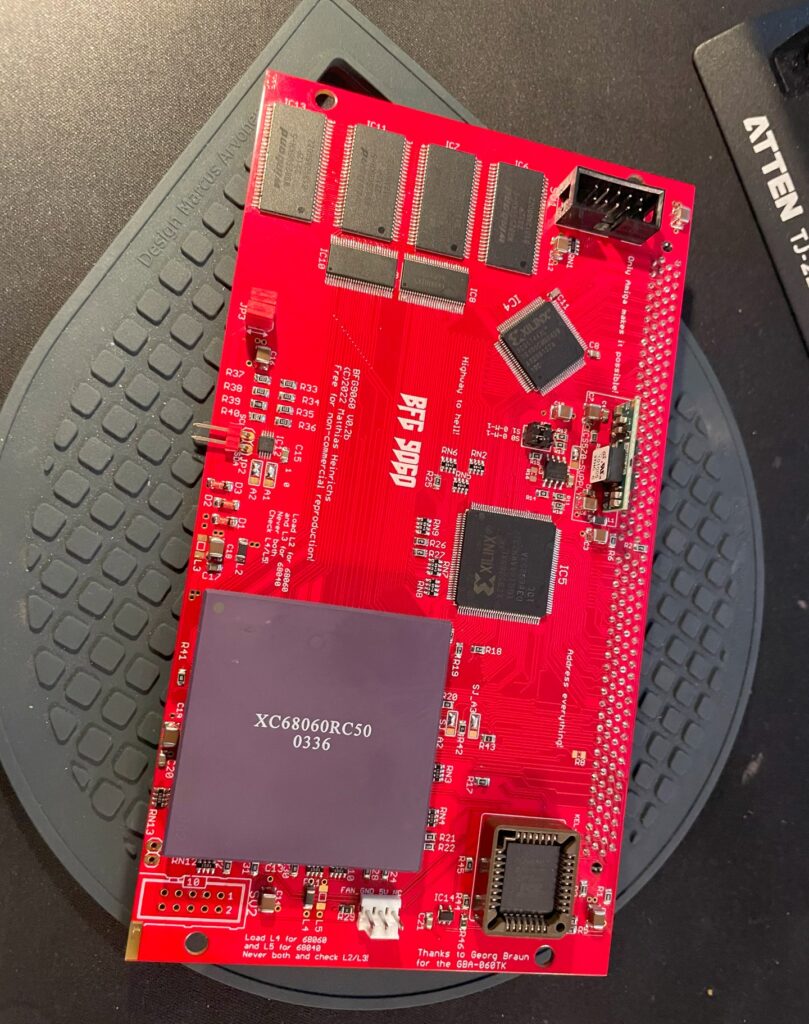
BFG9060 Amiga 060 turbo card in PCB color red fully built and tested

BFG9060 with rev 1 68060 under testing in my A4000TX

I built a BFG9060 060 turbo card last year that I could clock to 100Mhz, this is the second BFG9060 I have built and it is in a cool red PCB color. Thanks to the Xilinx programmer I got I could finally program the CPLDs on it but did not have time testing it fully. Now that I have tested it I can finally confirm that it is working 100%.

Actually, I just ran Quake for an hour with it mounted in my primary Amiga, my A4000TX daily driver, and the card performed just fine. Once I have it permanently installed in one of my big box Amigas I will do a proper 24h POVRay fish render test. But as it is now, I am happy with how it performed!

Mystery 68060 CPU

I got this 68060 chip from Vesalia years ago (probably 12+ years ago), and for a really good price too. It was a deal too good to pass on even though I did not know what to do with it. Well I am happy that I kept it but for all these years I wondered three things:

  1. Did it work?
  2. What kind of 060 was it?
  3. Is it a fake? Why did it have these strange markings and not the typical Motorola markings?

The answer to those questions are:

  1. Yes the 68060 works fine! And it does not get that hot either (though I have a heatsink/fan on it).
  2. It is a rev 1 68060.
  3. It is not a fake 060 – It came from a Phase 5 turbo card – Phase 5 used to add this text to the 060s on the turbo cards.

While the CPU works, it is a little bit of a bummer that it is a rev 1 as that revision has bugs. But there are work arounds for that so it does not really matter. Unfortunately, as its rev 1, that means no 100Mhz overclock. But to be honest with you, I am glad just having another full (MMU/FPU) 060 on a big box Amiga turbo card.

68060 low profile 5v cooler

I was afraid that the CPU I had was going to run too hot so I went into my stash of heatsinks to look for a suitable cooler for it. I found this thin 5v laptop cooler that I must have kept in my stash for more than 20 years. I got it from an old Acer Celeron laptop I found in the trash at a job I had and I was glad I finally found a use for it.

It is a thin radial fan that sits on an aluminium bottom plate that acts as a heatsink. I have not found modern alternatives in this size for a good price so I guess they have become rare these days.

I used thermal adhesive tape (also called “frag tape” BITD) to secure the heatsink to the CPU. Believe me, this thermal double sided adhesive tape has insane stickiness, there is no chance of the heatsink falling of the CPU if mounted vertically.

I can confirm, according to tests done with my finger, that the CPU does not run hot at all with the heatsink/fan on it. I am starting to wonder that maybe it was overkill, but if I end up using it in an A3000D case it might come in handy as that case has poor cooling performance.

BFG9060 big box DIY Amiga 060 turbo card at 100MHz

BFG9060 Amiga CPU card

The BFG9060 is a modern 060 turbo card for big box Amigas. It works with either a 040 or 060 CPU and has 128MB RAM. The card is occasionally available as a fully built card either with or without an 060 on Amibay or on Amiga store – or you can order a PCB and build a card yourself. Read more about the card and who made it here.

I decided to build my two BFG9060 cards myself as I enjoy building hardware and they would compliment my A4000 systems well (that I also built as kits). I have also read a lot about the BFG project and like the openness of the project and the wide user base.

I will now move on to writing about the first out of two cards I built and also my attempt at overclocking it to 100MHz.

Building the BFG9060

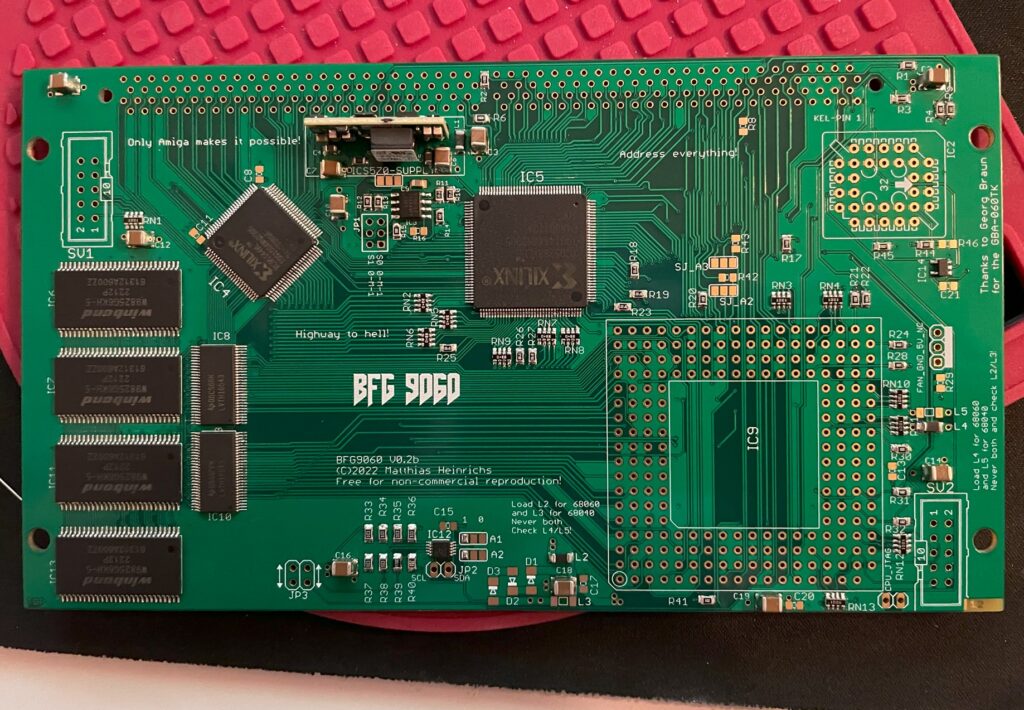
The BFG 9060 card is under construction

There are some parts that are difficult to find if you want to build your own card. That means

The most difficult parts to find for the BFG9060 IMHO is the CPU (I thought), the CPU socket and the edge slot (KEL connector).

Difficult to find 68060s

060 CPUs do not grow on trees (anymore), however I still think that they are surprisingly easy to find on the second hand market (in both crippled non FPU versions and full version) and all things considered they can still be had for a reasonable price. The 060 can actually still be found for a relatively “good” price, between 2-300 euro (or cheaper if you go for revision 1 which is perfectly fine in most cases).

An option is to go for the FPU less 68060s, these can be had very cheap. Keep in mind to treat your 060 board as a very fast 030 if you go this route as most 060 programs expect to find a full 68060.

68060 socket

The 68060 CPU socket is difficult to find but not impossible, I got one from a friend in the hobby (as well as the KEL connector) but decided not to use it in this build. Instead I opted to solder the CPU directly to the BFG card, more on that later.

“Impossible to find KEL connector”

The KEL connector is difficult to find but there are some builders of these cards that might have a spare one to sell. You can actually order KEL connectors from the factory, but you have to order in a higher volume than one or two. So it is not really an impossible to find part, but you wont find it on Mouser or Digikey.

Other difficult to find parts

Keep in mind that the CPLDs are EOL and will be difficult to find in the future (for a good price). Other than that its mostly a straight forward build.

Rev. 6 68060 CPU

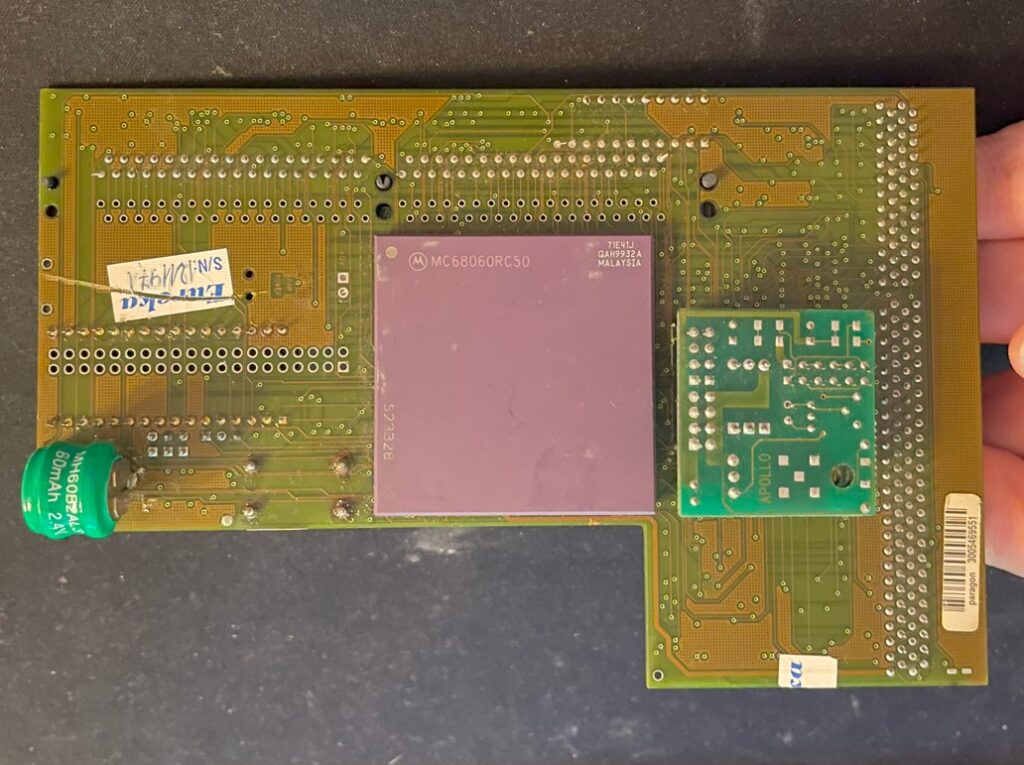
Apollo 1240 upgraded to an 060 card

I have an old Apollo 1260 that I got for a great price back in 2008. I have been running it in my main A1200 and it has been great during those years, I love an 060 in an Amiga, makes the whole system much more fun to use.

The Apollo card had a rev. 6 68060 on it which the seller claimed could easely do 75MHz when he sold it to me.

I never tried overclocking on the Apollo turbo card but thought that some day I would, that never happened though since the years just marched on and I felt satisfied with the stock speed.

Since the BFG9060 supported a 100 MHz overclock I thought it was an excellent idea trying the CPU on that card instead and finally find out how much I could push this chip.

The main problem was that the rev. 6 68060 CPU was soldered to the Apollo 1260 card, some legs where also snipped off on the bottom of the CPU to not interfere with the 72-pin SIMM memory.

Backside of the Apollo 1260

I sent the Apollo card to a electronic repair company to have the 060 CPU professionally desoldered, it was soldered directly to the Apollo card. My hobby grade desolder station could not handle the job and to be honest, I was far too unexperienced in desoldering a part with that many contact points.

So, instead of putting it on a socket on the BFG card I soldered it straight on to the card once I got it back. It would have taken a lot of time to clean and straighten the legs out to get it to fit a socket – if it was possible at all since some of the pins where shortened down.

Overclocking the BFG9060

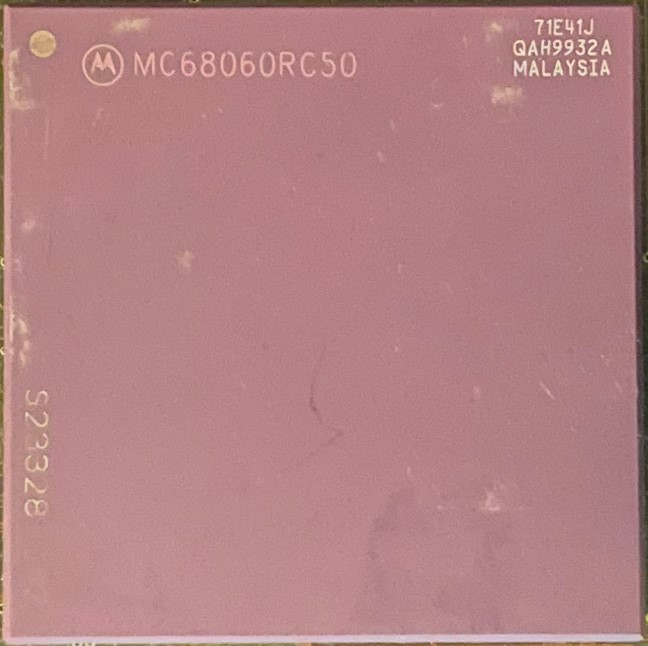
Revision 6 68060 71E41J, capable of 100+MHz (hopefully)

So after the BFG 9060 card was built it was time to program the CPLDs and test the card in an Amiga. While it worked fine at 50MHz after first test runs, I was sure I wanted to try to get it running at 100MHz.

The later revision of the 68060 (71E41J) is famous for being able to be overclocked and running happily at 100MHz or more all day long (and night), the BFG only supports up to 100MHz though, but a 50% overclock was fine for me!

BFG9060 testing session with temporary heatsink (an old official 040 heatsink)

It is here I found a problem. The card refused to start when jumpered to 100MHz. I could feel the CPU getting warm but my A4000TX never booted to Workbench. However, I could get into the early startup menu with the BFG set to 100MHz – That was promising!

Turned out I had to overvolt the card slightly by replacing a resistor that increased the voltage for the CPU.

Keep in mind this was still in line within the specifications of the 68060 even when overvolting the card so it is in reality not that dramatic at all even if it sounds like it.

After I had replaced the resistor R9 with a 2.87K resistor, bumping voltage up from 3.3V to 3.4V, the BFG9060 happily booted at 100MHz and ran stable playing the famous Quake demo for hours!

So on the BFG9060 the resistor R9 controls the output of the voltage regulator, acording to the info I got the corresponding resistance of the resistor on the left side below would correlate to the voltage on the right side below:

  • 3.16K = 3.3V (default)
  • 2.87K = 3.4V
  • 2.55K = 3.5V
  • 2.32K = 3.6V

I was initially worried I would be running the card very hot when it was overclocked, but that proved to be false.

I dont have any data, but the turbo card and the CPU did not feel hot at all when I briefly touched it with my finger.

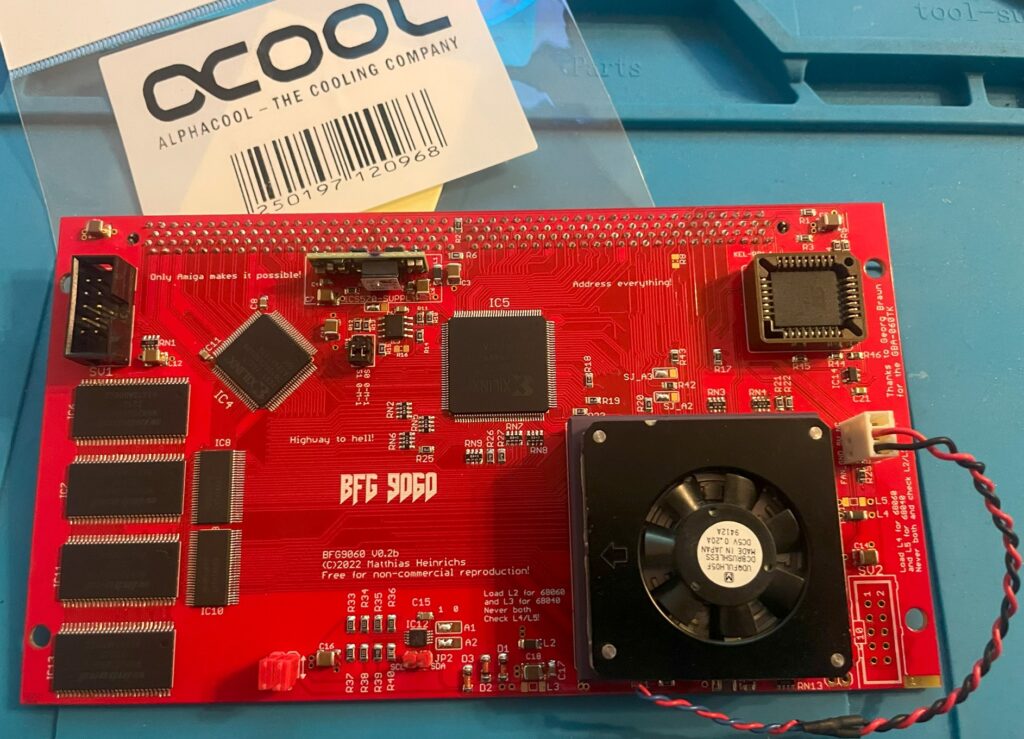
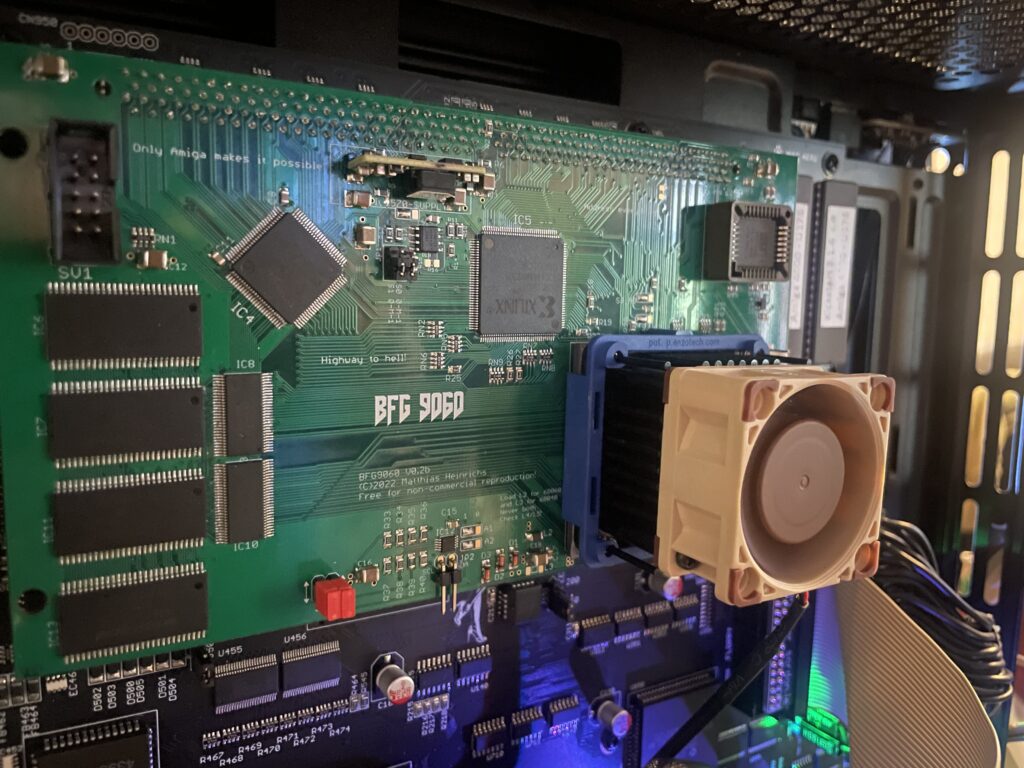
Even if it felt safe to run without active cooling I thought it would be a wise choice to add a heatsink and fan anyway. To keep the card safe I added a tall heatsink (Enzotech) with a 2 cm tall Noctua 40 mm fan helping to keep the CPU cool.

I have forgotten the exact part number for this cooler but it fits the 060 as a glove and clips on the CPU. The two CPLDs got black heatsinks attached with thermal conductive tape (after I took the pictures below). I am running this card in my A4000TX that is installed in a tower, it has a 120 mm Noctua fan blowing in from the front. The whole system runs very cool!

Conclusion

Trucking on in 100MHz!!!

My overclocked card has been stable for more than a year (as has the Amiga it is running in). My A4000TX is a dream to use at 100MHz together with a zz9000 graphics card.

Do you really notice the speed increase?

Yes, I feel that Workbench is more responsive and off course classic 3D games such as AmigaQuake runs and feels much faster at 100MHz. I have not had a single crash that could be attributed to the CPU card (in either overclocked or non overclocked state) which proves (for me) that the BFG in my A4000 is a very stable and dependable CPU card. Great job everyone involved in making this card and who decided to release it open for anyone to build!

Resources

There is an excellent documentation of the BFG9060 card here