Find the missing chip on the ZZ9000AX Amiga sound card
I wrote about the troubles I had with the ZZ9000AX soundcard for the ZZ9000 graphics board in a post a year ago. No matter what I tried I got a horrible distorted sound from Paula if Paula output was routed through the ZZ9000AX. That was just half the story, the other half was the insane bus noise the card picked up. I was not alone with this problem as I heard quite a few who had the same disappointed stories to tell about their ZZ9000AX Amiga sound cards. One chap I know called the card “an utterly terrible piece of sh*t hardware“.
An intense discussion with the creator of this card followed where it was concluded that the problem could not be confirmed, a pointer to the schematics of the card was offered – An electronics enginering degree was however not offered. Maybe then I could have found the error myself.
Patience rewards those who wait, that is something every Amiga user knows about, it is just a matter of time before Amiga will take over the computers of the world and become the no.1 computer again.. oh wait its not 1998 anymore back to the ZZ9000AX and 2025…
Good bye…
So I was hanging out in a Discord and noticed rumors about the ZZ9000AX now performing fine by doing a simple hardware modification to it. Apparently, removing the chip U4 from the ZZ9000AX would fix the insane sh*t quality (mildly speaking) output from the card. After further investigations it was brought up that this groundbreaking news was communicated on an IRC channel (yes, it is 2025) for the Amiga community to pick up on (why not post it on usegroups next time?).
I could barely keep my hand off my soldering iron – In 5 minutes the chip was removed from my ZZ9000AX never to be seen again. If the card failed in the process I could always retire it in the round archive (meaning, in the garbage where I had been tempted to put the card to rest for more than a year).
Would it work or not!?!?!
In the middle of a brutal 90 min Amiga module testing session with my A4000TX running ZZ9000/ZZ9000AX
IT WORKS!!!!!!! The distortion and heavy background noise is gone.
But I can still hear some bus noise in the background when opening drawers, in comparison with how it was before, this is something I can live with.
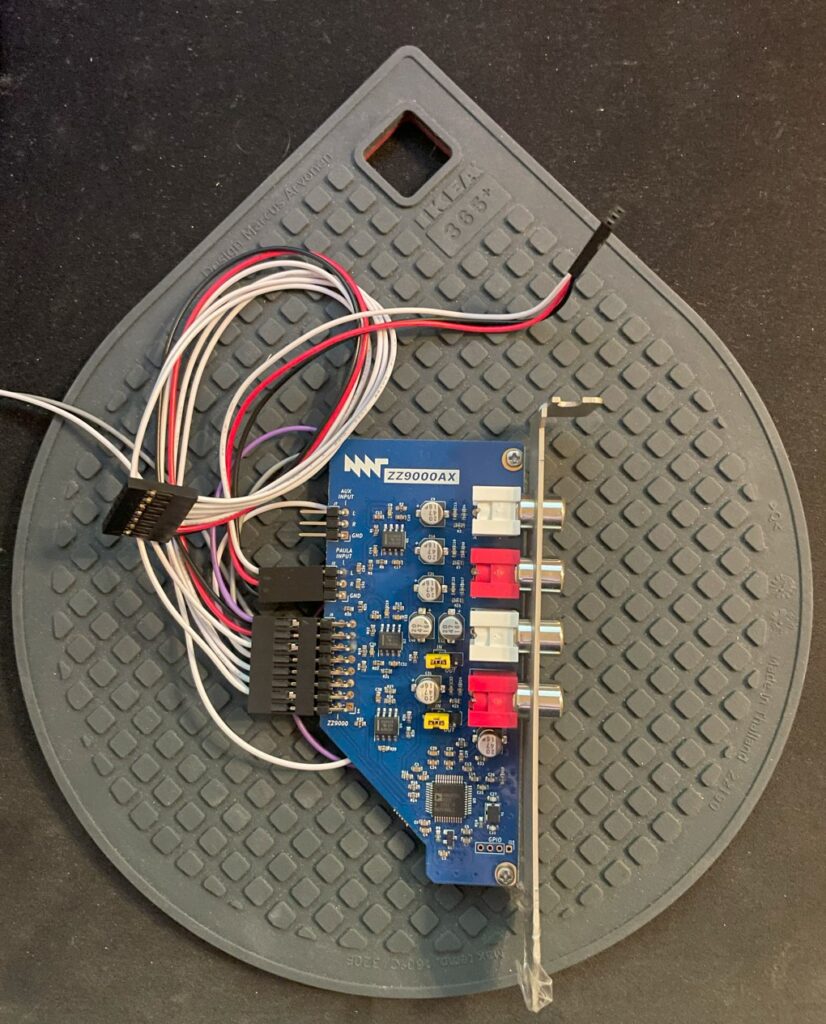
There is a sound card for the ZZ9000 Amiga graphics card called the ZZ9000AX. It is a small soundcard that is attached directly to the ZZ9000 Amiga Zorro slot graphics card.
I had some problems with the ZZ9000AX
Keep in mind that I am running the card on an unofficial Amiga motherboard (A4000TX). So the reason for me having problems might be because of that and not the fault of the soundcard.
I got A ZZ9000AX last year but had massive problems getting it running well. The ZZ9000AX seemed to be picking up noise off the bus and had a disturbingly loud background buzz that never stopped. Paula sound is passed through the ZZ9000AX from the ZZ9000 through a three wire cable.
When Paula output was passed through the ZZ9000AX it just sounded horrible. Sometimes distorted, sometimes just totally blurred in background noise. Sound output so far from the regular crystal clear Amiga sound output I was used to.
I contacted MNT about the problem and I was sent a replacement card from MNT – But it did not fix the problems, just introduced different sounding problems. As I was running it in my A4000TX which is a non standard Amiga model (with no public schematics) it is difficult to say where the problem lies. There might be some kind of difference between an A4000D CR (that the A4000TX is based on) and an A4000TX that introduces these problems into the audio output.
I am going to test my card on my other Zorro 3 machines in the future to find out if it is the fault of the A4000TX or not (will update this text). But the card was sadly unusable for me in my A4000TX.
Finding a solution
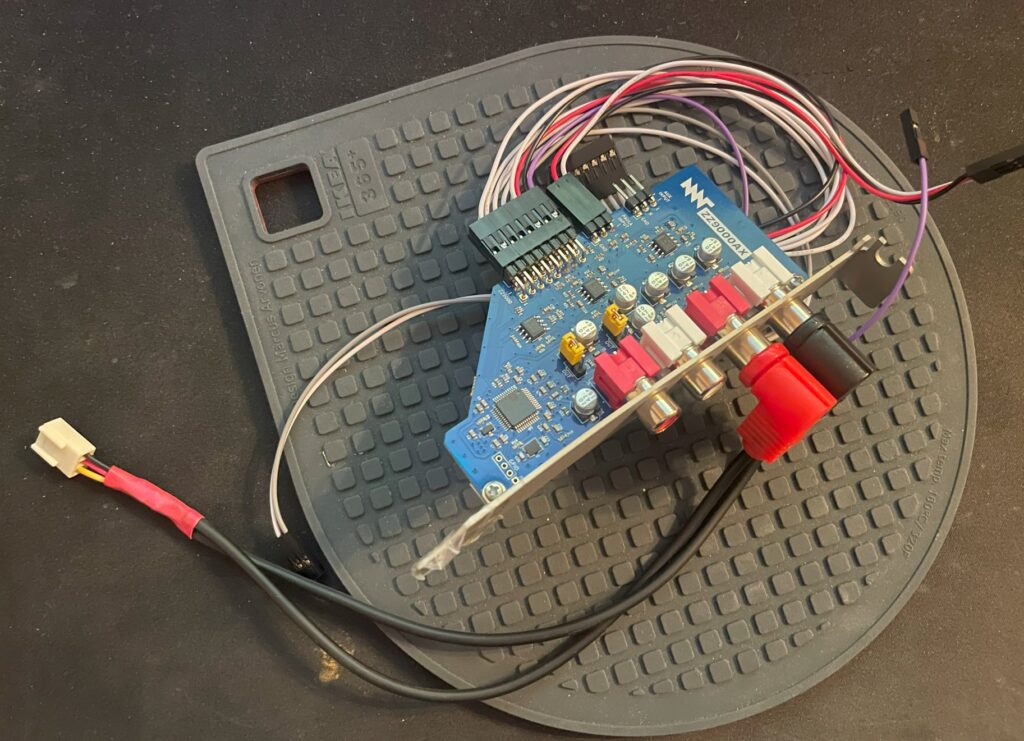
ZZ9000AX with external to internal cable
Playing around with the card I noticed that if I removed the three wire cable that connected Paula audio output into the ZZ9000AX (you can see it attached to the card above) the card was beautifully silent, no bus noise, no irritating static and no weird noises. Playing MP3s worked fine as they where being played on the ZZ9000AX and not on the Paula.
The A4000TX is a clone of the Amiga 4000CR and shares the same features, one which is a input header on the motherboard originally meant for CD audo to be merged with Paula output.
So I got an idea to remove the three cable wire that connects the ZZ9000AX to the ZZ9000 altogether and route the output from the ZZ9000AX into the input header on the motherboard instead.
That means that the output of the soundcard was mixed into the sound jack of the A4000TX.
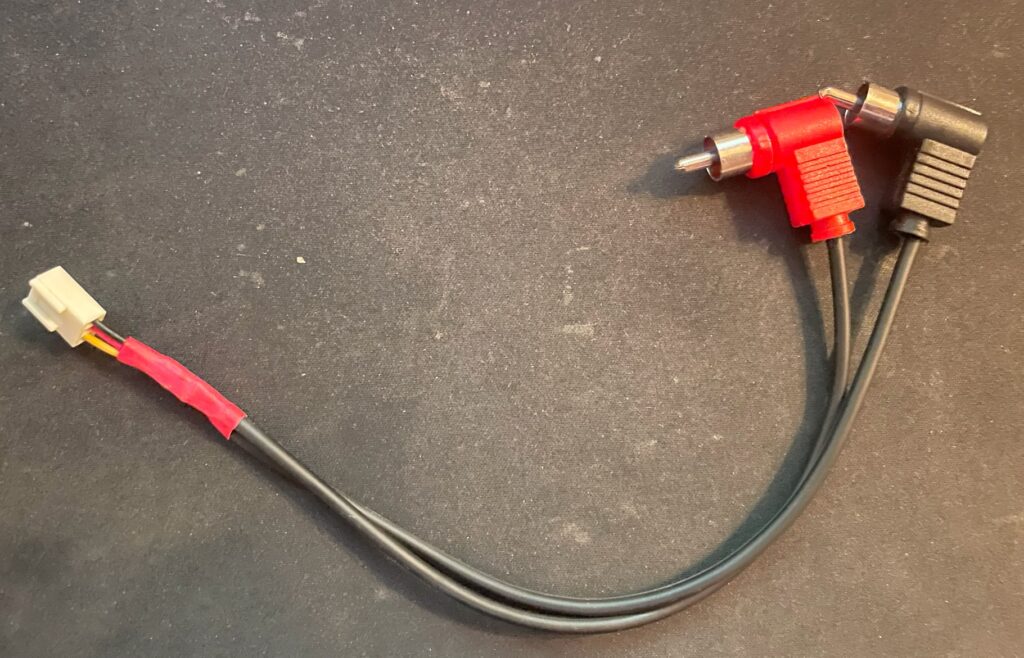
Cable in detail, it is just a simple cable, nothing special to be honest
I created this little cable just to prove if it could work. I will make a nicer looking cable in the future. The A4000D and the A4000TX (that is based on the A4000D CR) has a audio in input on the motherboard, likely for CD-ROM input or for AV purposes.
It is connected to line in on the A4000TX motherboard so it gets mixed into the output for the sound socket.
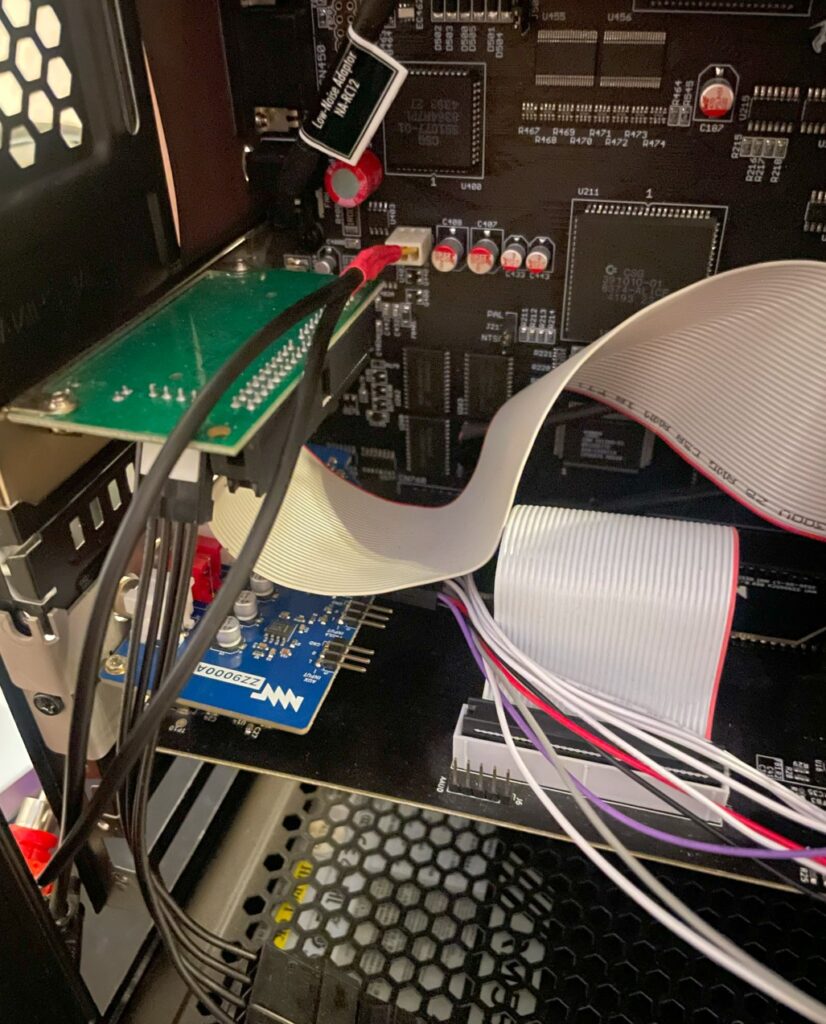
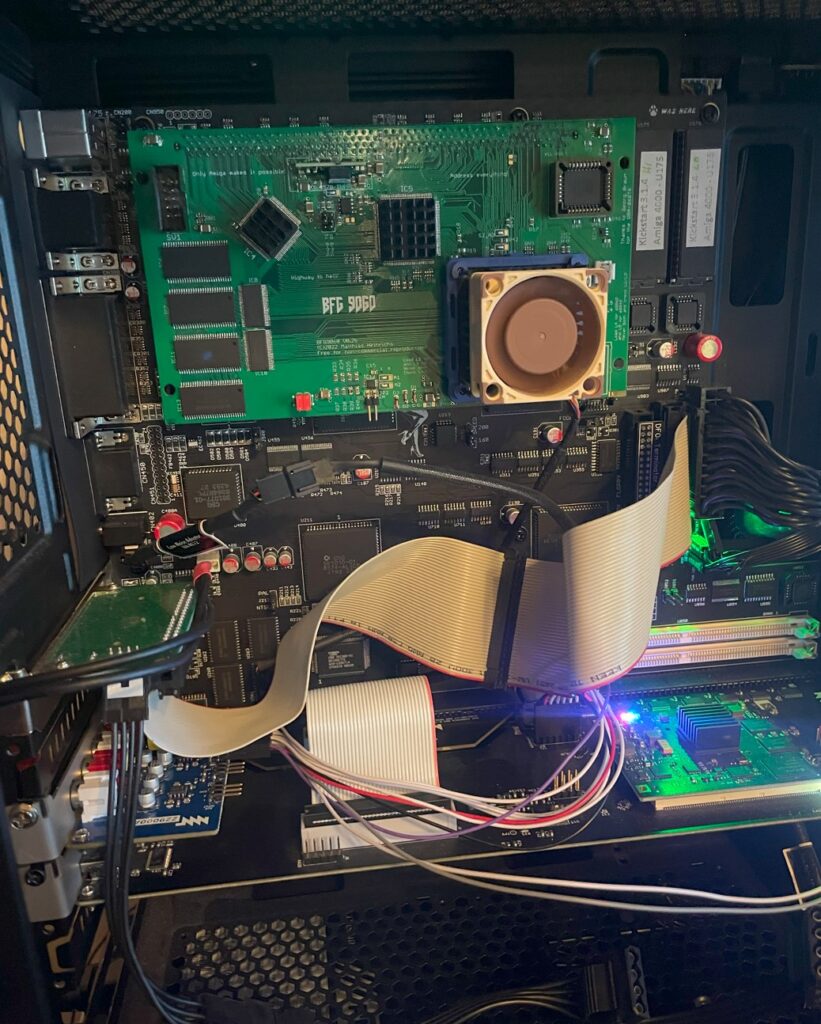
You can see the cable connected to the audio input header on the image above. It is a messy setup, but the system is in a state of work in progress at the moment.
The cable is just a nasty quick hack, I will do something better here in the future
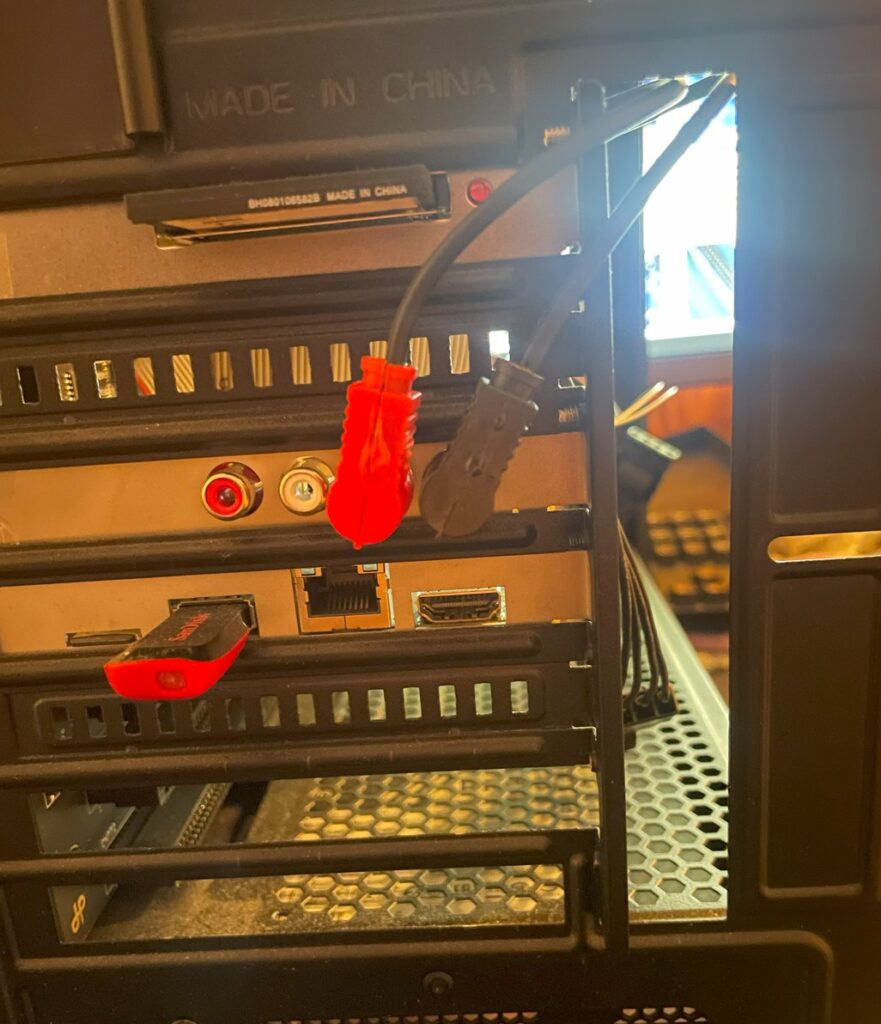
Here is the backside of the A4000TX and how I route the cables to the internal audio input. No doubt I will create a more neat solution in the future, but for now this will do.
Does the fix work?
Yes it does, I have configured AmigaAMP to use the MHI drivers for MP3 playback. Both MHI and AHI works fine. There is no bus noise and no ringing noises in the background. The sound output is dead silent when the Amiga is not producing any sound – Just as it was meant to be and how I expect it to be. And best of all, playing modules in an module player sounds crystal clear. Playing MP3s on my Amiga sounds just as they do on my PC now!
There is just one little problem
There is one disadvantage of this setup, and that is that the audio input header on the Amiga 4000 motherboard lowers the noise a bit compared to Paula output. I have not found a fix for this yet. One fix would be to run a separate mixer that mixes ZZ9000AX and Paula audio into one, however that just sounds too messy, so I will stick with this solution and just increase the audio level a bit whenever I run something on the ZZ9000AX card.