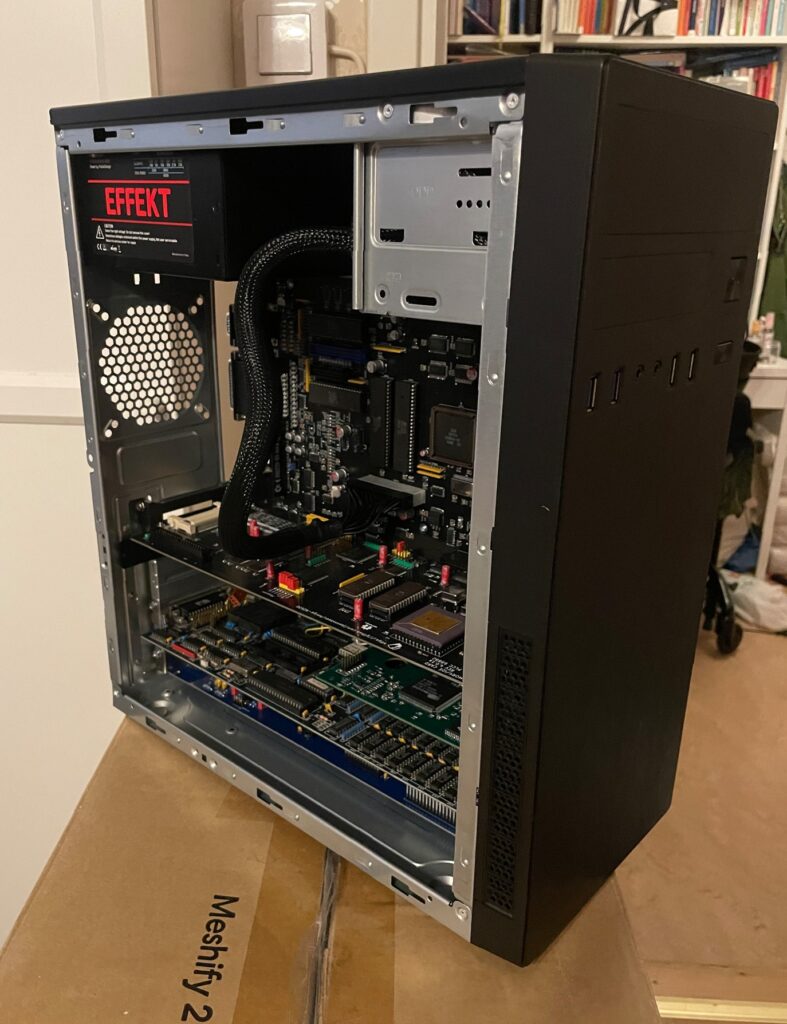
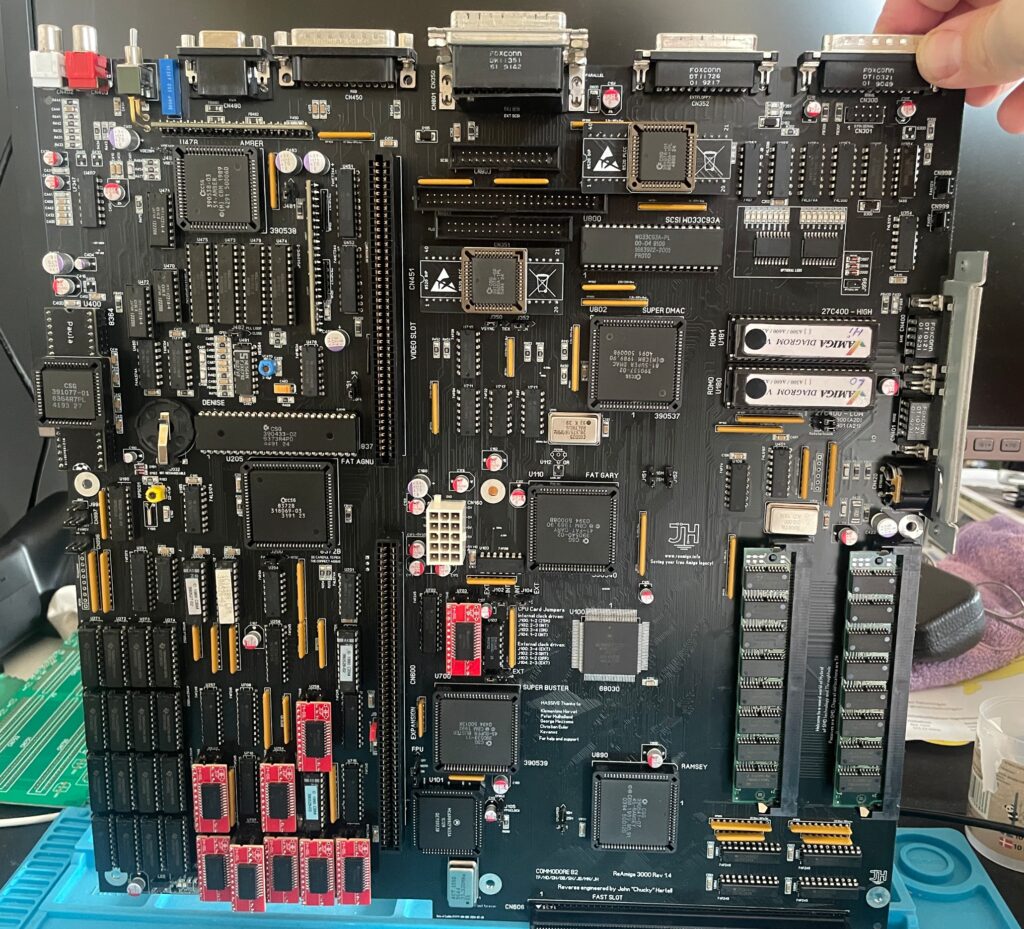
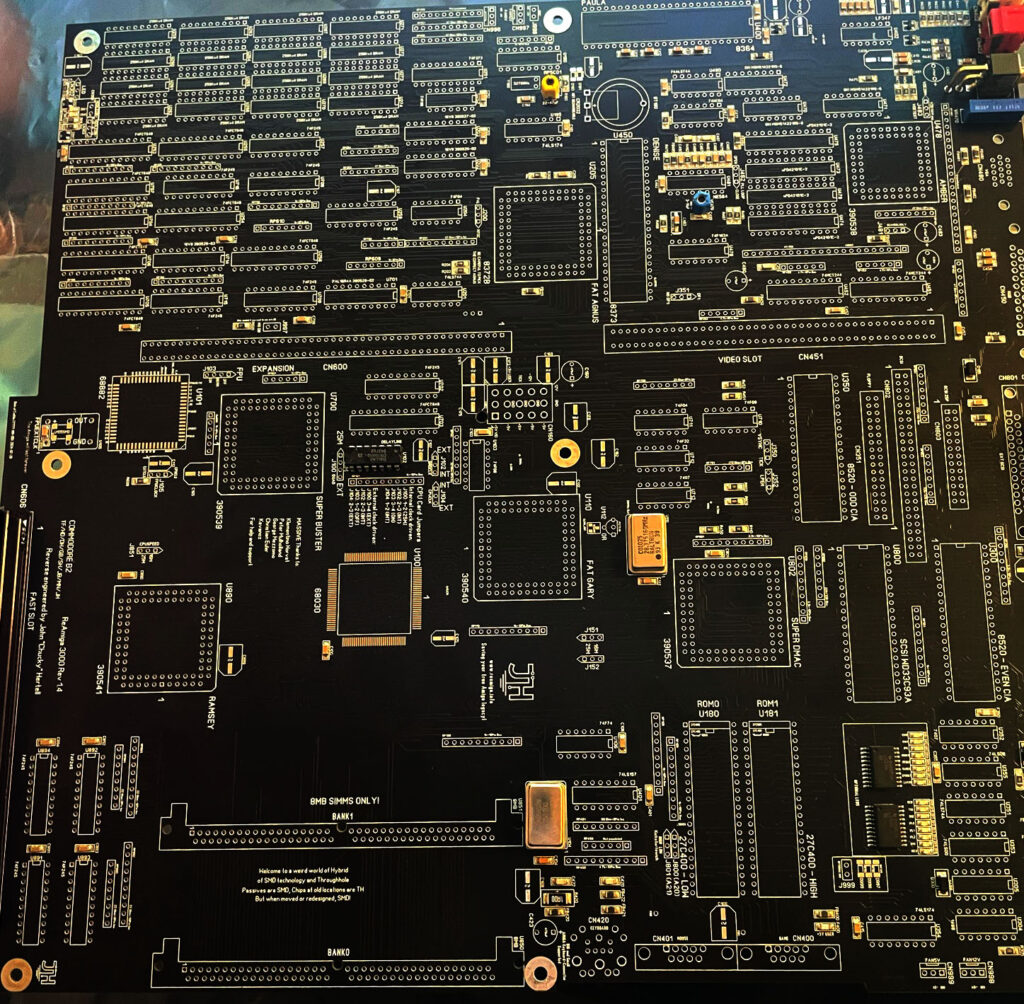
You may have seen my previous post where I did a test run on my ReAmiga 3000 that I finished earlier this year. If not, check out my post about my ReA3000 that I built in April here.
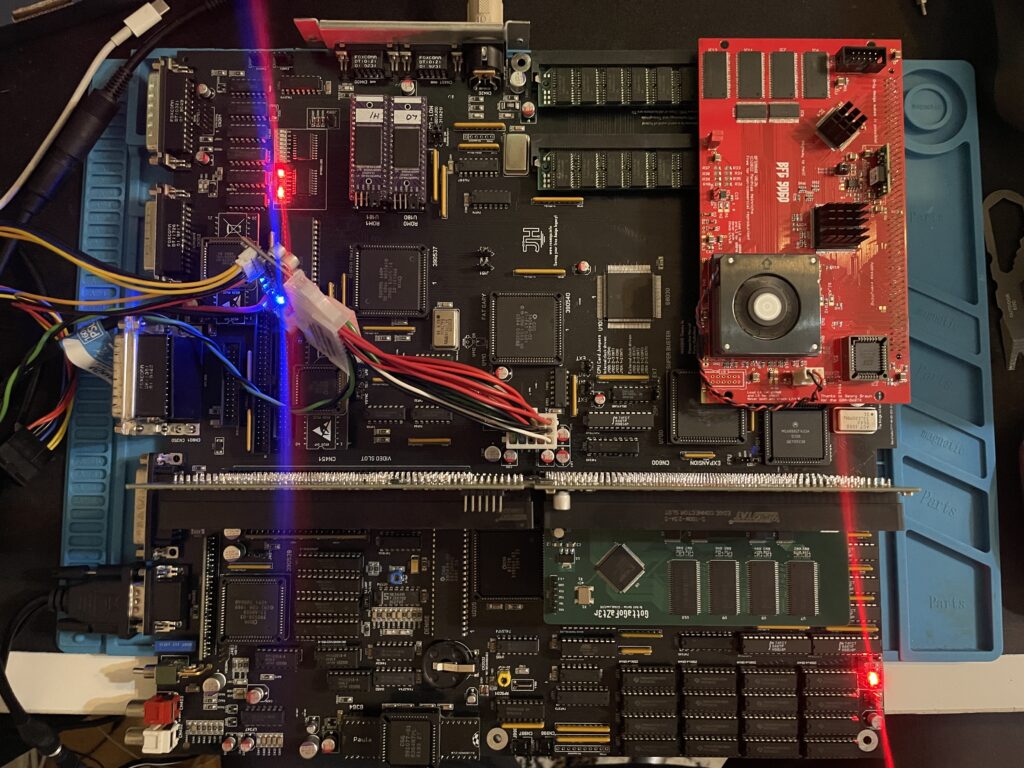
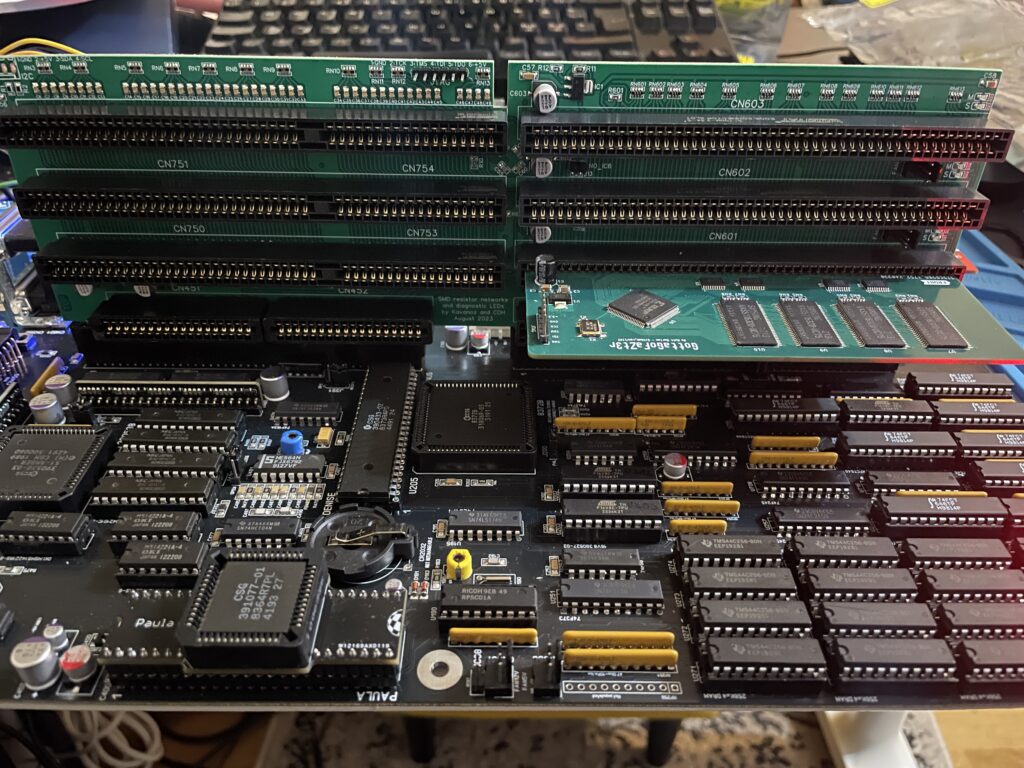
While I did do a test run in DiagROM previously I did not have a daugherboard for it so I just whent through the usual tests (successfully) and called it a day. This time I did a more comprehensive test session where I tested a Amiga 3000 daughterboard, a BFG9060, a GottaGoFaZt3r 256MB Z3 memory card, programmed and replaced the logic chips and also replaced some ICs that I had to use adapters for previously.
Amiga 3000 daughterboard
Front of the Matze Amiga 3000 DB
While my ReAmiga 3000 started up fine in DiagROM it failed to run with a Kickstart rom. I was puzzled about this since it was running fine in DiagROM. No matter what I tried I ended up with a black screen. Problem was solved by adding the daughtercard. Now Kickstart boot screen came up.
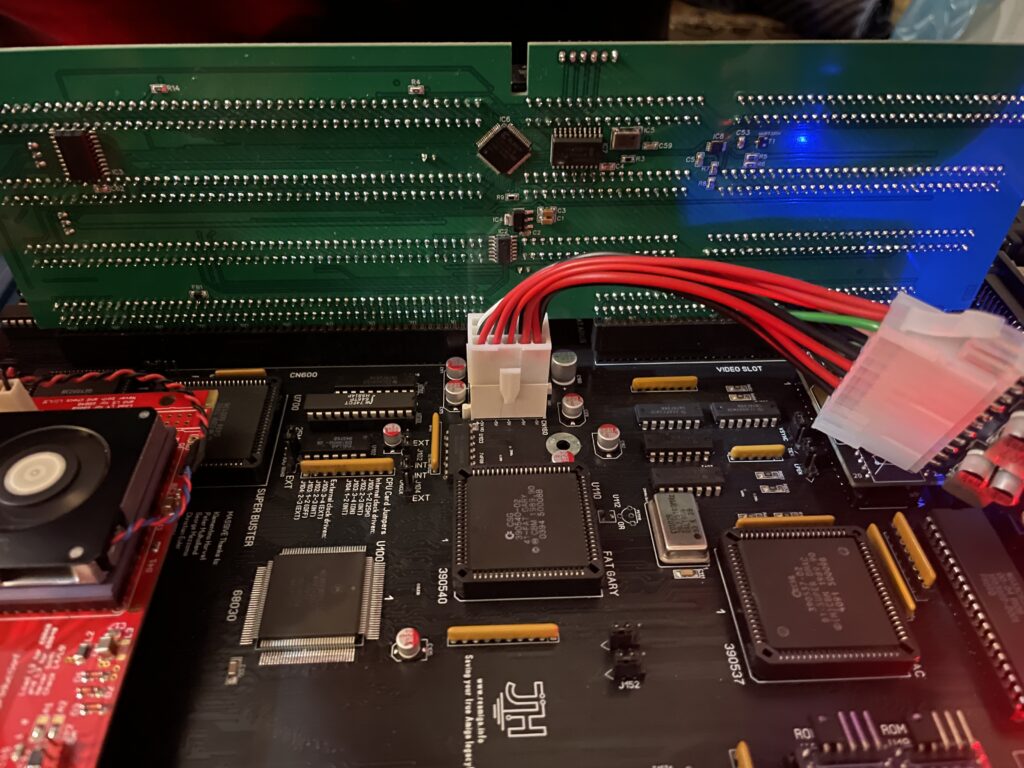
Backside of the Matze A3000DB, here is where the I2C circuit resides
I am using a Matze A3000DB, more info on it here. This is just like a regular Amiga 3000 daughterboard but it also has I2C functionality so you can monitor temps. More info about I2C here, the added functionality is based on that project. So to be honest, I have not really fully understood I2C, perhaps I will do a deep dive in the future. I have an CPLDICY card I built last year and its neat to see temps. I am thinking this could be interesting to monitor if running a tight A3000 case with bad cooling.
Another note, this is a version of the Matze A3000DB with some added functions by kavanoz & CDH, see more here about this specific version of the daughterboard.
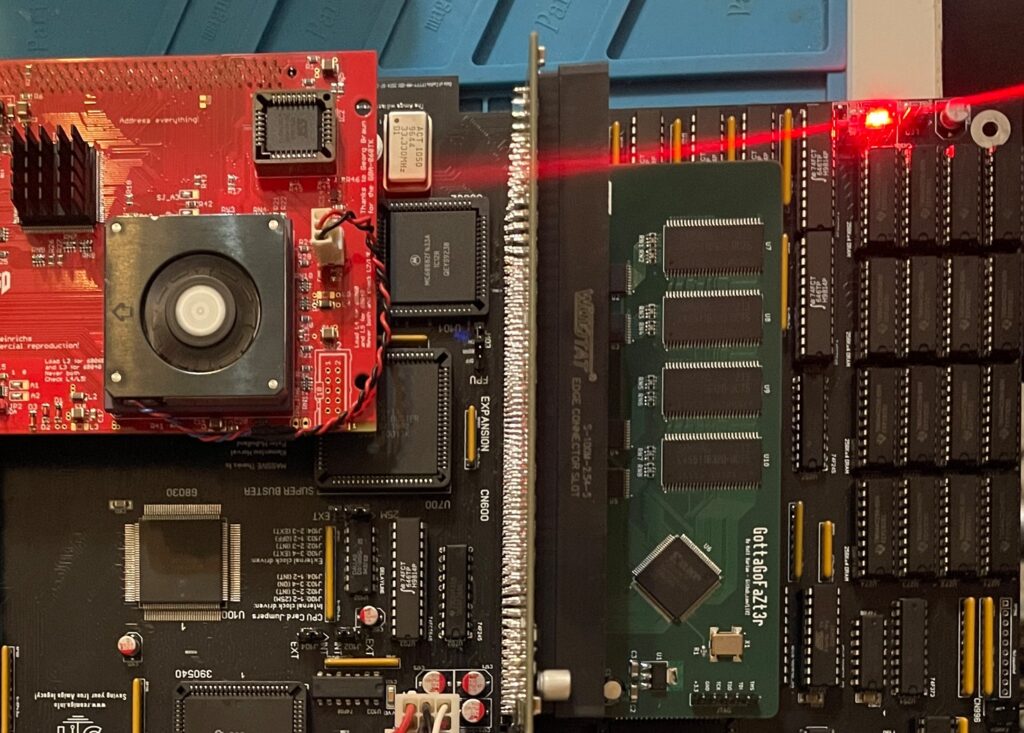
A GottaGoFaZt3r 256MB Z3 memory card was inserted and it was detected by DiagROM.
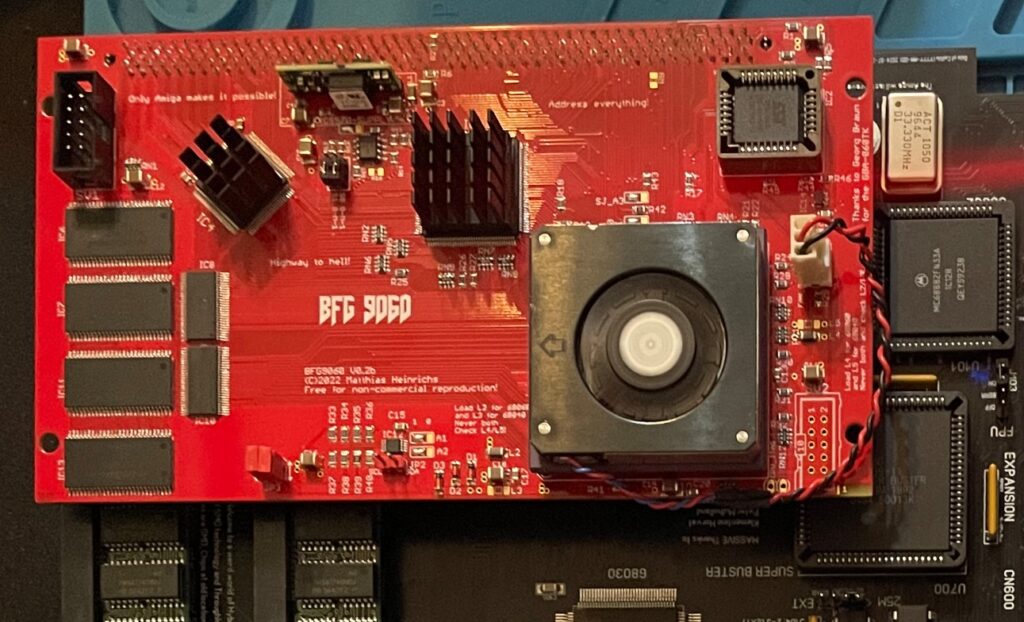
ReAmiga3000 + BFG9060 test, success?
The low profile heatsink/fan on the BFG9060 blows in the wrong direction, another thing to fix in the future…
Recently I built an A4000D that failed to run with a CPU card. That motivated me to test my older builds with a CPU card to make sure they work properly with a faster CPU. The only issue I had was to figure out how to jumper the motherboard, then it was smooth sailings.
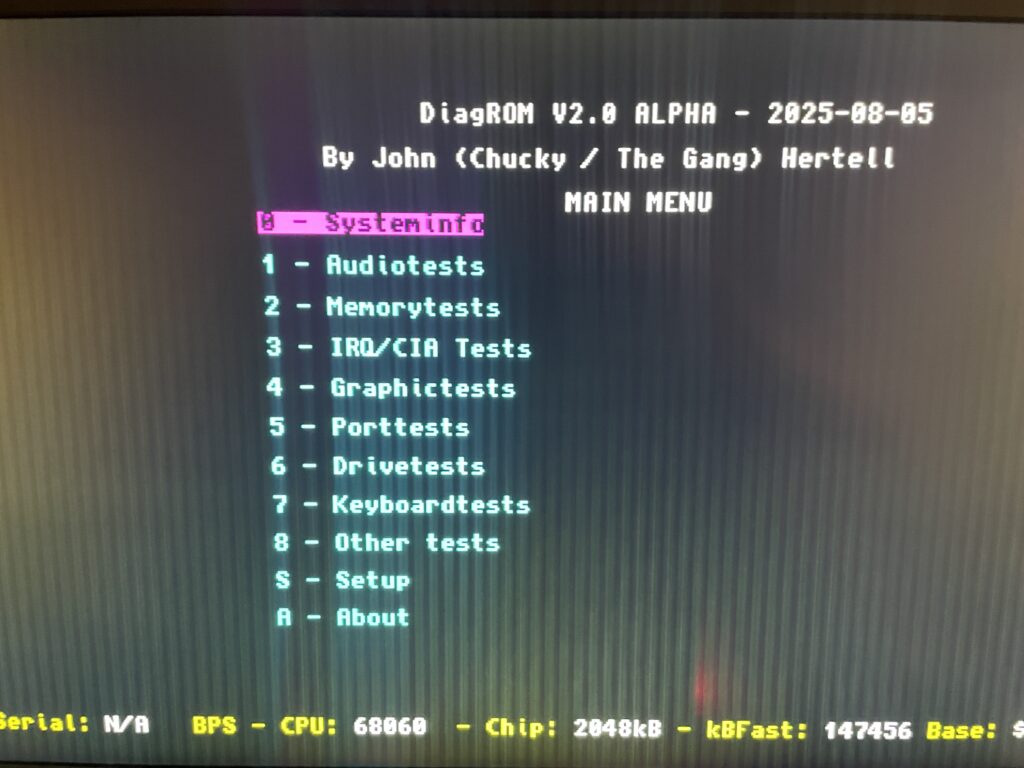
68060 is detected in DiagROM (as is fast ram)
DiagROM identified the 060 and also the fast ram. Now I need to do a 6 hour fish render and stability will be tested (something to do for the future).
74FCT646 chip replacement
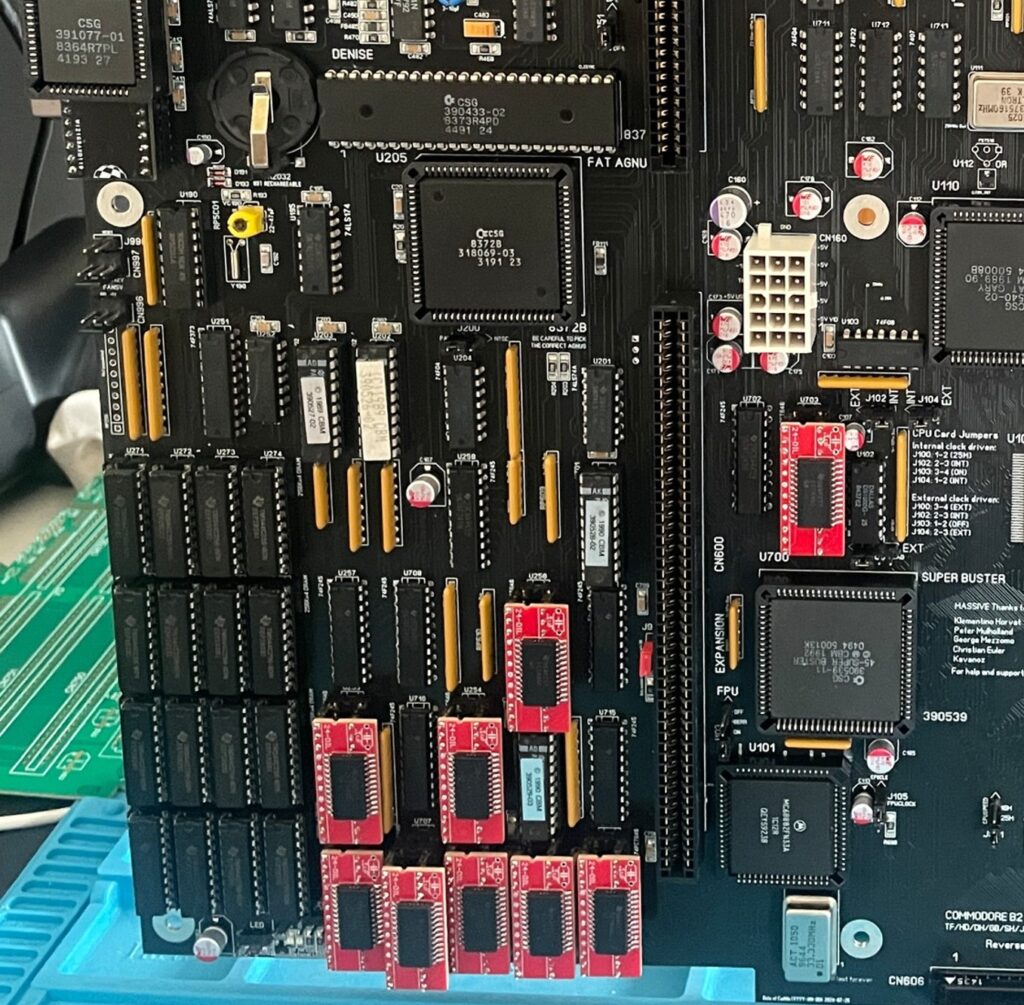
SOIC-24 to DIP adapters are the red mini PCBs. Also notice the original Commodore logic chips
If you look at the BOM for the ReAmiga 3000 you can see that Chucky recommends replacing the 74F646S with 74FCT646. Currently 74FCT646 can only be found in SOIC-24 from Mouser and Digikey and not in DIP so you need a SOIC-24 to DIP adapter to use them. While the adapter worked fine I just felt it would look better to run DIP chips instead. I had an UTsource order going for my A2386SX order in the pipeline so I added eleven 74FCT646 chips to that order from UTsource. Why 11 when the A3000 only needs 9? Well two of them is going to my A2386SX boards.
No more SOIC-24 adapters for a cleaner look!
The 74F646S chips actually runs hot, especially when there is 9 of them, that is something I noticed when using them from my donor machine. So it was a nobrainer to replace them with cooler running chips.
As I put in sockets for all the 74FCT646 chip adapters I am thinking of removing the sockets in the future and solder the chips directly to the motherboard for an even cleaner look. The ground plane in an A3000 is brutal though, not sure I wanna wrestle with this board desoldering stuff again. Desoldering the KEL 200 pin CPU slot was a nightmare.
Programmed and replaced logic chips
There are four logic chips on the Amiga 3000. About 15 years ago I had the oppportunity to buy a broken Amiga 3000 cheap because it had a broken display output. Turned out it was because one of the logic chips was broken, so it was an easy fix to just replace one of the chips with a new one.
So to future proof this ReAmiga 3000 build I replaced the logic chips I got from the donor A3000 with modern alternatives and got the JEDEC files to program them with from here.
Next step
I hope I can find a case for this build, they are difficult to come by but occasionally you can find one. Actually wish I had one now as I would like to set it up to a running system!
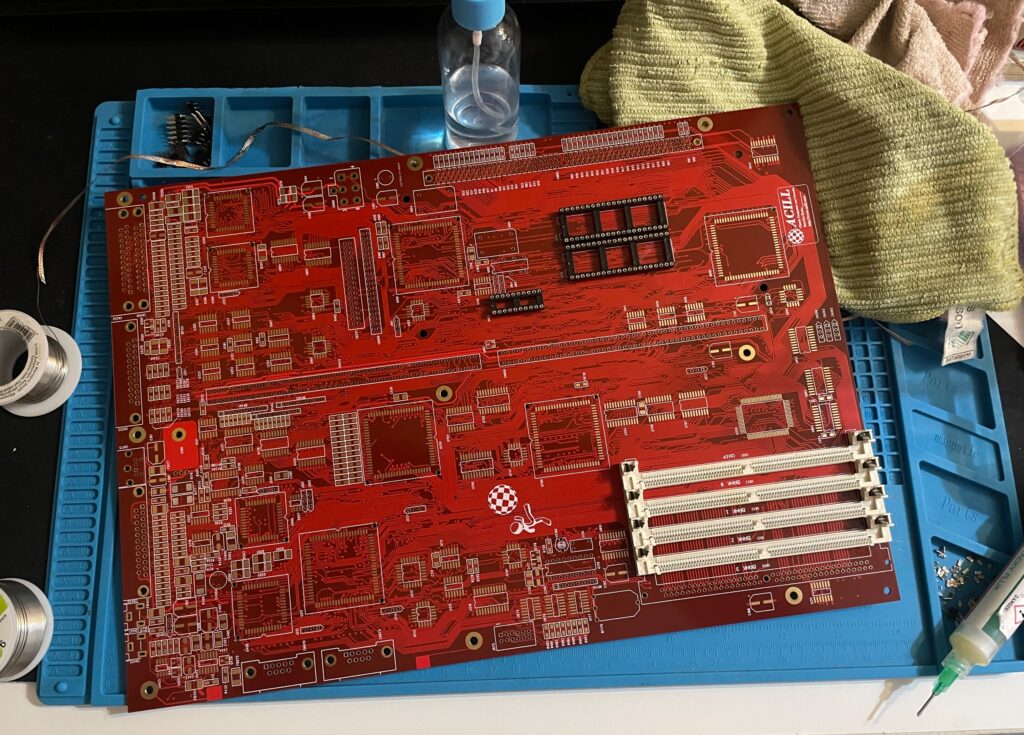
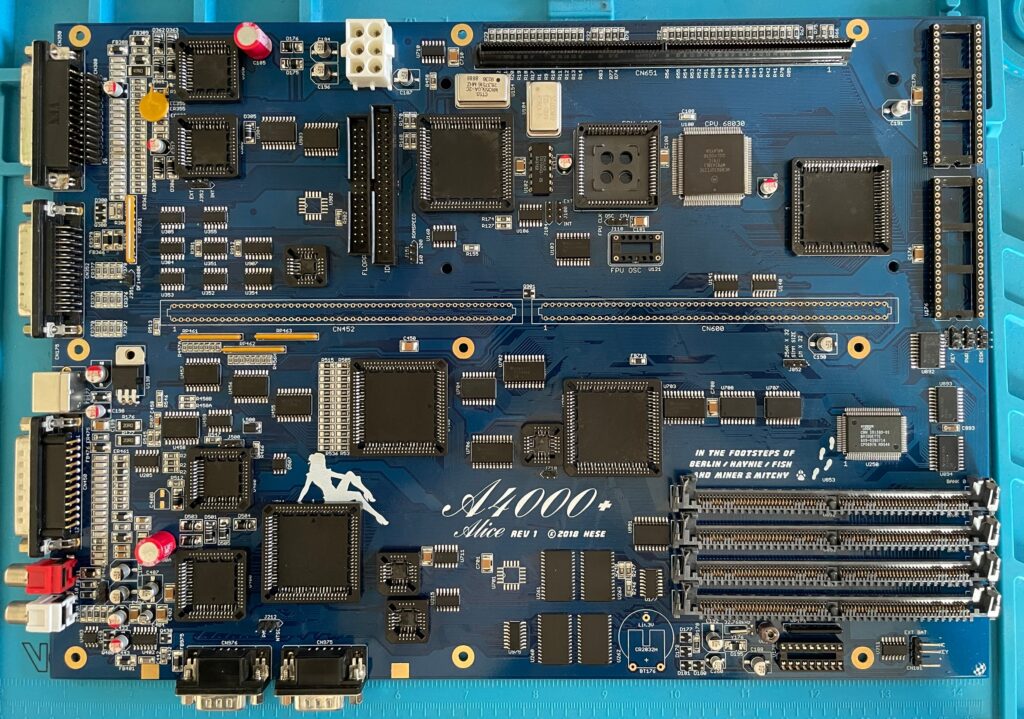
This is an A4000+ Alice PCB, it is an Amiga 4000D CR replica motherboard and it was created by the talented Hese who has made some awesome Amiga clones and hardware available to the community. If you are interested in buying an Alice A4000+ PCB, check out this thread on AmiBay (not sure you can still get one though but maybe one shows up second hand).
This was supposed to be my summer project of 2025 and I could not resist to share it on my blog even though it is not 100% finished yet. It took me about 2-2.5 months to reach this state as I was in no hurry during the summer to finish it. It is almost finished, just missing the DB slots, battery holder, two sockets and an electrolytic capacitor. Oh and all the custom chips off course, but I have a full A4000 chipset sans Buster and Ramsey…
A full socket Amiga 4000D motherboard build
The reason I did a full socket built was that I was thinking it could come in handy if I would need to test custom chips in the future. One of my A4000TX motherboards was built with sockets, but I did a bad job, cutting out the center sections from the sockets before soldering them. So I want to convert the A4000TX to soldered custom chips and have this one as my primary testing station (or primary A4000D motherboard, nothing is static in this hobby).
The other reason I did a full socket build was that there are quite a few projects around where users are looking into cloning the custom chips. Most of these solutions are using a PLCC plug that mounts in a PLCC socket, so if everything goes as it should go, perhaps we can have full custom Amiga chip clones in the near future! Woops, better sell your stash of Buster 11 while you still can get 150+ euro for them!
On schedule and rocking + two more weeks!!!!
The A4000CR is an interesting motherboard as it is slightly different than previous revisions of the A4000D motherboard. There is a 030 on the PCB and the chip memory is already soldered to the PCB, thus it only has four memory slots in comparison with previous revisions of the motherboard that had 5. So if it comes without a 030 CPU board and with one less SIMM socket, there is some money to be saved, thus CR.
Once this project is fully finished, I then have a beautiful red Acill A4000D motherboard to build, perhaps my next summer project?
Can’t wait to fire up this beautiful blue Amiga 4000D motherboard in a month or two and give it a test run.
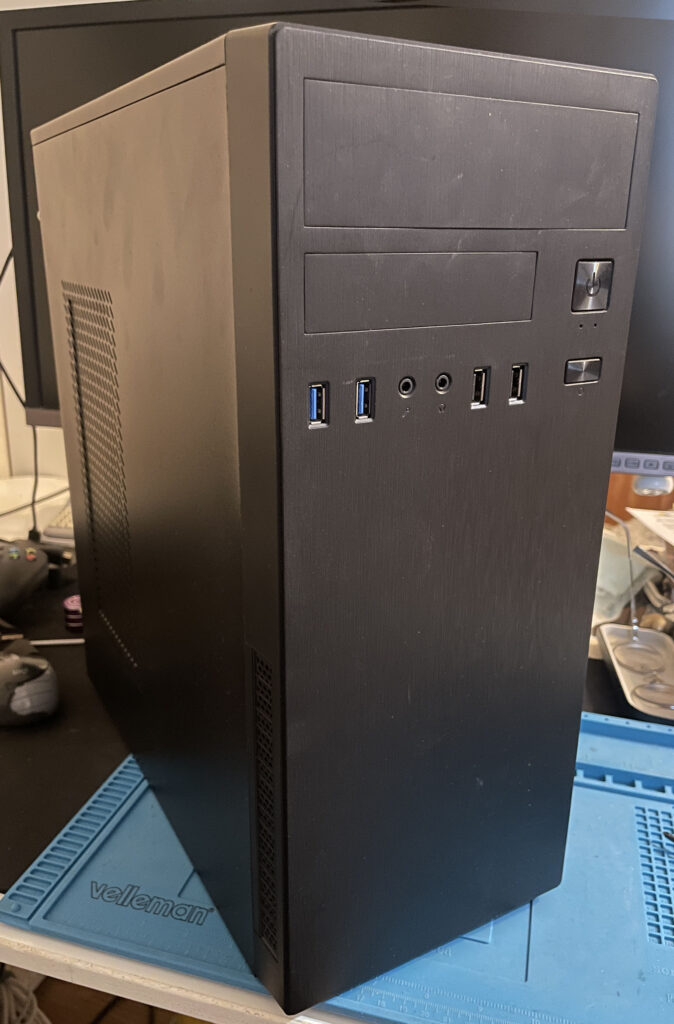
I just finished the last touches on my Amiga 2000 EATX build. The Amiga 2000 EATX is a clone of the Amiga 2000 motherboard in an extended ATX format. That means it will fit inside most ATX tower cases that can swallow a larger EATX format (or in this case can be hacked to accept EATX motherboards). You can read more about the A2000 EATX here.
I like to modernise the Amiga systems I have so I look forward installing an Amiga in a generic PC tower, with that said, I actually think the original Commodore Amiga 2000 case was awesome. It was an easy case to open up to have access to the slots, it was also a good looking case and the de facto professional Amiga to have back in the day.
I like to think that the A2000 EATX continues that professional legacy of the Amiga 2000 by modernising it and making it more accessible and user friendly.
Building an Amiga 2000 EATX motherboard
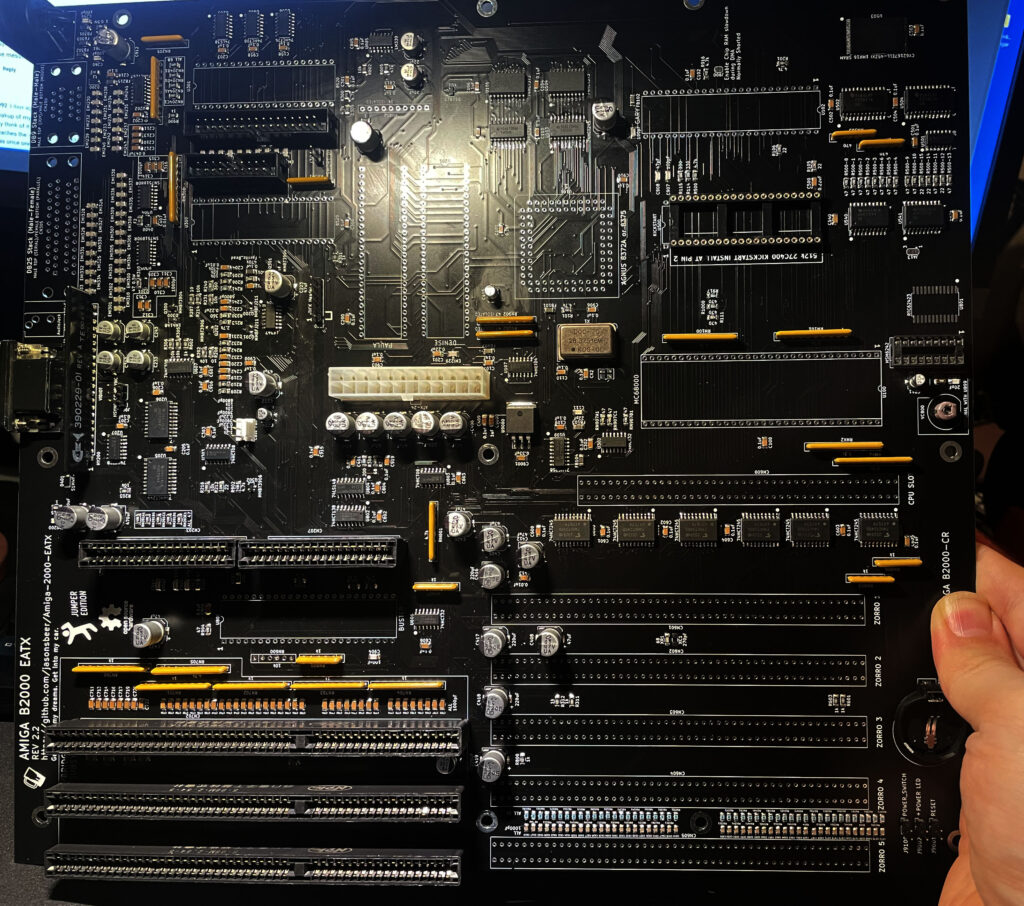
My Amiga 2000 EATX in about 85% built state.
As you can see on the picture, most of the features of a genuine Commodore Amiga 2000 is present on the A2000 EATX motherboard.
Although the motherboard above is in a half finished state above we can see there are space for five Zorro 2 slots, three ISA slots (one less than on a real A2000), the CPU slot and the video slot. Also note the ATX power and space for all custom chips from an Amiga.
I used the chipset from an Amiga 500 and then got a Bluster chip (Buster clone). I also took the vidiot from a broken A500. It is possible to run both 8375 and 8372. I did not have an 8375 so I used an 8372 instead. Having the option to chose between 8375 and 8372 is awesome – 8375 is more difficult to find and more expensive. There is also provision for a PCB to generate the tick signal. I do not have that on this build but if needed could be added.
The most difficult part to solder on this project is the chip memory which is very fine pitched (if unexperienced). There are also two diodes (IIRC) that have tiny solder pads, other than that it is very straight forward.
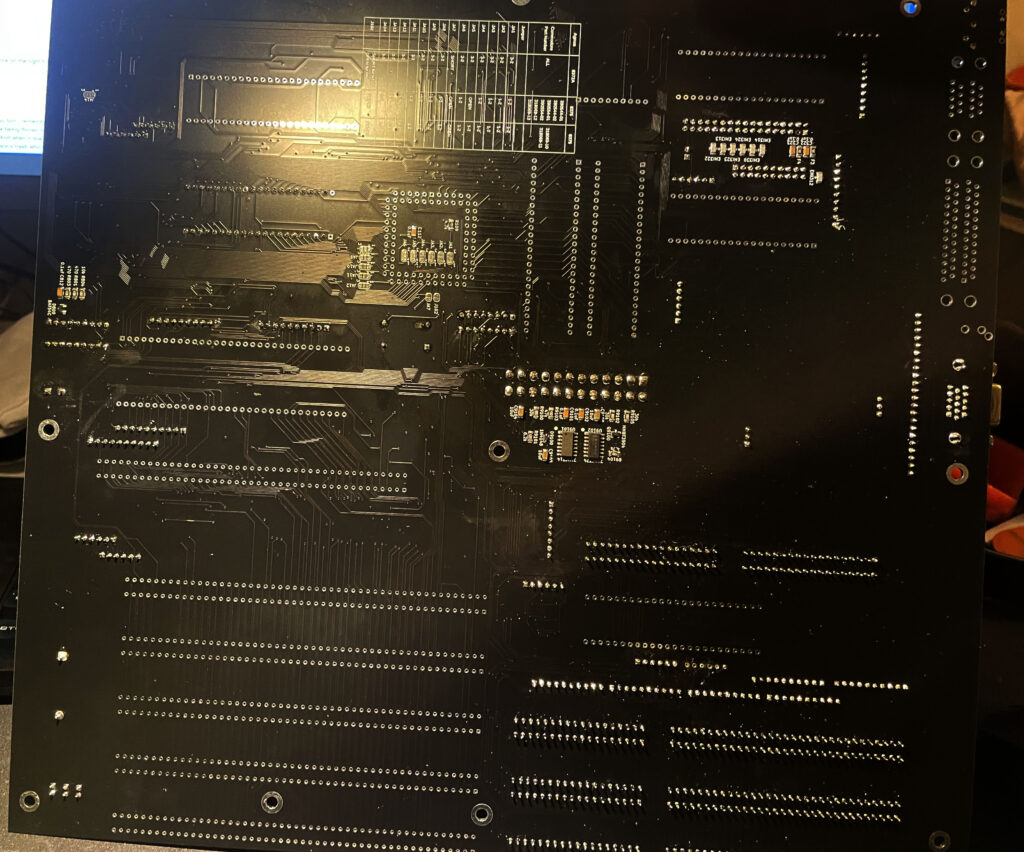
Here is the backside of the motherboard.
I also want to shine a light onto the documentation around this project. The amount of documentation on the project website is extensive and very well done. There is also a Discord where one can ask questions if one gets stuck.
Chosing a case for the A2000 EATX motherboard
The specific chassi I am using for this project is called the IT-2812 Business by Inter-Tech. Here is a link to the exact chassi. I did extensive research before ordering it so I was sure the extended ATX motherboard would be able to fit inside it. I was prepared to mod the case to get it to fit which I eventually had to do.
You can make out where I had to cut the case to make the motherboard (and CPU/Zorro cards) fit the case
While it looks great and fits the motherboard, after some extensive case cutting, I do not recommend this case at all since it is made of very thin sheet metal. While thin sheet metal is great for modding, it also makes for a seriously flimsy case (I bet its more flimsy than a MicroniK plastic A1200 tower).
Modding the case involved cutting off sections from the front of the chassis. While these modifications was simple, it was difficult to do it without access to power tools. So it does not have that professional look.
But as a proof of concept, it is possible to fit an EATX motherboard inside a regular ATX case (this case was not meant to be used for EATX boards). Although I have to be careful when inserting Zorro cards since there is no support for the front most part of the case, there is nothing to screw it down into. I will probably find a sturdier case in the future.
What kind of hardware to put into the Amiga 2000 clone?
What use is a bunch of Zorro slots if there are no hardware attached to them. Amiga 2000, no matter if it is a clone or the real deal , is a workstation so it has to have some muscles packed into it. Here is what is plugged into them and the other slots at the moment.
n2630 CPU card
The author of the Amiga 2000 EATX motherboard has designed a turbo card for the A2000 also, it is the n2630 and is a 030 50 Mhz based turbo card with IDE and a CF slot on board. You can also fit an FPU and various amounts of fast mem. I think this card is a nice compliment to the A2000 EATX and it was a no brainer to go with this card. I just wish I went for 256 MB fast memory instead of 128. Maybe next time…
I do wish there would be a DIY 060 card for the Amiga 2000 CPU slot. 030 is fine, but a fast 040 or 060 is better once you have gotten used to it (if you wish to stay in real 68k land).
Prelude replica sound card
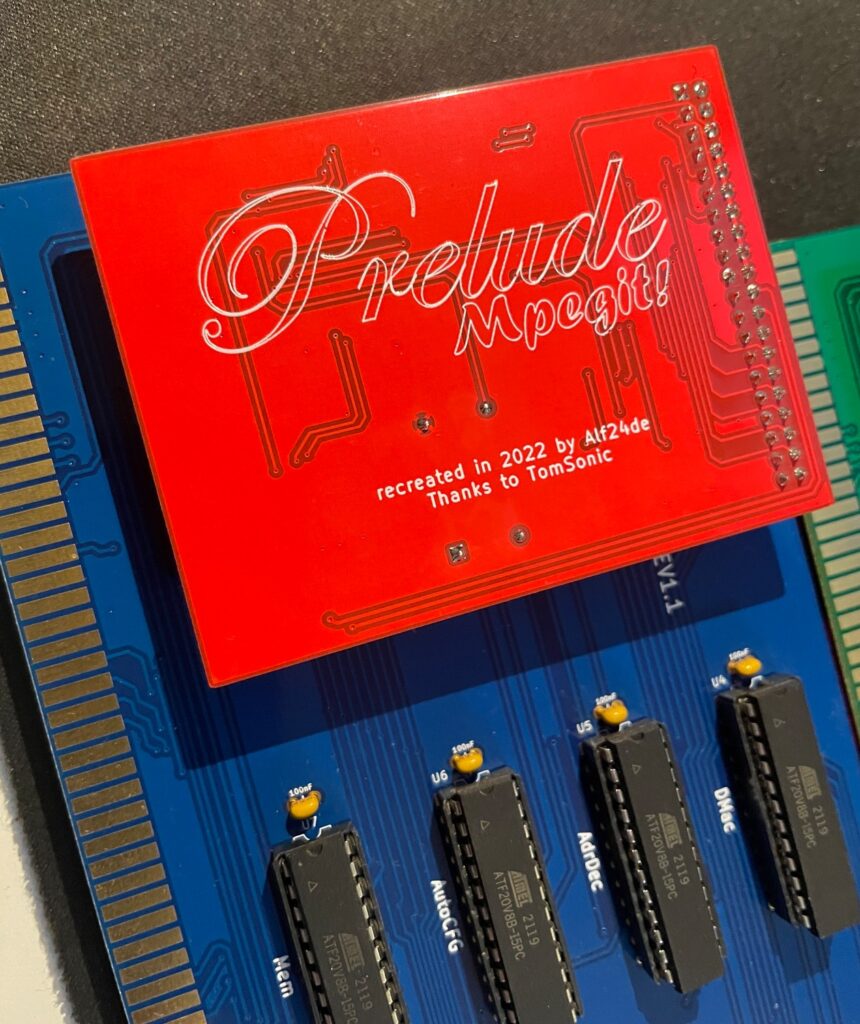
Prelude replica Zorro 2 16-bit sound card with Mpegit module attached to it
I had an extra Prelude replica that I had built so that card went into this build. It has the MpegIt addon added to it making it possible to play MP3s fine on a lowly 030 Amiga.
A500-Graka graphics card
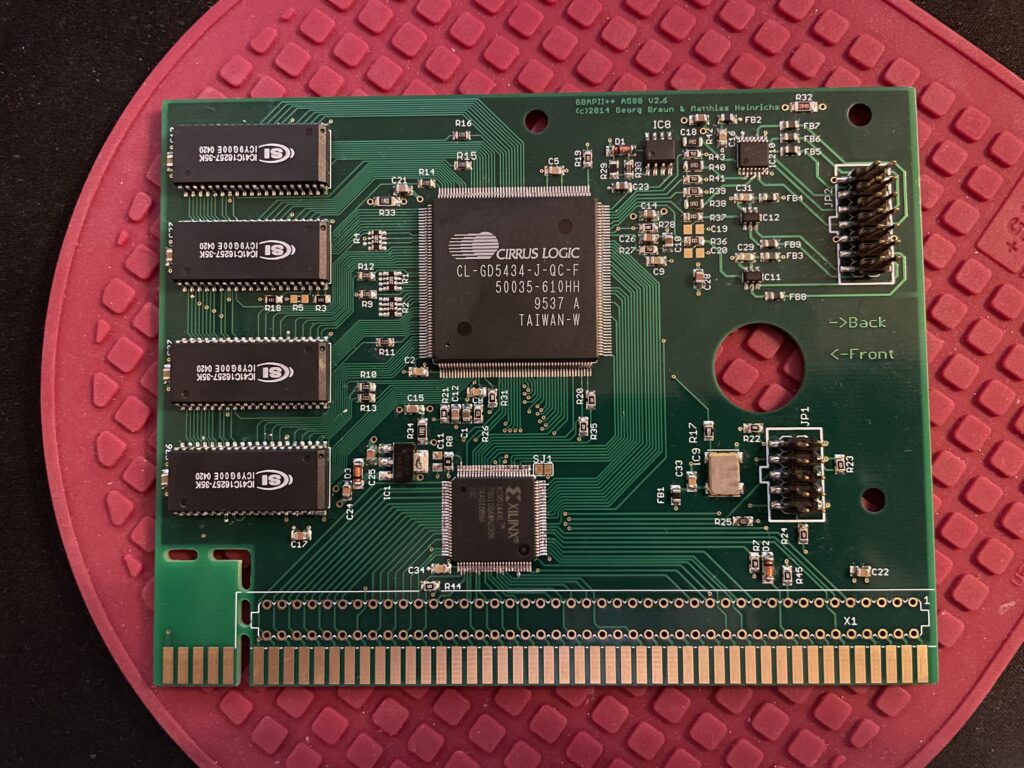
Here is the Matze Amiga graphics card
There is a Matze graphics card running in the computer. I think this is a nice card to run in a Zorro 2 based Amiga.
Multivision 2000 scandoubler
And then for scandoubling duties I have an old classic piece of hi-end Amiga hardware, the 3-state MultiVision 2000 scandoubler for the A2000. It is running great in the A2000 EATX and produces a nice image on my TFT.
Other bits
I have a Zorro-LAN-IDE card that will go into this case once I have a bracket made for it. There is also a 80 mm Noctua fan at the back that is mated with an old Zalman fan mate I had in my stash to quiten it down.
Finishing touches, the ATX backplate
I found the file to print the ATX backplate on a1k.org. So I sent it to JLC to get it printed.
And here it is installed. Instantly makes the Amiga 2000 EATX looks better from the backside.
Conclusion
I am very happy with the Amiga 2000 EATX. It was a great experience to build it and I have had a lot of fun seting up the whole system. I also thoroughly enjoy using it!
This is not my main Amiga but I use it a lot during testing of Zorro cards. It has proved to be very reliable and a great addition to my stable of Amigas. I would not mind running it as a daily driver if it had a faster CPU.
I had an old Amiga 3000 in my stash that I got in a trade years ago. It was traded to me as fully working but never worked no matter what I did. When the ReAmiga 3000 project became known I wanted to save the broken A3000 by building up a ReAmiga 3000 motherboard with the parts from the broken Amiga 3000.
I did not have the soldering skills 15 years ago to do that, but today is a different time (and maybe I was better off 15 years ago with just one A1200 instead of a fleet of Amiga replicas today lol) – So the broken Amiga 3000, or at least what was left of it has gotten a new lease on its life!
I have already started soldering in stuff that I should have waited with, as usual it is difficult to wait for the right parts to arrive at the post office before starting the project properly.
So this is how it started out. This time I started off with a motherboard with all passives already mounted which saved a ton of time. Interestingly though, I found one error where the BOM specified a tantal capacitor, a regular ceramic cap was placed instead. It was an easy fix once I found a suitable component to replace it with!
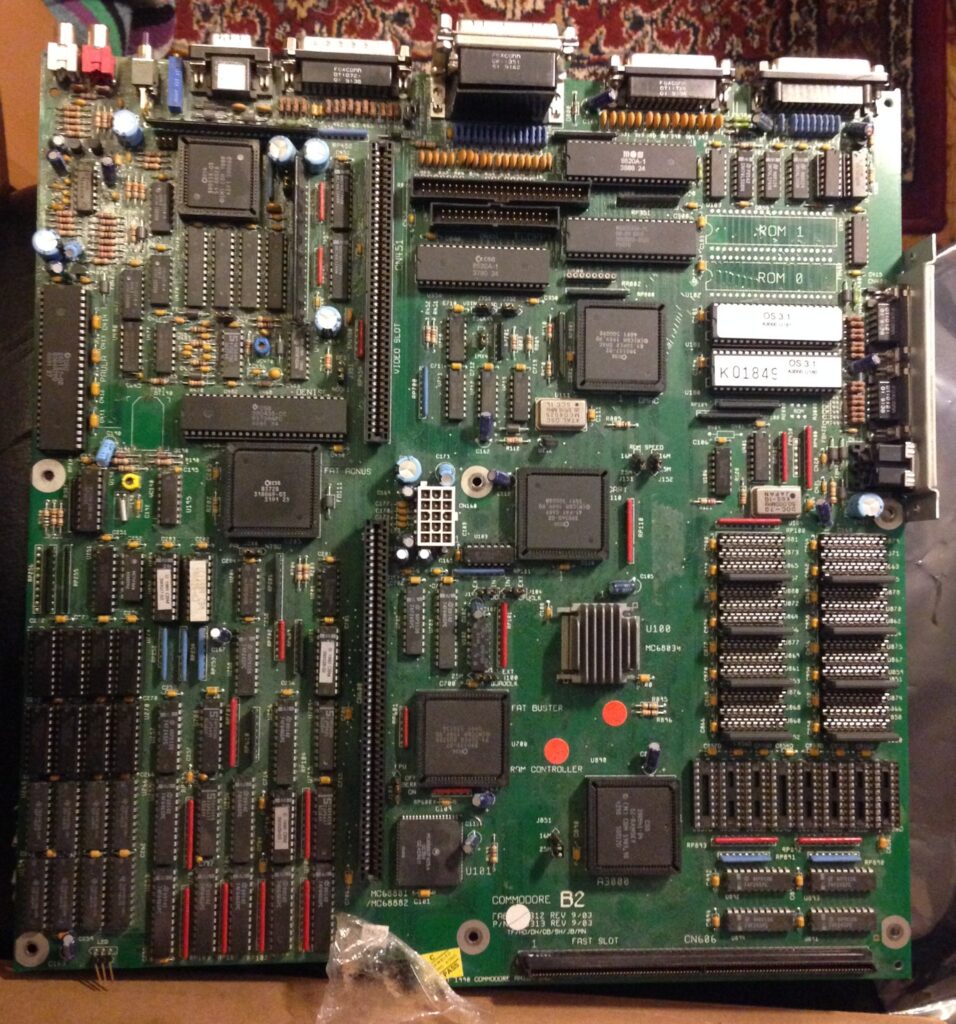
Here is the original Amiga 3000 motherboard which acted as a donor card
The components I used from my broken Amiga 3000 was all the custom chips (more on that later), the special memory chips for the scandoubler and some odd pieces here and there such as the trim pot, power socket, disable switch for the scandoubler and the stacked female 25 pin port.
Most of this stuff can actually be found new. But I usually like to keep some parts from donor Amigas in new builds not just the custom chips for some weird reason.
Believe it or not, I actually used the same KEL connector for the CPU board that was soldered to the broken A3000. It was a painful experience desoldering it as it is soldered with 200 pins to the motherboard.
I also wanted to save the two edge card connectors for the daughterboard, desoldering them was a major hassle since the ground plane is very strong on the A3000. Instead I ordered replacements from AliExpress because they where extremely difficult to desolder.
Chipset gave me a surprise
As is de rigeur when building an Amiga replica, there are always some kind of surprises no matter how much prepping one does.
There are some very expensive chips on the Amiga 3000. First is the Amber chip which is part of the scandoubler/flickerfixer area of the A3000. Then there is the DMAC chip, both chips costs a ton of money to source if replacements are needed.
I did not know if these chips where working before starting the build and I was not prepared to pay 250-450+ euros for replacements if they did not work. Luckily, once I had the board fully built, I can now confirm they are working just fine!
But surprised I was, the Ramsey chip was broken. My ReAmiga 3000 would not start with my original Ramsey chip installed. Luckily I had a NOS Ramsey 07 chip in my stash that worked fine as a replacement.
And as lucky as I was, the same day, I noticed that a Buster 11 was offered for sale on a local website meaning I could skip the Buster 7 I had from the broken A3000. As it was offered on a local trading website I got it muuuch cheaper than from Ebay.
But…. I know what you are thinking, Super DMAC 02 and Ramsey 07, that is a recipe for trouble.
Lets find out if Ramsey 07 plays well with my revision 02 of the Super DMAC. I will just have to find out once system is fully up and running with Workbench installed. Then I will be able to do some stress testing. If problems occur, I will need to track down a Super DMAC replica.
Next steps….
Now all I am waiting for is a replica A3000D case to be available and I will order one in black ASAP. I am also doing a daughter board for it which I will post about later in the year here.
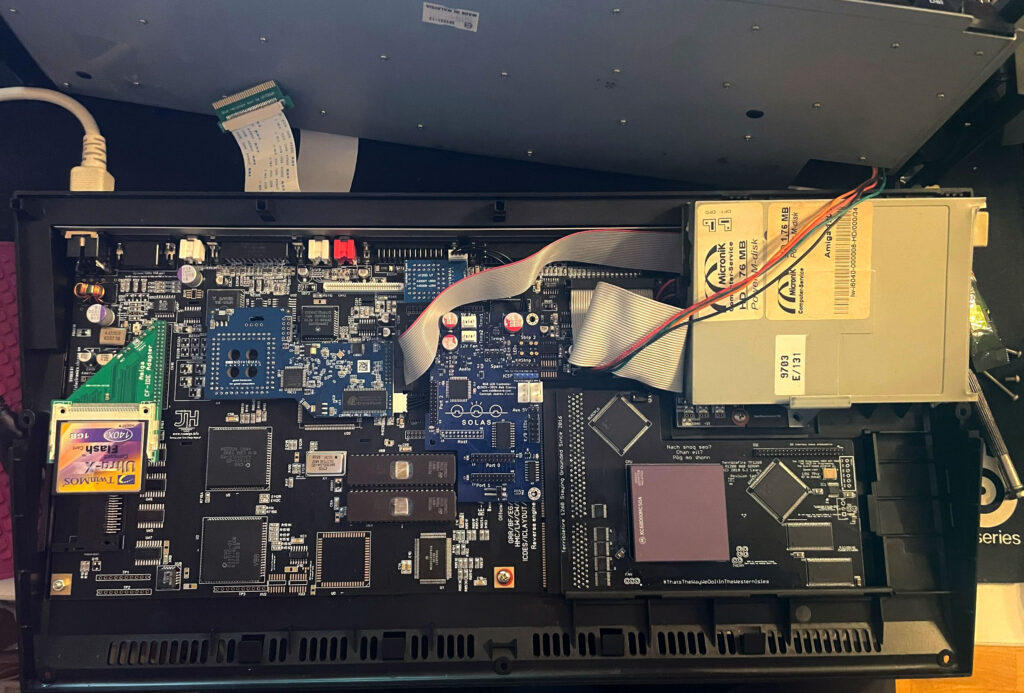
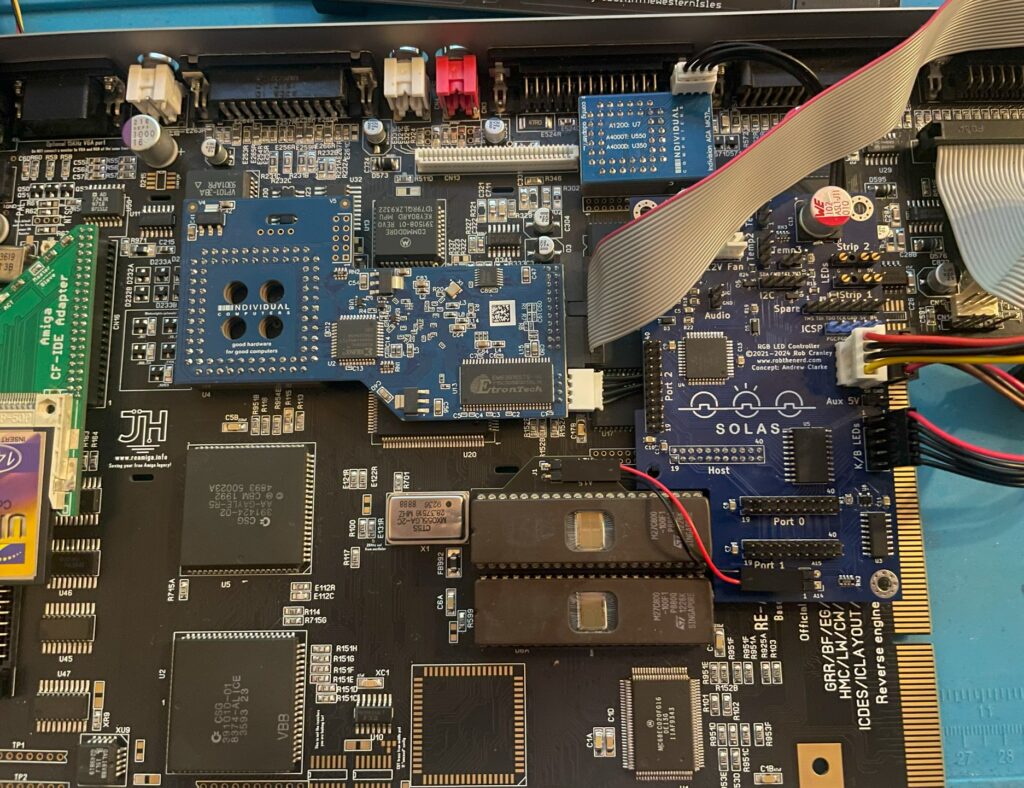
Solas installed in my ReAmiga 1200, it is the blue board to the left of the floppy drive
I have recently been playing around with the highly sought after Solas. The Solas is an RGB LED controller for the Amiga, it also has some other interesting functions. Solas connects to the Amiga on the clock port and can control two LED strips. Solas has also the ability to control fan speed and measure temps. It is also a clock port multiplier!
While I am not very interested in RGB lightning in computers typically the difference here is that the RGB lights can react to the sound the Amiga is putting out. When playing a module you can see the LED strip jumping to the beat of the music. How nice!
I enjoy playing modules on the Amiga and all kind of graphical visualizers for module players are all kinds of awesome. The more the better – I have been thinking of hooking up external VU meters for many years but to have them integrated into the Amiga is much better!
Before we contionue – If you are interested in the Solas board I highly suggest visiting the official Amiga Solas website and ordering one now! These days, good things come in small batches in the world of Amiga and if you dont hop on the train before it has left the station, sometimes it never comes back.
Building the Solas LED controller
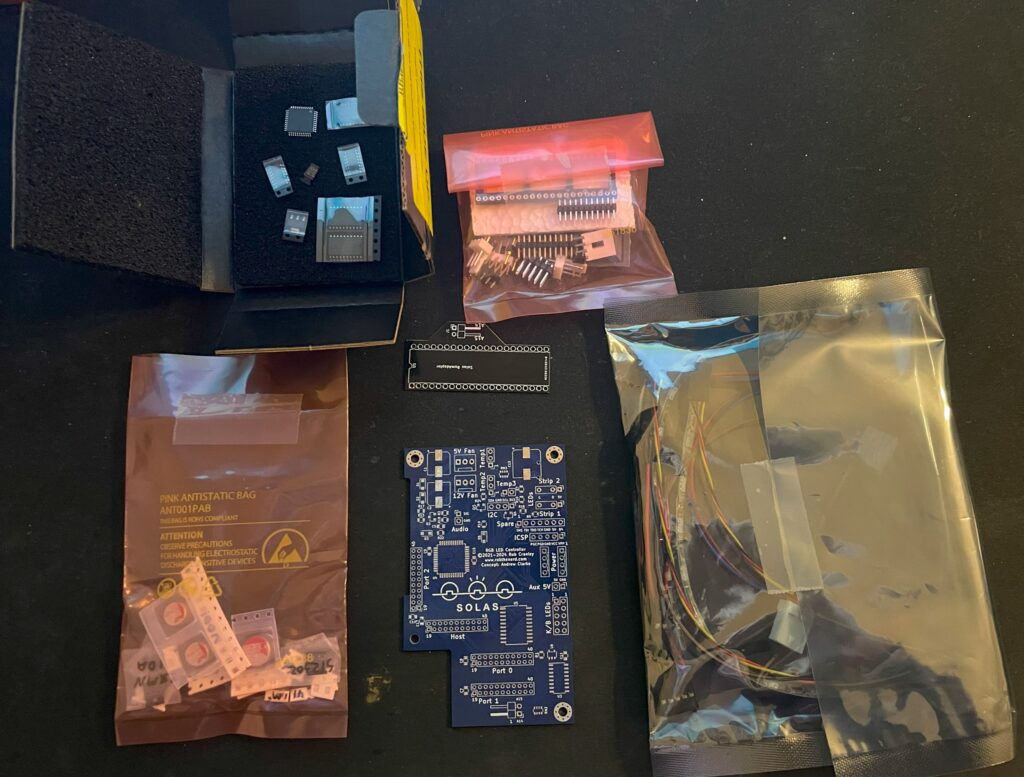
I like building hardware myself so I asked if I could get the Solas as a kit, which I could. I also got a second Solas already built, it is a long story why and I wont write it down here to bore anyone. Lets just say, resistors can go bad sometimes and sometimes it can be good to have an oscilloscope in your toolbox (I dont have one).
Here is the Solas in kit form. A nice mix of through hole parts and surface mount components. Also note all the cables for the temp sensors and power cable.
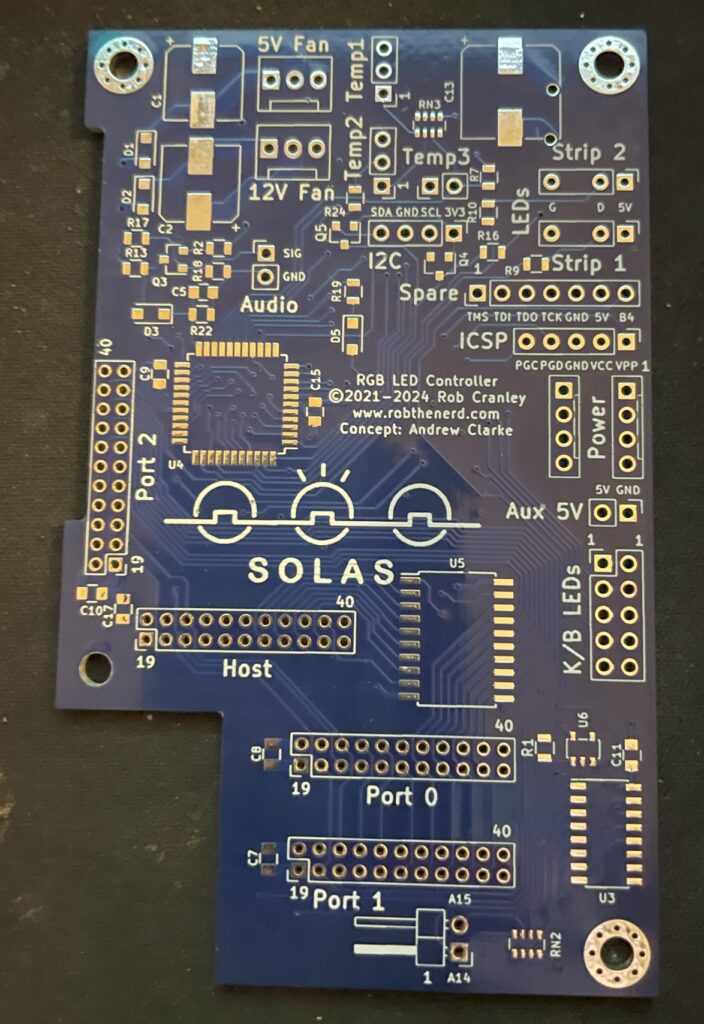
Front side of Solas Amiga RGB LED controller PCB
The square space if for the chip that needs to be programmed. You can also see all through holes for pin headers and clock ports. The manual comes in really handy here in understanding how everything is tied together.
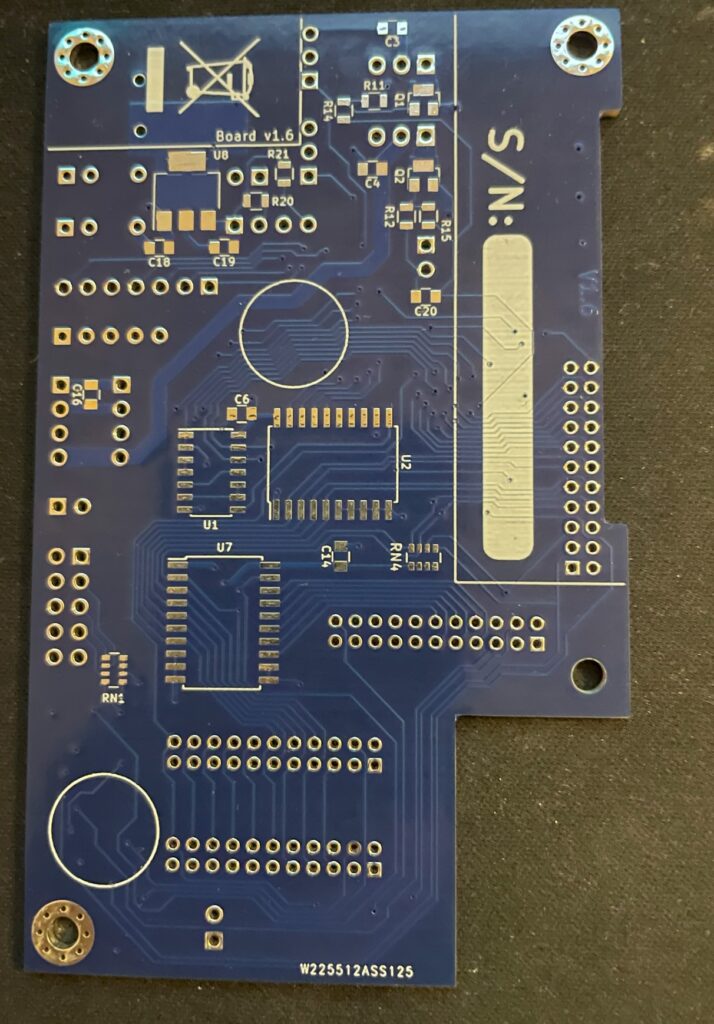
Backside of Solas PCBPrograming the PIC microchip on the Solas
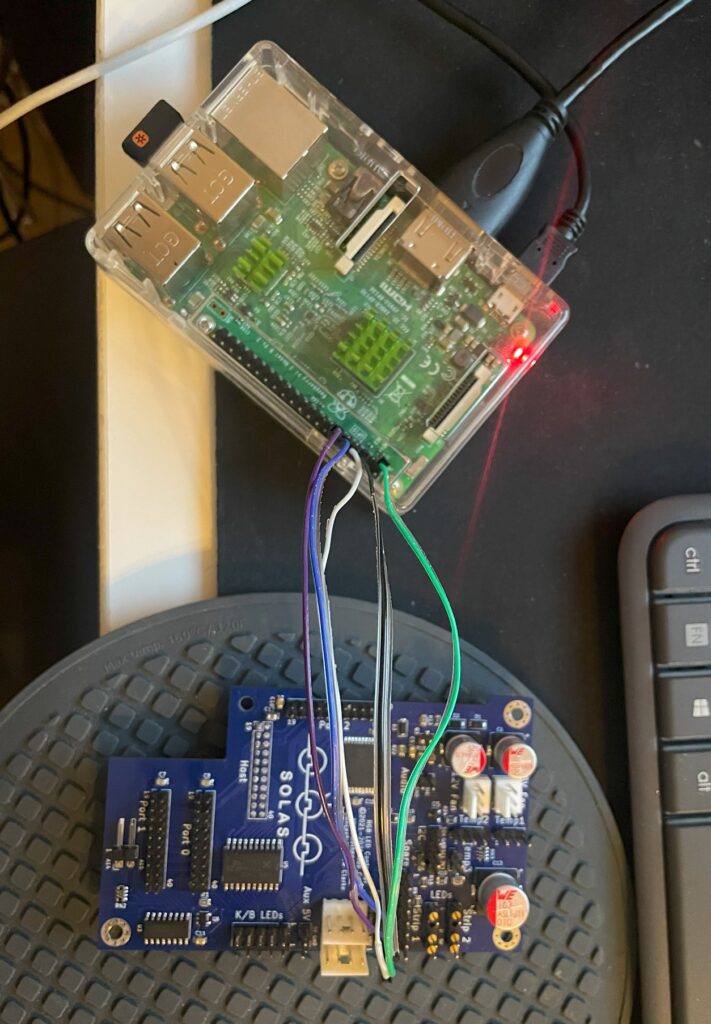
I thought I could program the Solas with my RPI. I have successfully managed to program many projects that uses Xilinx CPLDs with the RPI but was not successful in this case. So I got a cheap Pickit programmer. It is not visible in the image above though but worked fine – setting up the Pickit programmer with the correct software and settings was a nightmare though.
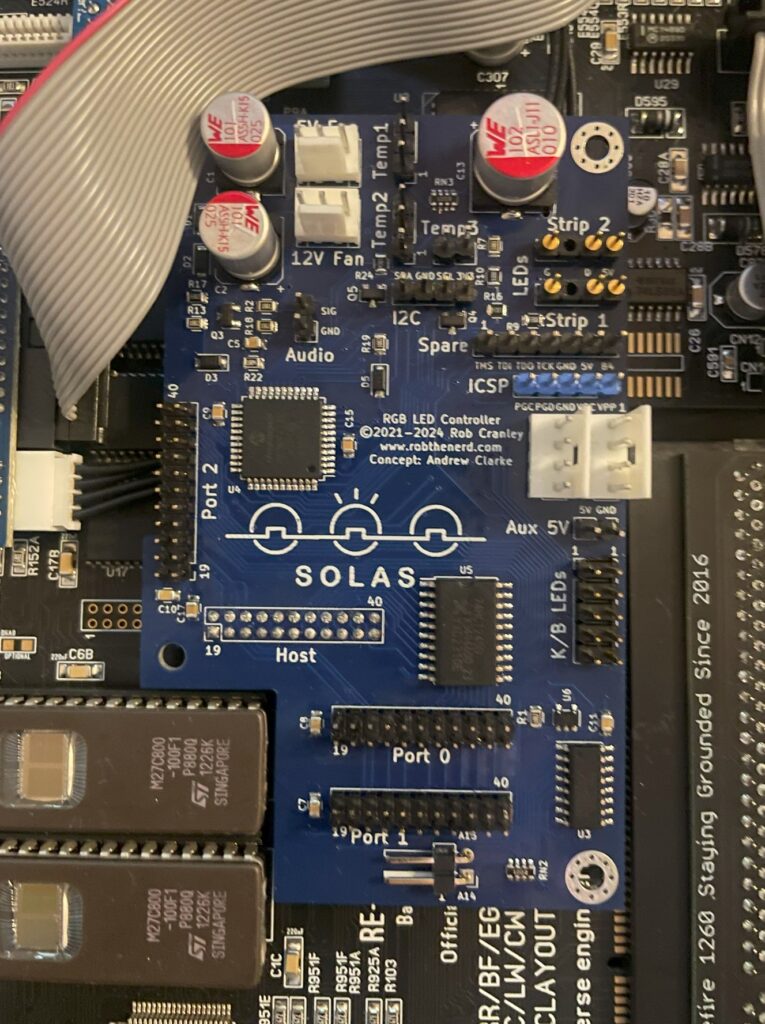
So here is the little PCB finally fully built and installed in the A1200. As it connects to the clock port it is very important that it is fitted correctly on the bottom pins. If you use a cable and mount it wrong way, expect card to break. Why would you mount it on a cable? Say you have an Amiga 1200 tower, it might be better to mount it on a cable so that a Zorro 2 or Mediator backplane can be fitted in the tower. Mounting Solas on a cable is also relevant if you have a clock port in a big box Amiga through a Zorro card.
Next steps, connecting all the cables to Solas and Amiga 1200
Installing and adding cables to Solas in an Amiga 1200
The manual is very good at explaining how you hook up all the cables, it is slightly confusing doing this without consulting the manual trying to figure it out yourself so in this case the manual is a must read (lol). In the image above, there is a small PCB that sits under the upper Kickstart chip and hooks up to the Solas with two wires. That is for activating the other clock ports on the Solas (IIRC).
How to connect sound output into Solas on a ReAmiga 1200?
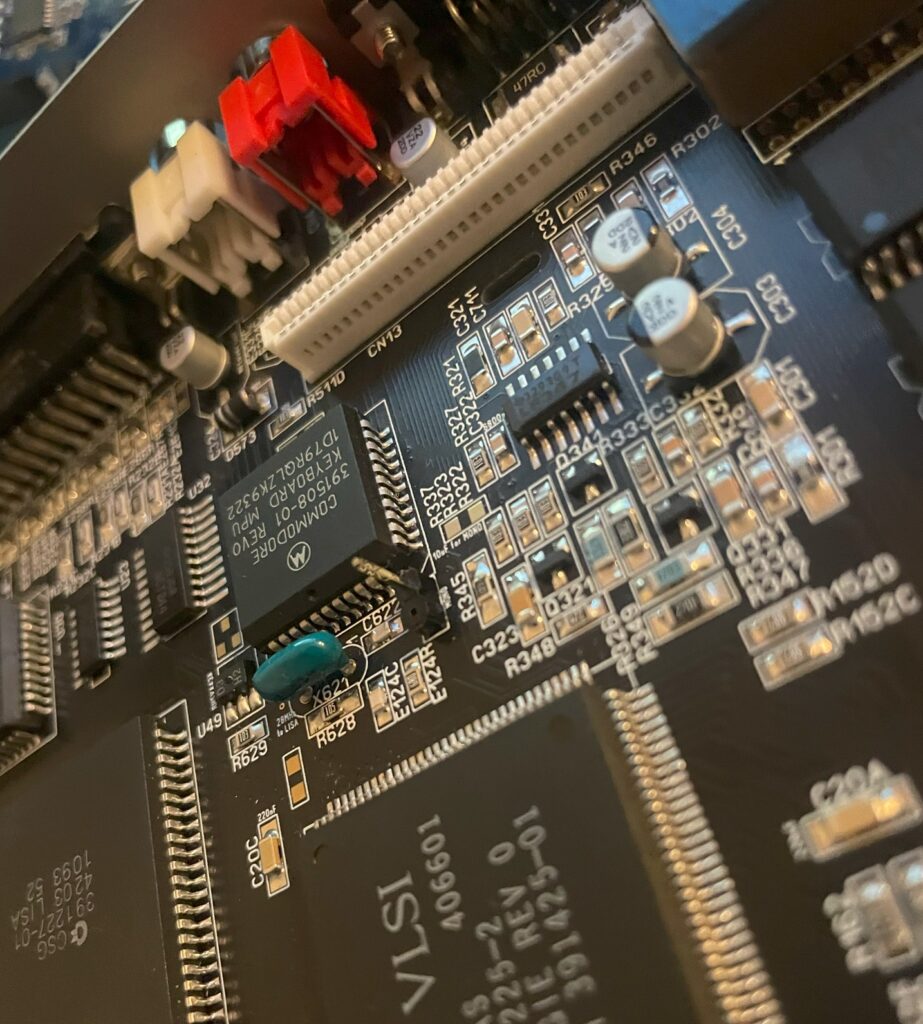
Pin header for mono sound input to the Solas on the ReAmiga 1200 v1.5
Since I was using a ReAmiga 1200 and not a Commodore made Amiga 1200 there is one difference that needs to be taken care of. On a genuine Commodore Amiga 1200, you can pick up mono sound from the modulator. But the ReAmiga 1200 does not have a RF modulator and is missing the mono output there. On later ReAmiga 1200 (I have v 1.5) there is space for a pin header close to the keyboard MPU chip where you can pick up mono sound (see image above where I have soldered on one pin header to the motherboard). Also note the place above and to the right of the pin header where you have to add a 10uf ceramic capacitor. I have not added the capacitor on the picture above.
To get the Solas to react to sound input I also had to place a 10k resistor inline with the cable connected to the pin header and to the Solas board. After that, everything worked fine!
ReAmiga 1200 with Solas installed
So here you can the full setup. Unfortunately it looks a bit messy with the Indivision, CF adapter and all the cables all over the place. It is possible to clean it up a bit, but for testing purposes this was fine. You can also see where I placed the RGB LED strip. I ended up super gluing the LED strip to the case because the sticky backside was not sticky enough. I routed the cable from the Indivision MK3 under the Solas board, made it look much cleaner and works fine.
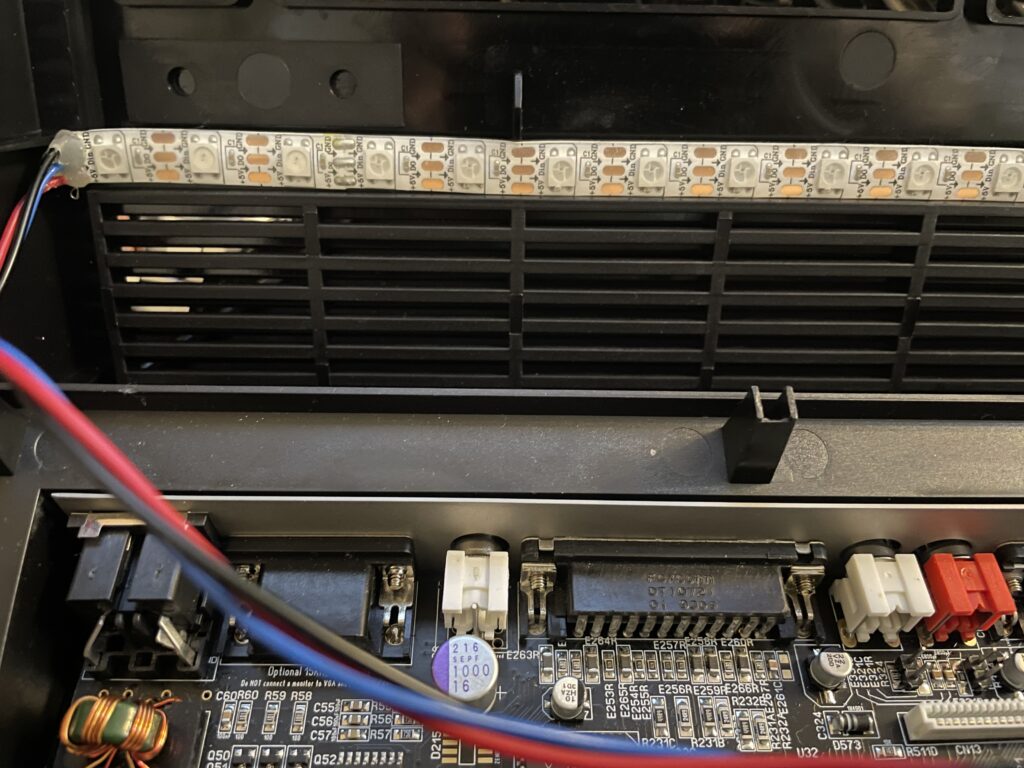
RGB LED strip is mounted to the underside of the upper Amiga 1200 case
Closeup of where the RGB LED strip is mounted. Even though it is mounted upside down in a solid black case it works fine and you can clearly see the light the LEDs are emitting when they are lit.
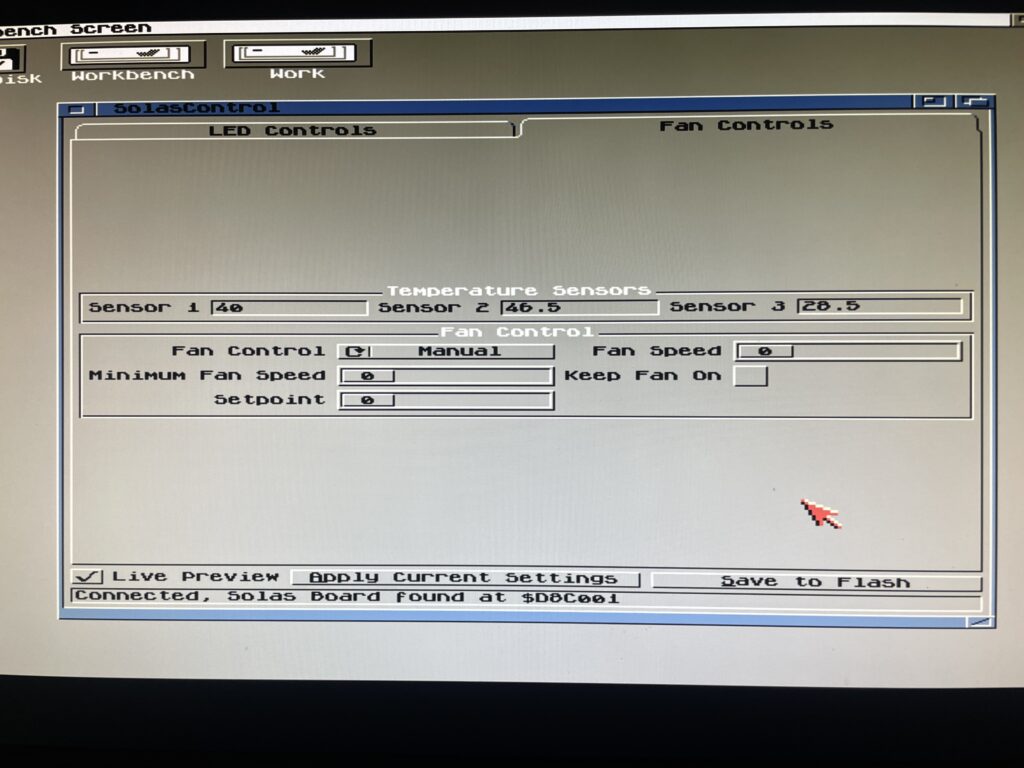
SolasControl – Software to control Solas
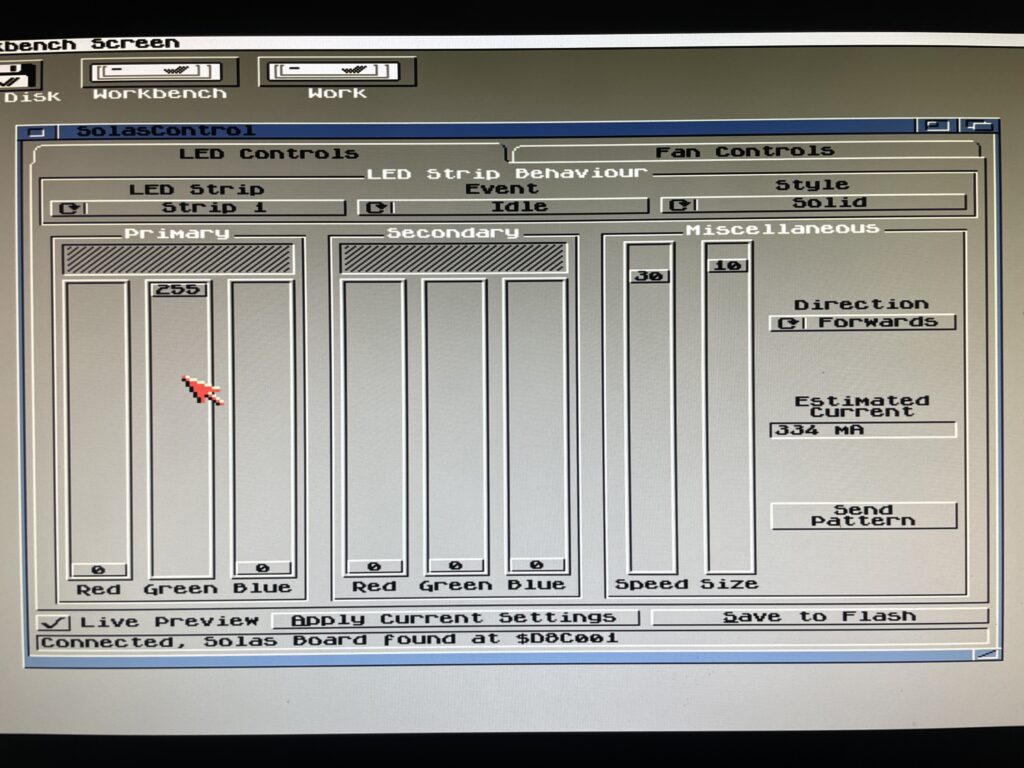
Use SolasControl to configure the Solas board in the Amiga
Solas comes with a great MUI based program that lets you configure Solas. The way this works is that you configure Solas, then you save your settings to the Flash on the Solas. That means that Solas will work with software that fully takes control of the Amiga.
SolasControl is an easy to use program, in the image above I have configured Solas to show a solid green light when the Amiga 1200 is idle. It looks like this:
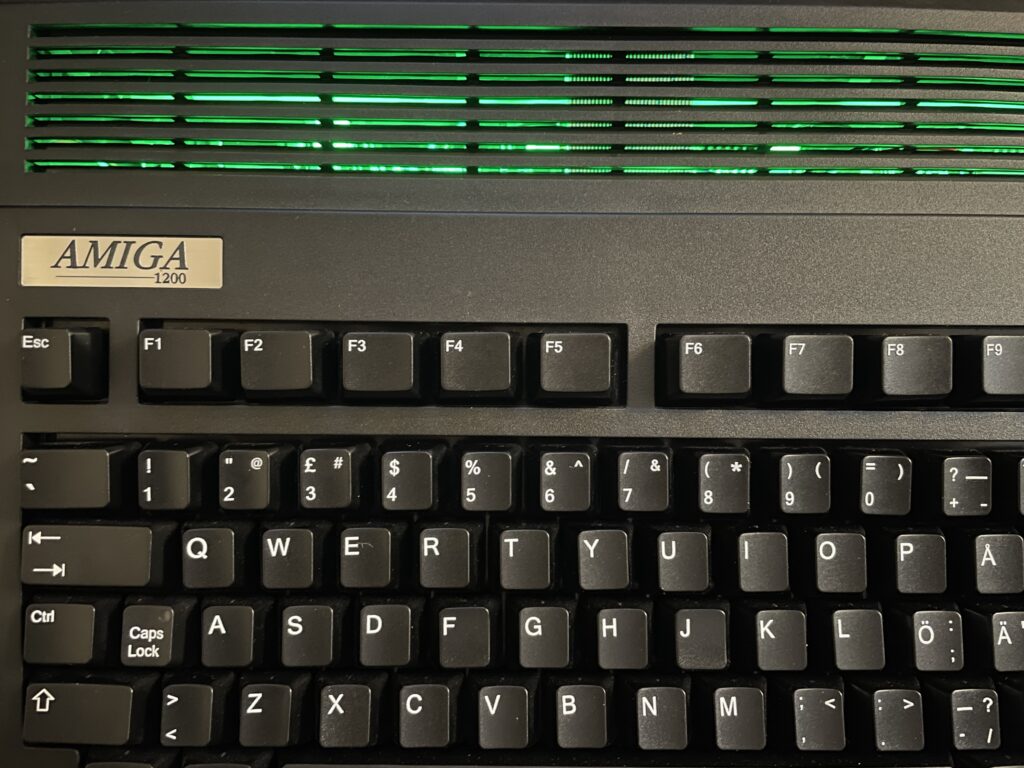
Solas configured to show a solid green color when the A1200 is idle
Solas styles and events
As you can see on the image of SolasControl, you can set the level of brightness for the LED and in the highest strength the LEDs are very bright. I usually do not run the LEDs at the highest brightness.
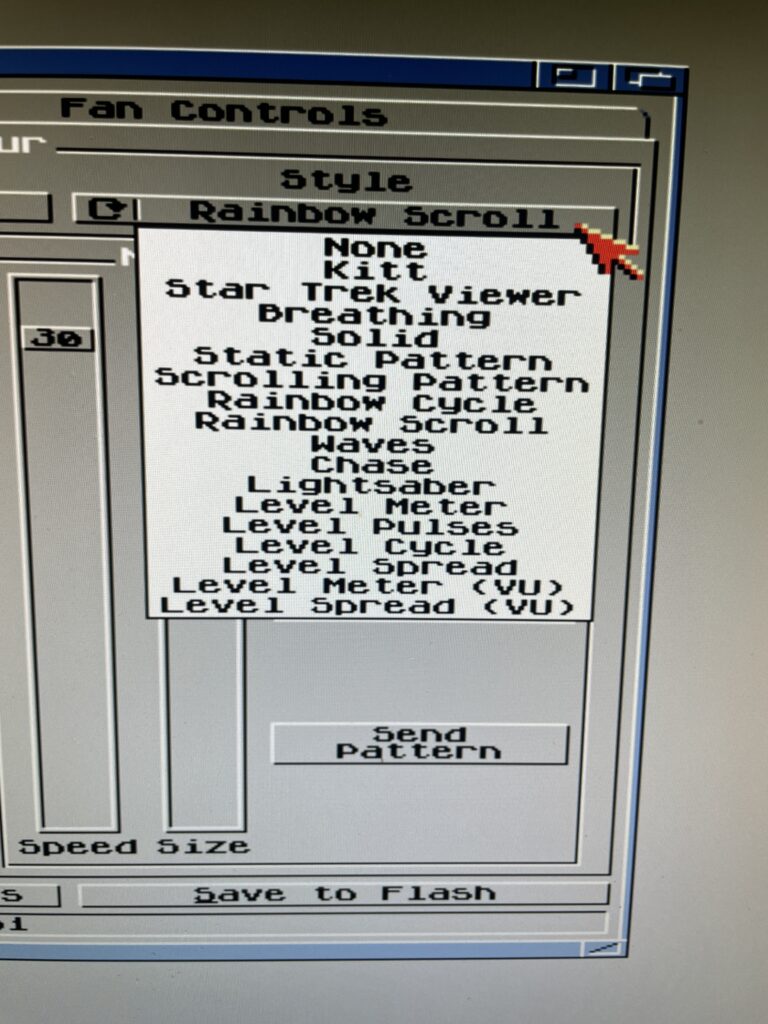
Styles you can chose from in SolasControl
A static color is a bit boring. There are many styles you can chose from, my favorite is a rainbow scroll with a low brightness setting when idle. See the video below to see an example of it where I chosed blue and red as colors for the scroll.
Speed, colors, brightness and size depending on style chosed can be configured to ones preferences.
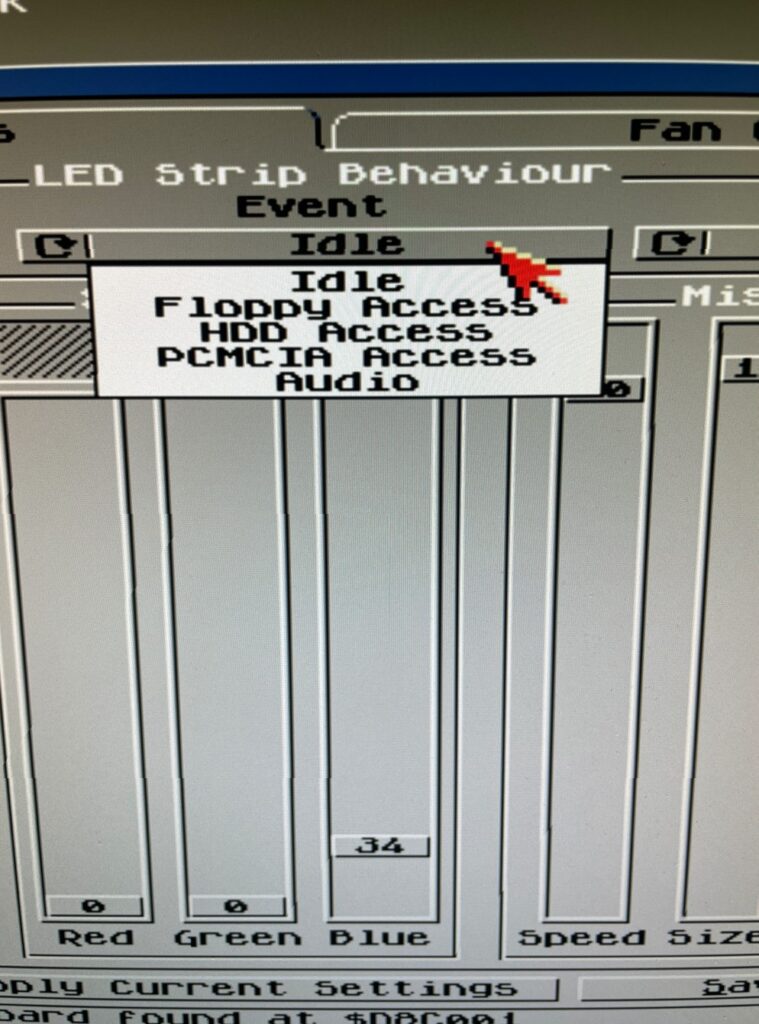
There are in total five types you can set the Solas to react to, Idle, Floppy access, HDD access, PCMCIA access and Audio. Idle just means when Solas is idle (when the other types are not active). Audio is when there is audio output and floppy/HDD and PCMCIA is when there are activity on these devices.
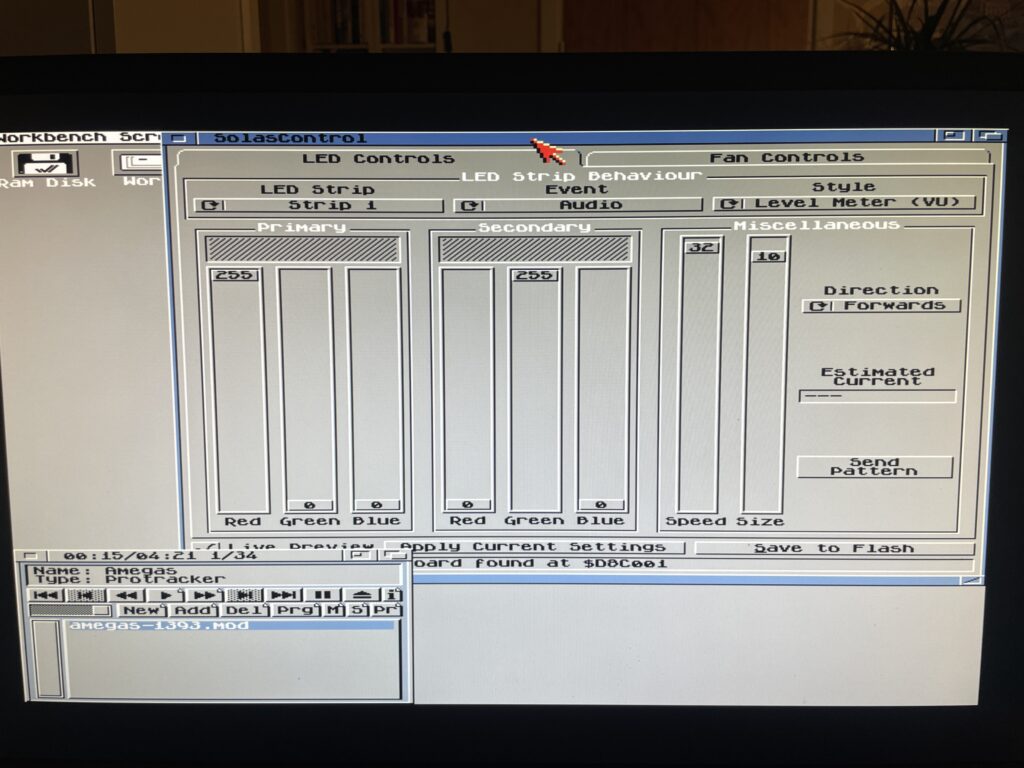
I like to run Star Trek Viewer for HDD Access, its a nice effect when accessing the HDD. I also as said before run Rainbow Scroll with a low brightness setting when idle. And finally, the pièce de résistance, audio. I like Level Meter (VU) for audio!
RGB LEDs reacting to Amiga sound
Playing a module in HippoPlayer on the A1200 and watching the RGB LEDs react to sound
I want to point out that I usually run a little more fancy Workbench (even on this non GFX board AGA only Amiga 1200 WB 3.1), but in this case I toned it down a lot to clarify images.
In the image above I play a module in HippoPlayer, I have also configured Solas to show Level Meter when sound is playing. And I think it looks fabulous!
This is actually why I think the Solas is so exciting since I wanted a hardware device like this for the Amiga for a long time. I remember looking for similar types of hardware on AliExpress more than 15 years ago that could be added to a 5.25 bracket back when I had an Amiga 1200 tower. But this is so much better since it can be configured on the Amiga!
What about controlling fans and measuring temps with the Solas?
Solas comes with two sensors you can place where you want to. I placed one on my Indivision (as it runs very hot) and the other on Alice as it also runs hot. It is possible to add a cable between TerribleFire 1260 and Solas to measure 060 temps, but I have not had time to do that yet, but thats on the todo list.
The fan control function is very interesting particularly if using the Solas in a big box Amiga with many Zorro cards and hot CPUs. I think this is a nice alternative to CPLDIcy.
Usefulness of more than one clock port?
There are exciting developments in the Amiga hardware world where some users have created clock port based WIFI cards for the Amiga. There are sound cards for the clock port and USB cards. So having more than one clock port can actually be usefull – who knows what type of hardware will be released for it in the future. Having a couple extra feels great for the future.
Solas and big box Amiga computers
It is possible to add a clock port to a big box Amiga with Zorro slots through an old Buddha card, ZORRO-IDE-LAN-CP card and many other cards. That makes it possible to run Solas in an A2000, A3000 or A4000.
Solas ISA carrier
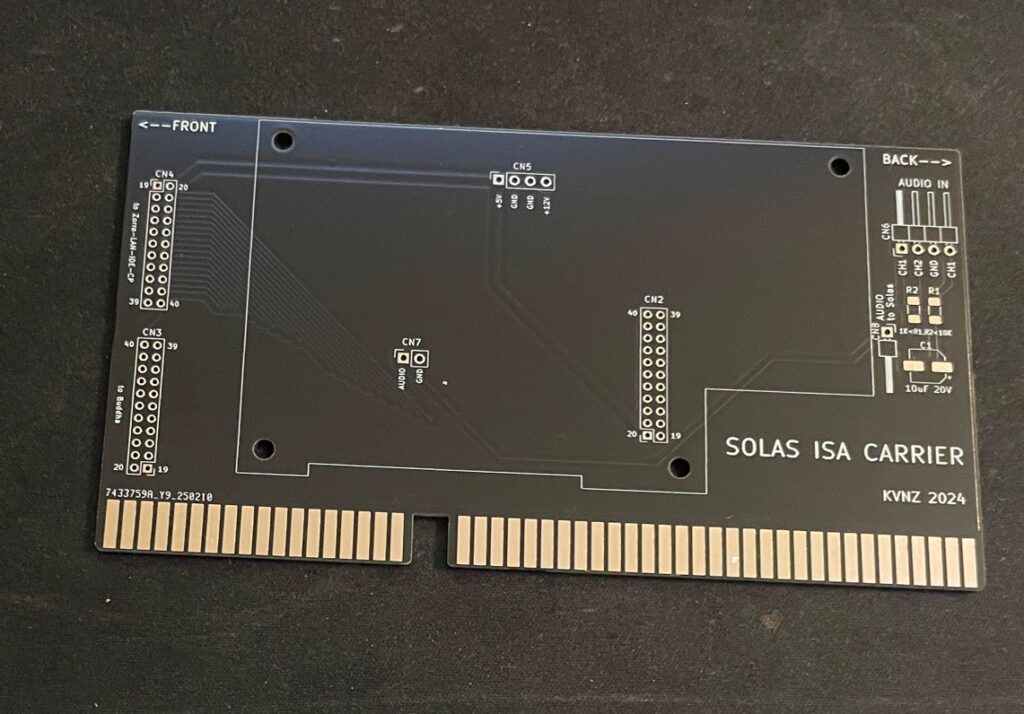
There is also this exciting ISA card that functions as a carrier for the Solas. As you probably already know, ISA slots in an Amiga are totally passive, meant to be used for PC bridgeboards or TBC cards. so the Solas ISA carrier only provides power to the Solas. It has some useful pin headers though.
Solas mounted on the ISA carrier
Mounting the Solas to the ISA carrier board needs a slightly modified Solas card. One also needs to figure out how to connect sound to the Solas. I figured out that I can take it from pin headers on the ZZ9000 graphics card I am running in my Amiga 4000TX.
How I got sound input into the Solas from the ZZ9000
So here is how I hooked up sound input from the ZZ9000 graphics card to the Solas. Unfortunately the picture is a bit grainy but you get the point, L/R goes into the Solas ISA carrier. Also, it is a temporary cable as only two wires are needed.
Here is how the Solas is connected to the clock port of the Zorro-LAN-IDE card
And here is how the Solas is connected to the clock port on the Zorro-LAN-IDE card.
Keep in mind though if you have maxed out your Amiga expansion slots (we are all Amiga snobs left in this hobby right?) this sandwich of the carrier card and the Solas can be difficult to fit as it takes up more height than a regular card – And even more height with the cables connected to it!
I should also show you the LED setup I am running, I am running two LED strips on the inner sides of the front of the case. It looks awesome when playing tunes.
Final thoughs
As you can probably tell, I have only positive things to say about Solas. Highly recommended! I also think the Solas board is one of the greatest hardware developments for the Amiga in recent years (together with PiStorm and open hardware such as BFG and TF series of cards). Great work everybody involved with it 👍
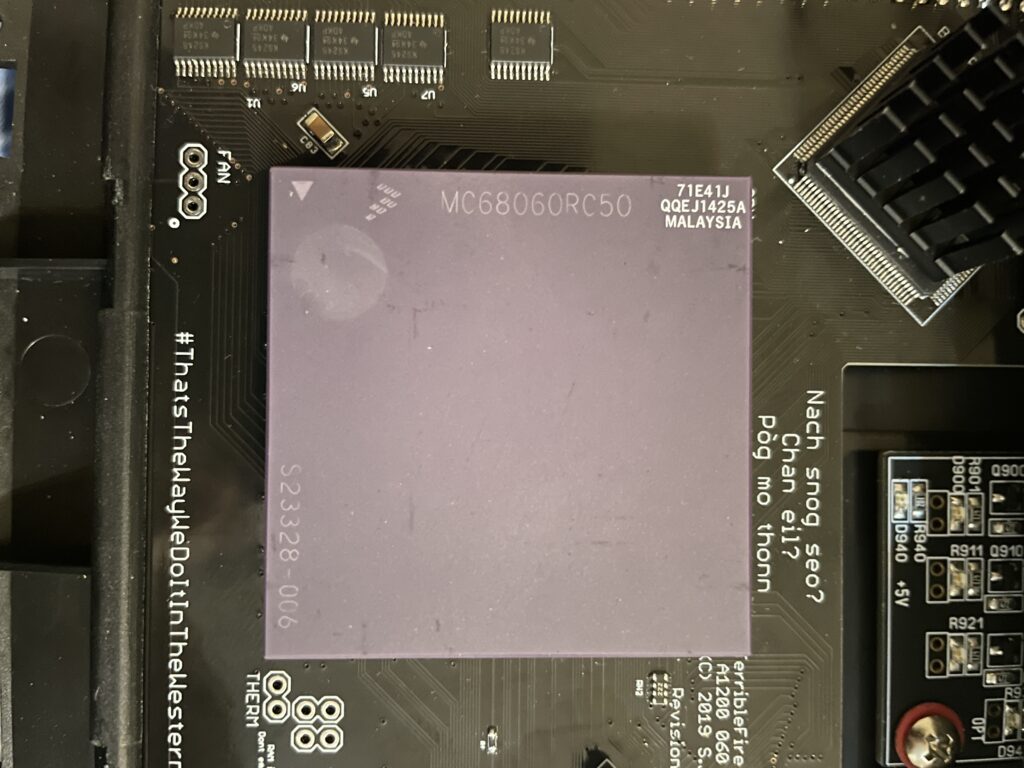
I bought a 68060 revision 6 (71E41J) recently for a very good price. The rev. 6 CPU can usually do a really good overclock, often reaching 100MHz or more, which makes them very sought after and sometimes fakes are offered as the genuine version of the CPU. As I was already running an 060 in my Amiga 1200 I was not sure if it was worth swapping CPUs to gain more megaherts. The rev. 5 68060 I was running could do a 66MHz overclock but ran very hot. And a 50MHz 060 is not a slow CPU (in the world of Amiga).
Swapping 68060 CPUs in my Amiga 1200
I decided to swap CPUs because I wanted to test performance of an Amiga without a graphics card but with a fast CPU and high resolutions (like HighGFX and highres laced). Luckily removing the CPU was not a difficult task, prying on the corners of the socket it was out in less than 5 minutes ready to go into another one of my systems. Once the rev. 6 CPU was inserted into the Terrible Fire 1260 I was eager to do a test. Sure enough, it did not complain anything running at 100MHz!! (keep in mind I had a heatsink on the CPU when doing tests). Next time I will try 106MHz!!
Is there actually a noticeable difference between a 50 and a 100 MHz 68060?
Would I be able to detect any difference between a 50MHz 060 and a 100MHz 060 or would it only be noticeable in a benchmark program?
I was not too sure – When I had overclocked my 060 in my Amiga 4000TX from 50 to 100MHz I could feel that icons loaded faster, drawers just popped up, Workbench was just smoother and more responsive. But I was not sure if it was my imagination or reality.
With that said, I was surprised that my 100% non scientific mean of measuring the difference between a 50 and a 100MHz CPU in the following AGA Amiga Workbench screenmodes highres, highres laced, HighGFX @ 1024×768 (all screen modes in 64 colors) proved that there really was a difference!
Workbench had become even faster and more responsive. Running 3.1 with the stock Commodore 4 color icons, icons did not load anymore, they just popped up, almost all at once, drawers opened up instantly. The system speed by at such a high rate I had only witnessed something like this in WinUAE. What an amazing experience!
I changed background colors to 256 colors and could sense little to no slowdown from a 64 color screenmode. Sure, I have to test this more, but the early results are great, this is what base level Amiga should be like! Lets bring on 200MHz 060 (lets crowd fund it lol).
Cooling problems
Before I permanently run this computer at 100MHz I have to figure out a good cooling solution for the CPU. This rev.6 68060 runs cooler than the old rev. 5 I had in it before. But overclocking it makes it run slightly hotter. I suspect its above 50 degrees but not more than 60. I have some ideas on how to cool it down but will have to sleep on the ideas a little more before I pull the trigger on the stuff I need to build one..
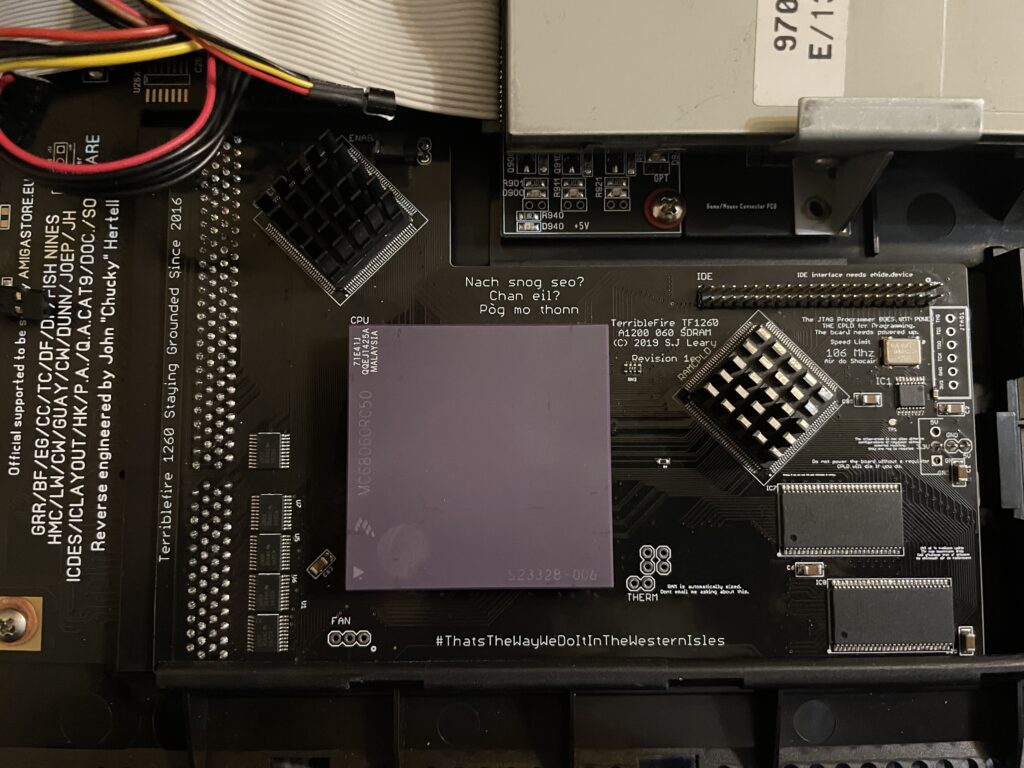
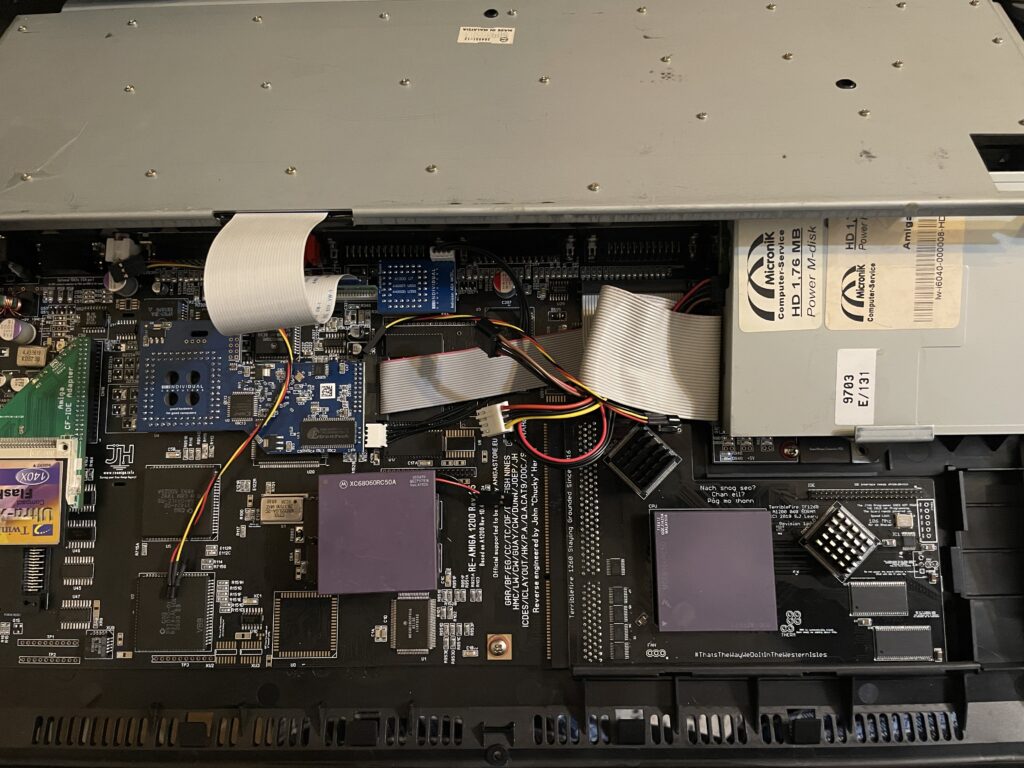
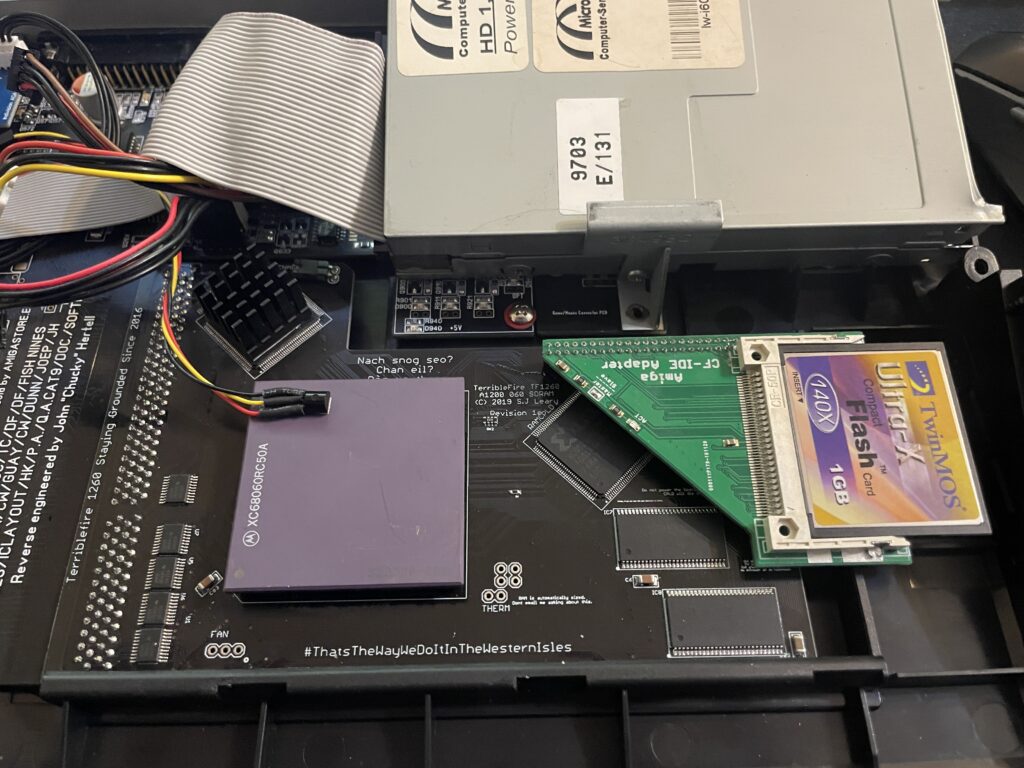
I have a Terrible Fire TF1260 in my Amiga 1200. I used to have an Apollo 1240 upgraded to 060 in it and was very happy with that card (despise what other said about the card, it was very stable for me). Time marches on though and the TF1260 started to look more and more impressive, so I built one last year. The TF1260 supports overclocking by software. One comment I read was that the chances of a good overclock improved if you put heatsinks on the two CPLD chips.
Keep in mind that I had a heatsink on the 060 when doing overclocking tests. But the space between the 060 and keyboard is so tight it was very difficult finding a heatsink in my stash that would fit with the keyboard installed. I have actually not solved this yet, thus I just focused on the CPLDs and will try to solve the 060 heatsink some other day, until then it will run at 50Mhz.
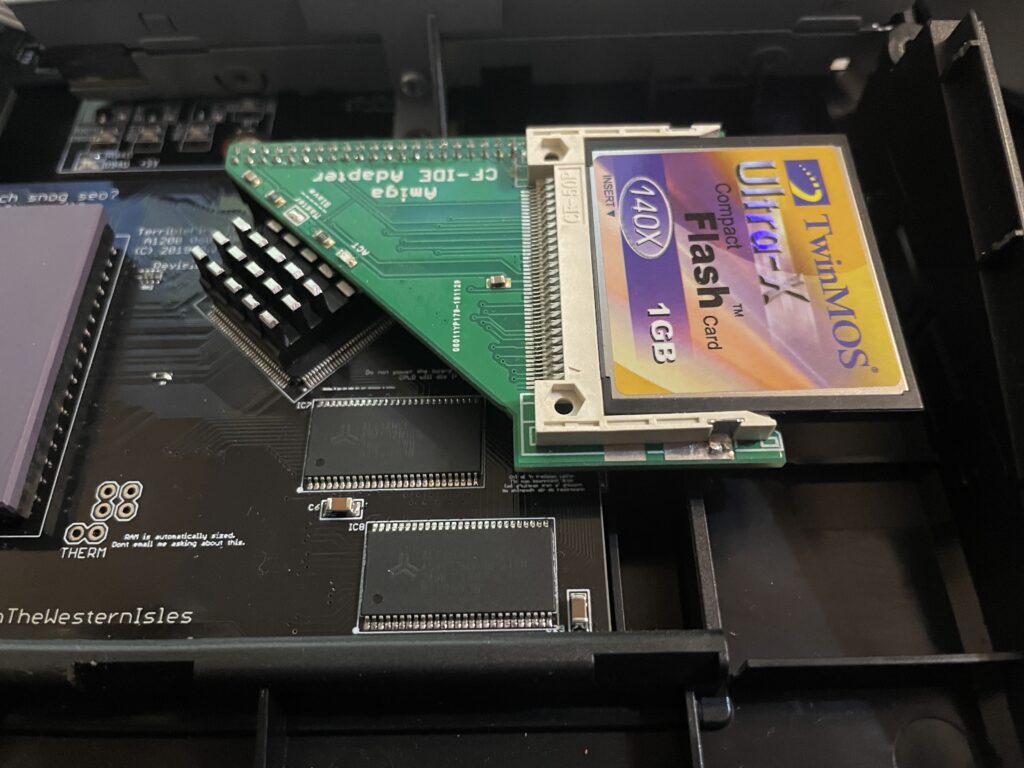
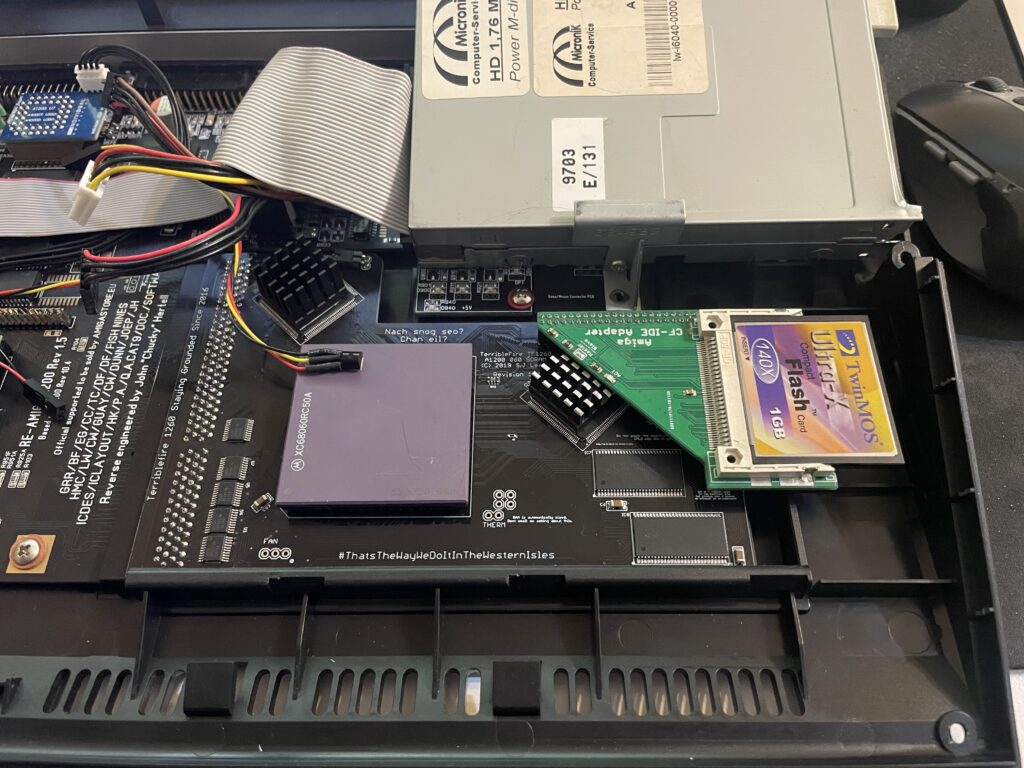
The problem with the CPLD cooler is that the right CPLD need a short heatsink if you want to run a compact flash adapter over it. As you can get an impressive speed boost for the CF card by using the IDE port on the TF1260 this was off course something I would need to consider.
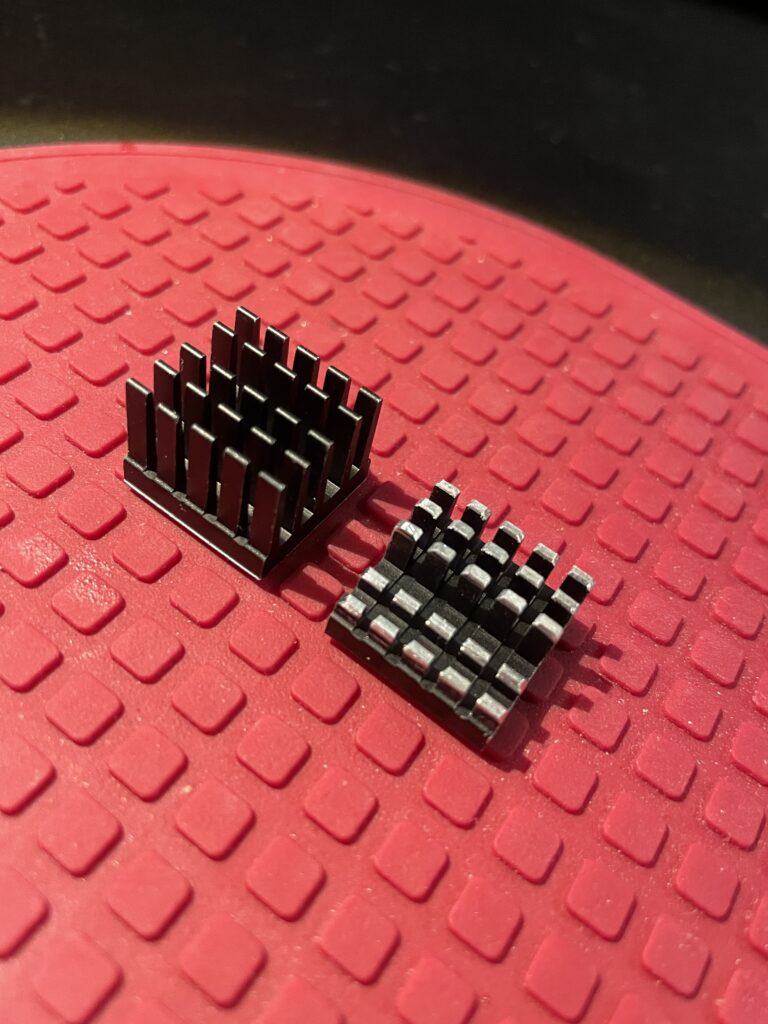
I had ordered these 18x18x20mm heatsinks for this exact CPLD before. The left one is the original form and the right one is the heatsink cut down and modified. I dont like to do fabricating as it gets so messy and difficult to get good results with hand tools. I will probably order a new heatsink in the correct height in the future.
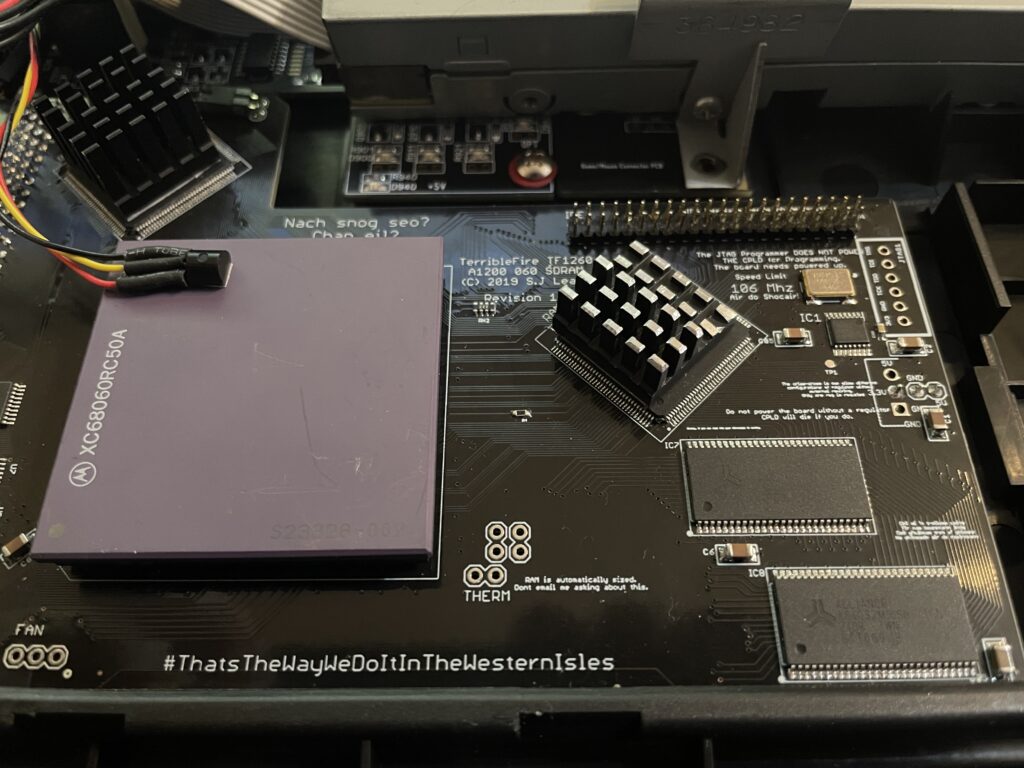
Here I am test fitting the heatsink.
And here it is secured to the chip. I use a thermal pad from AlphaCool that I cut to fit myself. The thermal pad from AlphaCool is somewhat thicker than what you usually get when you order heatsinks from Aliexpress. The thicknes is 0.5 mm, the thermal pad is also softer and more gooier than regular flat thermal pad. Once secured with the AlphaCool thermal tape, these pads wont go anywhere, they are secured very firmly. I highly recommend these AlphaCool thermal tape and would use them even on the 060 with a large heatsink without no problem or worry that the heatsink would fall off (even if mounted vertical!)
So here we are, everything fits now. But to use the IDE port on the TF1260 I need to burn a custom Kickstart with ehide.device, more on that when I will get to it.
And about finding a solution for cooling down the 060? I have not got a clue, I will probably need to cut down a thin copper plate and place a heatsink on it offsett from the CPU. Not ideal, but better than nothing. A small heatpipe cooler leading heat to fins over the top of the cards close to the floppy drive would be ideal, but prototyping a cooler like that would take weeks and lots of money. I will see what I will come up with.
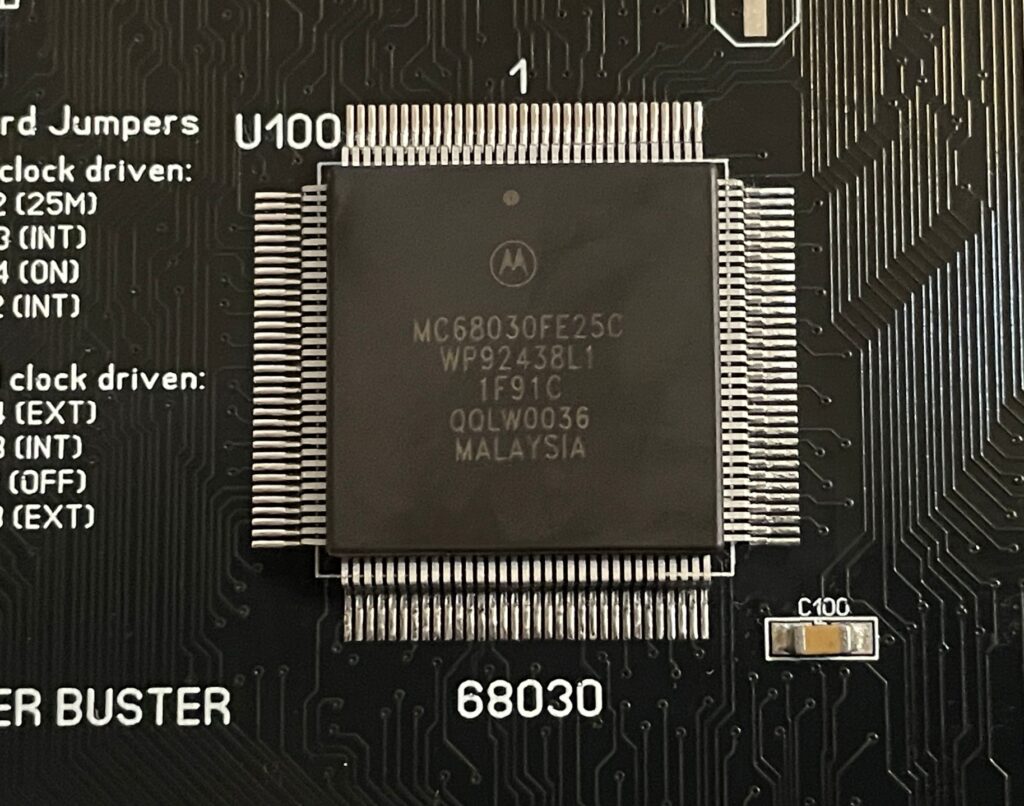
Motorola 68030 25Mhz on the A3000D motherboard (ReAmiga 3000 SMC version)
I am working on a ReAmiga 3000 motherboard. I am in no rush to finish it, taking it really slow ordering one set of parts at a time. Last week I got the 68030 so I decided to solder it on the motherboard this weekend. Hopefully I will be able to do a test drive before Q1 is over!
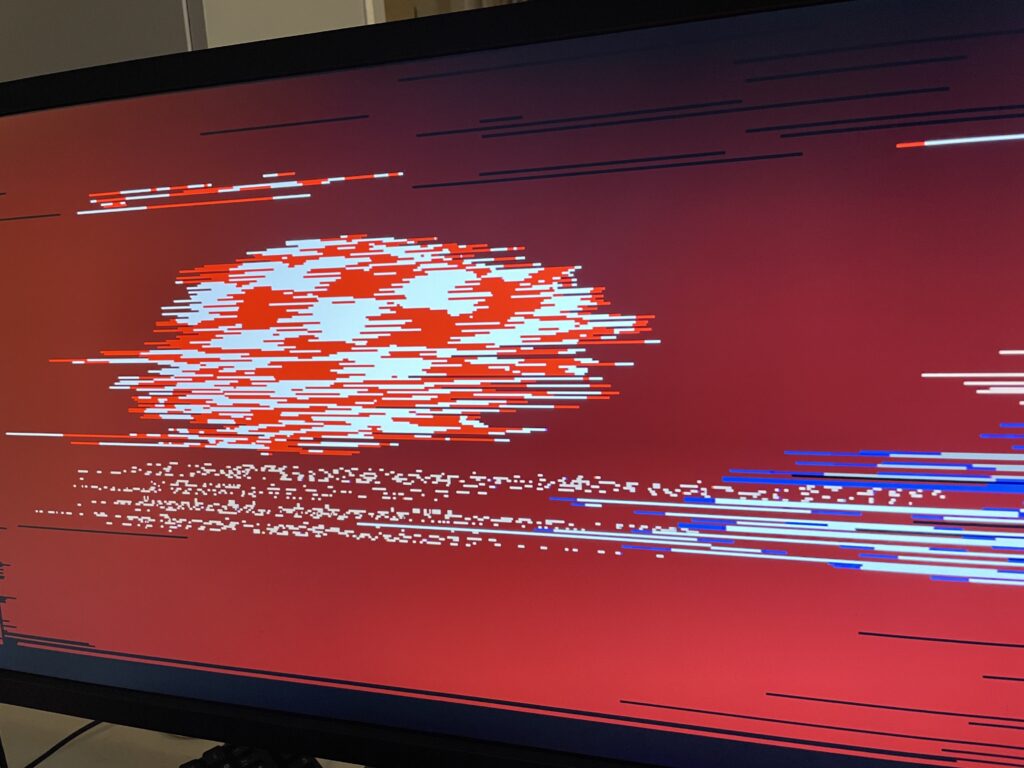
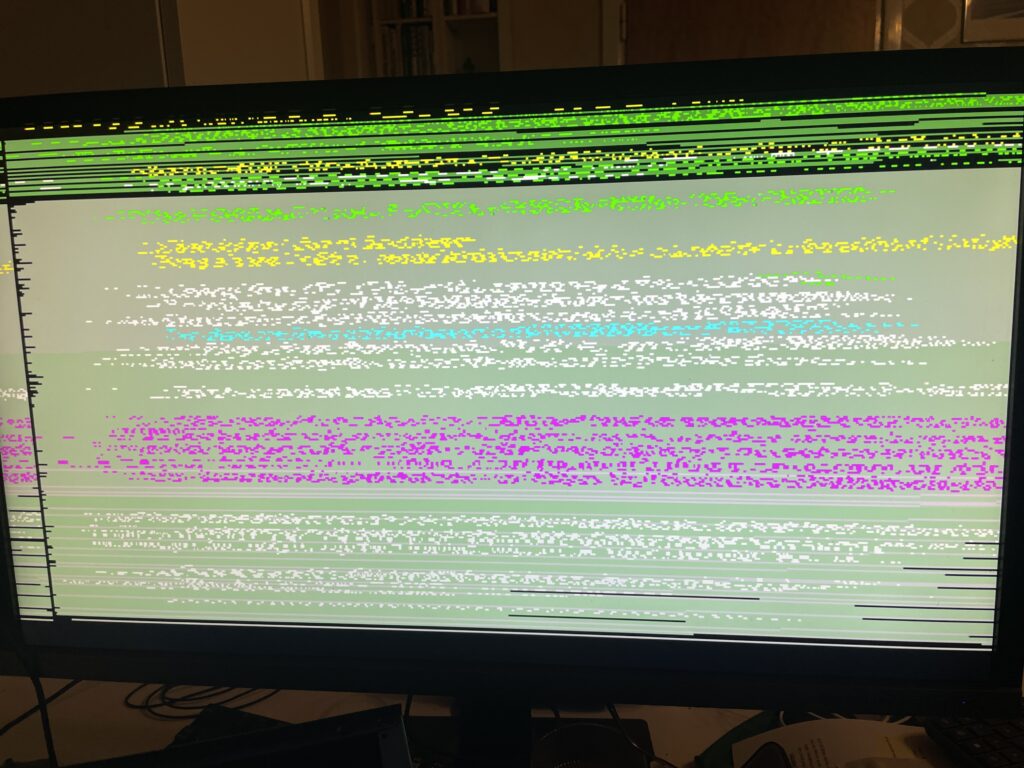
Its called Amiga life when you power up your Amiga computer and you are greeted with an unexplainable error.
Diagrom was frozen too
You can have the most stable system ever, but that day will eventually come when something will break – either you did it yourself or something happened by itself.
That happened to me recently, my trusty A4000TX stopped working, showing a frozen screen on boot.
What had happened? I suspected it was because I removed a Zorro card with the PSU ATX stand by power not shut off, it should not, but could have. Nobody knows for sure.
After tearing down the system to bare minimum I consulted the creator of the A4000TX.
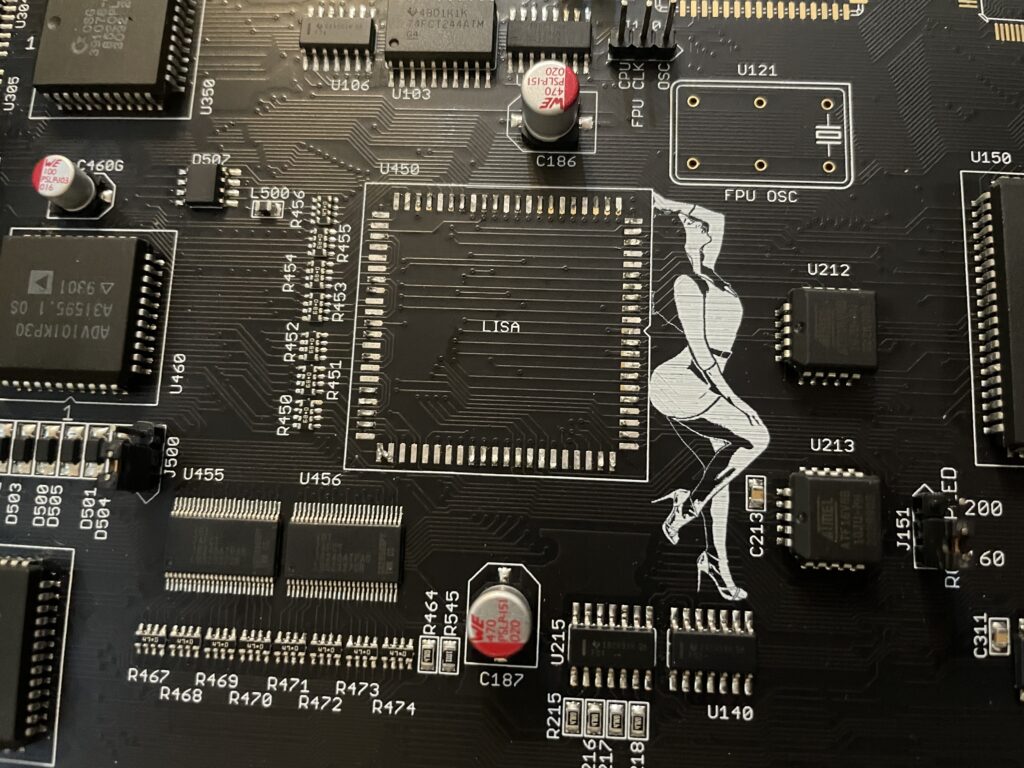
Suggestion was to remove Lisa, Alice and the VideoDAC and test them on an other Amiga (paid off to have a second A4000TX with sockets this time!).
Another suggestion was to run Diagrom with serial port output. Surprisingly the Amiga was fully working (except graphics output) in serial output!
All chips worked fine on my secondary A4000TX (that had sockets for the chips)! What else to do? Put all three chips back again and send it off for a grand inspection at someone more knowledgeable.
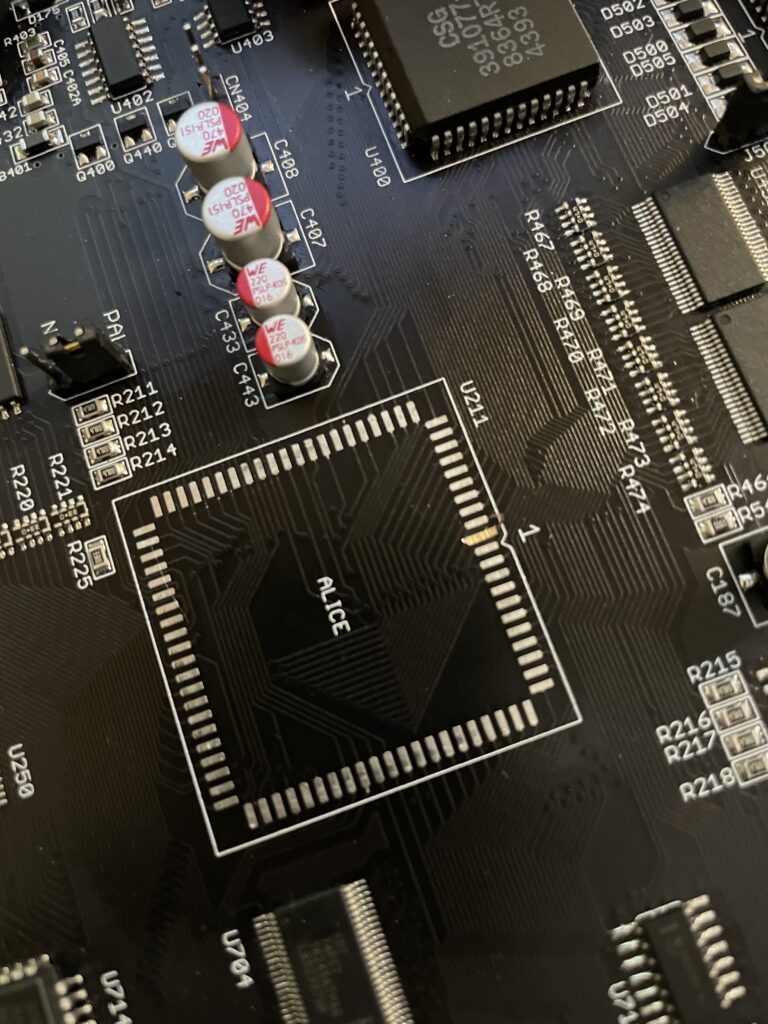
While desoldering the Alice chip one solder pad lifted off the PCB. Now one problem grew into a larger problem…
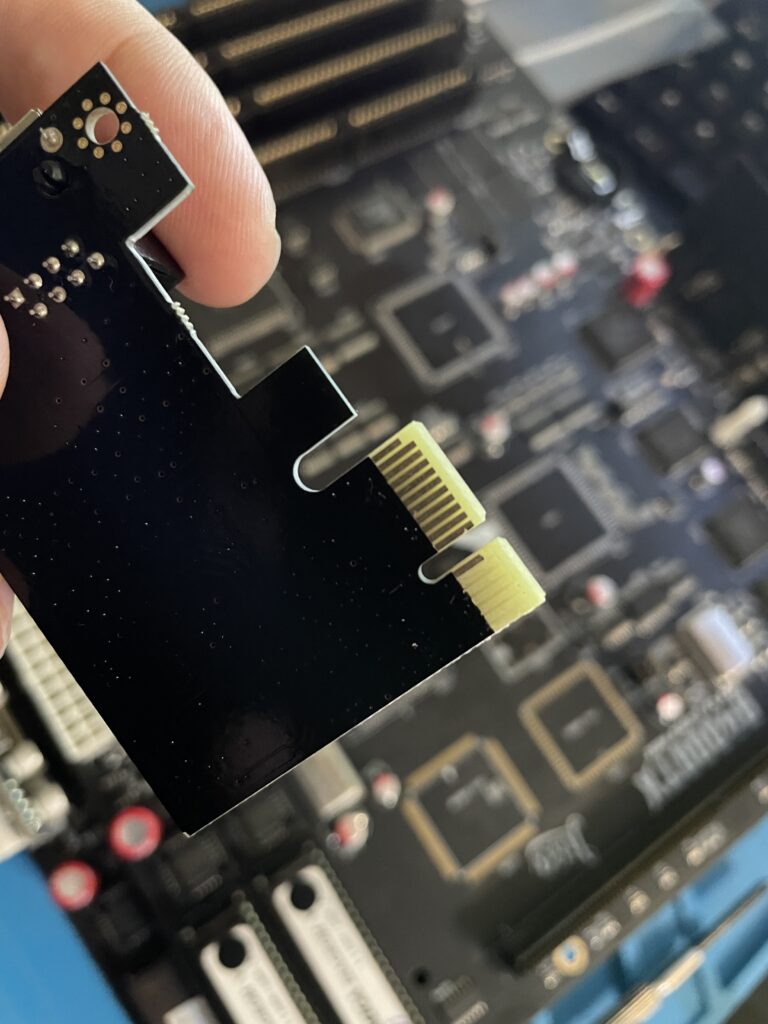
Always good to have spare parts at home, I scraped off the slot pad from a cheap PCIe card and super glued it to the broken pad space on the A4000TX – Then I made sure it made contact to the traces by soldering wires to it from traces.
And guess what!? After soldering all the three chips back to the A4000TX it works fine again!