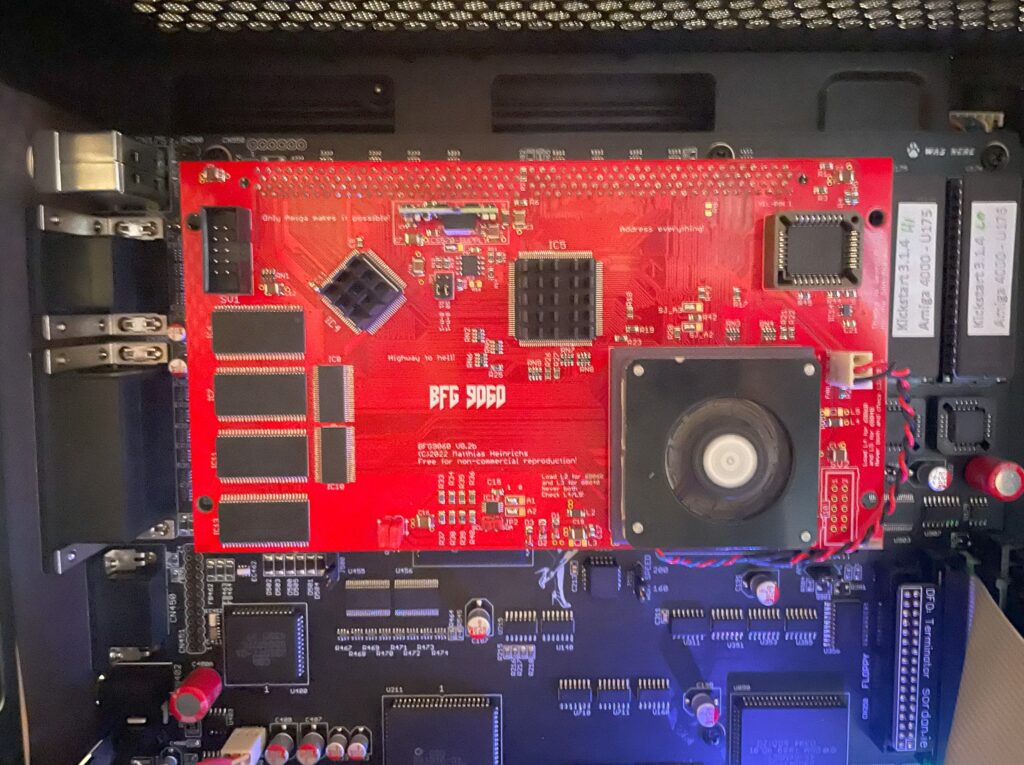
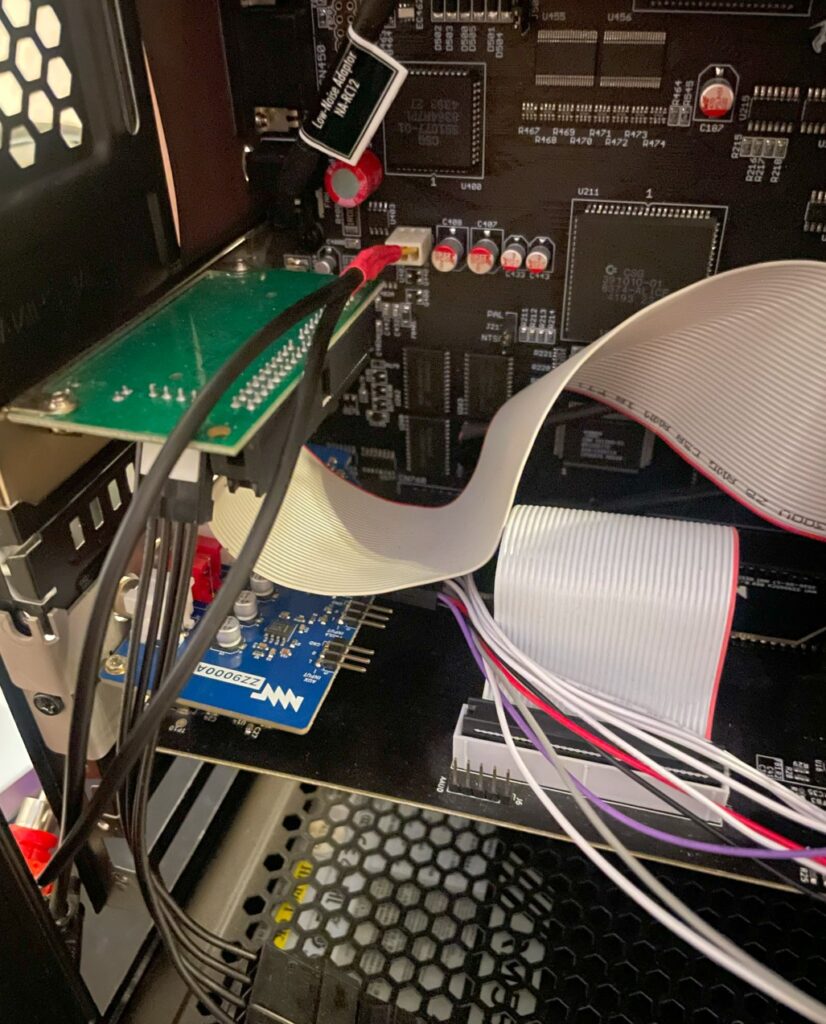
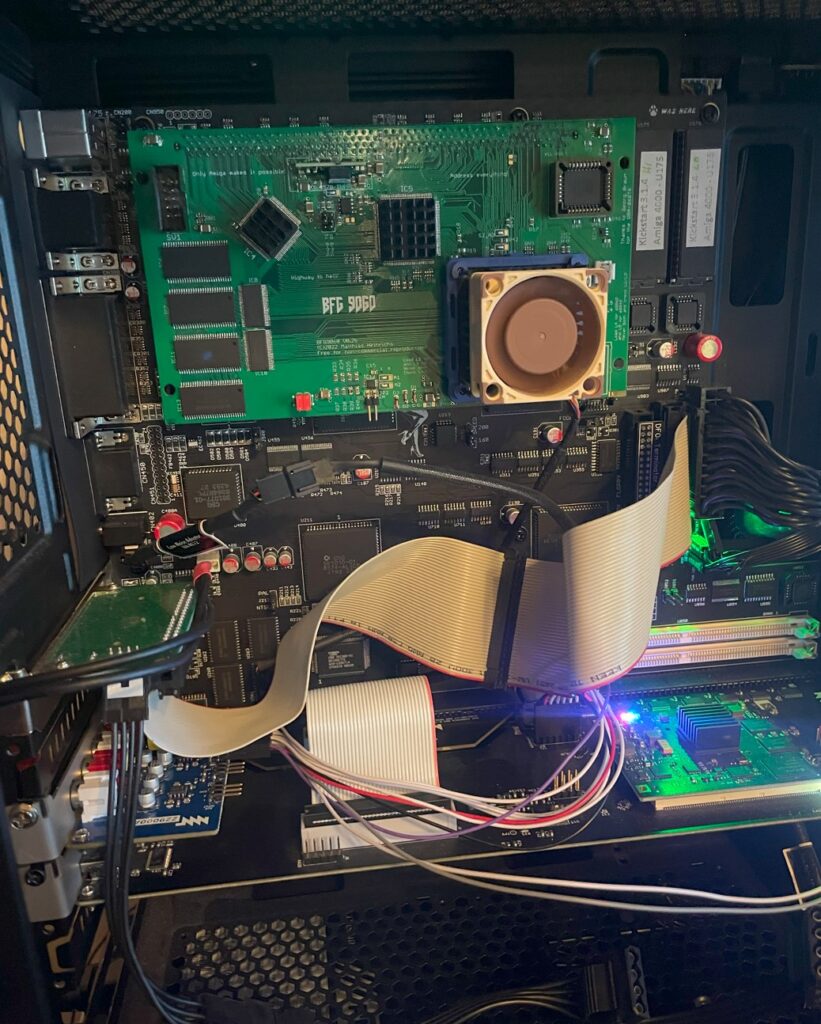
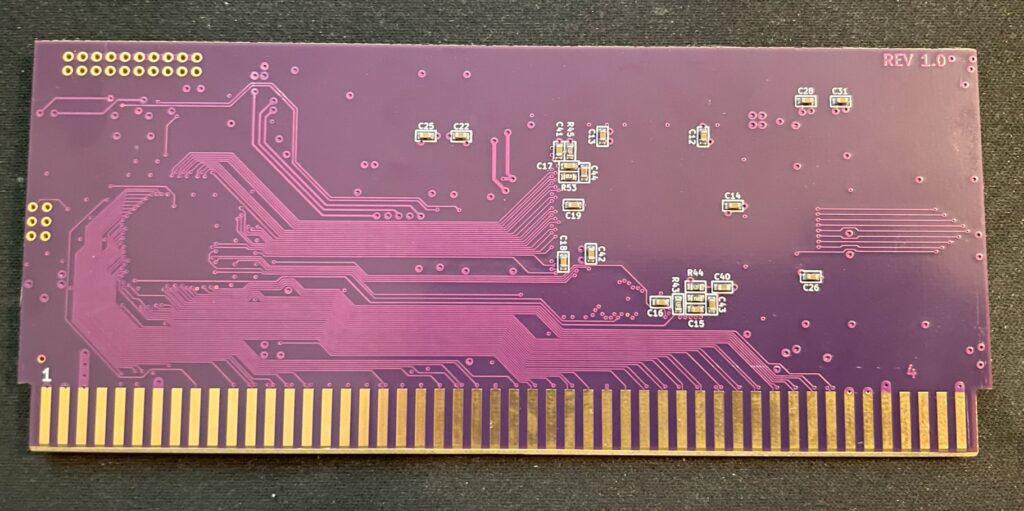
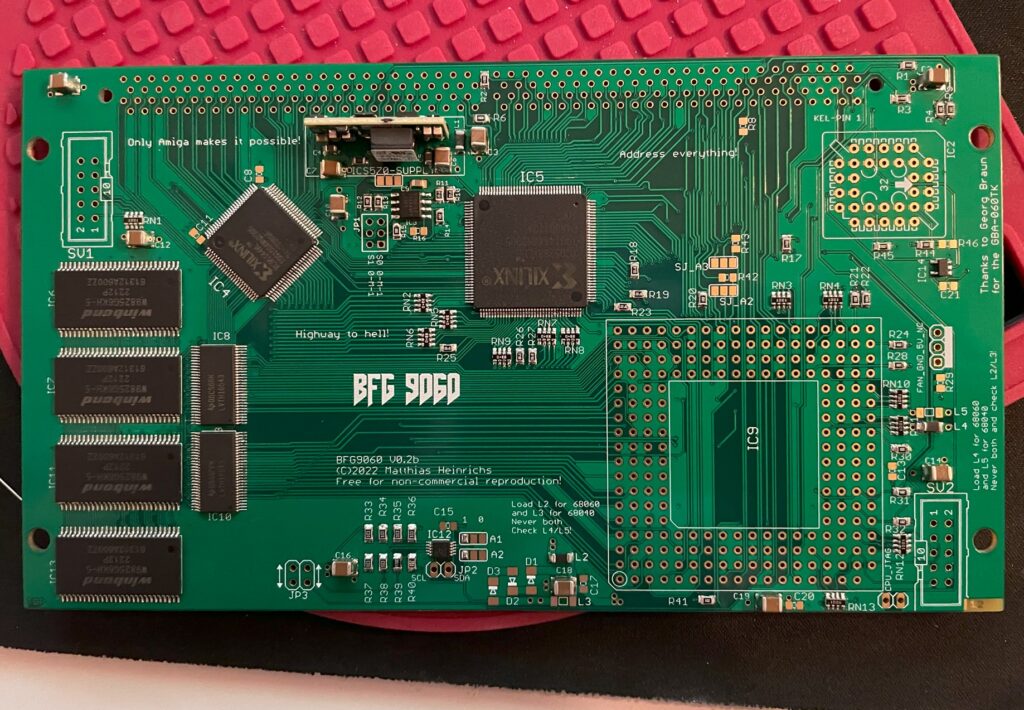
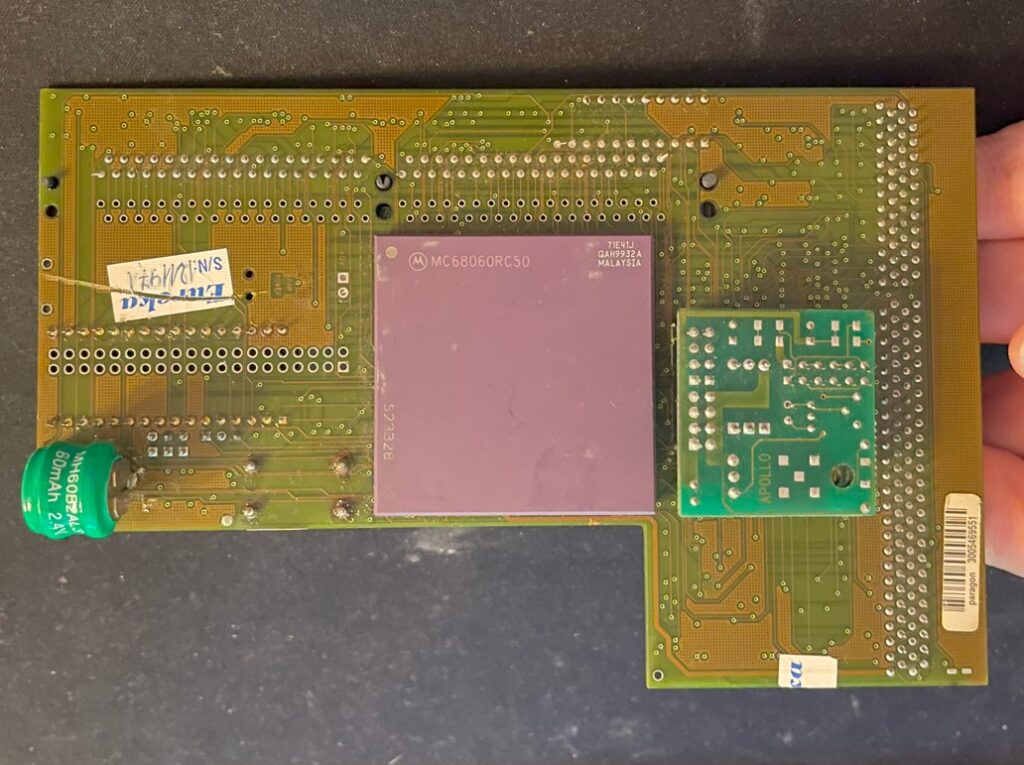
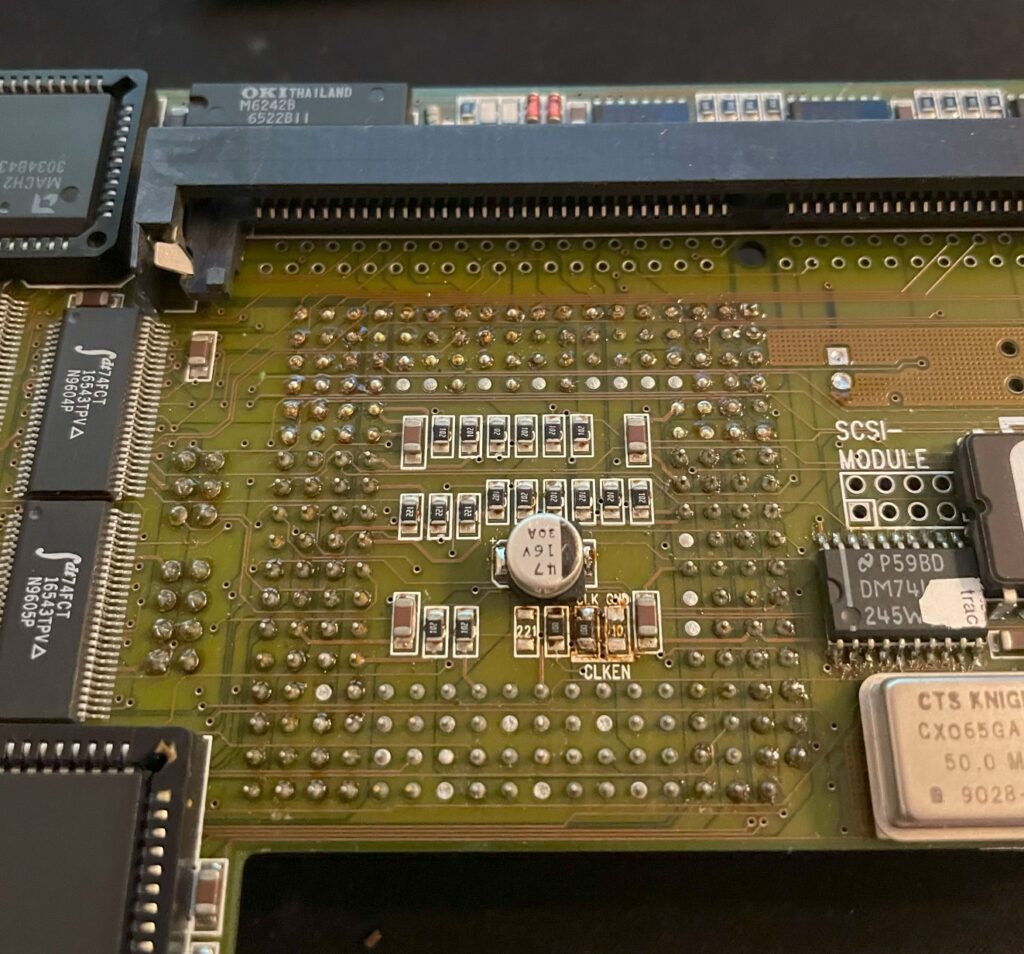
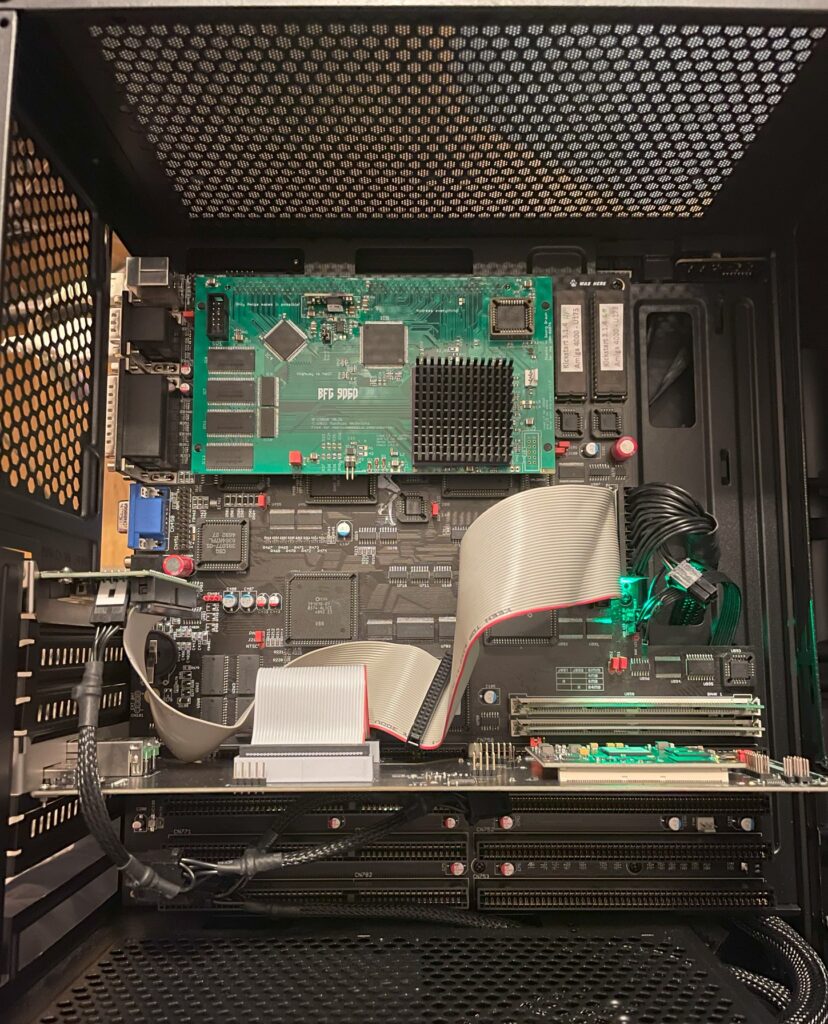
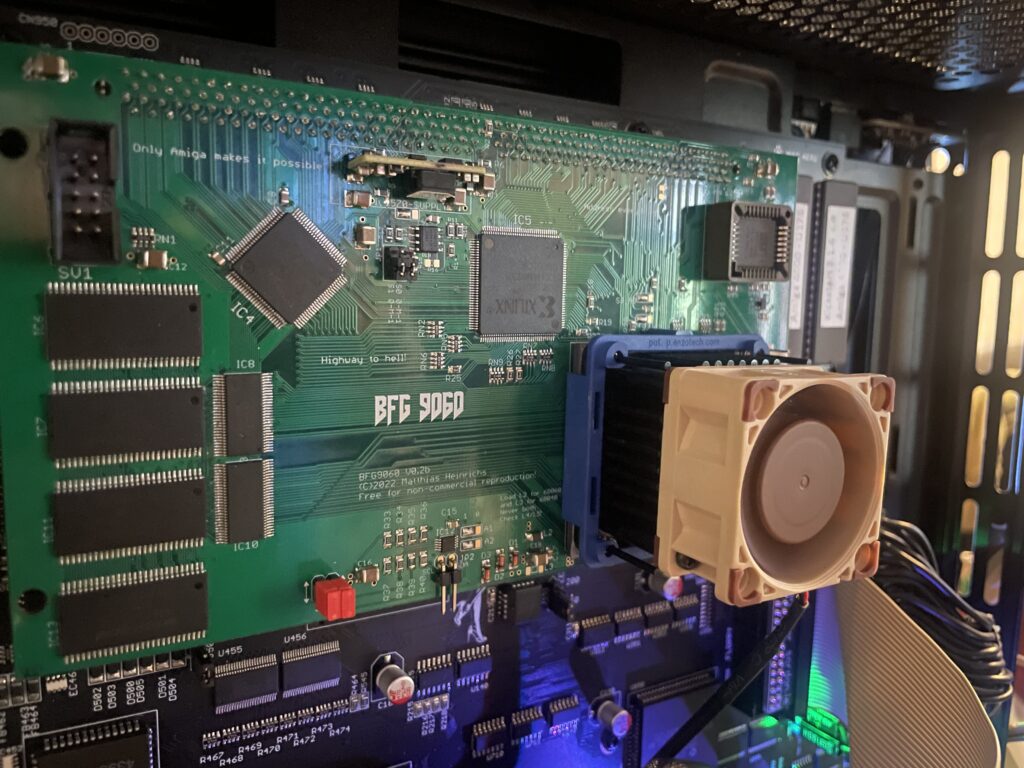
BFG9060 with rev 1 68060 under testing in my A4000TX
I built a BFG9060 060 turbo card last year that I could clock to 100Mhz, this is the second BFG9060 I have built and it is in a cool red PCB color. Thanks to the Xilinx programmer I got I could finally program the CPLDs on it but did not have time testing it fully. Now that I have tested it I can finally confirm that it is working 100%.
Actually, I just ran Quake for an hour with it mounted in my primary Amiga, my A4000TX daily driver, and the card performed just fine. Once I have it permanently installed in one of my big box Amigas I will do a proper 24h POVRay fish render test. But as it is now, I am happy with how it performed!
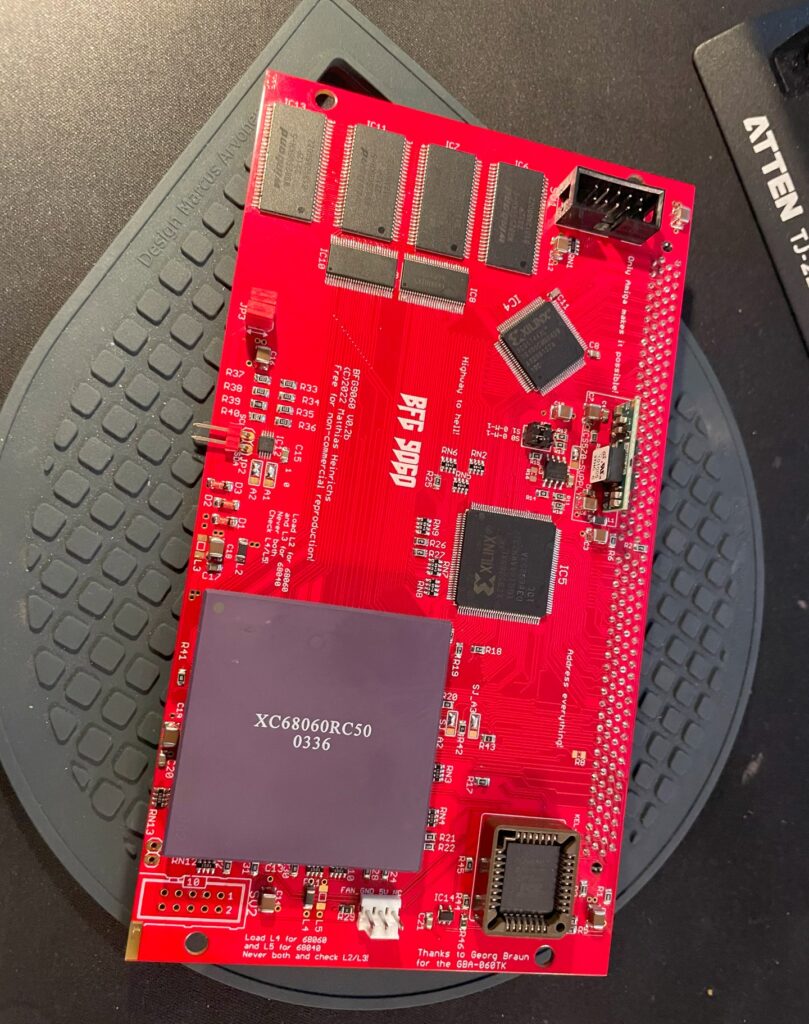
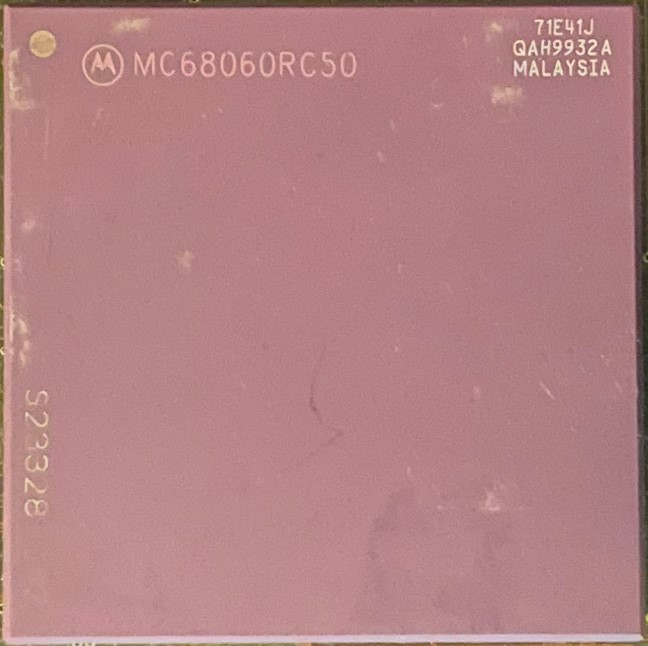
Mystery 68060 CPU
I got this 68060 chip from Vesalia years ago (probably 12+ years ago), and for a really good price too. It was a deal too good to pass on even though I did not know what to do with it. Well I am happy that I kept it but for all these years I wondered three things:
Did it work?
What kind of 060 was it?
Is it a fake? Why did it have these strange markings and not the typical Motorola markings?
The answer to those questions are:
Yes the 68060 works fine! And it does not get that hot either (though I have a heatsink/fan on it).
It is a rev 1 68060.
It is not a fake 060 – It came from a Phase 5 turbo card – Phase 5 used to add this text to the 060s on the turbo cards.
While the CPU works, it is a little bit of a bummer that it is a rev 1 as that revision has bugs. But there are work arounds for that so it does not really matter. Unfortunately, as its rev 1, that means no 100Mhz overclock. But to be honest with you, I am glad just having another full (MMU/FPU) 060 on a big box Amiga turbo card.
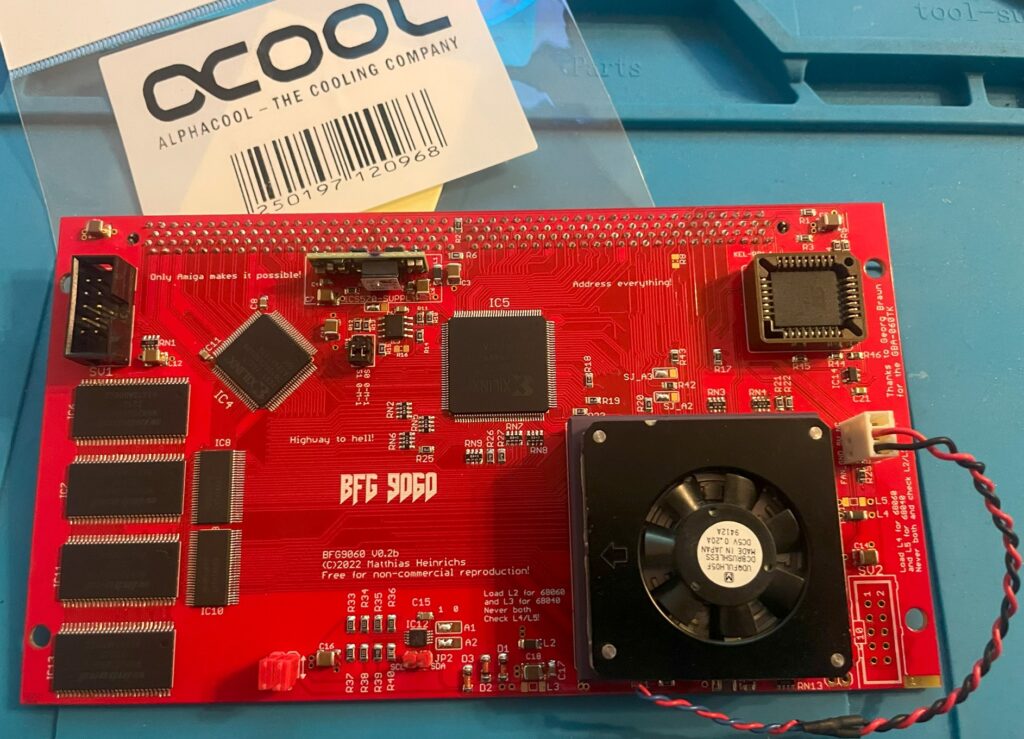
68060 low profile 5v cooler
I was afraid that the CPU I had was going to run too hot so I went into my stash of heatsinks to look for a suitable cooler for it. I found this thin 5v laptop cooler that I must have kept in my stash for more than 20 years. I got it from an old Acer Celeron laptop I found in the trash at a job I had and I was glad I finally found a use for it.
It is a thin radial fan that sits on an aluminium bottom plate that acts as a heatsink. I have not found modern alternatives in this size for a good price so I guess they have become rare these days.
I used thermal adhesive tape (also called “frag tape” BITD) to secure the heatsink to the CPU. Believe me, this thermal double sided adhesive tape has insane stickiness, there is no chance of the heatsink falling of the CPU if mounted vertically.
I can confirm, according to tests done with my finger, that the CPU does not run hot at all with the heatsink/fan on it. I am starting to wonder that maybe it was overkill, but if I end up using it in an A3000D case it might come in handy as that case has poor cooling performance.
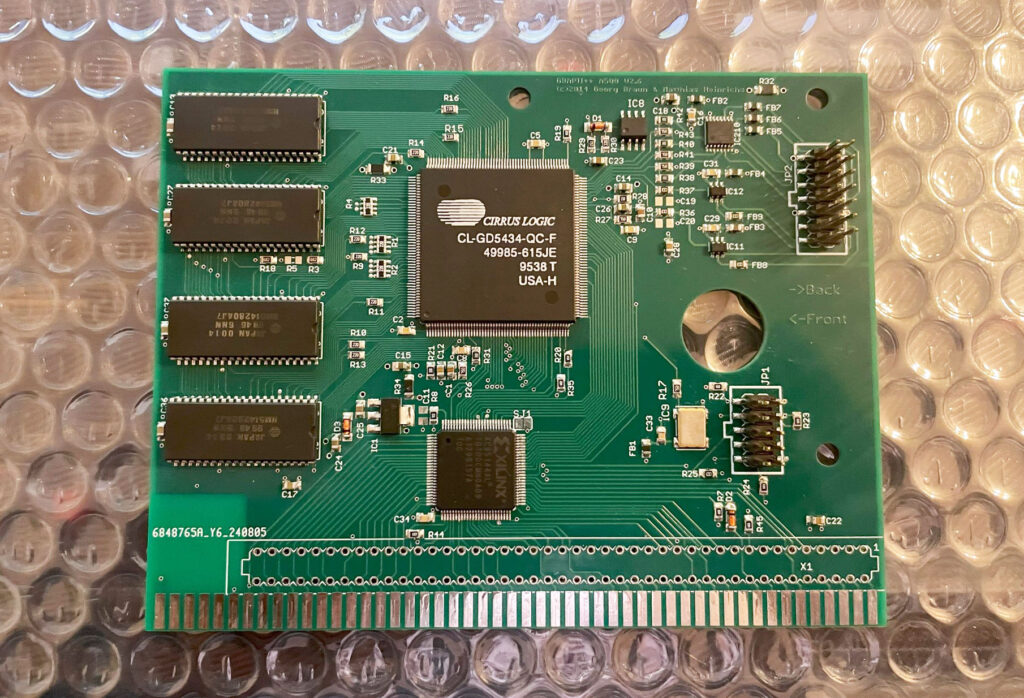
This is the second GBAPII++ Amiga graphics card I have built. I finished the last bit of the build two weeks ago. Today I tested it in my Denise Amiga clone and could confirm that it was working fine. If you are interesting in building one yourself, check out more information about the graphics card here. There are some details about the background of the card there too.
Hardware specs
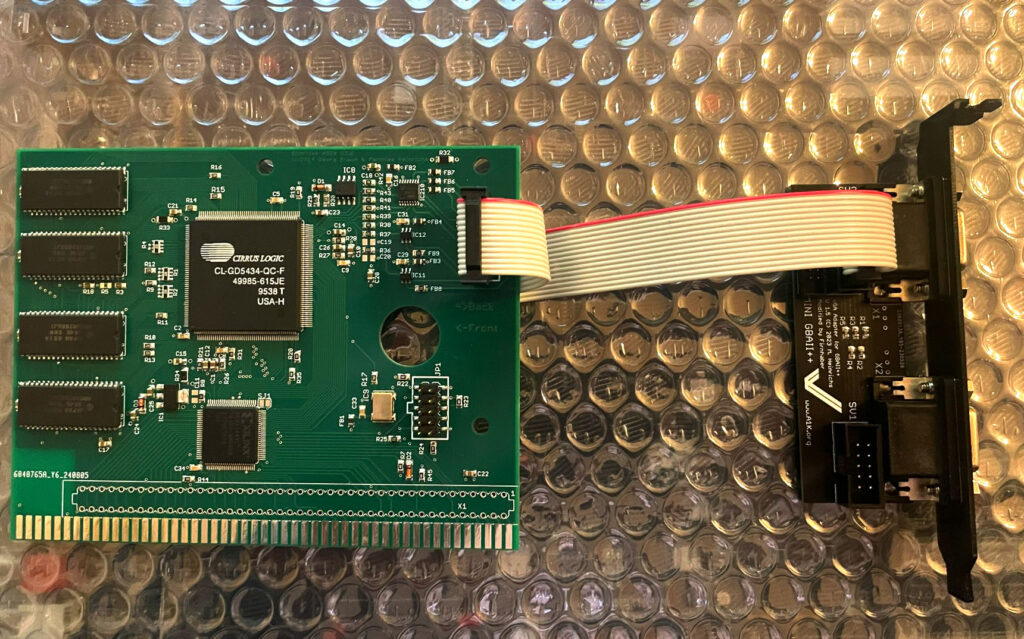
The GBAPII++ is a Zorro 2 based Amiga graphics card based around the Cirrus Logic GD5434 chip. It has 2 MB memory and is a relatively affordable Amiga graphics card. Occasionally you see users referring to the card as an open Picasso 2 card as you can order empty PCBs yourself and build it. But if you know Amiga hardware well this card is based on another chip. The similarities are close though, both cards has only 2 MB and is probably likewise in performance as they are both Zorro 2.
The VGA adapter plate has both output and input so its possible to run scandoubler output through one VGA output, very handy and a must have these days IMHO. I use mine with a Indivision MK3 and it works perfectly out of box. Or run it with the Multifix-AGA scandoubler.
It is possible to use the card on an Amiga 500 by soldering an 86 pin 2.54mm edge card slot to the side of the card, thats probably why the graphics card goes by the name A500-GraKa.
Components
The graphics card is based on the Cirrus Logic GD5434 chip
If you are thinking about building one I suggest you go looking for a GD5434 chip first. These chips are not impossible to find but can be pricey. I have paid between 20 to 40 euro each for Cirrus Logic GD5434 chips (currently have built four cards based on this chip). Finding an old VGA card and desoldering a chip with hot air is also a possibility.
The memory used is the same type of memory that is used in an Amiga 1200 1.4d revision. The typical SOJ40 2MB memory chips in the quantity of 4 chips.
I had difficulty finding the correct voltage crystal but eventually found the right one on AliExpress (and it worked too).
Building the graphics card
For some reason I thought building this card was incredibly confusing. I think the main reason is that I somehow got the build instructions for a previous revision of the A500GraKa card, once I got the correct file everything worked out fine! IIRC there are some solder pads marked as ferrite beads that should take resistors (or it was the other way). To find out what components go where one can look into the designer files, also study the BOM.
Performance
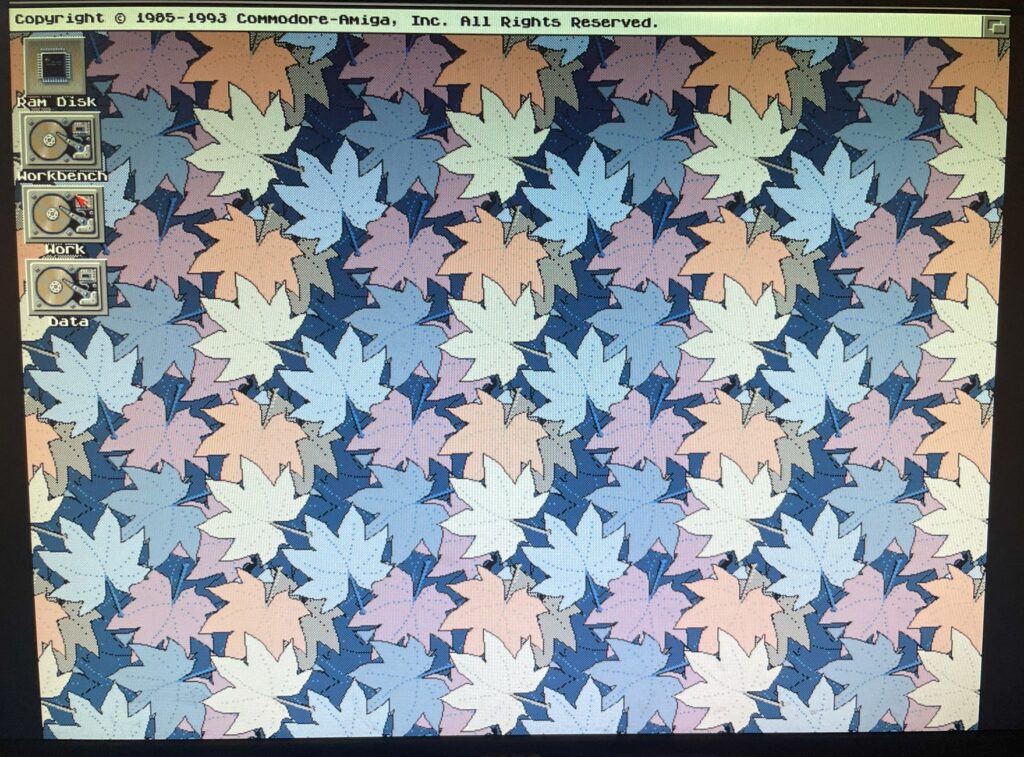
The graphics card works especially fine in lower resolutions and fewer colors like this 800×600 8 color Workbench
I have not tested performance yet and will probably never do, but make no mistake, this is no competition for a ZZ9000 graphics card. It is a fine card to use on a 030 based Amiga with a Zorro 2 bus as long as one do not go crazy on the amount of colors or resolution used. It is much better than using hires laced. I stick to 800×600 in 8 colors and it works fine.
Conclusion
The graphics card is hooked up to the VGA adapter plate that is fitted to a3D printed bracket
Many thanks for the creators of this card and previous cards it is based on. I think this card is a no brainer, just get one if you have an empty Zorro slot and no graphics card. I will list the good things first and negative later, these are strictly my personal opinions.
Positive
Half size card
Has a hole cut out for your finger so you can remove it easely
Autoswitch between scandoubler/VGA
Open card, PCBs can be ordered by yourself. There is also commercial version of it
There is a thread on a1k.org where you can ask questions about the card
Supported in P96 (so you can install the card with the P96 installer)
Negative
Somewhat confusing build instructions
Only has 2 MB
Is a Zorro 2 card so its slow (but still perfectly fine for lower resolutions/fewer colors)
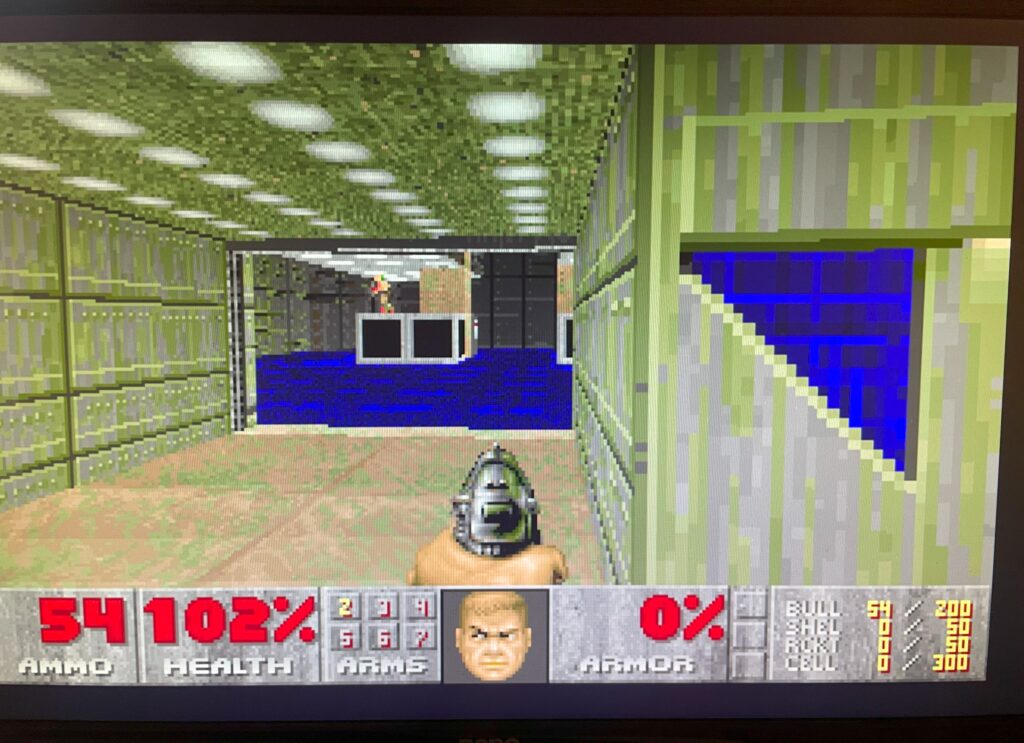
Here is Doom running on the GBAPII++ Amiga Graphics Card
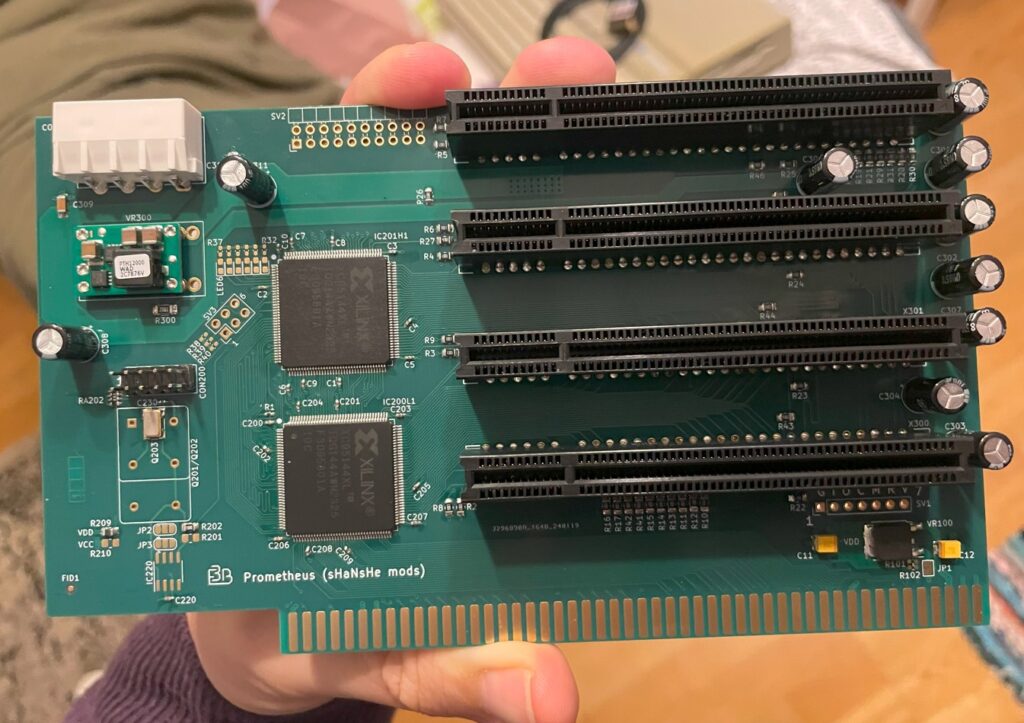
I finished building the Prometheus-Resurrector PCI Amiga daughter board. If you where around 20 years ago you might remember PCI slots being the latest thing to add to your Amiga computer. It was as de-rigueur upgrading your Amiga to PCI slots as hacking your Amiga 1200 into a tower as tall as a kitchen table.
What is the Prometheus-Resurrector?
Prometheus-Resurrector is based on the Prometheus PCI daughter board from 20 years ago. If you are familiar you might know about the Firebird PCI daughter board for Amiga 4000 and Amiga 3000, they are sort of related. One difference between Prometheus-Resurrector and the original Prometheus is that this one is using Xilinx chips for CPLDs instead of rare, hard to find, Altera chips. Also, you can order PCBs yourself and build it.
The Prometheus slots into a Zorro 3 slot, then you have to be creative in how you mount the PCI cards as the cards sits 90 degrees from Zorro cards. Either you use PCI extenders or 90 degree PCI angle converters or just run them as is with extension cables to the backside of the Amiga chassi. No matter what option you chose, your Amiga, decked out with PCI cards, will look refreshingly hacked together just like all those towers-hacks looked like back in the day. How nostalgic.
Programing the Prometheus-Resurrector
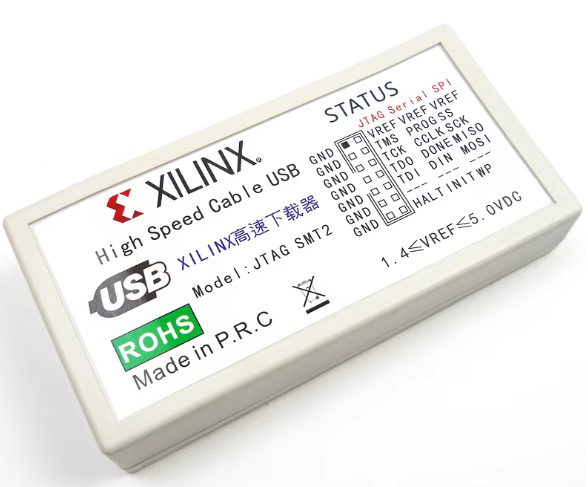
Unfortunately the story, for this time, ends here as I got the wrong programmer from AliExpress. I failed to program both CPLDs with my trusty Raspberry Pi so I got this nice Xilinx programmer, totally offical (not), from China. However that did not help me program the chips, I think I got the wrong one. So until I get the other Xilinx programmer I ordered, the story ends here.
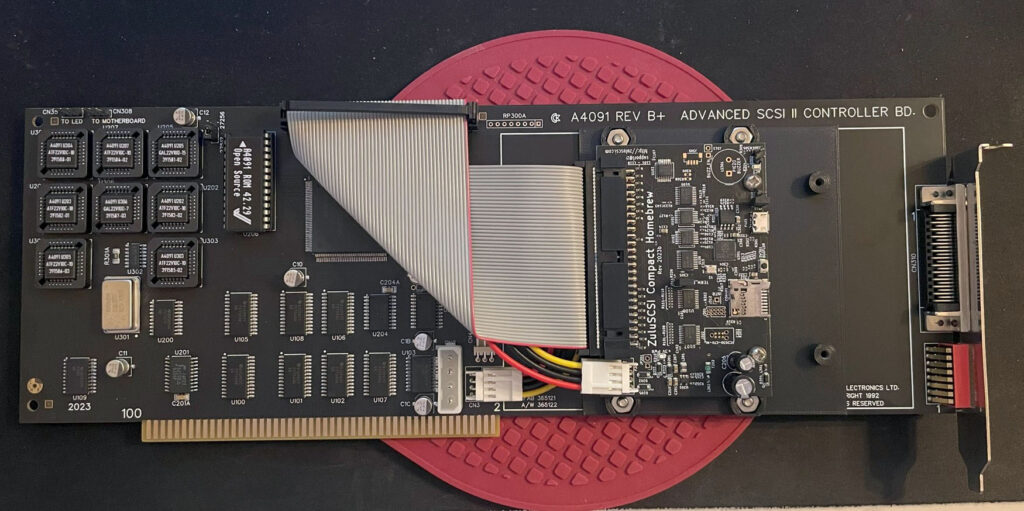
Today I got a fully built replica A4091 Zorro 3 SCSI card delivered. The A4091 was a SCSI 2 controller for the Zorro 3 slot, it was made by Commodore. This is a reverse enginered version that you can find prebuilt on the internet or build yourself. Find out more about the original C= 4091 card here and the new replica A4091 SCSI card here.
I watched the presentation of this card on an Amiwest stream a couple of years ago so its exciting to have the real card in my hands.
Advantages of SCSI in an Amiga
The advantage of using a SCSI harddrive and a A4091 in a Zorro 3 Amiga is that it will have faster transfer speeds than IDE. SCSI is also less heavy on the system as the card has its own brain to process file transfers taking up less CPU time than IDE. This is good as Amiga is limited in CPU power (at least with a real CPU).
Zorro 3 only!
This card only works on the Zorro 3 slot. That is good news since it means better performance than a Zorro 2 card/slot. But it also means it will only work on the A4000(T) and the A3000(T). The Amiga 3000 already has SCSI on the motherboard, but if that does not work well, this card could be the solution.
Hardware setup
This card will probably end up in my A4000TX or in my A4000D. The A4000T already has SCSI2 and is basically the A4091 card implemented on the motherboard (well, the main chip is the same). As my main systems already got 060s, graphics cards and plenty of memory this is a welcome addition in squeezing out the last performance before I go into the world of PiStorms.
I will run a ZuluSCSI card on mine as I have banished mechanical harddrives from all my computers. The ZuluSCSI can emulate multiple harddrives (and CDs) stored as files on an SD card.
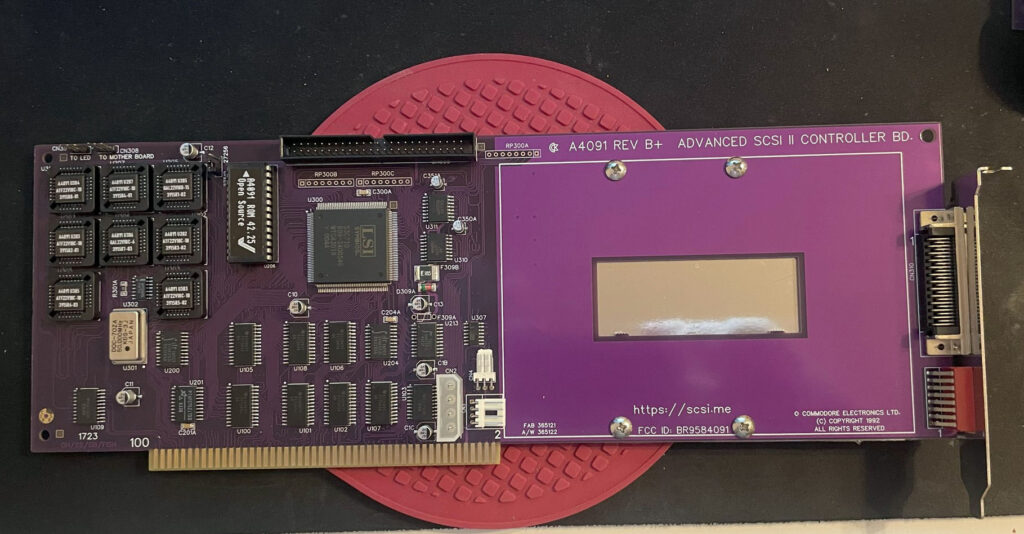
Purple Amiga A4091 SCSI 2 card
And I actually lied a little when I said that it was exciting to finally have the card in my hands as I already built a purple A4091 SCSI 2 card last year.
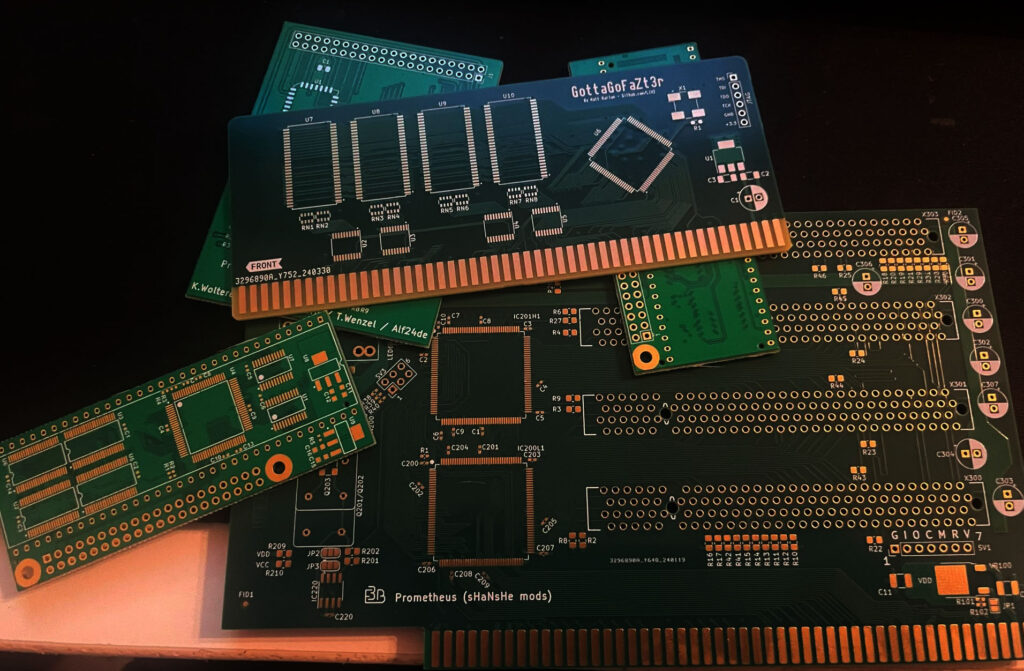
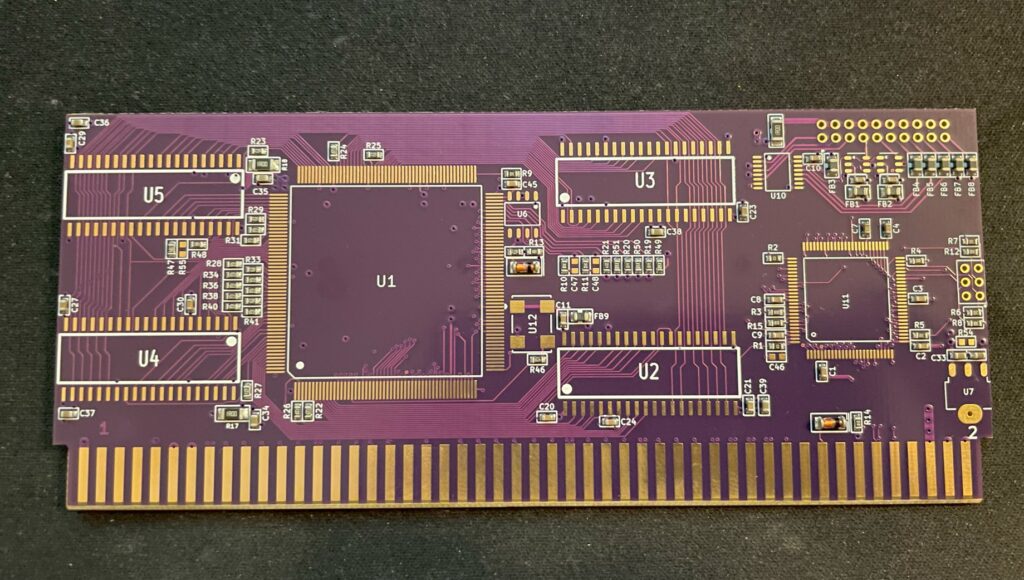
Here are some new Amiga PCBs for some new projects I got this week:
GottaGoFaZt3r memory card (will do the 256 MB version and probably a second card).
PiStorm16 x 2
Prometheus clone
MpegIt for the Prelude Amiga sound card
Prelude sound card PCB (not in the picture)
I also have two Amiga graphics cards in my todo list:
GBAPII++ graphics card
Mini GBAPII++ graphics card
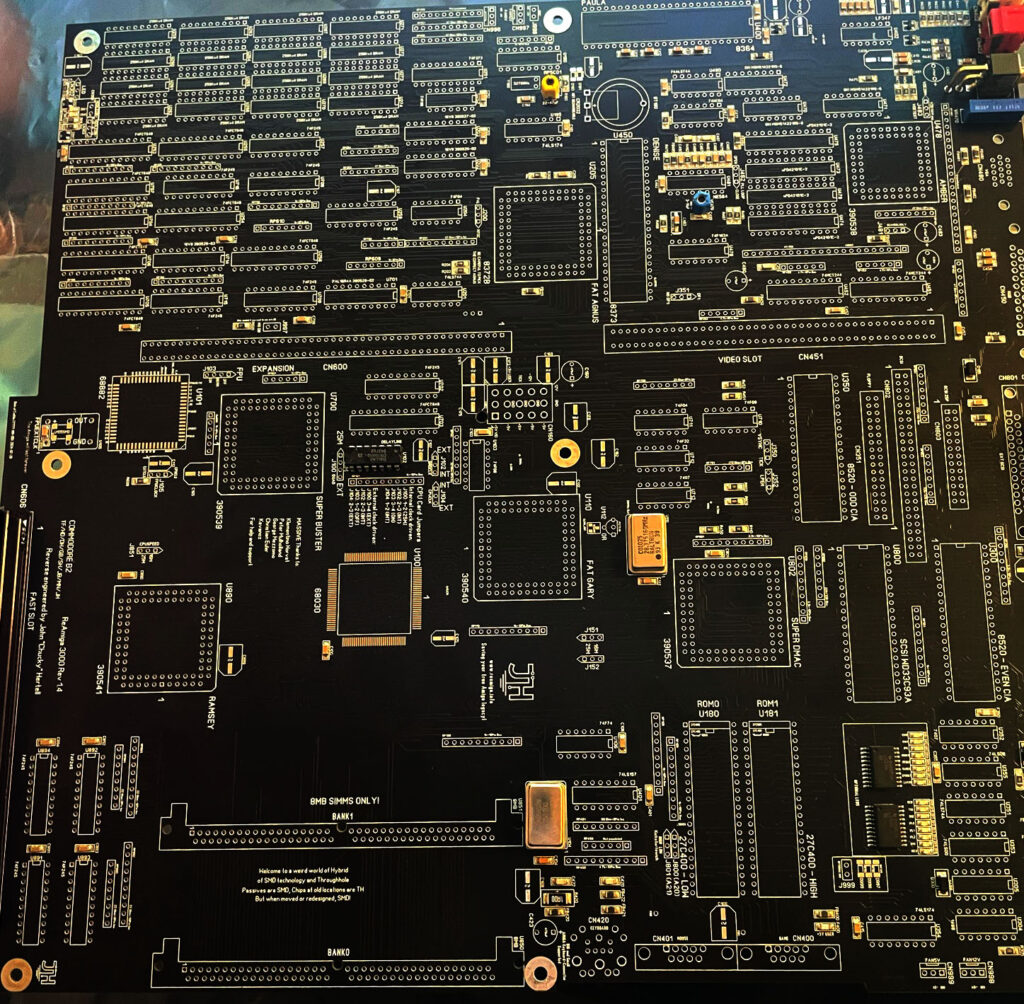
And lets not forget the ReAmiga 3000 PCB I got late this week too! I have had a broken Amiga 3000D motherboard in my stash for years so finally I will be able to shake some life into it again!
So lets just say a massive BOM will be ordered soon!
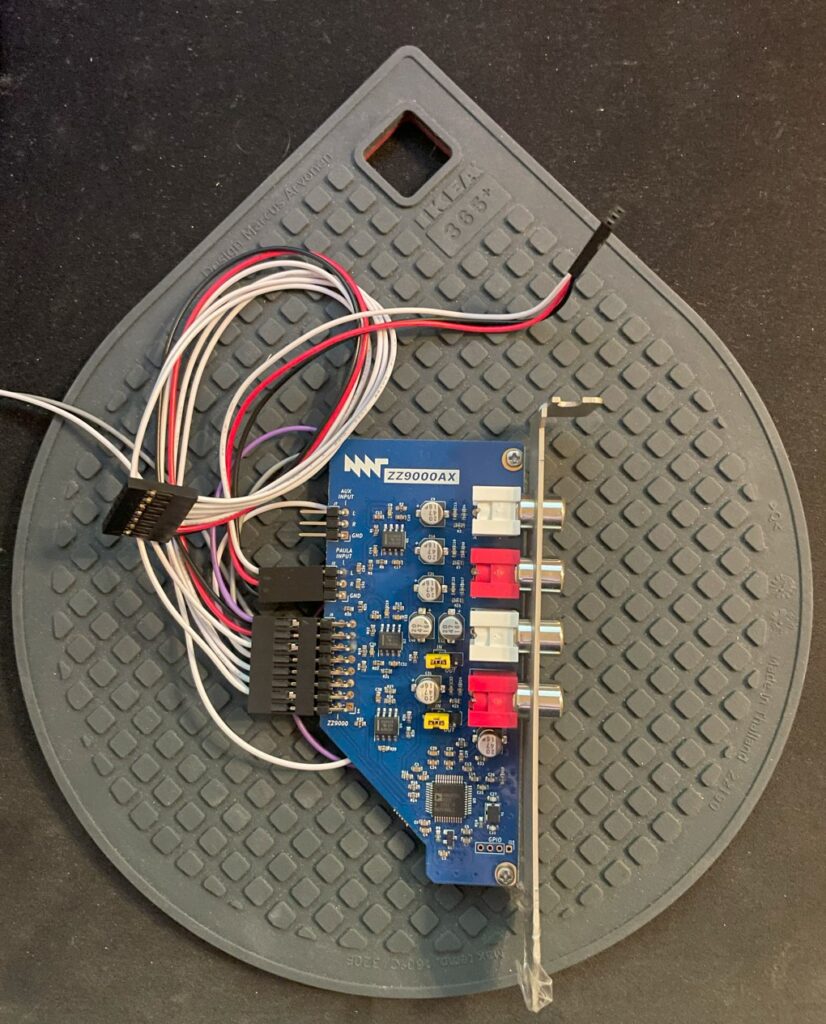
There is a sound card for the ZZ9000 Amiga graphics card called the ZZ9000AX. It is a small soundcard that is attached directly to the ZZ9000 Amiga Zorro slot graphics card.
I had some problems with the ZZ9000AX
Keep in mind that I am running the card on an unofficial Amiga motherboard (A4000TX). So the reason for me having problems might be because of that and not the fault of the soundcard.
I got A ZZ9000AX last year but had massive problems getting it running well. The ZZ9000AX seemed to be picking up noise off the bus and had a disturbingly loud background buzz that never stopped. Paula sound is passed through the ZZ9000AX from the ZZ9000 through a three wire cable.
When Paula output was passed through the ZZ9000AX it just sounded horrible. Sometimes distorted, sometimes just totally blurred in background noise. Sound output so far from the regular crystal clear Amiga sound output I was used to.
I contacted MNT about the problem and I was sent a replacement card from MNT – But it did not fix the problems, just introduced different sounding problems. As I was running it in my A4000TX which is a non standard Amiga model (with no public schematics) it is difficult to say where the problem lies. There might be some kind of difference between an A4000D CR (that the A4000TX is based on) and an A4000TX that introduces these problems into the audio output.
I am going to test my card on my other Zorro 3 machines in the future to find out if it is the fault of the A4000TX or not (will update this text). But the card was sadly unusable for me in my A4000TX.
Finding a solution
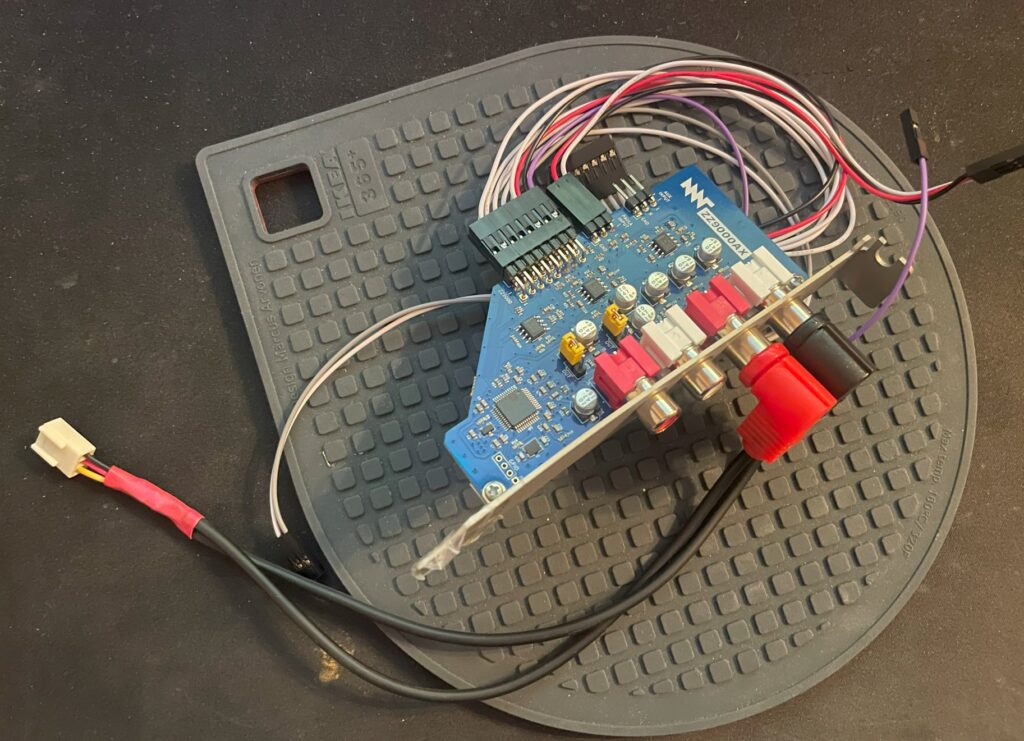
ZZ9000AX with external to internal cable
Playing around with the card I noticed that if I removed the three wire cable that connected Paula audio output into the ZZ9000AX (you can see it attached to the card above) the card was beautifully silent, no bus noise, no irritating static and no weird noises. Playing MP3s worked fine as they where being played on the ZZ9000AX and not on the Paula.
The A4000TX is a clone of the Amiga 4000CR and shares the same features, one which is a input header on the motherboard originally meant for CD audo to be merged with Paula output.
So I got an idea to remove the three cable wire that connects the ZZ9000AX to the ZZ9000 altogether and route the output from the ZZ9000AX into the input header on the motherboard instead.
That means that the output of the soundcard was mixed into the sound jack of the A4000TX.
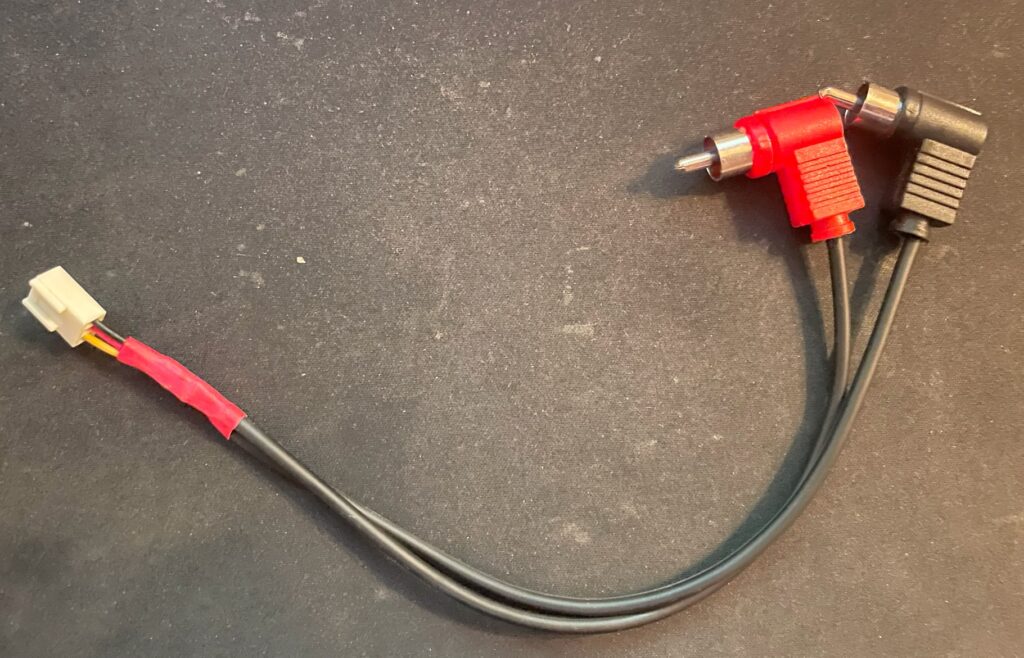
Cable in detail, it is just a simple cable, nothing special to be honest
I created this little cable just to prove if it could work. I will make a nicer looking cable in the future. The A4000D and the A4000TX (that is based on the A4000D CR) has a audio in input on the motherboard, likely for CD-ROM input or for AV purposes.
It is connected to line in on the A4000TX motherboard so it gets mixed into the output for the sound socket.
You can see the cable connected to the audio input header on the image above. It is a messy setup, but the system is in a state of work in progress at the moment.
The cable is just a nasty quick hack, I will do something better here in the future
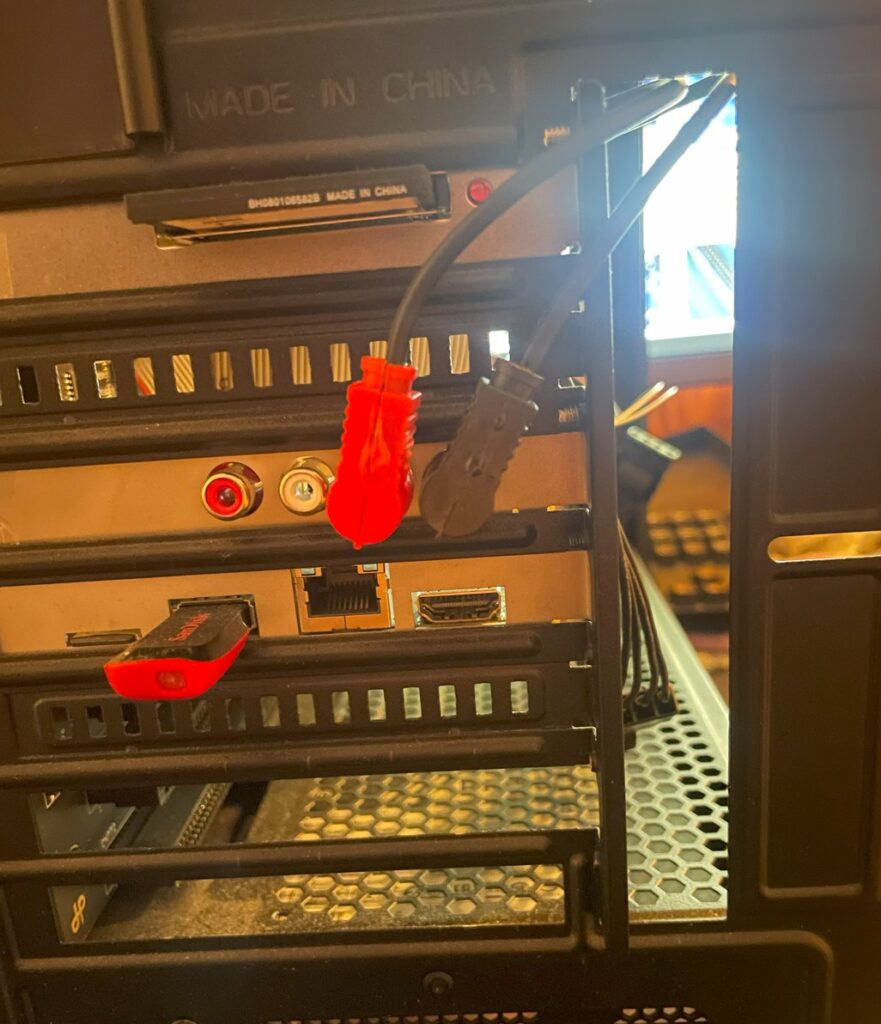
Here is the backside of the A4000TX and how I route the cables to the internal audio input. No doubt I will create a more neat solution in the future, but for now this will do.
Does the fix work?
Yes it does, I have configured AmigaAMP to use the MHI drivers for MP3 playback. Both MHI and AHI works fine. There is no bus noise and no ringing noises in the background. The sound output is dead silent when the Amiga is not producing any sound – Just as it was meant to be and how I expect it to be. And best of all, playing modules in an module player sounds crystal clear. Playing MP3s on my Amiga sounds just as they do on my PC now!
There is just one little problem
There is one disadvantage of this setup, and that is that the audio input header on the Amiga 4000 motherboard lowers the noise a bit compared to Paula output. I have not found a fix for this yet. One fix would be to run a separate mixer that mixes ZZ9000AX and Paula audio into one, however that just sounds too messy, so I will stick with this solution and just increase the audio level a bit whenever I run something on the ZZ9000AX card.
Today I picked up a small parcel that was sent to me, the parcel contained a GBAPII++ mini Amiga graphics card PCB. The GBAPII++ is a half size Zorro 2 Amiga graphics card based on the Cirrus Logic GD5434 chip, you can read all about that project here. This is a smaller version of that card – It is intended to be used with the Denise A500+ clone (Mini-ITX) but can be used on all Amiga systems with Zorro slots. You can read all about the mini version of the graphics card here.
Specification of the GBAPII++ card
This is a Zorro 2 card, it has 2 MB memory and is comparable with the Picasso 2 graphics card in performance (give or take performance in some tests). It is a perfect match for Z2 and 030+ systems IMHO but is not really a competitor with the zz9000 regarding performance (in a Zorro 3 system).
Lets take a look at the GBAPII++ card
Front side of the GBAPII++ Amiga Zorro 2 graphics card
Usually I prefer to build projects from scratch but in this case I did not mind a version where the passives where already pre-installed. The GBAPII++ mini version uses mostly 0603 component sizes. That is 1.6 x 0.8 mm in size, not impossible to solder, and to be honest not that challenging, just very tedious. Especially if you do not have a proper workshop with microscope.
Here is the back of the graphics card, not much happening just some 0603 parts
The missing components are 2 MB memory consisting of four chips, SOJ40 (this is the same memory type that is installed in an Amiga 1200 rev 1.4d). The card needs one CPLD, two ICs, crystal and the GD5434 chip. The Cirrus Logic chip can be taken from a PC graphics card. Occasionally NOS chips show up on Ebay from time to time. Expect to pay 25-40 euro for the graphics chip alone (and more for the full graphics card).
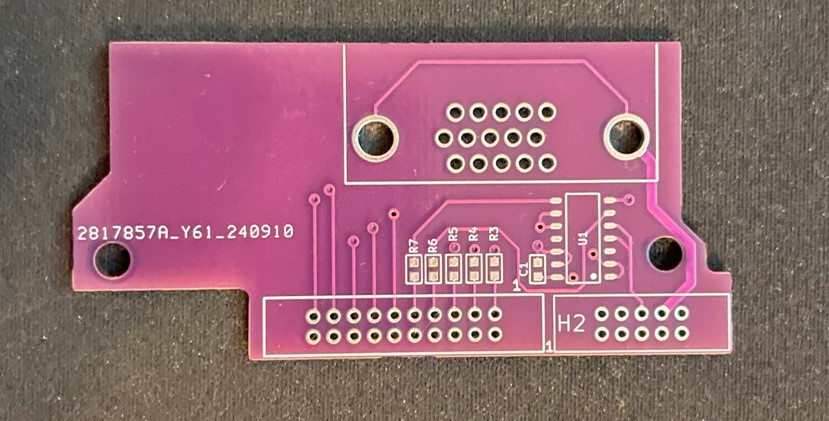
I also got this little VGA out PCB that hooks up to the graphics card and fits neatly at the back of the Denise Amiga 500+ clone.
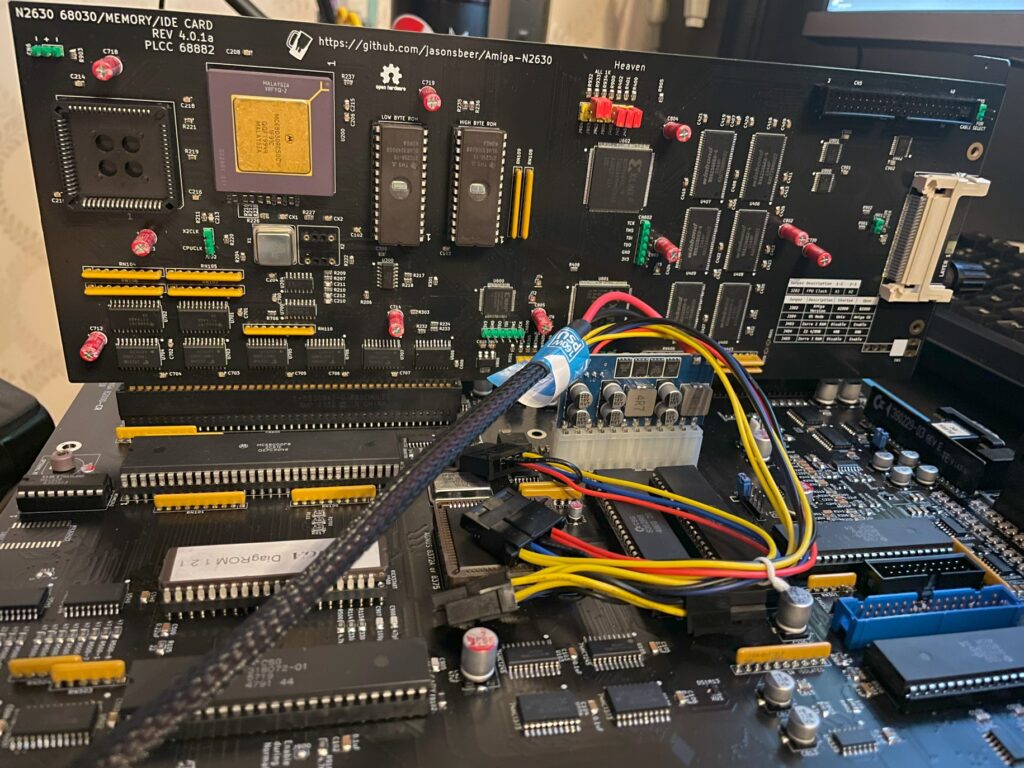
I built my second Amiga 2000 EATX last year, it is a beautiful clone of the Amiga 2000 remade into a standard extended ATX format so it can fit a standard EATX case. You can be sure that I will add an article about that motherboard here in the future. The author of that project has also made the n2630 project, its a clone/reimplementation of Commodores 030 card for the A2000, the Commodore A2630.
To be honest, I wish there was a modern 060 or 040 card we could build for the A2000 since I think 030 is just too slow these days – at least for my modern Amiga standards. To be fair while the A2630 was 25 Mhz this one runs at 50 Mhz, so its a little bit faster. 040 runs so hot, but would be a perfect fit for the A2000EATX because of the improved case airflow (and having an 040 in one of my machines could be interesting to compare performance with 060 machines).
Anyways, I should be glad with what I have and I am thankful that we can build this cool modern 030 card for our A2000 computers. And the n2630 is such a nice compliment to the A2000 EATX motherboard having IDE/CF slot built in.
Building the n2630 for my A2000EATX
I decided to build my n2630 card earlier this year with 128 MB fast memory. There was an option to go for 256 MB fast memory also but thought it was not really worth it, maybe I will regret it in the future. Otherwise this build was very straight forward. It uses three CPLDs and six memory chips.
There was some parts that was difficult to find, first it was the 030 CPU socket. I actually got the parts number for one that was availble on Mouser after asking around, surprised about that. The CF slot at the back of the card needs to be the right one to fit solder points on the board, ask on the Discord if you wondering what type you should get if you are building one. Other than that it was an easy build. There are also two eproms you need to have and program, but as usual, most stuff that is rare can be found with some patience.
I have since mounted an FPU to the card and I also got a 3D printed bracket so I could secure it in my regular ATX tower that was converted to EATX. I ran out of black pin stripes that is why I used yellow and green (it was also a joke about obsessing over the color syncing of hardware).
The BFG9060 is a modern 060 turbo card for big box Amigas. It works with either a 040 or 060 CPU and has 128MB RAM. The card is occasionally available as a fully built card either with or without an 060 on Amibay or on Amiga store – or you can order a PCB and build a card yourself. Read more about the card and who made it here.
I decided to build my two BFG9060 cards myself as I enjoy building hardware and they would compliment my A4000 systems well (that I also built as kits). I have also read a lot about the BFG project and like the openness of the project and the wide user base.
I will now move on to writing about the first out of two cards I built and also my attempt at overclocking it to 100MHz.
Building the BFG9060
The BFG 9060 card is under construction
There are some parts that are difficult to find if you want to build your own card. That means
The most difficult parts to find for the BFG9060 IMHO is the CPU (I thought), the CPU socket and the edge slot (KEL connector).
Difficult to find 68060s
060 CPUs do not grow on trees (anymore), however I still think that they are surprisingly easy to find on the second hand market (in both crippled non FPU versions and full version) and all things considered they can still be had for a reasonable price. The 060 can actually still be found for a relatively “good” price, between 2-300 euro (or cheaper if you go for revision 1 which is perfectly fine in most cases).
An option is to go for the FPU less 68060s, these can be had very cheap. Keep in mind to treat your 060 board as a very fast 030 if you go this route as most 060 programs expect to find a full 68060.
68060 socket
The 68060 CPU socket is difficult to find but not impossible, I got one from a friend in the hobby (as well as the KEL connector) but decided not to use it in this build. Instead I opted to solder the CPU directly to the BFG card, more on that later.
“Impossible to find KEL connector”
The KEL connector is difficult to find but there are some builders of these cards that might have a spare one to sell. You can actually order KEL connectors from the factory, but you have to order in a higher volume than one or two. So it is not really an impossible to find part, but you wont find it on Mouser or Digikey.
Other difficult to find parts
Keep in mind that the CPLDs are EOL and will be difficult to find in the future (for a good price). Other than that its mostly a straight forward build.
Rev. 6 68060 CPU
Apollo 1240 upgraded to an 060 card
I have an old Apollo 1260 that I got for a great price back in 2008. I have been running it in my main A1200 and it has been great during those years, I love an 060 in an Amiga, makes the whole system much more fun to use.
The Apollo card had a rev. 6 68060 on it which the seller claimed could easely do 75MHz when he sold it to me.
I never tried overclocking on the Apollo turbo card but thought that some day I would, that never happened though since the years just marched on and I felt satisfied with the stock speed.
Since the BFG9060 supported a 100 MHz overclock I thought it was an excellent idea trying the CPU on that card instead and finally find out how much I could push this chip.
The main problem was that the rev. 6 68060 CPU was soldered to the Apollo 1260 card, some legs where also snipped off on the bottom of the CPU to not interfere with the 72-pin SIMM memory.
Backside of the Apollo 1260
I sent the Apollo card to a electronic repair company to have the 060 CPU professionally desoldered, it was soldered directly to the Apollo card. My hobby grade desolder station could not handle the job and to be honest, I was far too unexperienced in desoldering a part with that many contact points.
So, instead of putting it on a socket on the BFG card I soldered it straight on to the card once I got it back. It would have taken a lot of time to clean and straighten the legs out to get it to fit a socket – if it was possible at all since some of the pins where shortened down.
Overclocking the BFG9060
Revision 6 68060 71E41J, capable of 100+MHz (hopefully)
So after the BFG 9060 card was built it was time to program the CPLDs and test the card in an Amiga. While it worked fine at 50MHz after first test runs, I was sure I wanted to try to get it running at 100MHz.
The later revision of the 68060 (71E41J) is famous for being able to be overclocked and running happily at 100MHz or more all day long (and night), the BFG only supports up to 100MHz though, but a 50% overclock was fine for me!
BFG9060 testing session with temporary heatsink (an old official 040 heatsink)
It is here I found a problem. The card refused to start when jumpered to 100MHz. I could feel the CPU getting warm but my A4000TX never booted to Workbench. However, I could get into the early startup menu with the BFG set to 100MHz – That was promising!
Turned out I had to overvolt the card slightly by replacing a resistor that increased the voltage for the CPU.
Keep in mind this was still in line within the specifications of the 68060 even when overvolting the card so it is in reality not that dramatic at all even if it sounds like it.
After I had replaced the resistor R9 with a 2.87K resistor, bumping voltage up from 3.3V to 3.4V, the BFG9060 happily booted at 100MHz and ran stable playing the famous Quake demo for hours!
So on the BFG9060 the resistor R9 controls the output of the voltage regulator, acording to the info I got the corresponding resistance of the resistor on the left side below would correlate to the voltage on the right side below:
3.16K = 3.3V (default)
2.87K = 3.4V
2.55K = 3.5V
2.32K = 3.6V
I was initially worried I would be running the card very hot when it was overclocked, but that proved to be false.
I dont have any data, but the turbo card and the CPU did not feel hot at all when I briefly touched it with my finger.
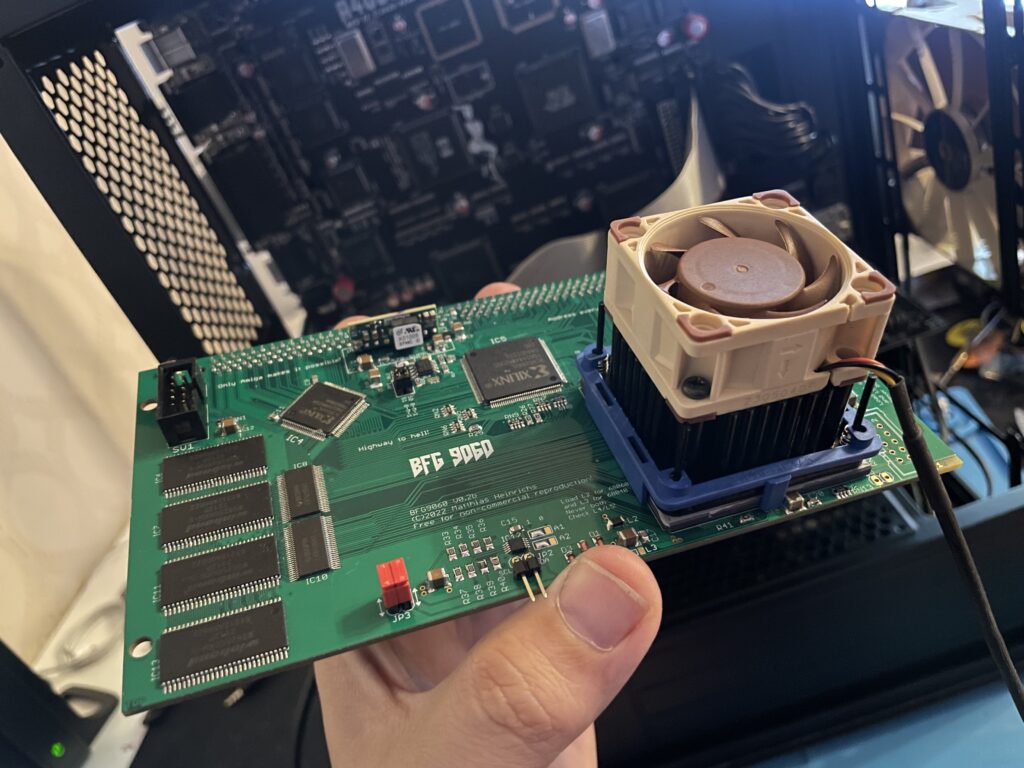
Even if it felt safe to run without active cooling I thought it would be a wise choice to add a heatsink and fan anyway. To keep the card safe I added a tall heatsink (Enzotech) with a 2 cm tall Noctua 40 mm fan helping to keep the CPU cool.
I have forgotten the exact part number for this cooler but it fits the 060 as a glove and clips on the CPU. The two CPLDs got black heatsinks attached with thermal conductive tape (after I took the pictures below). I am running this card in my A4000TX that is installed in a tower, it has a 120 mm Noctua fan blowing in from the front. The whole system runs very cool!
Conclusion
Trucking on in 100MHz!!!
My overclocked card has been stable for more than a year (as has the Amiga it is running in). My A4000TX is a dream to use at 100MHz together with a zz9000 graphics card.
Do you really notice the speed increase?
Yes, I feel that Workbench is more responsive and off course classic 3D games such as AmigaQuake runs and feels much faster at 100MHz. I have not had a single crash that could be attributed to the CPU card (in either overclocked or non overclocked state) which proves (for me) that the BFG in my A4000 is a very stable and dependable CPU card. Great job everyone involved in making this card and who decided to release it open for anyone to build!