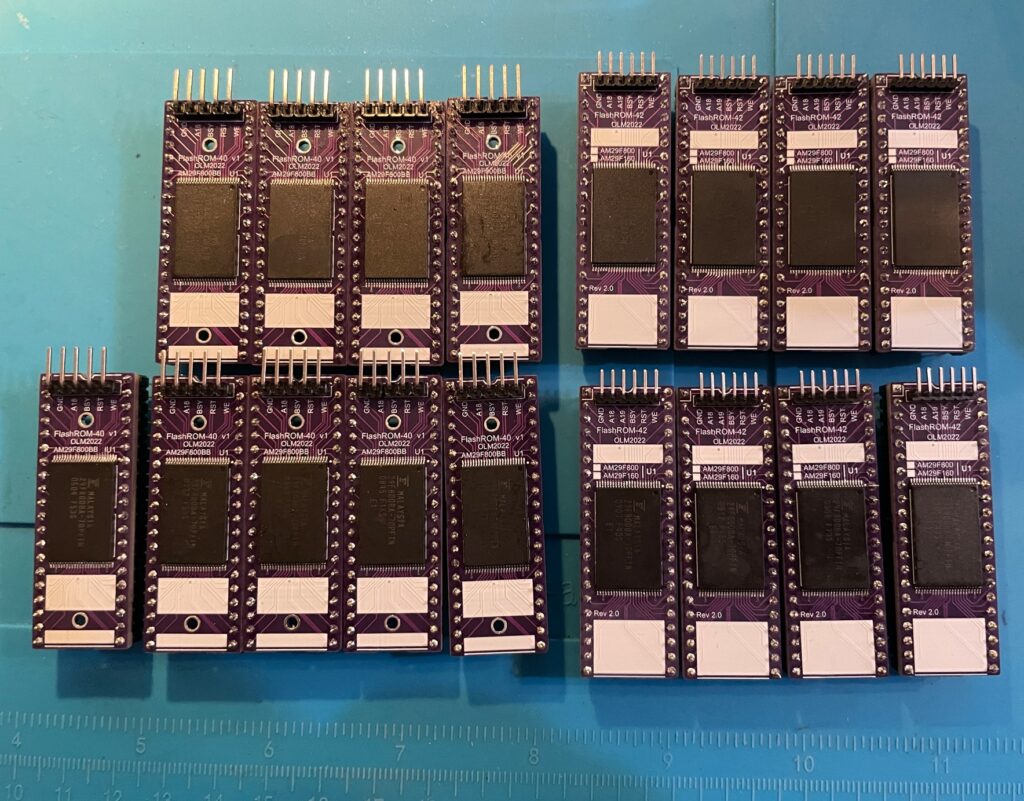
A weekends work resulted in 17 FlashROMs – this is actually the second batch I have made for myself
There are a couple of different hardware Kickstart solutions for the Amiga. The most proven one seems to be 27C400 chips that you can program in a T48 (with an adapter) and erase with UV light. If you buy a Kickstart from a retailer, that chip is probably an 27C400 EPROM. I dont like the UV light eraser, and the 27C400/27C800 chips are expensive, so I went looking for another solution that had the possibility to scale up in volume fine.
I don’t know what it is about burning Kickstarts for the Amiga but the topic is highly confusing at first. Not only do you have to have the correct byte swapped file (or build the ROM file correct if you want to run a custom ROM) but you need some kind of adapter to be able to program some of the solutions on modern cheap programmers.
This is not a tutorial in how to burn a Kickstart or how to build your own Kickstart, I suggest you schedule a weekend to do a deep dive into that topic. Then it sort of makes sense (I think).
No doubt in the future something like the KickSmash will probably be the defacto standard and I contemplated ordering a batch of PCBs and building a suite of KickSmashes for my fleet of Amigas. Instead I went with the FlashROM, because right here and now, it is possible to run FlashROM on all Amiga models while the KickSmash fits the Amiga 1200, Amiga 3000 and Amiga 4000 (and A4000T).
With new Kickstart ROMs being released fairly regularly these days. And the need to be able to build your own Kickstart so you can f.e. add ehide.device for a TF1260 system or PeterKs Icon library to the Kickstart, an easy way of updating Kickstart is IMHO, a must have, these days!
What is the FlashROM?
The FlashROM is basically a Kickstart replacement that you can program yourself – FlashROM has 1024 KB of space, meaning it can take two Kickstart files. This is great as it is possible to run one Kickstart ROM and one DiagROM rom on the same chip.
You change what bank you want to be active by setting a jumper on the pinouts between GND and A18.
If you do not need dual ROM functionality, just concatenate the same ROM twice and flash it to the EPROM.
Programming a Kickstart to the FlashROM
I use a T48 to program chips, an adapter was needed to be able to flash a Kickstart ROM to the FlashROM. I actually chickened out and just ordered a ready made programmer to reduce the complexity of this project, you can find out more information about the FlashROM adapter on Levo’s website.
Using the adapter is a breeze, just have to connect the wires correct and everything works just like programming any other chip. Erasing the EPROM is no different.
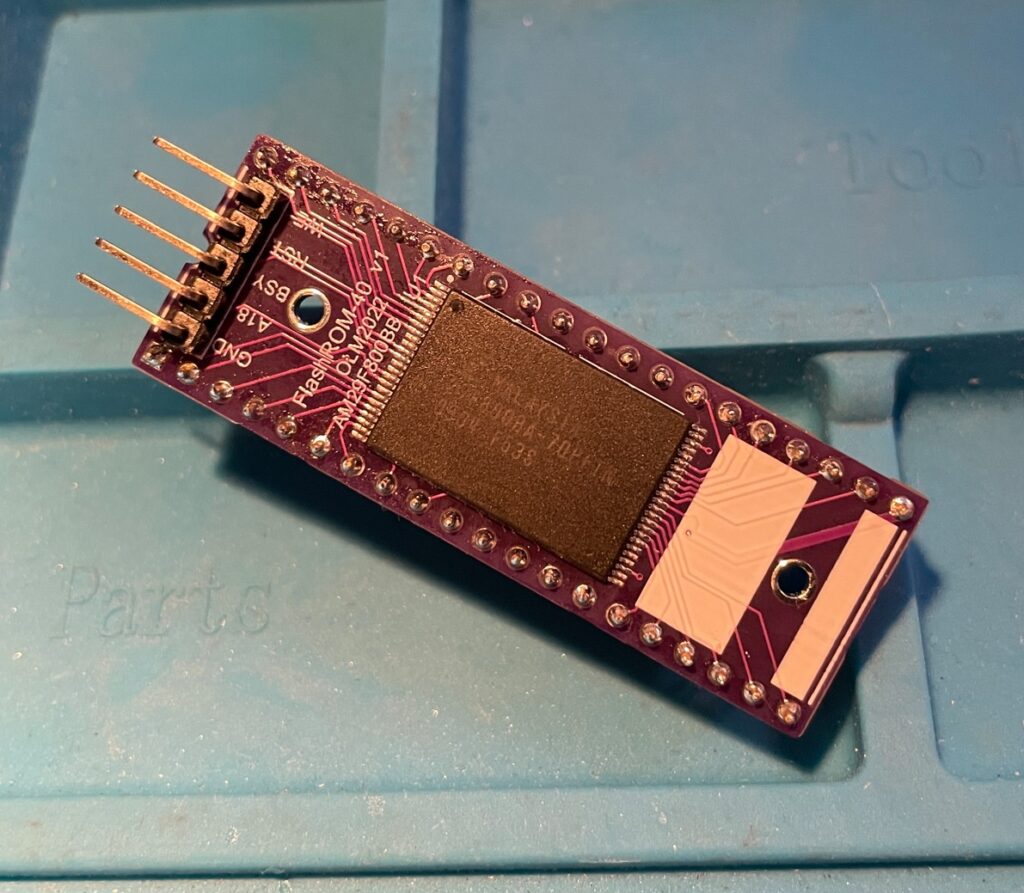
40 pin FlashROM
40 pin FlashROM, I notice it was not cleaned properly as you can see flux residue left at the top left corner
Here is the 40 pin FlashROM, this will go into my Amiga 500, Amiga 2000 and Amiga 4000 and so on.
42 pin FlashROM
42 pin FlashROM for my Amiga computers that can take a 42 pin Kickstart chip (such as Amiga 1200)
Here is the 42 pin FlashROM, this will go into my Amiga Denise clone, Amiga 4000TX and Amiga 1200. One benefit of running it in a ReAmiga 1200 is that the jumper on the motherboard select which bank you want to be active.
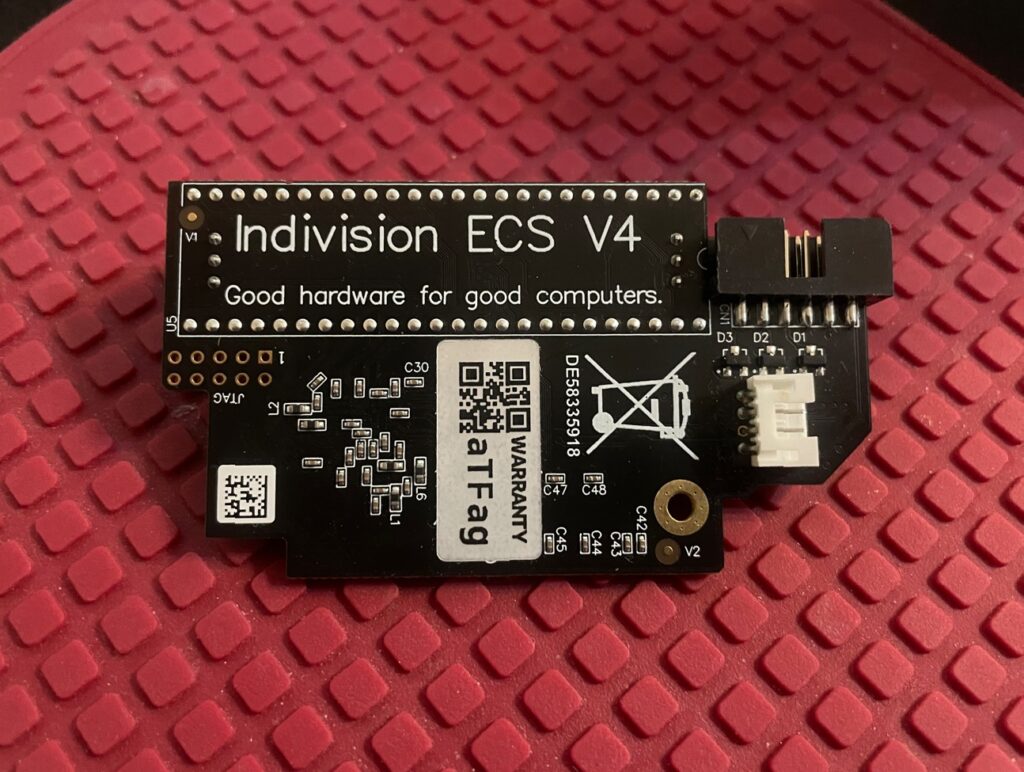
Top picture of the Indivision ECS V4 Amiga scandoubler
I had the opportunity to add a second hand Indivision ECS V4 scandoubler to my collection of Amiga hardware this week.
I am familiar with the Indivision family of scandoublers for the Amiga, the first one I had was the Indivision MK1 AGA for the Amiga 1200 more than 15 years ago. I was very happy with that one.
Currently, I am running an Indivision AGA MK3 in my Amiga 1200 and an Indivision ECS V3 in one of my Denise Amiga clones. Being able to hook up a standard HDMI or VGA screen to another one of my Amiga computers is a real luxury.
I have always thought that not being able to view all Amiga screen modes on a VGA monitor without any expensive hardware was one of the Achilles heels of the Amiga. In my “must have list” for an Amiga computer, a scandoubler is a necessity and not an optional extra.
That perhaps explains why in my current hardware stash I now have 6, now 7 scandoublers.
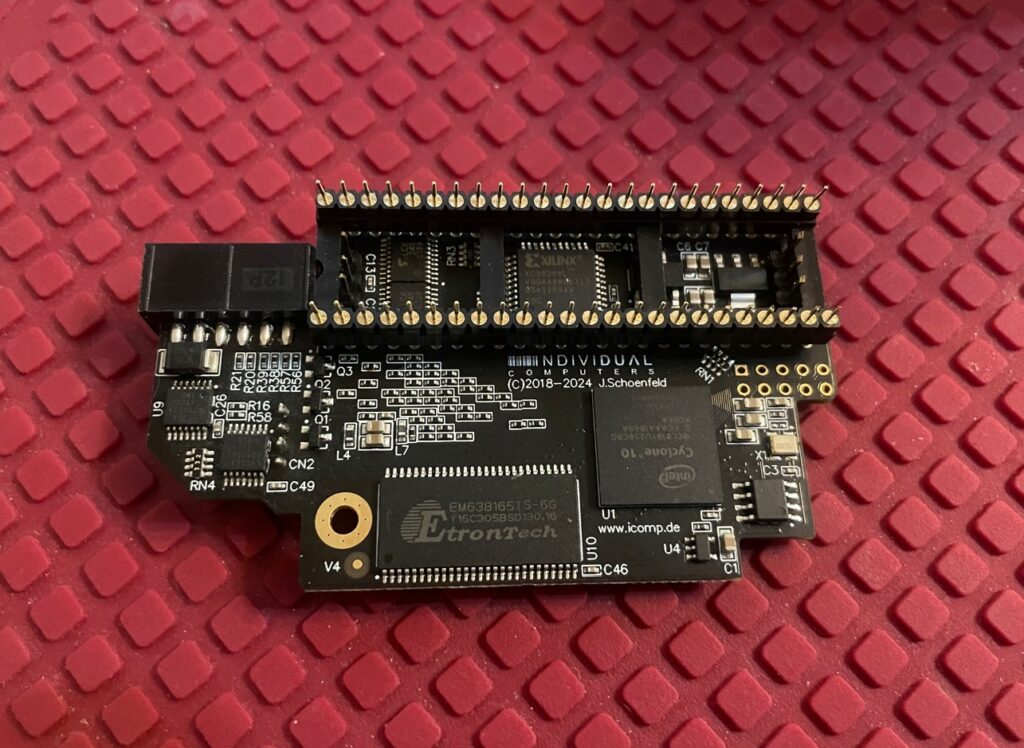
Bottom picture of the Indivision ECS V4, it is a bit more busy
The elephant in the room is off course RGB2HDMI. But I think, untill there is a good solution for auto switching between two HDMI ports (scandoubler/P96) and untill there is an affordable/open hardware HDMI graphics card I prefer VGA. Because…
The picture quality from the Indivision is really good. As someone on an Amiga discussion forum described it, “it looks like an emulator”. And…
If you take the time, and really invest a chunk of time into reading the setup manual, you can even configure them to display an even better image on your specific monitor.
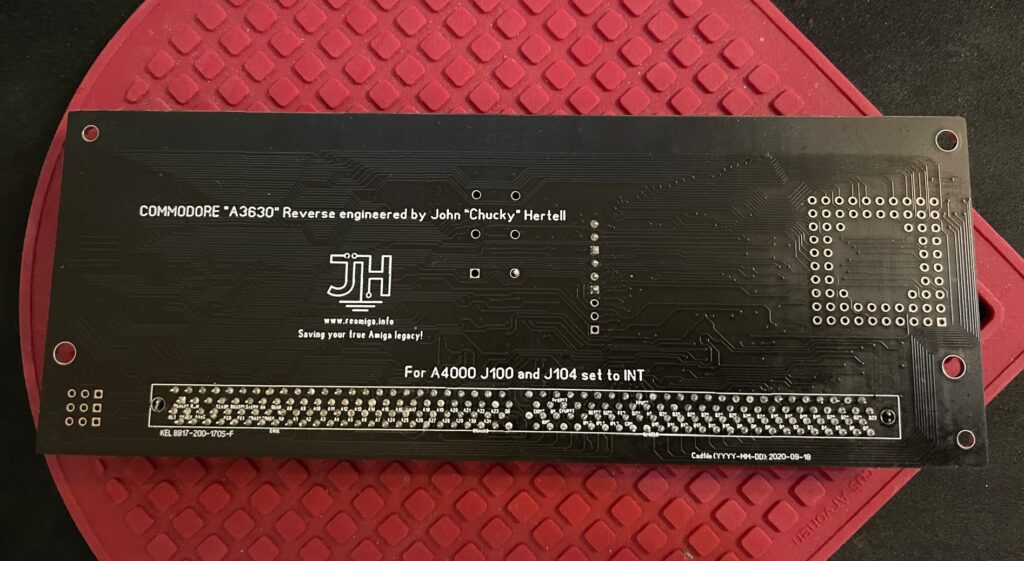
This is actually the underside of the A3630 030 CPU card
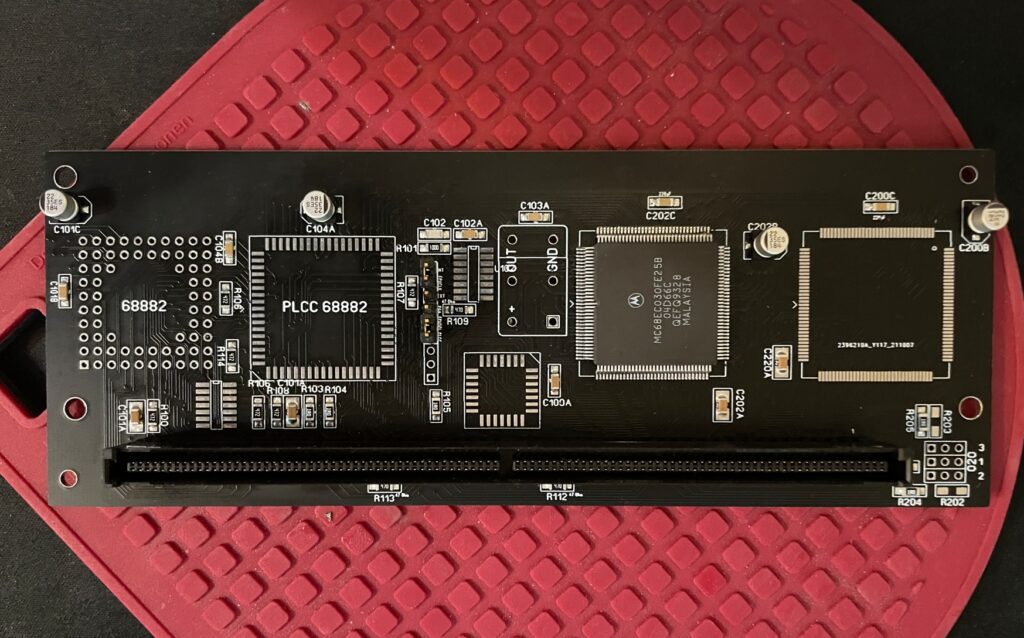
Today I built a replica of the A3630 030 CPU card. The A3630 CPU card came with non CR Amiga 4000D models (the card works on the A4000T and on the A3000D/T also). The CPU card replica PCB is made by Chucky, read more about it here if you are interested in getting one yourself!
Top side of the A3630 contains no parts.
I got an (original Commodore made) A3630 in 2005, mainly for testing purposes. It was placed in storage for 15 years and I failed to check the capacitors on it. Sure enough the capacitors had leaked, the board had a fishy smell to it.
When I recapped the genuine C= A3630 board one solder pad lifted off the PCB (very common if capacitor have leaked for a long time). Sure, that is not a big issue, can be fixed quite easy with a bodge wire. But I thought rebuilding the A3630 it with a new ReA3630 PCB was a better option.
I decided to use the CPU and the KEL male edge connector from my current card instead of wasting a new mint in box unobtainium KEL connector from my stash on such a low end card. I removed the CPU from the card by using a hot air rework station. I used a desoldering gun to remove the KEL connector by desoldering each of the 200 solder points for it.
As you can see it is a quite simple card, especially if one do not mount the socket for the FPU. Since my main usage of this card is for testing purposes, the 33MHz FPU and crystal will be used on my ReA3000 instead.
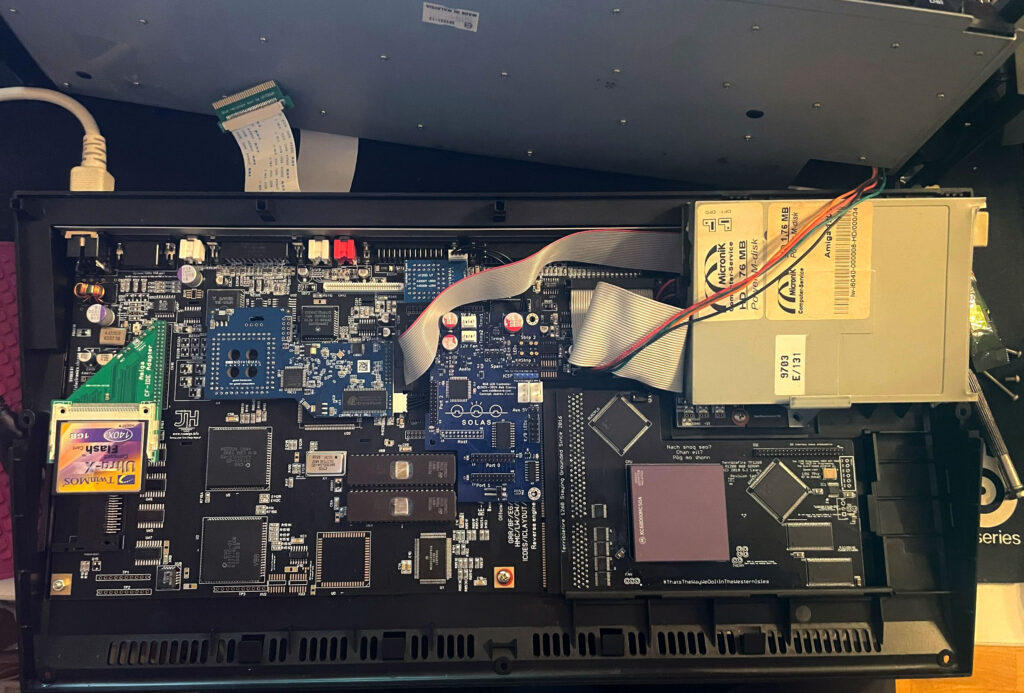
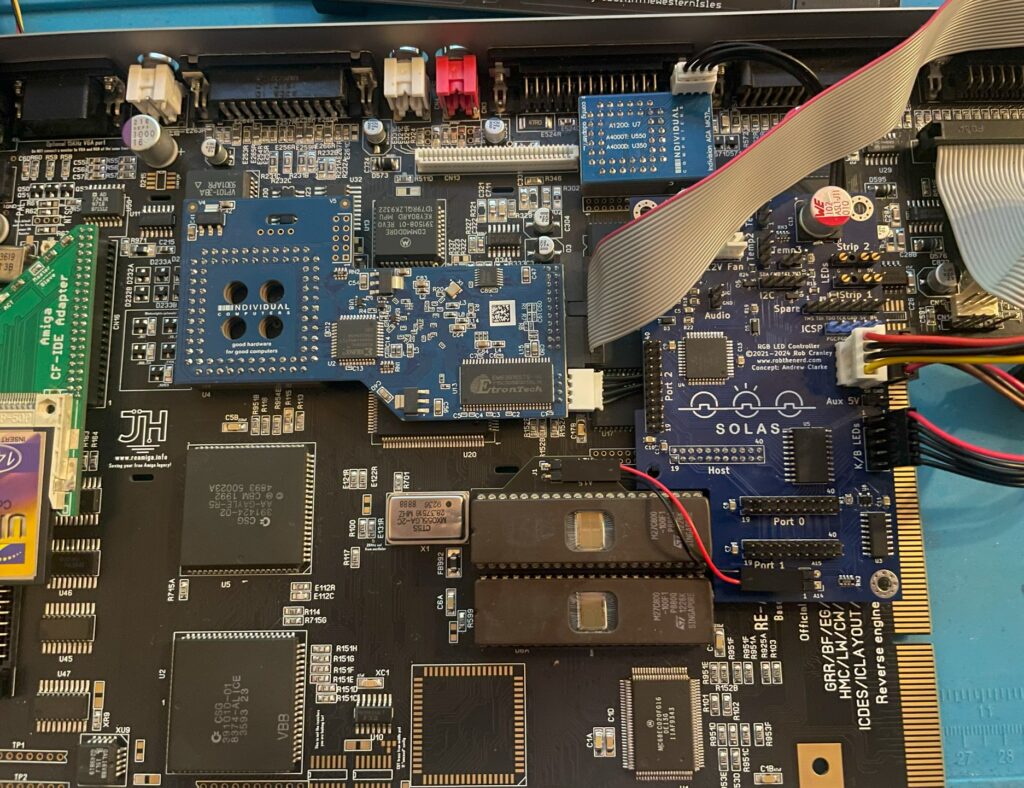
Solas installed in my ReAmiga 1200, it is the blue board to the left of the floppy drive
I have recently been playing around with the highly sought after Solas. The Solas is an RGB LED controller for the Amiga, it also has some other interesting functions. Solas connects to the Amiga on the clock port and can control two LED strips. Solas has also the ability to control fan speed and measure temps. It is also a clock port multiplier!
While I am not very interested in RGB lightning in computers typically the difference here is that the RGB lights can react to the sound the Amiga is putting out. When playing a module you can see the LED strip jumping to the beat of the music. How nice!
I enjoy playing modules on the Amiga and all kind of graphical visualizers for module players are all kinds of awesome. The more the better – I have been thinking of hooking up external VU meters for many years but to have them integrated into the Amiga is much better!
Before we contionue – If you are interested in the Solas board I highly suggest visiting the official Amiga Solas website and ordering one now! These days, good things come in small batches in the world of Amiga and if you dont hop on the train before it has left the station, sometimes it never comes back.
Building the Solas LED controller
I like building hardware myself so I asked if I could get the Solas as a kit, which I could. I also got a second Solas already built, it is a long story why and I wont write it down here to bore anyone. Lets just say, resistors can go bad sometimes and sometimes it can be good to have an oscilloscope in your toolbox (I dont have one).
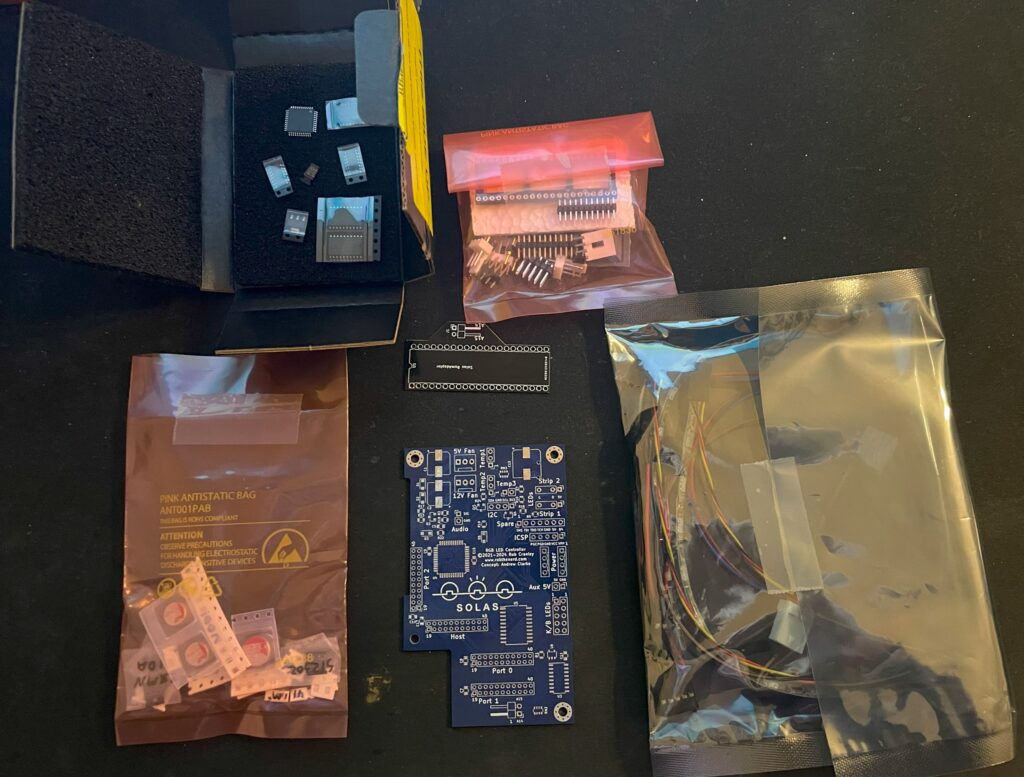
Here is the Solas in kit form. A nice mix of through hole parts and surface mount components. Also note all the cables for the temp sensors and power cable.
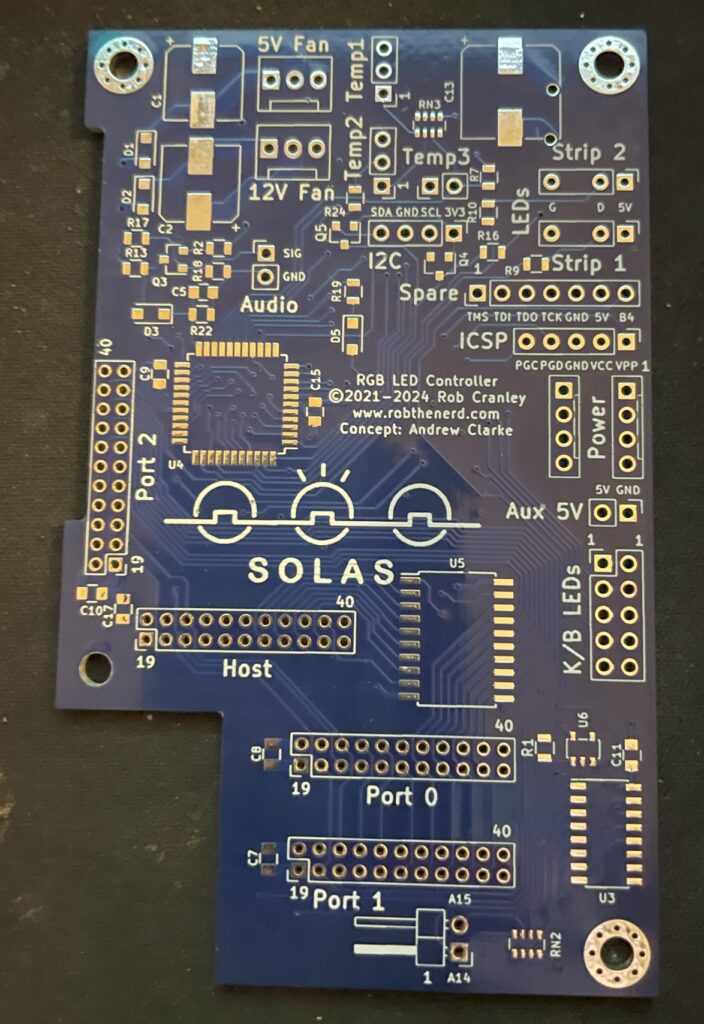
Front side of Solas Amiga RGB LED controller PCB
The square space if for the chip that needs to be programmed. You can also see all through holes for pin headers and clock ports. The manual comes in really handy here in understanding how everything is tied together.
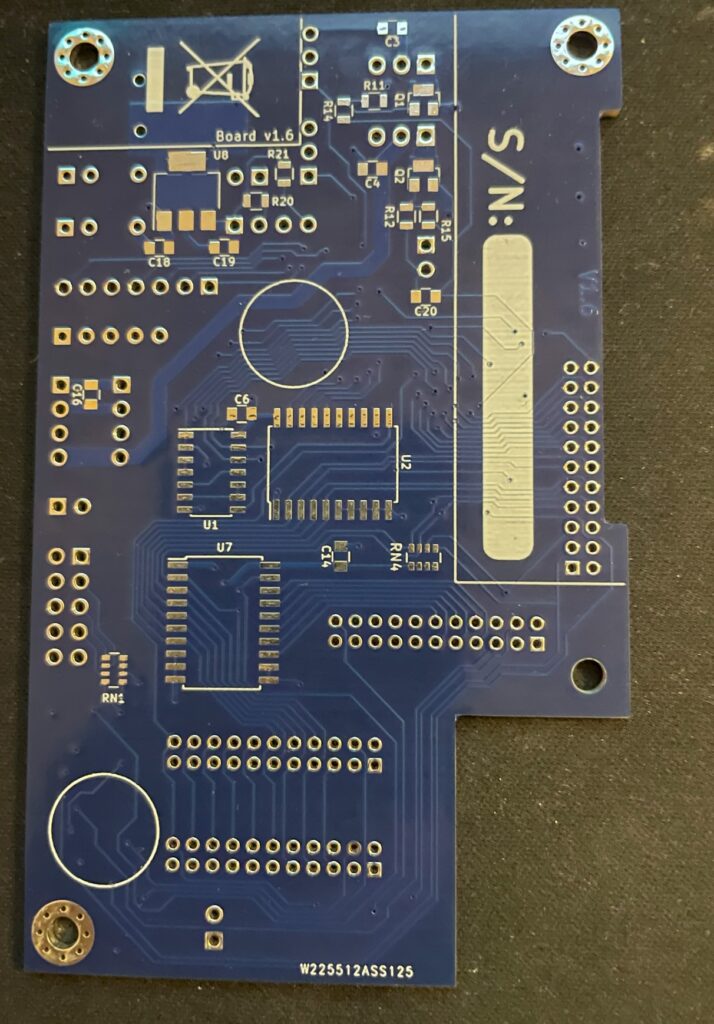
Backside of Solas PCBPrograming the PIC microchip on the Solas
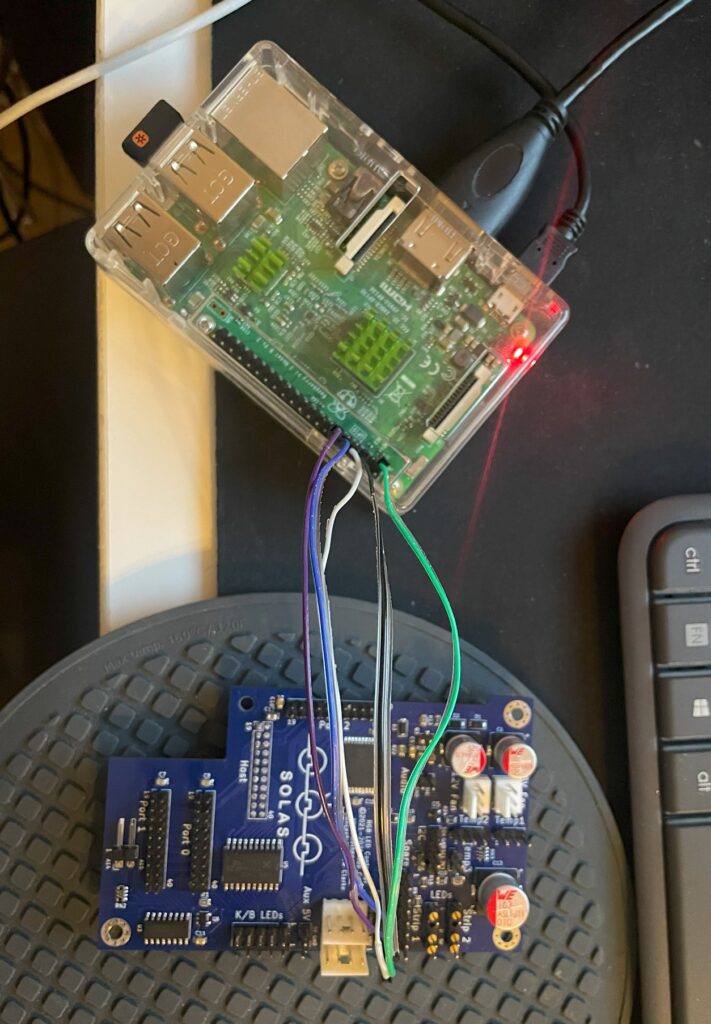
I thought I could program the Solas with my RPI. I have successfully managed to program many projects that uses Xilinx CPLDs with the RPI but was not successful in this case. So I got a cheap Pickit programmer. It is not visible in the image above though but worked fine – setting up the Pickit programmer with the correct software and settings was a nightmare though.
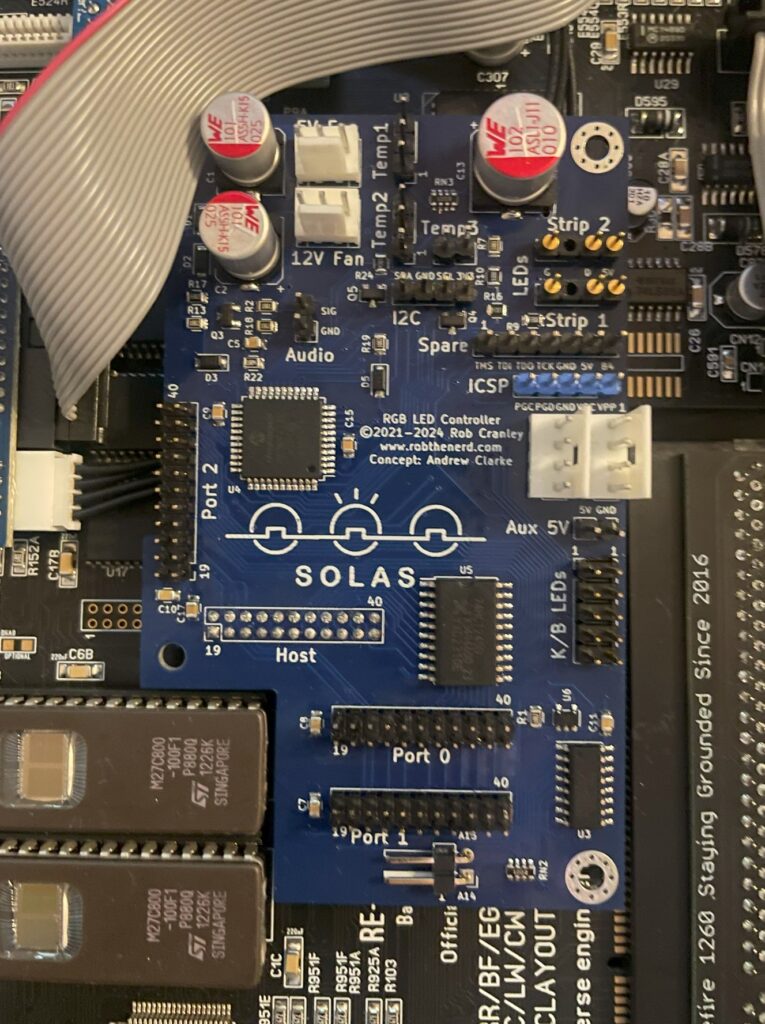
So here is the little PCB finally fully built and installed in the A1200. As it connects to the clock port it is very important that it is fitted correctly on the bottom pins. If you use a cable and mount it wrong way, expect card to break. Why would you mount it on a cable? Say you have an Amiga 1200 tower, it might be better to mount it on a cable so that a Zorro 2 or Mediator backplane can be fitted in the tower. Mounting Solas on a cable is also relevant if you have a clock port in a big box Amiga through a Zorro card.
Next steps, connecting all the cables to Solas and Amiga 1200
Installing and adding cables to Solas in an Amiga 1200
The manual is very good at explaining how you hook up all the cables, it is slightly confusing doing this without consulting the manual trying to figure it out yourself so in this case the manual is a must read (lol). In the image above, there is a small PCB that sits under the upper Kickstart chip and hooks up to the Solas with two wires. That is for activating the other clock ports on the Solas (IIRC).
How to connect sound output into Solas on a ReAmiga 1200?
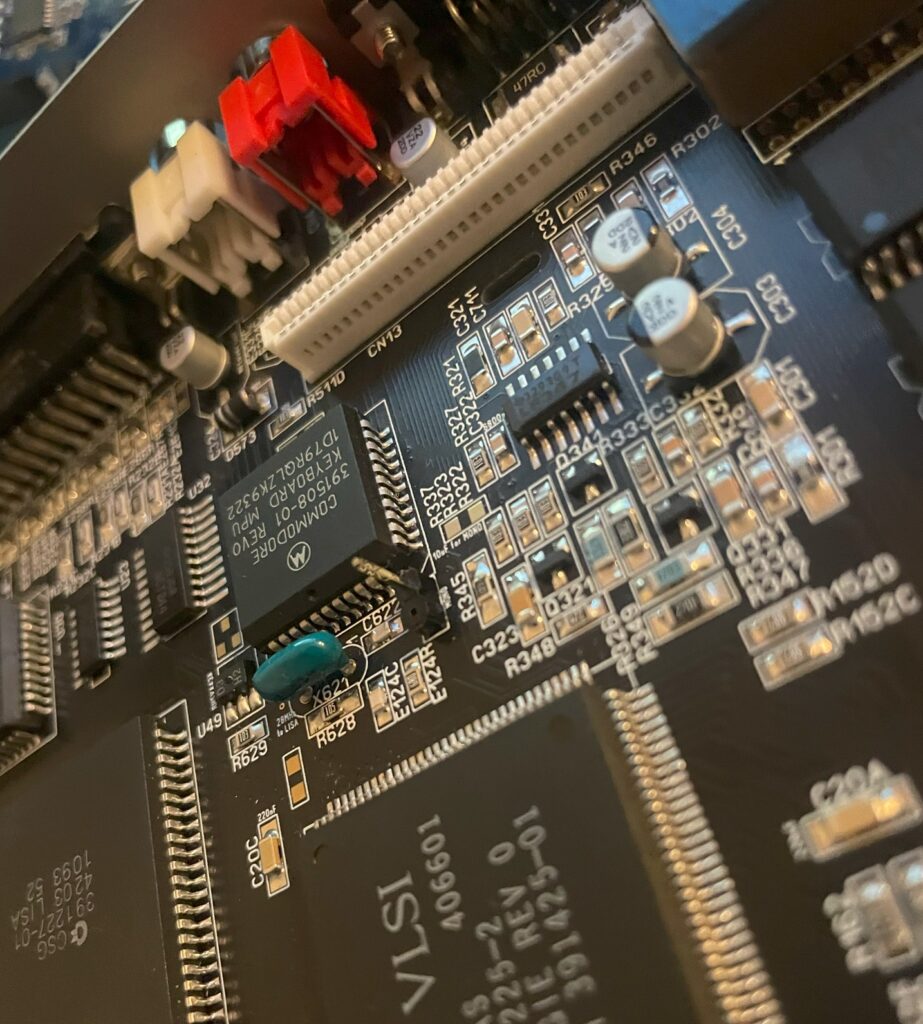
Pin header for mono sound input to the Solas on the ReAmiga 1200 v1.5
Since I was using a ReAmiga 1200 and not a Commodore made Amiga 1200 there is one difference that needs to be taken care of. On a genuine Commodore Amiga 1200, you can pick up mono sound from the modulator. But the ReAmiga 1200 does not have a RF modulator and is missing the mono output there. On later ReAmiga 1200 (I have v 1.5) there is space for a pin header close to the keyboard MPU chip where you can pick up mono sound (see image above where I have soldered on one pin header to the motherboard). Also note the place above and to the right of the pin header where you have to add a 10uf ceramic capacitor. I have not added the capacitor on the picture above.
To get the Solas to react to sound input I also had to place a 10k resistor inline with the cable connected to the pin header and to the Solas board. After that, everything worked fine!
ReAmiga 1200 with Solas installed
So here you can the full setup. Unfortunately it looks a bit messy with the Indivision, CF adapter and all the cables all over the place. It is possible to clean it up a bit, but for testing purposes this was fine. You can also see where I placed the RGB LED strip. I ended up super gluing the LED strip to the case because the sticky backside was not sticky enough. I routed the cable from the Indivision MK3 under the Solas board, made it look much cleaner and works fine.
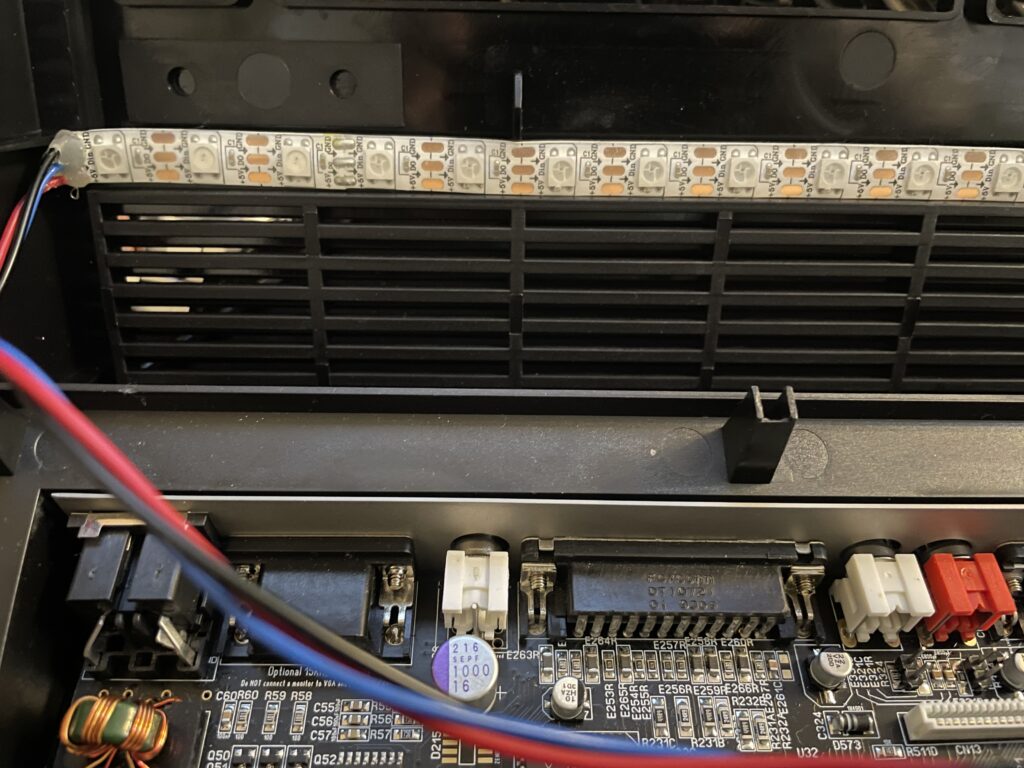
RGB LED strip is mounted to the underside of the upper Amiga 1200 case
Closeup of where the RGB LED strip is mounted. Even though it is mounted upside down in a solid black case it works fine and you can clearly see the light the LEDs are emitting when they are lit.
SolasControl – Software to control Solas
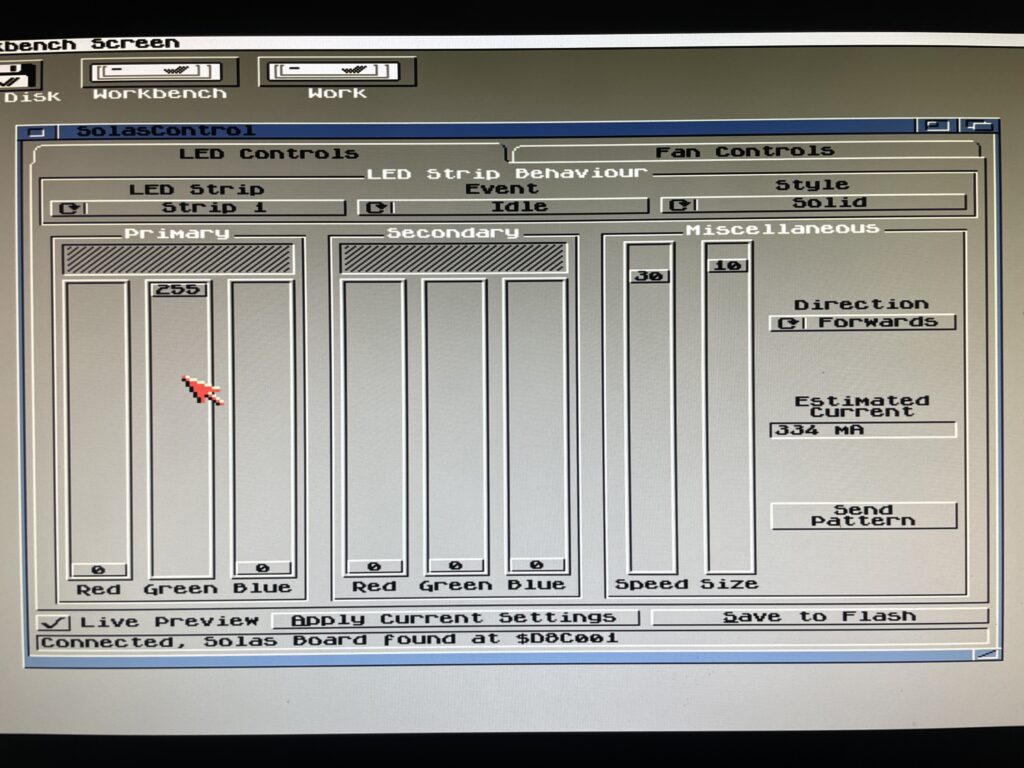
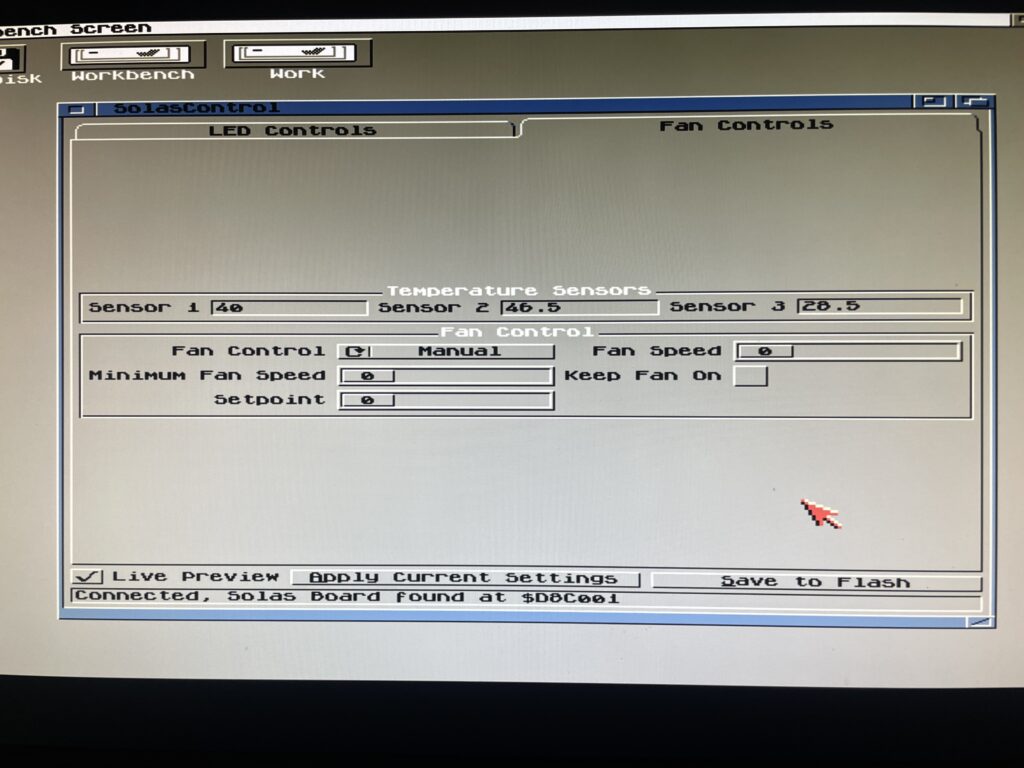
Use SolasControl to configure the Solas board in the Amiga
Solas comes with a great MUI based program that lets you configure Solas. The way this works is that you configure Solas, then you save your settings to the Flash on the Solas. That means that Solas will work with software that fully takes control of the Amiga.
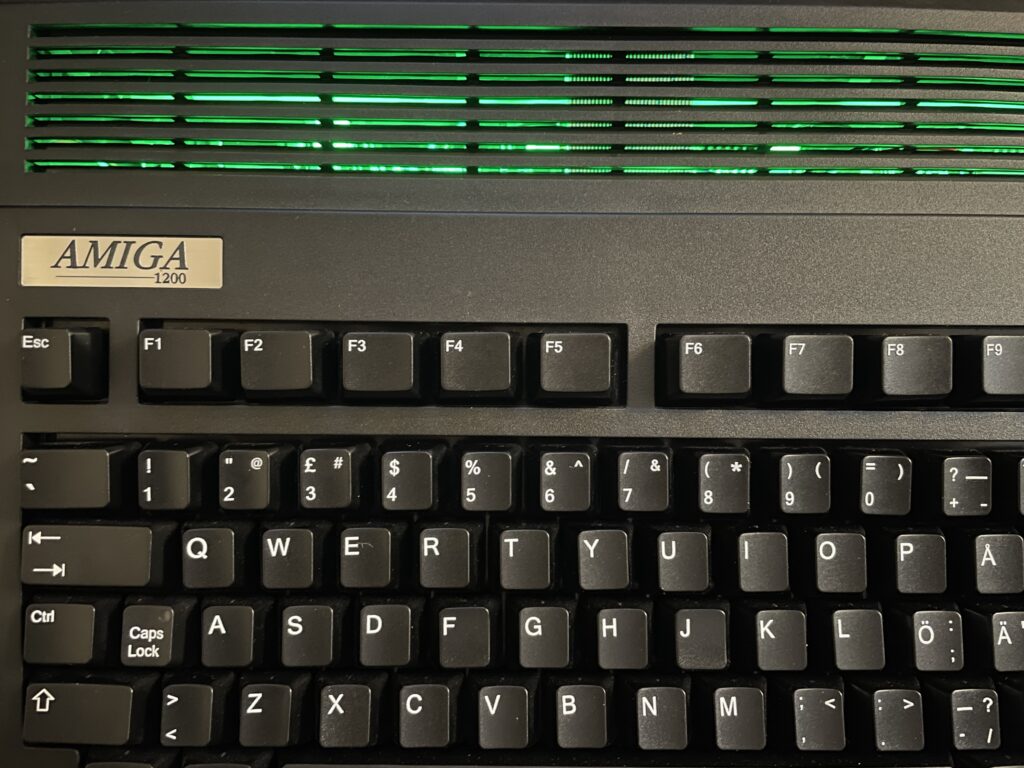
SolasControl is an easy to use program, in the image above I have configured Solas to show a solid green light when the Amiga 1200 is idle. It looks like this:
Solas configured to show a solid green color when the A1200 is idle
Solas styles and events
As you can see on the image of SolasControl, you can set the level of brightness for the LED and in the highest strength the LEDs are very bright. I usually do not run the LEDs at the highest brightness.
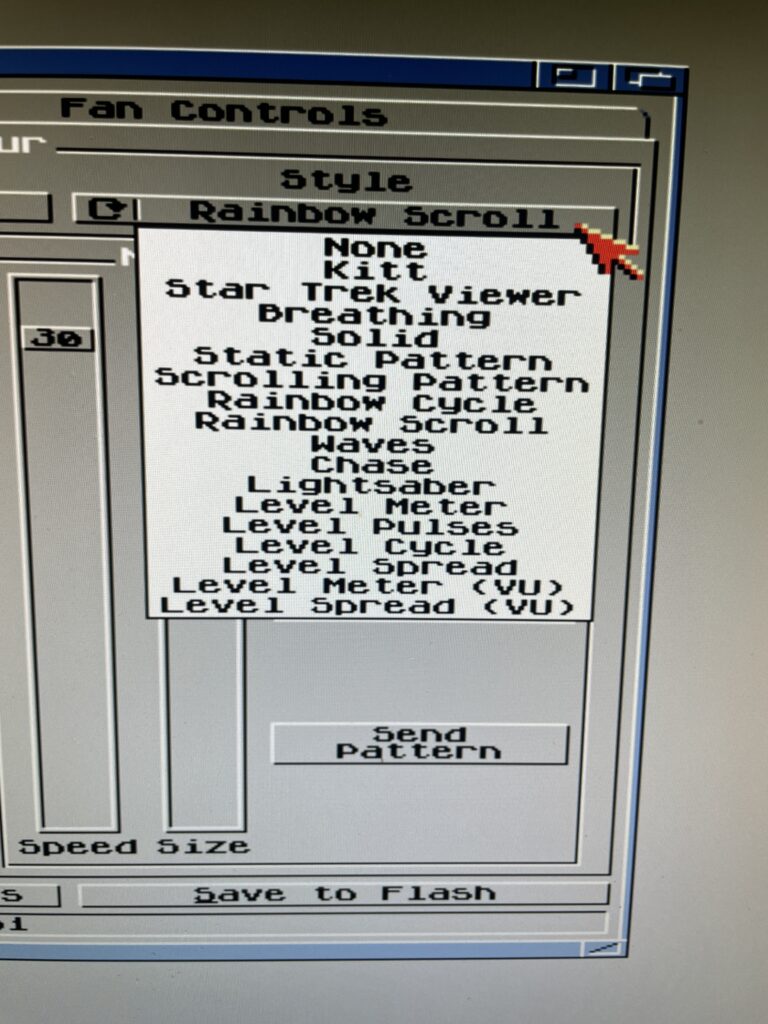
Styles you can chose from in SolasControl
A static color is a bit boring. There are many styles you can chose from, my favorite is a rainbow scroll with a low brightness setting when idle. See the video below to see an example of it where I chosed blue and red as colors for the scroll.
Speed, colors, brightness and size depending on style chosed can be configured to ones preferences.
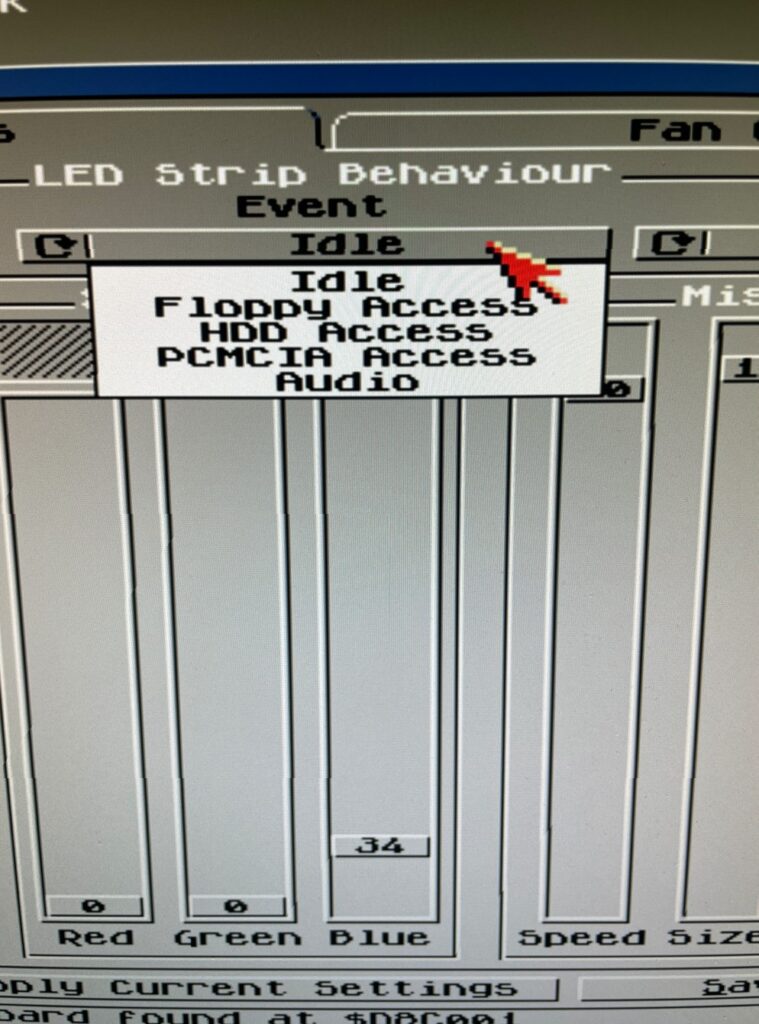
There are in total five types you can set the Solas to react to, Idle, Floppy access, HDD access, PCMCIA access and Audio. Idle just means when Solas is idle (when the other types are not active). Audio is when there is audio output and floppy/HDD and PCMCIA is when there are activity on these devices.
I like to run Star Trek Viewer for HDD Access, its a nice effect when accessing the HDD. I also as said before run Rainbow Scroll with a low brightness setting when idle. And finally, the pièce de résistance, audio. I like Level Meter (VU) for audio!
RGB LEDs reacting to Amiga sound
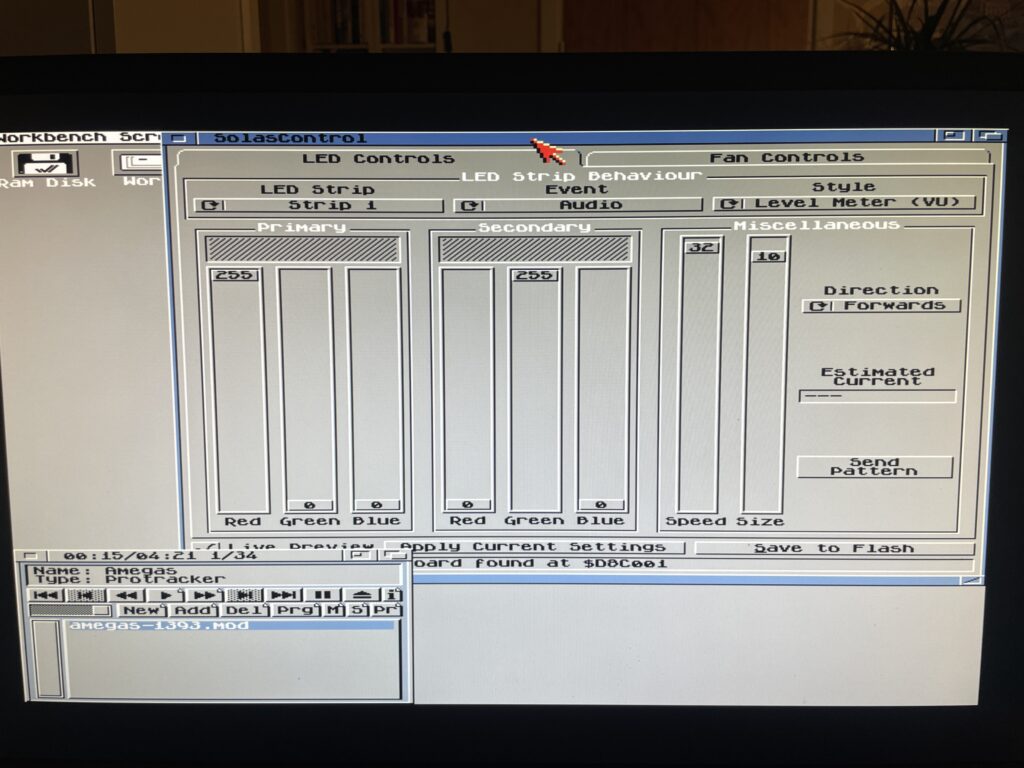
Playing a module in HippoPlayer on the A1200 and watching the RGB LEDs react to sound
I want to point out that I usually run a little more fancy Workbench (even on this non GFX board AGA only Amiga 1200 WB 3.1), but in this case I toned it down a lot to clarify images.
In the image above I play a module in HippoPlayer, I have also configured Solas to show Level Meter when sound is playing. And I think it looks fabulous!
This is actually why I think the Solas is so exciting since I wanted a hardware device like this for the Amiga for a long time. I remember looking for similar types of hardware on AliExpress more than 15 years ago that could be added to a 5.25 bracket back when I had an Amiga 1200 tower. But this is so much better since it can be configured on the Amiga!
What about controlling fans and measuring temps with the Solas?
Solas comes with two sensors you can place where you want to. I placed one on my Indivision (as it runs very hot) and the other on Alice as it also runs hot. It is possible to add a cable between TerribleFire 1260 and Solas to measure 060 temps, but I have not had time to do that yet, but thats on the todo list.
The fan control function is very interesting particularly if using the Solas in a big box Amiga with many Zorro cards and hot CPUs. I think this is a nice alternative to CPLDIcy.
Usefulness of more than one clock port?
There are exciting developments in the Amiga hardware world where some users have created clock port based WIFI cards for the Amiga. There are sound cards for the clock port and USB cards. So having more than one clock port can actually be usefull – who knows what type of hardware will be released for it in the future. Having a couple extra feels great for the future.
Solas and big box Amiga computers
It is possible to add a clock port to a big box Amiga with Zorro slots through an old Buddha card, ZORRO-IDE-LAN-CP card and many other cards. That makes it possible to run Solas in an A2000, A3000 or A4000.
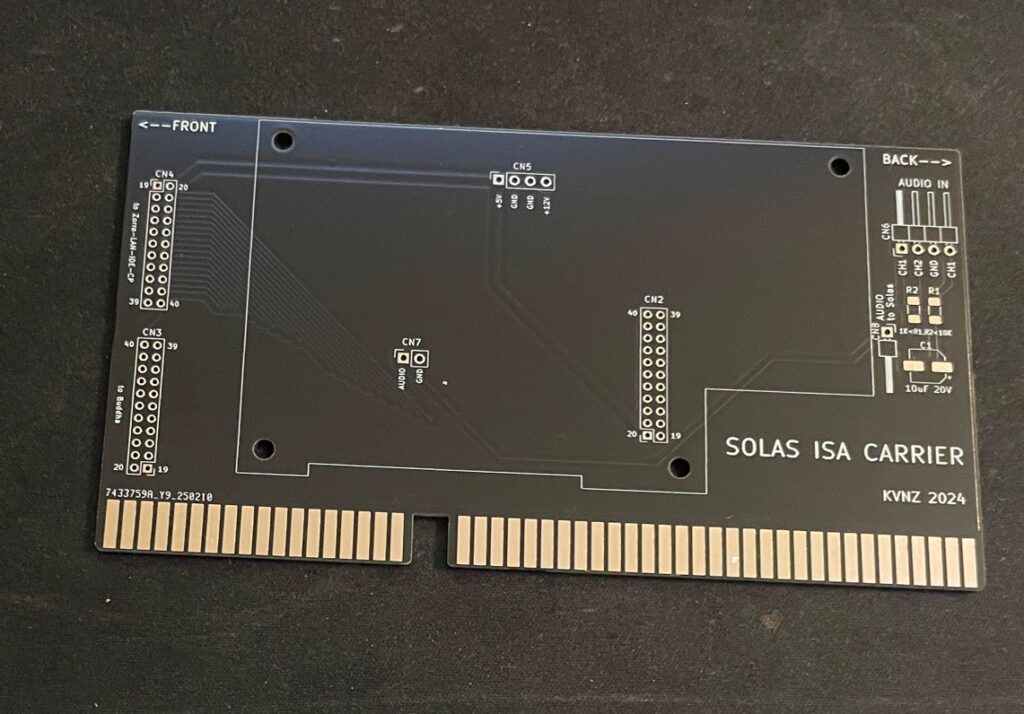
Solas ISA carrier
There is also this exciting ISA card that functions as a carrier for the Solas. As you probably already know, ISA slots in an Amiga are totally passive, meant to be used for PC bridgeboards or TBC cards. so the Solas ISA carrier only provides power to the Solas. It has some useful pin headers though.
Solas mounted on the ISA carrier
Mounting the Solas to the ISA carrier board needs a slightly modified Solas card. One also needs to figure out how to connect sound to the Solas. I figured out that I can take it from pin headers on the ZZ9000 graphics card I am running in my Amiga 4000TX.
How I got sound input into the Solas from the ZZ9000
So here is how I hooked up sound input from the ZZ9000 graphics card to the Solas. Unfortunately the picture is a bit grainy but you get the point, L/R goes into the Solas ISA carrier. Also, it is a temporary cable as only two wires are needed.
Here is how the Solas is connected to the clock port of the Zorro-LAN-IDE card
And here is how the Solas is connected to the clock port on the Zorro-LAN-IDE card.
Keep in mind though if you have maxed out your Amiga expansion slots (we are all Amiga snobs left in this hobby right?) this sandwich of the carrier card and the Solas can be difficult to fit as it takes up more height than a regular card – And even more height with the cables connected to it!
I should also show you the LED setup I am running, I am running two LED strips on the inner sides of the front of the case. It looks awesome when playing tunes.
Final thoughs
As you can probably tell, I have only positive things to say about Solas. Highly recommended! I also think the Solas board is one of the greatest hardware developments for the Amiga in recent years (together with PiStorm and open hardware such as BFG and TF series of cards). Great work everybody involved with it 👍
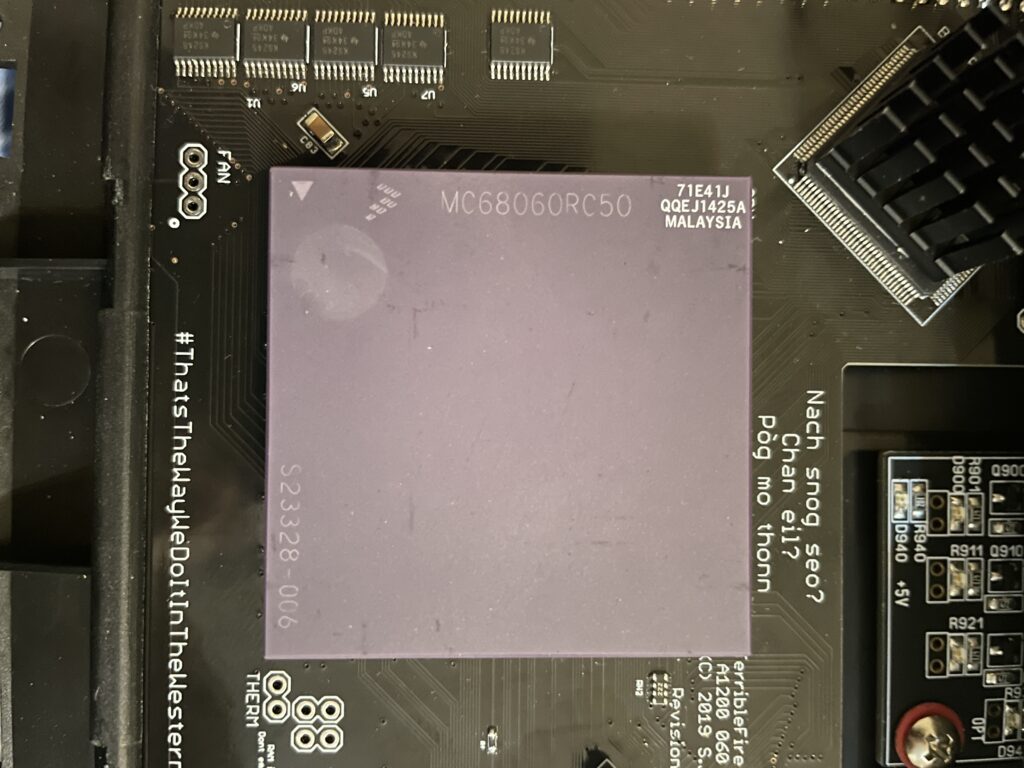
I bought a 68060 revision 6 (71E41J) recently for a very good price. The rev. 6 CPU can usually do a really good overclock, often reaching 100MHz or more, which makes them very sought after and sometimes fakes are offered as the genuine version of the CPU. As I was already running an 060 in my Amiga 1200 I was not sure if it was worth swapping CPUs to gain more megaherts. The rev. 5 68060 I was running could do a 66MHz overclock but ran very hot. And a 50MHz 060 is not a slow CPU (in the world of Amiga).
Swapping 68060 CPUs in my Amiga 1200
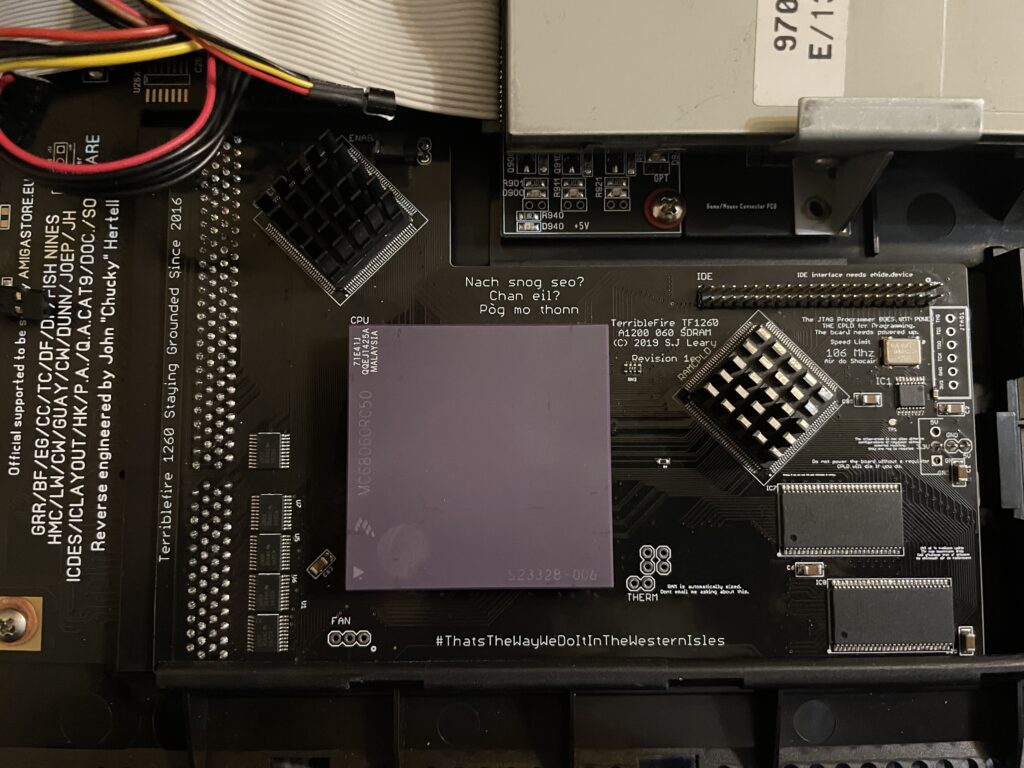
I decided to swap CPUs because I wanted to test performance of an Amiga without a graphics card but with a fast CPU and high resolutions (like HighGFX and highres laced). Luckily removing the CPU was not a difficult task, prying on the corners of the socket it was out in less than 5 minutes ready to go into another one of my systems. Once the rev. 6 CPU was inserted into the Terrible Fire 1260 I was eager to do a test. Sure enough, it did not complain anything running at 100MHz!! (keep in mind I had a heatsink on the CPU when doing tests). Next time I will try 106MHz!!
Is there actually a noticeable difference between a 50 and a 100 MHz 68060?
Would I be able to detect any difference between a 50MHz 060 and a 100MHz 060 or would it only be noticeable in a benchmark program?
I was not too sure – When I had overclocked my 060 in my Amiga 4000TX from 50 to 100MHz I could feel that icons loaded faster, drawers just popped up, Workbench was just smoother and more responsive. But I was not sure if it was my imagination or reality.
With that said, I was surprised that my 100% non scientific mean of measuring the difference between a 50 and a 100MHz CPU in the following AGA Amiga Workbench screenmodes highres, highres laced, HighGFX @ 1024×768 (all screen modes in 64 colors) proved that there really was a difference!
Workbench had become even faster and more responsive. Running 3.1 with the stock Commodore 4 color icons, icons did not load anymore, they just popped up, almost all at once, drawers opened up instantly. The system speed by at such a high rate I had only witnessed something like this in WinUAE. What an amazing experience!
I changed background colors to 256 colors and could sense little to no slowdown from a 64 color screenmode. Sure, I have to test this more, but the early results are great, this is what base level Amiga should be like! Lets bring on 200MHz 060 (lets crowd fund it lol).
Cooling problems
Before I permanently run this computer at 100MHz I have to figure out a good cooling solution for the CPU. This rev.6 68060 runs cooler than the old rev. 5 I had in it before. But overclocking it makes it run slightly hotter. I suspect its above 50 degrees but not more than 60. I have some ideas on how to cool it down but will have to sleep on the ideas a little more before I pull the trigger on the stuff I need to build one..
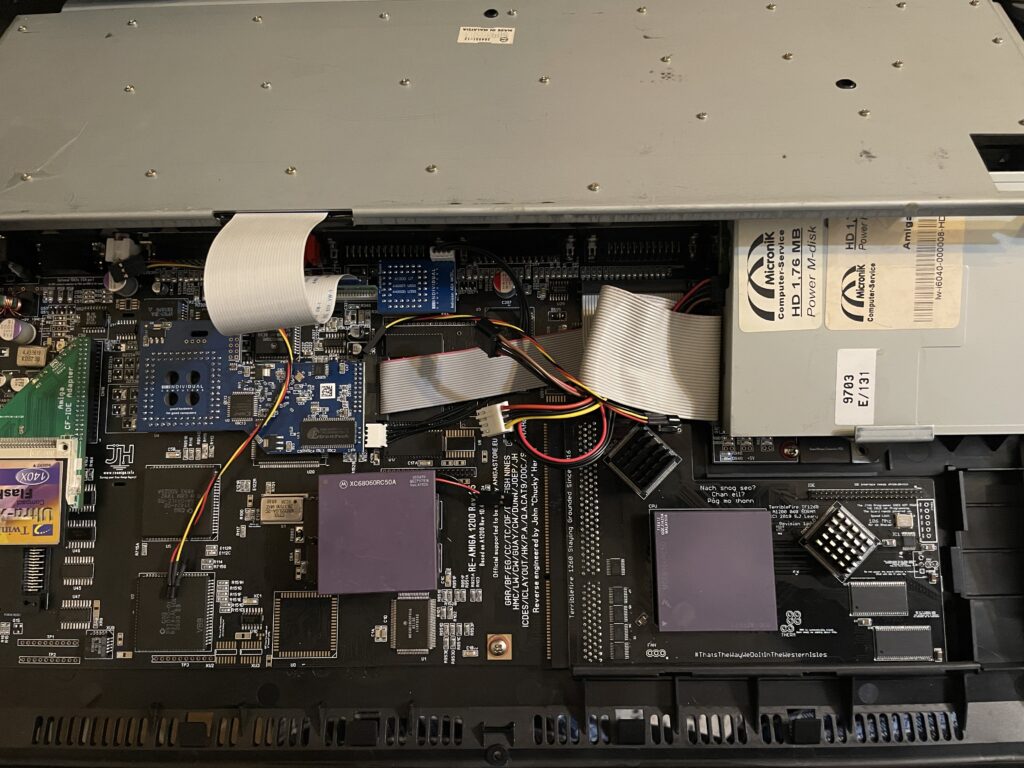
I have a Terrible Fire TF1260 in my Amiga 1200. I used to have an Apollo 1240 upgraded to 060 in it and was very happy with that card (despite what other said about the card, it was very stable for me). Time marches on though and the TF1260 started to look more and more impressive, so I built one last year. The TF1260 supports overclocking by software. One comment I read was that the chances of a good overclock improved if you put heatsinks on the two CPLD chips.
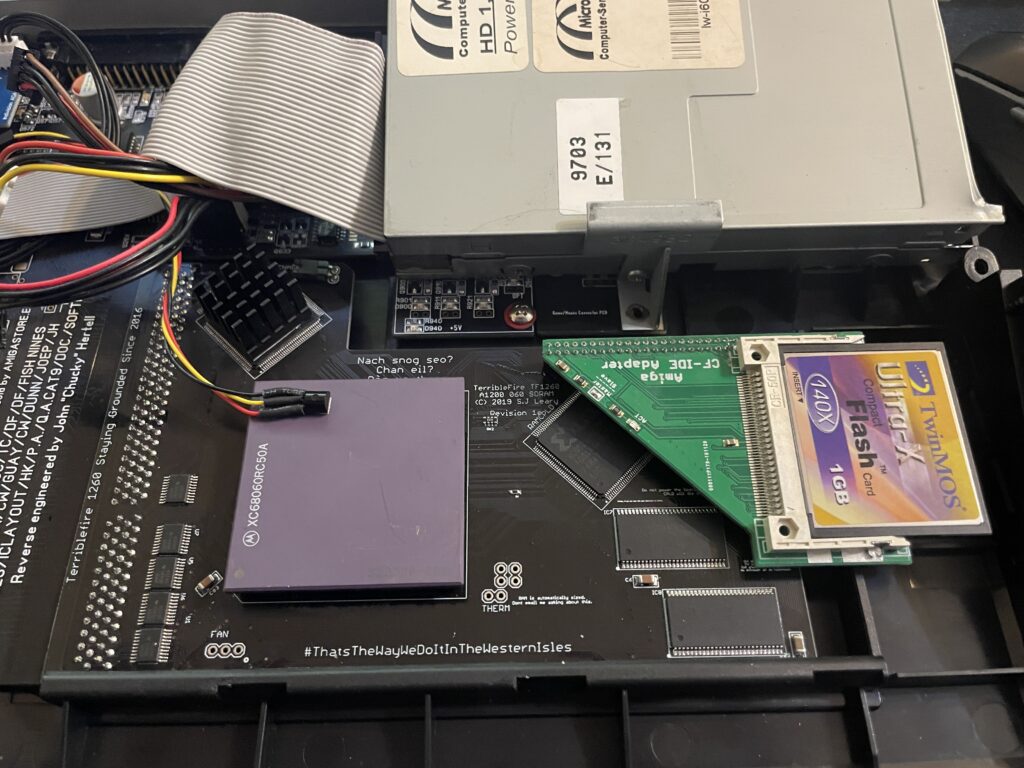
Keep in mind that I had a heatsink on the 060 when doing overclocking tests. But the space between the 060 and keyboard is so tight it was very difficult finding a heatsink in my stash that would fit with the keyboard installed. I have actually not solved this yet, thus I just focused on the CPLDs and will try to solve the 060 heatsink some other day, until then it will run at 50Mhz.
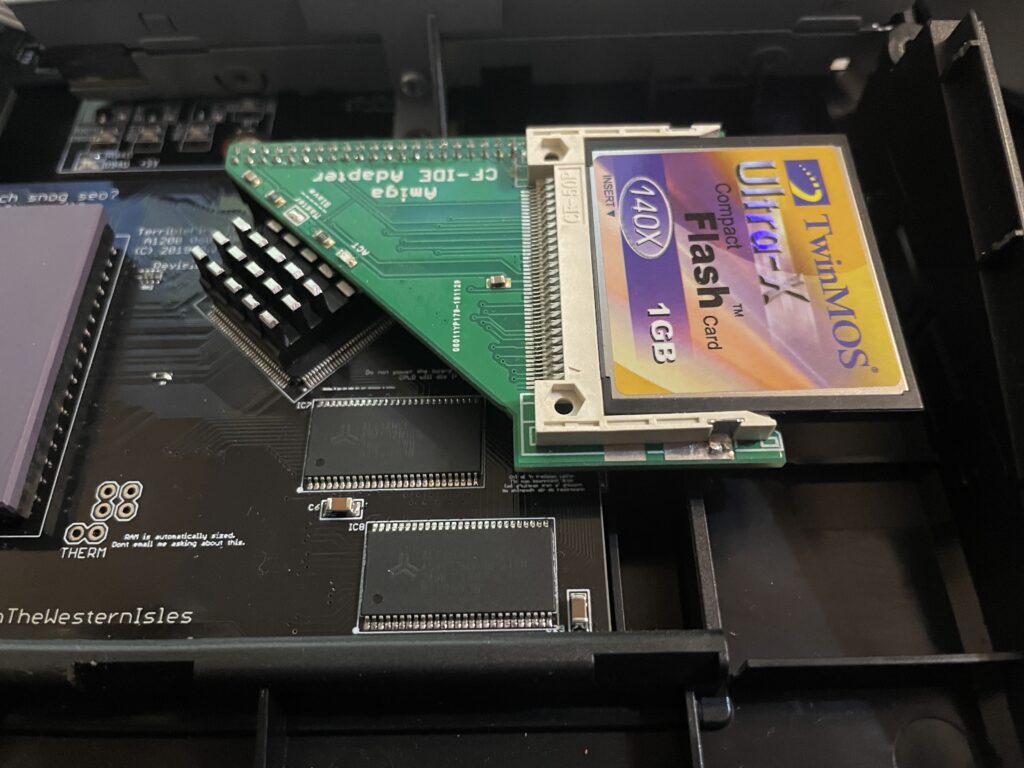
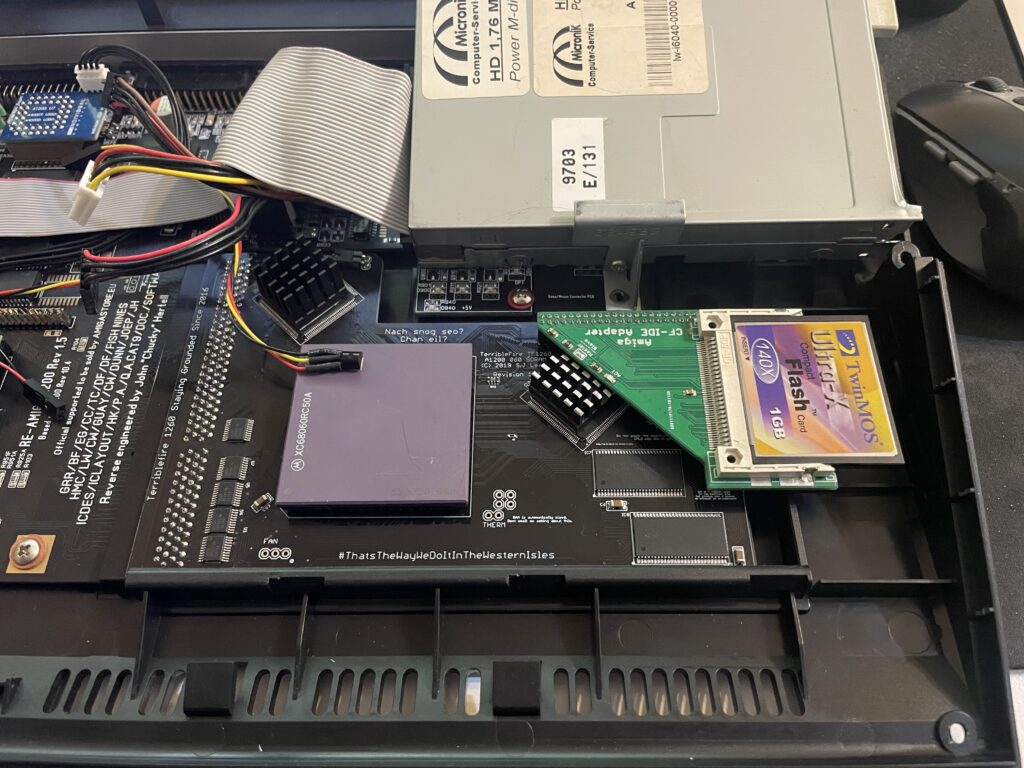
The problem with the CPLD cooler is that the right CPLD need a short heatsink if you want to run a compact flash adapter over it. As you can get an impressive speed boost for the CF card by using the IDE port on the TF1260 this was off course something I would need to consider.
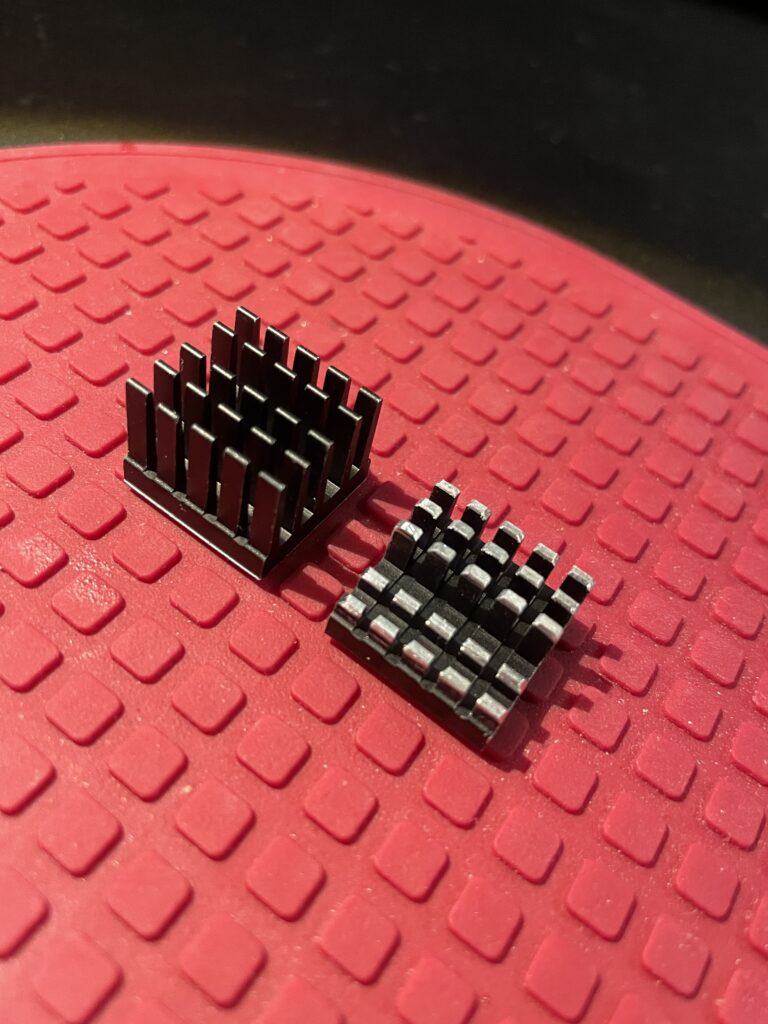
I had ordered these 18x18x20mm heatsinks for this exact CPLD before. The left one is the original form and the right one is the heatsink cut down and modified. I dont like to do fabricating as it gets so messy and difficult to get good results with hand tools. I will probably order a new heatsink in the correct height in the future.
Here I am test fitting the heatsink.
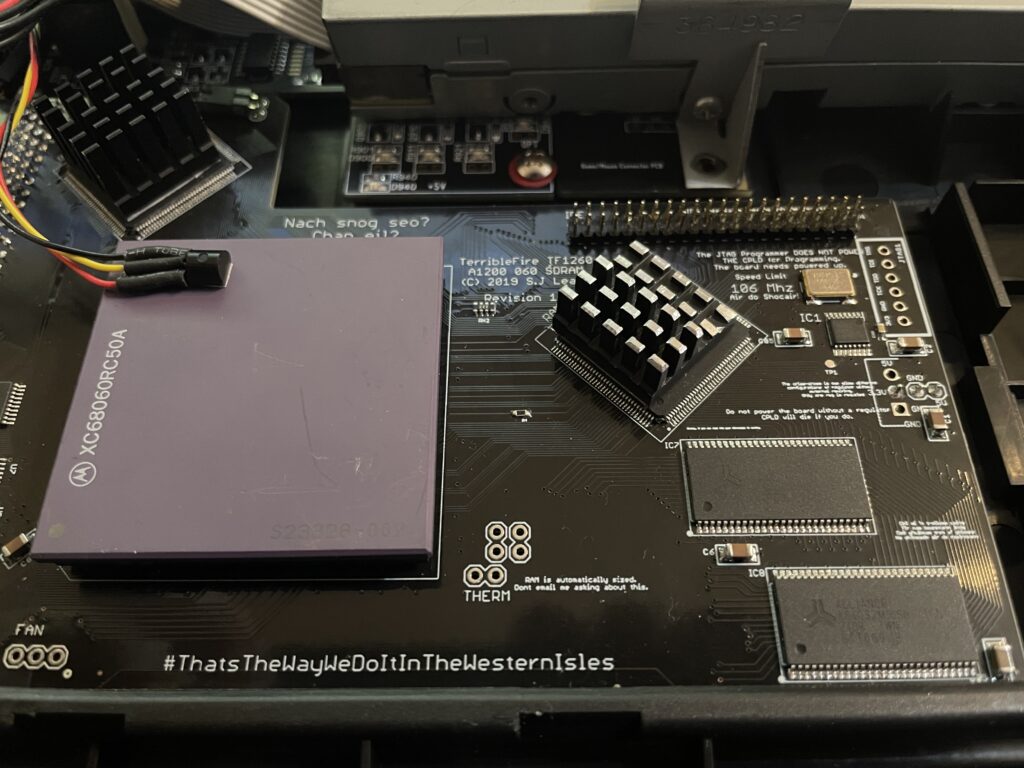
And here it is secured to the chip. I use a thermal pad from AlphaCool that I cut to fit myself. The thermal pad from AlphaCool is somewhat thicker than what you usually get when you order heatsinks from Aliexpress. The thicknes is 0.5 mm, the thermal pad is also softer and more gooier than regular flat thermal pad. Once secured with the AlphaCool thermal tape, these pads wont go anywhere, they are secured very firmly. I highly recommend these AlphaCool thermal tape and would use them even on the 060 with a large heatsink without no problem or worry that the heatsink would fall off (even if mounted vertical!)
So here we are, everything fits now. But to use the IDE port on the TF1260 I need to burn a custom Kickstart with ehide.device, more on that when I will get to it.
And about finding a solution for cooling down the 060? I have not got a clue, I will probably need to cut down a thin copper plate and place a heatsink on it offsett from the CPU. Not ideal, but better than nothing. A small heatpipe cooler leading heat to fins over the top of the cards close to the floppy drive would be ideal, but prototyping a cooler like that would take weeks and lots of money. I will see what I will come up with.
In my humble opinion a scandoubler is a must have for an Amiga. It lets you display native screen modes on a regular PC monitor. A flicker fixer is great to have also, it means you can use higher resolutions screenmodes without nasty flicker. There is however less reason to use flicker fixer modes in Workbench if you have an RTG graphics card since an RTG screen is faster than a flicker fixed screen typically.
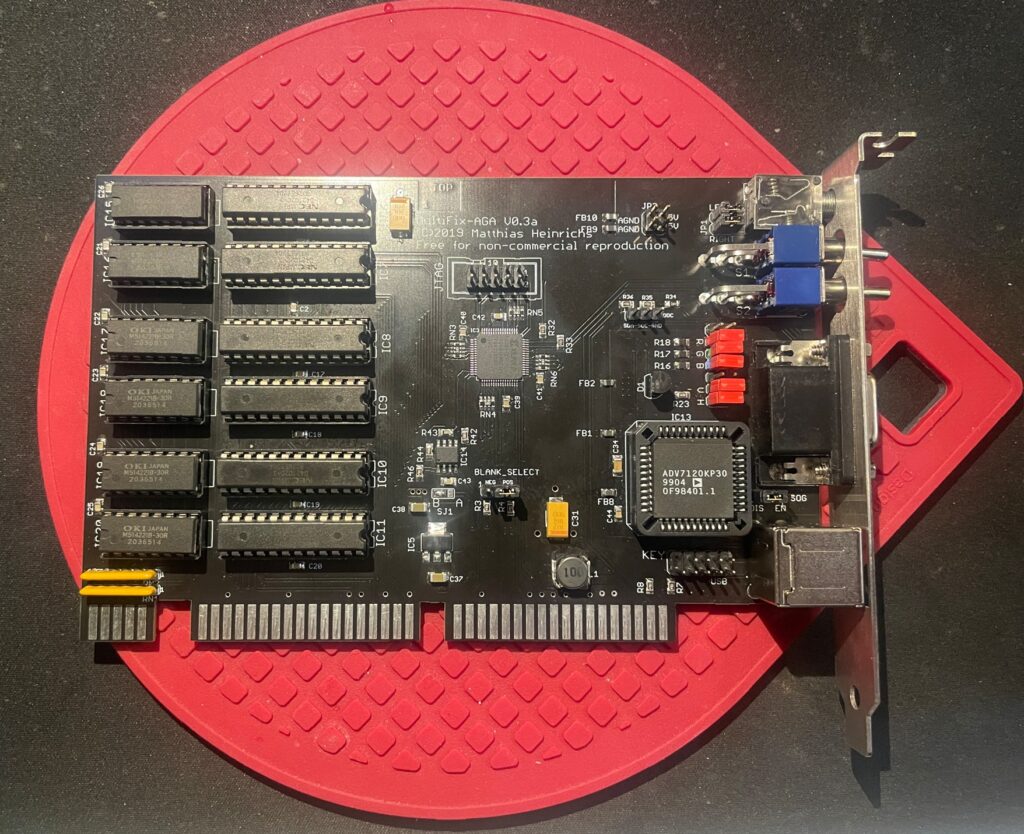
Building and testing the Multifix AGA scandoubler and flicker fixer
I have to be honest, the first time I looked at the project page I did not have a clue on how to build it. But after having finished a couple of projects and being more used to projects with less documentation I felt ready to tackle this beautiful scandoubler.
The Multifix integrates well with the GBAP2++ Amiga RTG graphics card, being able to hook up directly to the graphics board. Doing so auto switches output between scandoubled/flickerfixed output and RTG output meaning, you could run the graphics board and scandoubler in one aligned Zorro slot and video slot.
It is difficult for me to say something about the video output since on a CRT the picture quality is probably superb. I do not have a CRT so can only test on modern flat screens. And also, I am using a cheap VGA to HDMI converter that introduces lots of banding on the output. The picture quality on my TFT is not as good as I get from an Indivision or ZZ9000. But even with the cheap VGA to HDMI converter, I have seen worse banding with other VGA scandoublers and with that said, the colors are correct. Overall I am very happy even if the picture quality is not as sharp as those other devices I mentioned. And the picture quality might be even better with another flat screen or a genuine VGA screen.
OKI M5142 and NEC 42101 are also used on the Amiga 3000
Difficult to find chips
There are some chips on the scandoubler that is a bit difficult to find and it is the OKI M5142 and NEC 42101. One card uses six chips of each. As usual, some chips pop up here and there on Ebay and there are the usual places where you can find these chips (Aliexpress). If you do some research you might even find clones of these chips that are fully compatible.
ADV7120KP30 is the same chip the A4000D uses, I got 5 from Aliexpress last year for my A4000D build so had 4 to chose from.
Anyways, building this Amiga scandoubler/flickerfixer is very straight foward.
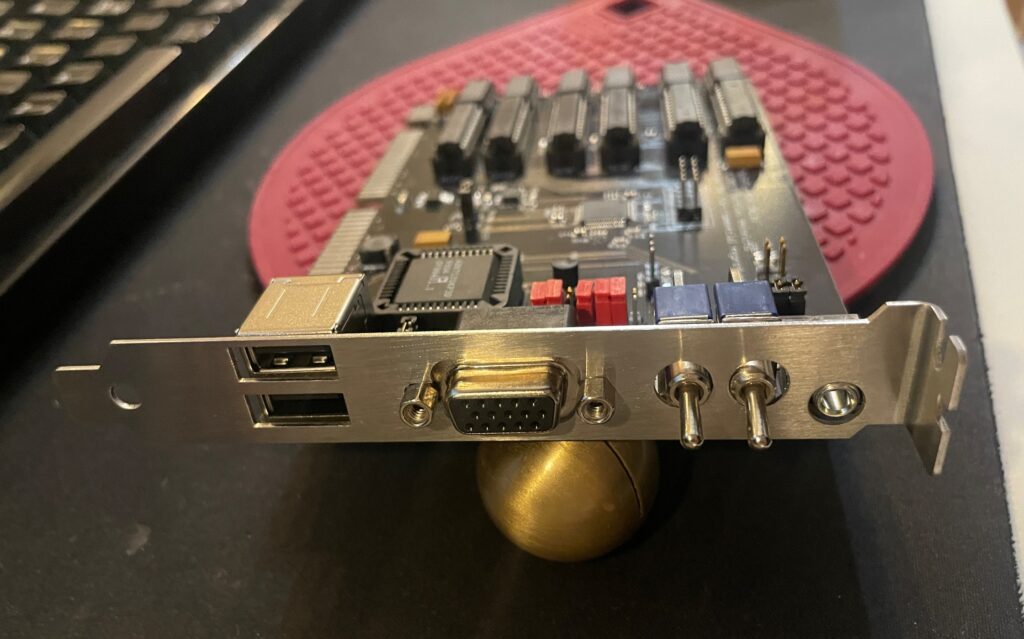
Ports and switches on the back
The backside of the Multifix AGA is kind a busy, more so than a typical scandoubler that usually only has a 15 pin female VGA port.
You might wonder why it has two USB ports, two switches and an audio port on the back. I did too, and it is not quite obvious why by reading the documentation on Git-lab. Turns out, the USB ports provides power only, meaning, you can use these for devices that uses USB power such as VGA to HDMI converters. There is a pinout on the Multifix PCB so you can hook up the USB ports to your USB card saving one bracket space. The switches disables the flicker fixer functionality and the scandoubler functionality (useful if you just want to pass through video output). And what about the audio output? I think the card picks up audio from the video slot so you might be able to get sound from here (I am not sure though, will need to test that sometime).
Oh, and that bracket, it was not made by me, I found a guy on a1k.org who could sell me two (I plan to build another), I could never make one that good looking myself.
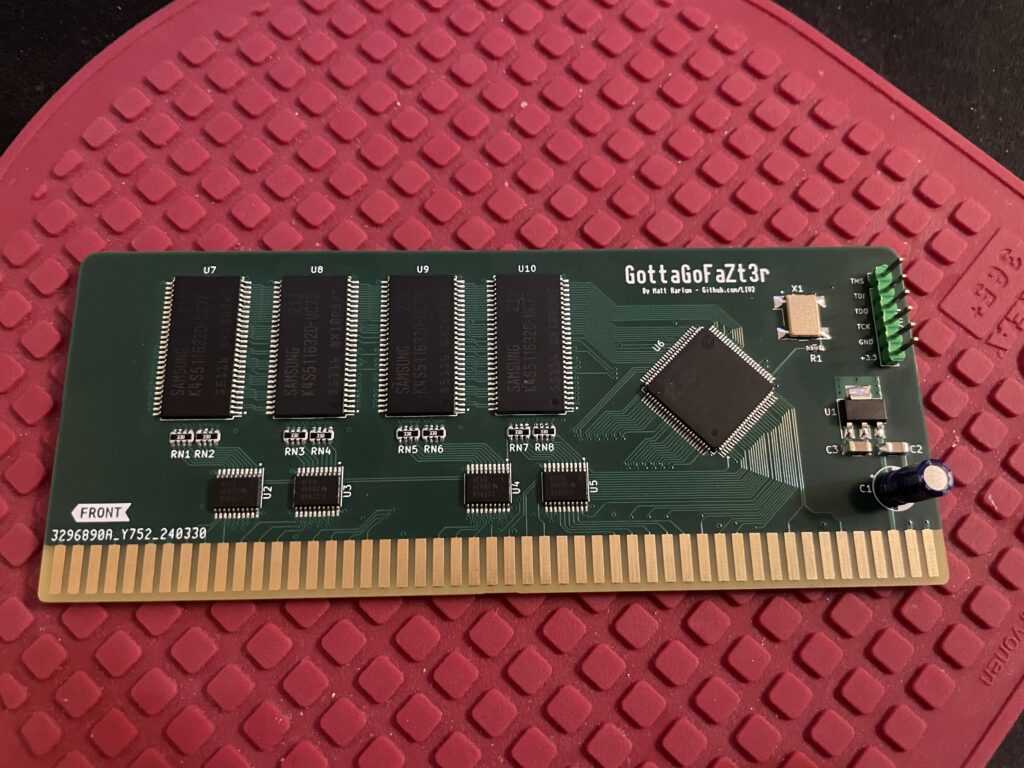
GottaGoFaZt3r 256 MB RAM Zorro 3 card for the Amiga
GottaGoFaZt3r is a memory card for Zorro 3 big box Amiga computers that you can build or buy premade. Find out more information about the GottaGoFaZt3r Amiga memory card here.
Amiga with a Zorro 2 bus supports up to 8 MB memory on the Zorro 2 bus, that memory is shared with other devices on the bus so if you have a graphics card with 2 MB you can only have 6 MB additional fast mem on the Zorro 2 bus. With Zorro 3 that is IIRC increased to 1 GB.
Phase 5 Fastlane vs GottaGoFaZt3r
Before this card was released there was not a huge offering of Zorro 3 memory cards, the most famous was probably the Fastlane from Phase 5, a huge full size Zorro 3 memory card that uses rare 30 pin memory and commanded high prices on the second hand market. The Fastlane has 16 30-pin SIMM sockets and can be expanded to 256 MB, but that would require 16 very rare 16 MB 30-pin SIMM memory. Phase 5 made awesome hardware back in the day but time marches on.
While the Fastlane was also a SCSI card the GottaGoFaZt3r is just a memory card. Where the Fastlane is full size the modern card is a mini half size Zorro 3 card. It is autodetected and just does one thing, adding more memory to your Z3 Amiga.
Whats the point of a 256 MB memory card in an Amiga?
The GottaGoFaZt3r can be built to be a 128 MB card or 256 MB card. Off course I went for the 256 MB option. While this could be seen as just bragging rights to be able to pump up your Amiga with a 256 MB memory card, keep in mind that this is actually usable on an Amiga, even with oldschool applications thanks to being able to use the memory card as a huge RAM disk.
Some comments about building the GottaGoFaZt3r Amiga memory card
Memory and CPLD was sourced from China, other than those parts its a very straight forward BOM. The build is also very simple. While the BOM does not mentions a capacitor at C1 I got the recommendations to add one so thats what I did.
My setup
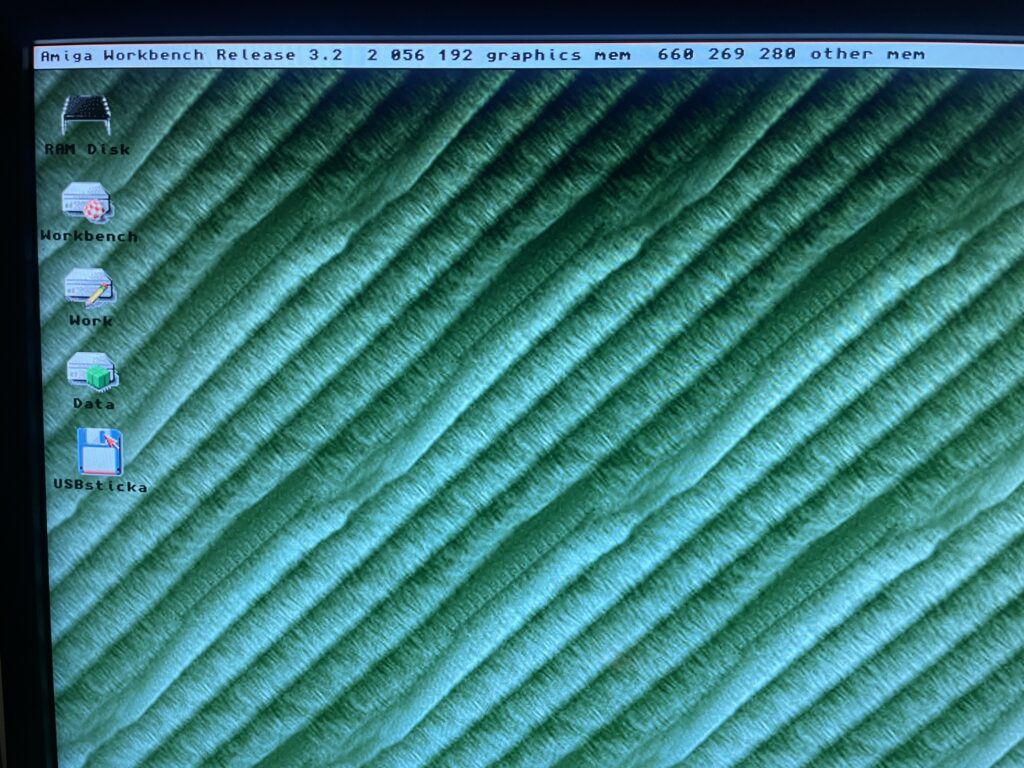
In total there is 660 MB Fast RAM in my Amiga 4000TX
I installed the GottaGoFaZt3r card in my A4000TX. Currently the memory setup looks like this on my Amiga 4000TX which is alsy my primary Amiga.
GottaGoFaZt3r: 256 MB
BFG9060: 128 MB
ZZ9000: 256 MB
I will add 128 MB fast ram to the motherboard (which will be used as 96 MB by the A4000TX), so in the future I will have 736 MB fast mem in my daily driver. Currently the memory is reported as 660 MB as I have a memory stick that is not really supported by the TX so it only partially works.
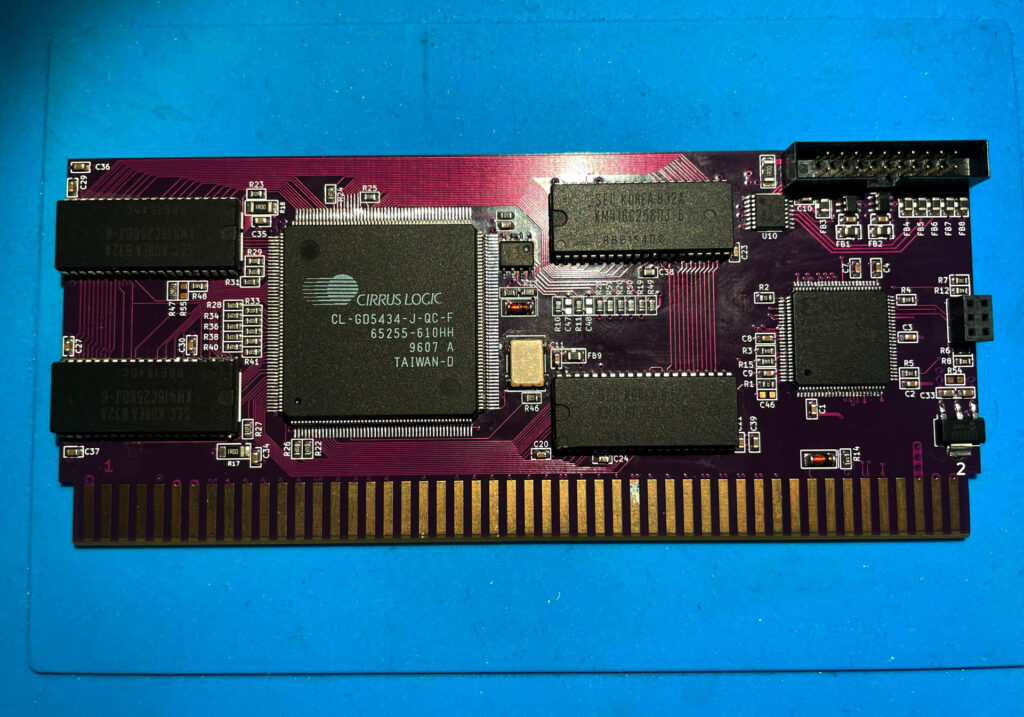
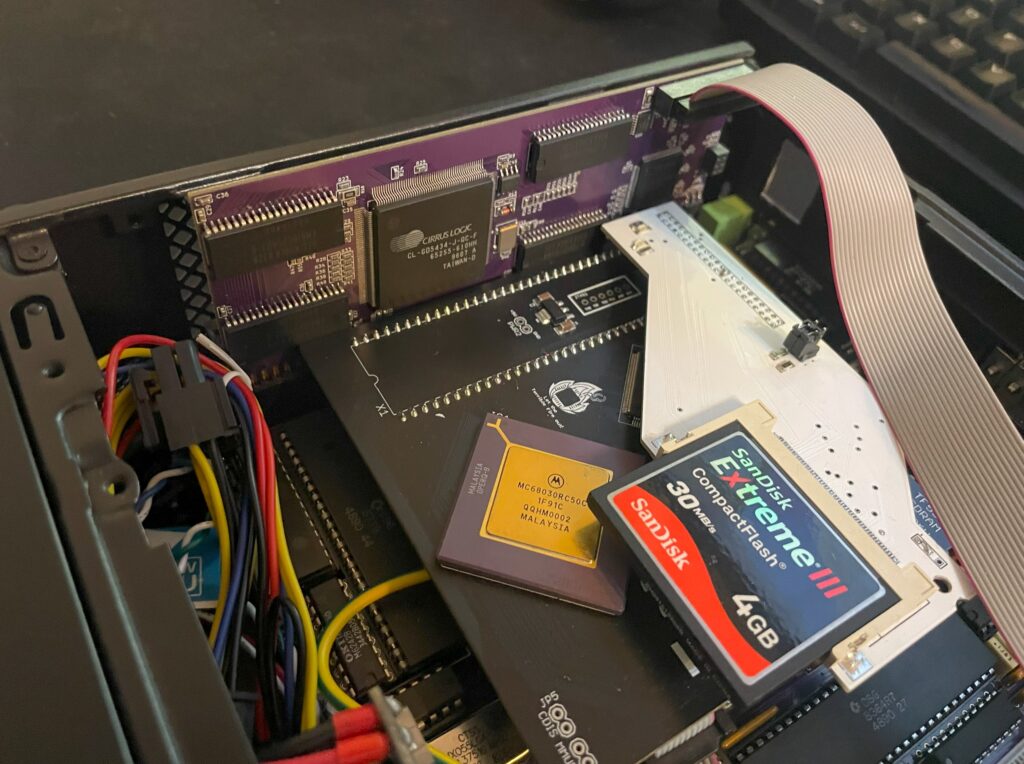
I got the opportunity last year during fall to purchase a GBAPII++ mini graphics card with all passives already mounted. Only thing it did not have was the Cirrus Logic chip, memory chp and the CPLD (and some small components). The mini version of the GBAPII++ is the same card functionality wise as the regular one. You can read about the regular GBAPII++ here, you can read about the mini version of the card here.
As I was going to build the regular version of the graphics card in parallell I got lazy when I put together the BOM and assumed that the voltage regulator was the same for both of the cards. I was wrong, the GBAPII++ mini uses another voltage regulator, which explains why I could not program the CPLD and why the voltage regulator was running very hot on the card once I had built it.
Having received another shipment of components from Mouser late last year in December with the correct voltage regulator, I was anxious to find out if I had fried the card or if it was going to work. Happy to tell you the card in the picture is working fine after I swapped the voltage regulator to the correct one!
Whats the point of such a small Amiga graphics card?
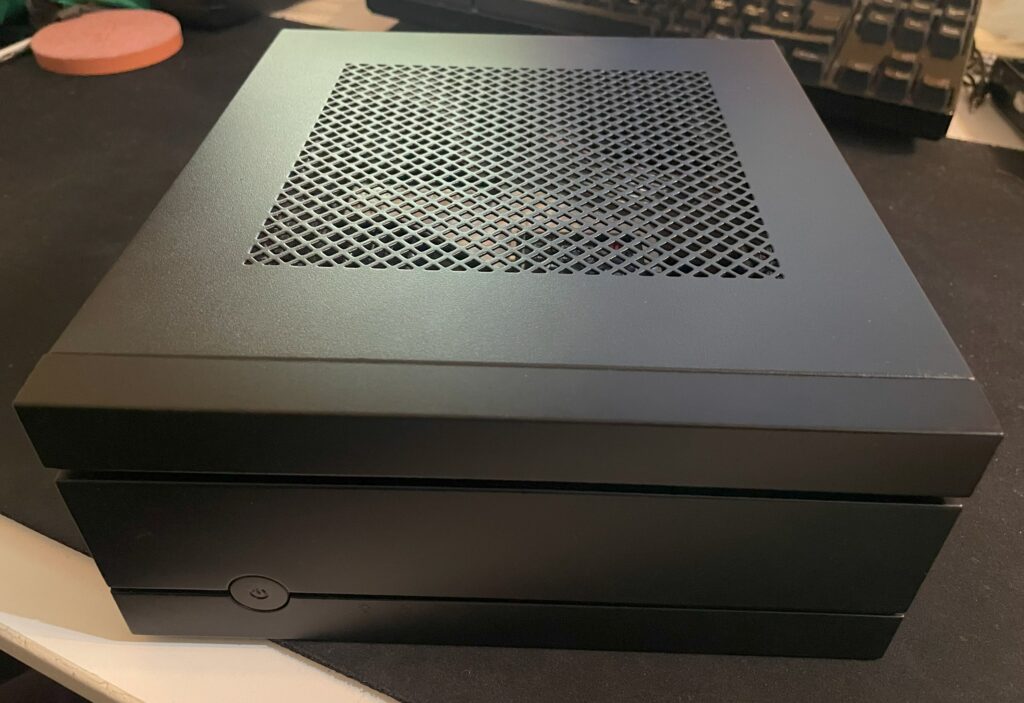
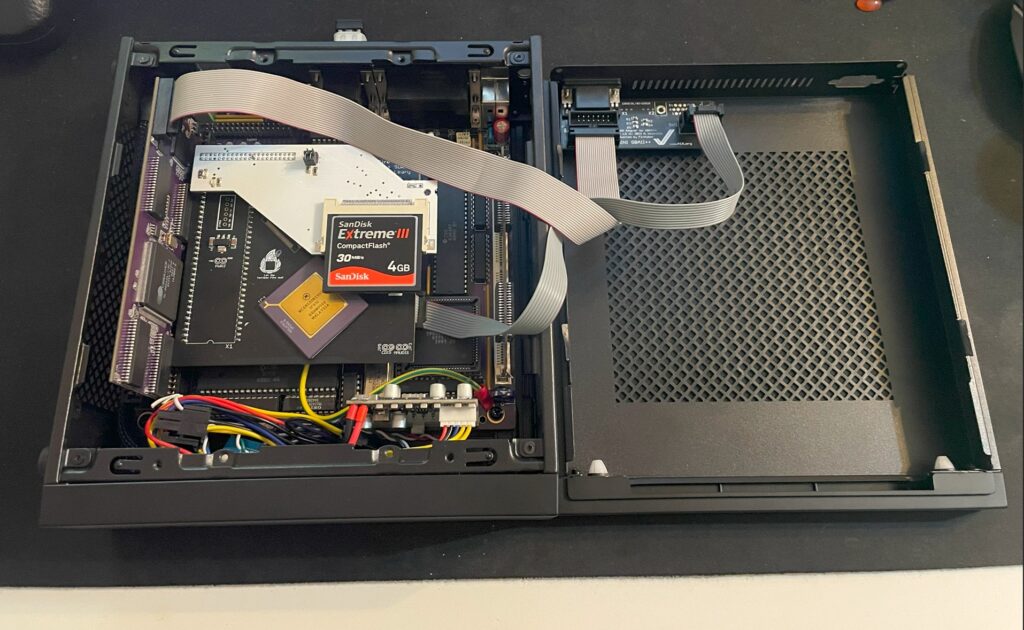
I use my other GBAP2++ mini card in my Mini-ITX Amiga Denise but I think I will use this one in another big box Amiga. As you can see the Denise is installed in a very low profile case – The tiny card makes it possible to use a small case. If anyone is wondering what case I am running, it is a Chieftec IX-01B Mini-ITX case but it has the CD/DVD addition stacked on top of it to make room for the graphics card (Chieftec MK-35DV).
This Amiga is based on the Denise Mini-ITX A500+ clone motherboard. It has a TF356 68030 turbo card with 64MB memory, a 4 GB CF card and an Indivision ECS MK3, it also has a GBAP2++ mini graphics card. The video output from the VGA connector is beautifully switched from native ECS to P96 output (and vice versa).
Here is another closeup of the card running fine in my Denise Amiga clone.
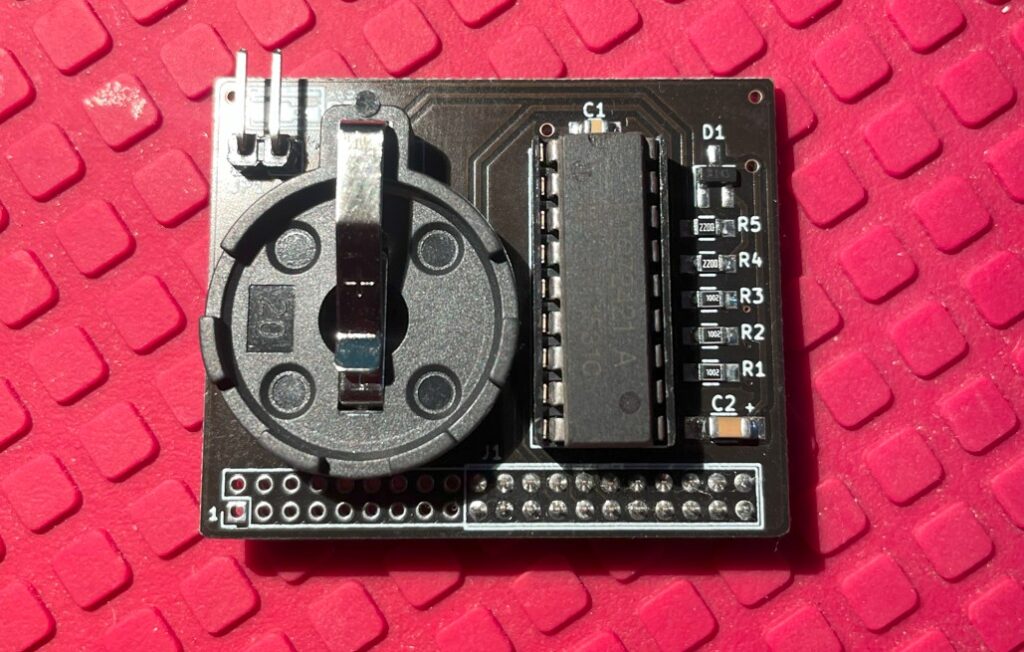
The final Amiga hardware project of the year for me is this nice mini hardware kit for the Amiga 1200, the OpenA1200RTC. A real time clock that you can hook up to an Amiga that has a clock port. Find out more about the OpenA1200RTC here. The real time clock makes the Amiga 1200 keep track of time.
Building the OpenA1200RTC
This was a very simple 20 minute build containing only 13 parts. The only moderately difficult to find part is probably the RTC chip which can be found on Ebay or AliExpress.
What is the clock port in an Amiga?
The Amiga 1200 has a port famously dubbed the “clock port”. The clock port is a 2 mm double row 22 pin header close to the CPU slot. It was rarely used for its intended purpose, to host a real time clock, since hardware engineers figured out how to hook up sound cards, serial ports and other things to it.
There are some Zorro cards that also has clock ports. That means it is possible to run clock port hardware on a big box Amiga that can carry Zorro cards.
So what do you use an RTC for anyways on an Amiga?
The main purpose of having an RTC such as the OpenA1200RTC is for the Amiga to not lose time when it is powered off. Having your computer keep track on time is not only usable for having a clock on the desktop. If the computer keeps track of time, that means all files will have timestamps for when they were created or last edited. It is possible to sync date and time with a server over the internet but it could be handy to have an internal RTC on an Amiga that is not hooked up to the internet a majority of time. Also, it could be nice to finally use the clock port for its intended application once.